
Convert to Batch: Turn completed dispense records into reusable SOH

The Convert to Batch feature allows a completed dispense record to be converted into a reusable production record without recreating the formulation from scratch. During conversion, Compound Direct preserves the completed compounding record and turns it into a stock-on-hand record ready for allocation, while allowing the original patient record to be retained, partially retained, or removed depending on the selected workflow.
Depending on how the formulation is configured, the conversion creates either a Batch Manufacture or a Compound Group, providing a seamless transition from patient-specific compounding to reusable production.
The workflow begins from a completed dispense record. If the record is eligible, select ‘More actions’ and then ‘Convert to Batch’
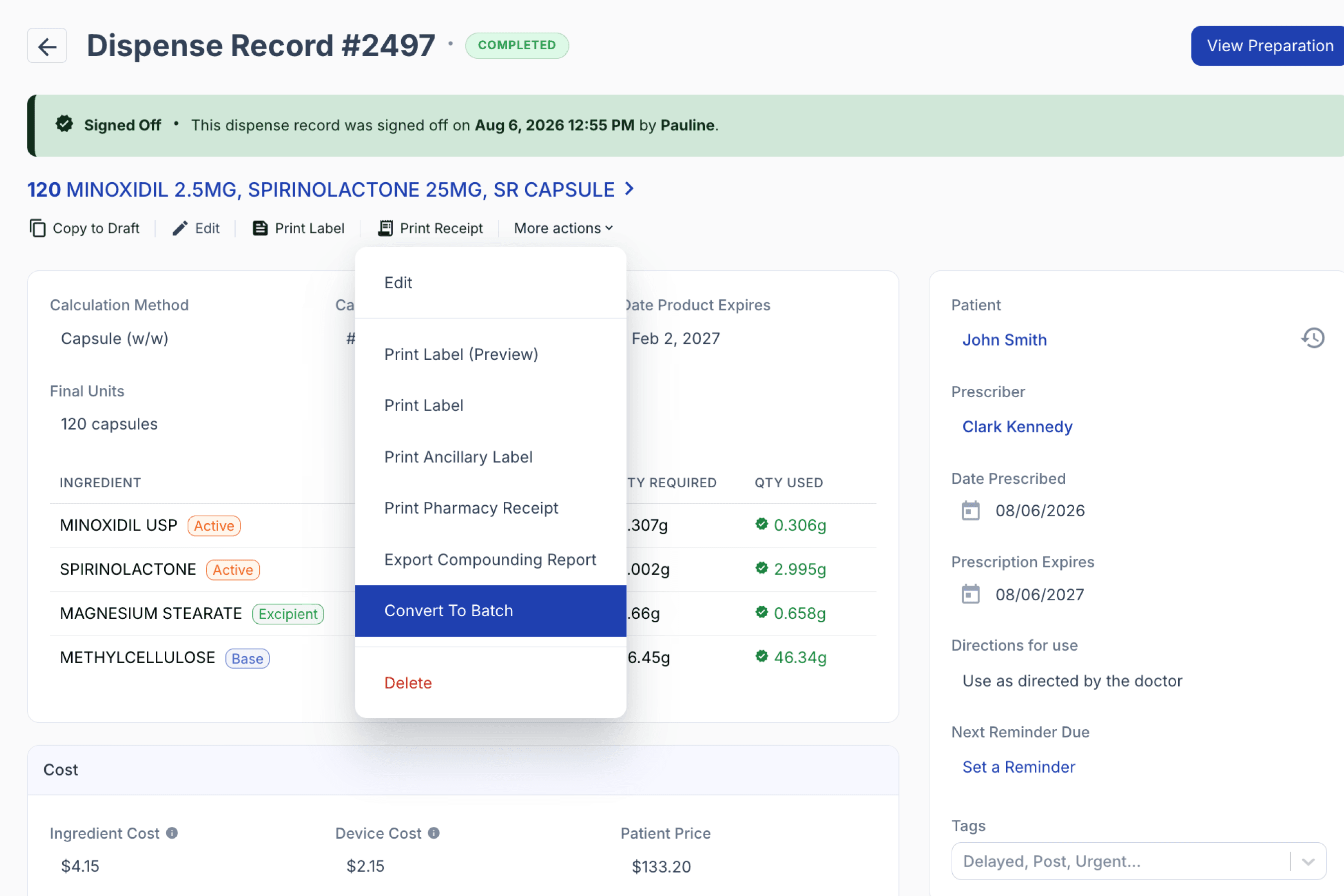
From the dispensed record
Before conversion can proceed, Compound Direct validates that the dispense record is eligible.
The dispensed record must:
✔ be signed off
✔ have a signed-off formulation
✔ have a formulation attached
✔ not already be a Batch Manufacture
✔ have a valid retained quantity where applicable
✔ satisfy stock allocation and other validation checks required for conversion
These checks help ensure that only completed and valid records can be promoted into production.
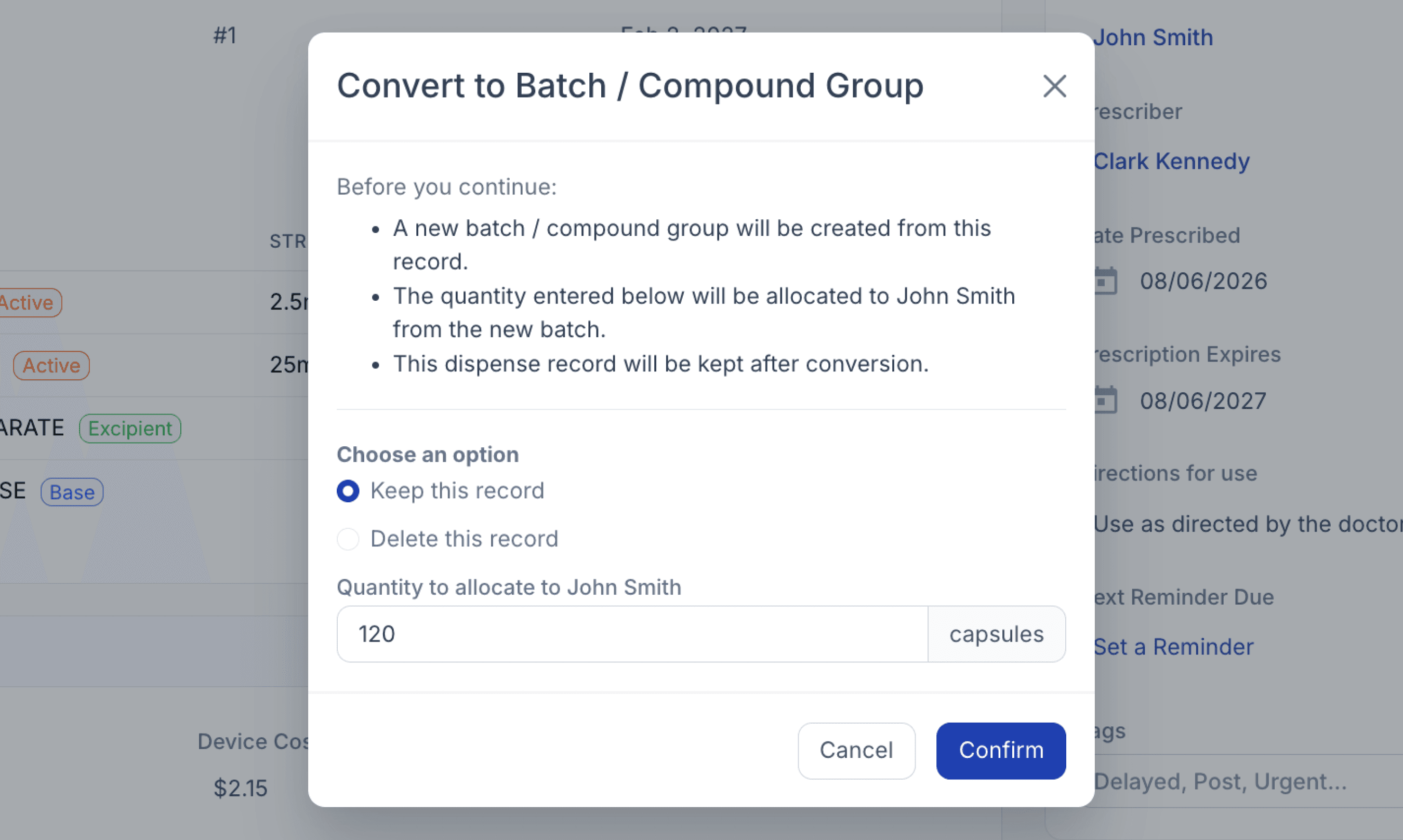
The conversion modal explains the process and prompts the user to choose how the original dispense record should be handled after the new production record has been created.
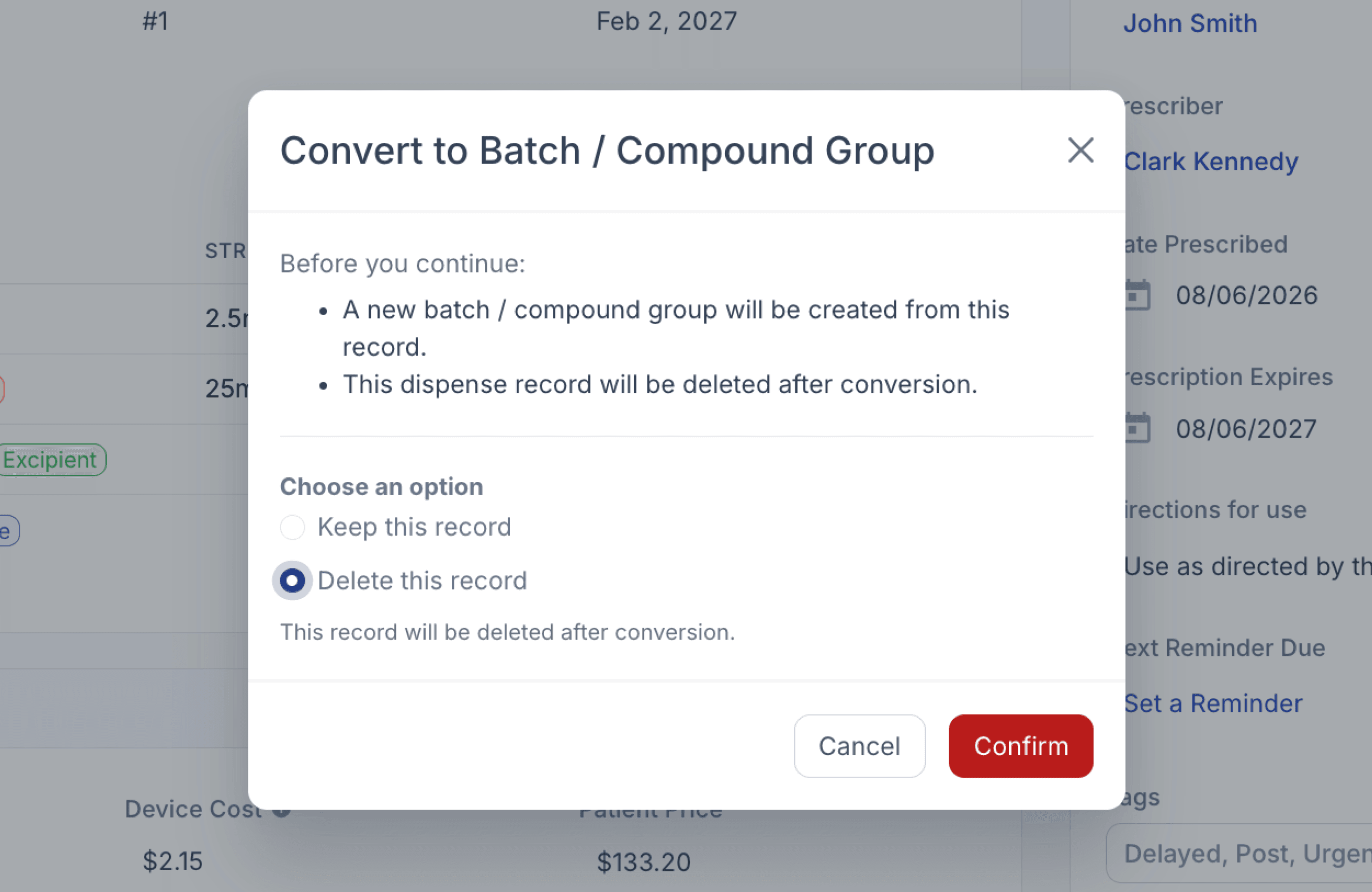
When converting a dispense record to either a batch manufacture, or compound group, two options will be available: you can either ‘Keep this record’ or ‘Delete this record’.
Keep this record
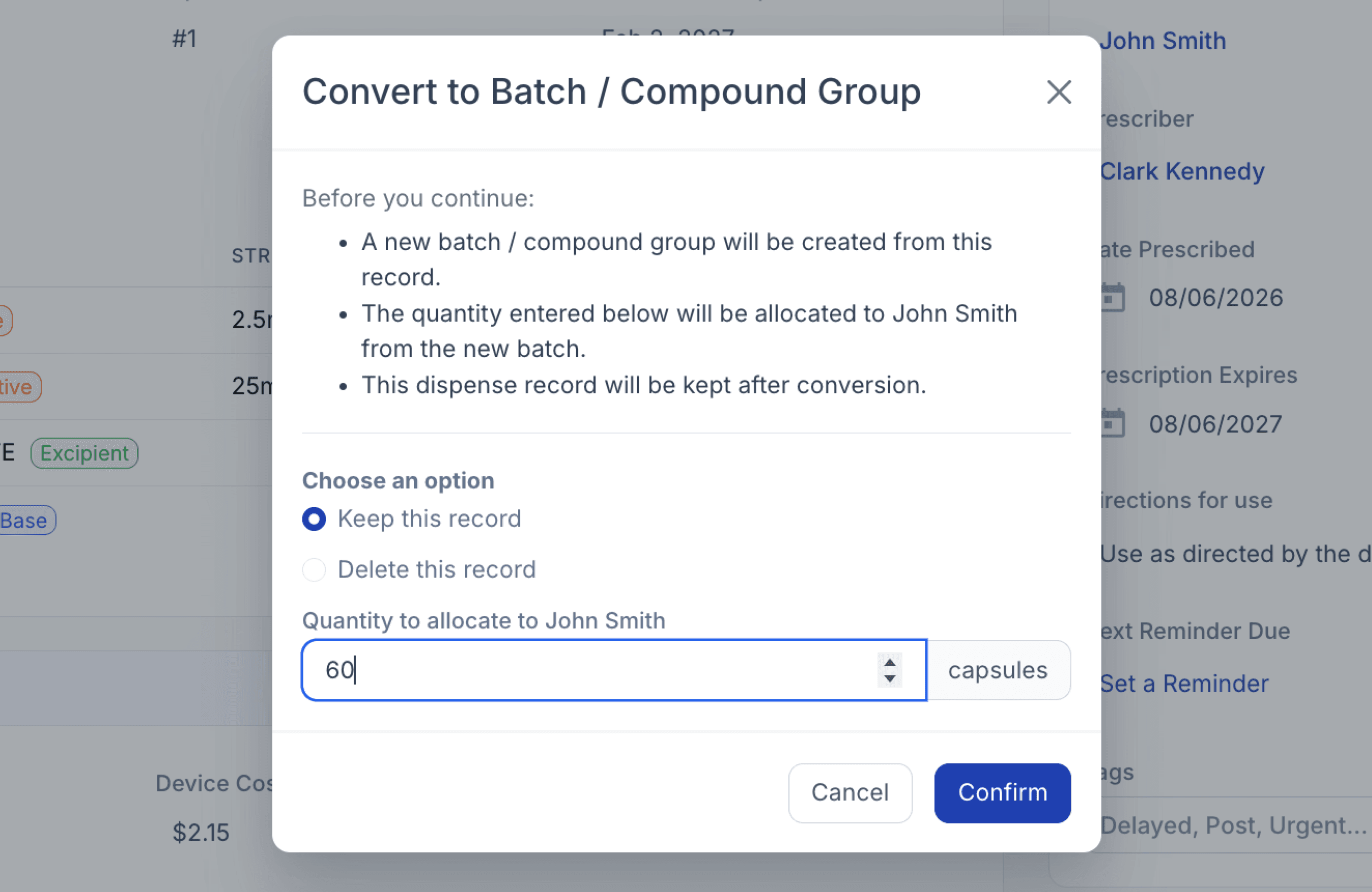
If Keep this record is selected, the user specifies how much of the compounded quantity should remain allocated to the patient. The retained quantity must be greater than zero, numeric, and cannot exceed the original dispensed quantity. When keeping a record, you can either:
Keep record with full quantity retained
The original dispense record remains unchanged, with the full quantity allocated from the newly created production record.
Keep record with partial quantity retained
The original dispense record is reduced to the retained quantity, and that quantity is allocated from the newly created production record.
Delete this record
If Delete this record is selected, the new production record is created first before the original dispense record is archived.
Converted to batch manufacture record
If the formulation has Batch Stock linked, Compound Direct creates a new Batch Manufacture using the dispense record’s compounded quantity.
This convert to batch manufacture option is available for standard packages and above. For the basic package, please see Converted to compound group.
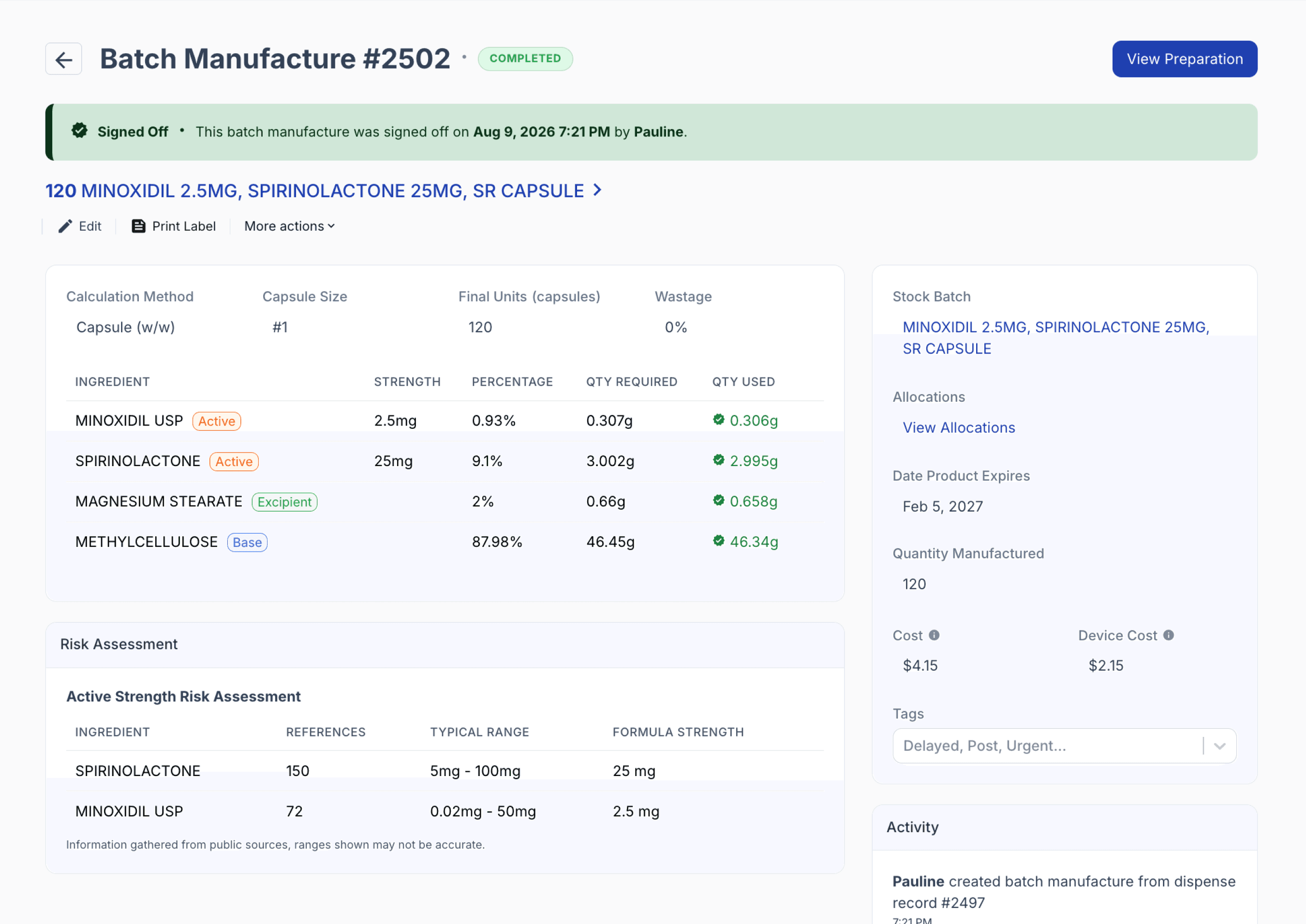
From the batch manufacture record
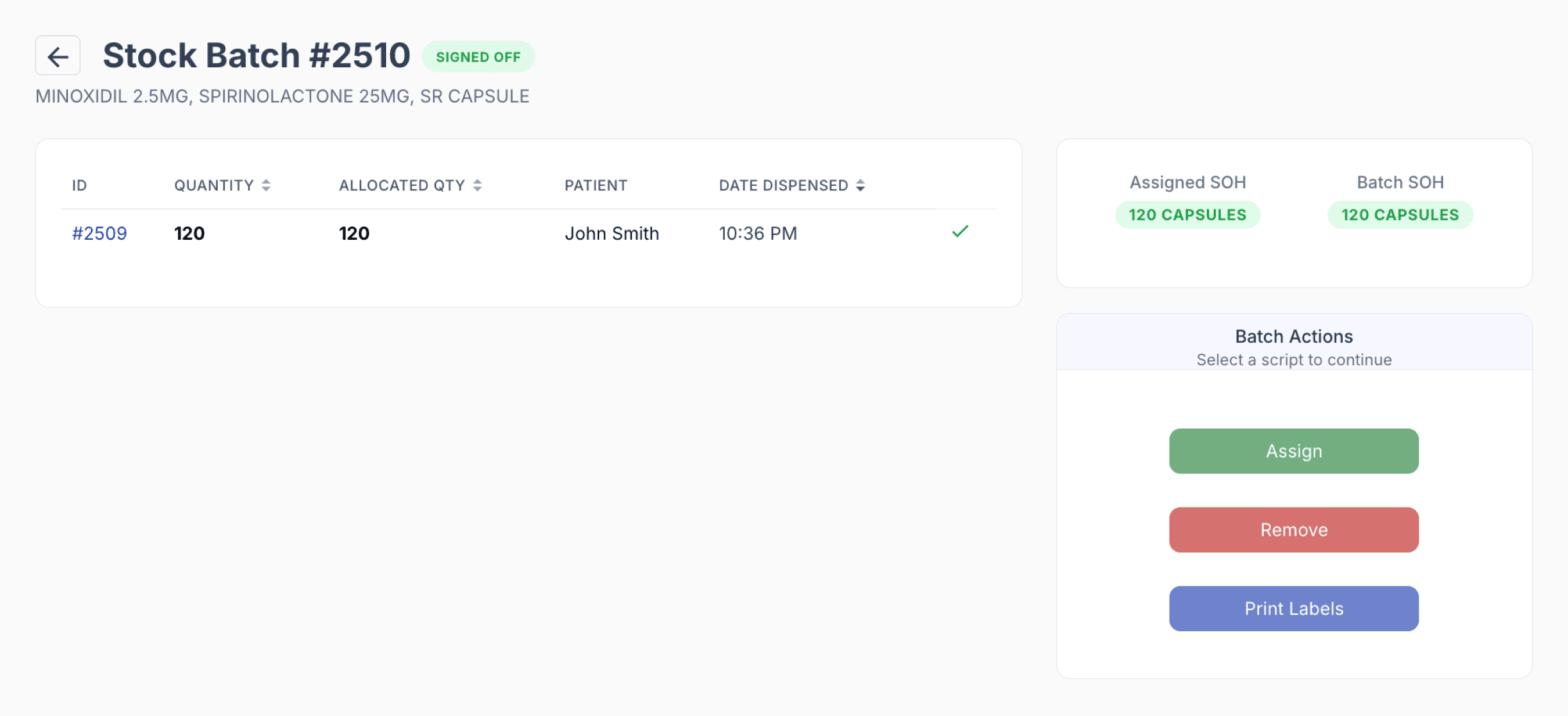
Keep record with full quantity retained
If the batch is converted and the dispense record is kept with the full quantity retained, the full quantity from the new batch is allocated back to the original dispense record.
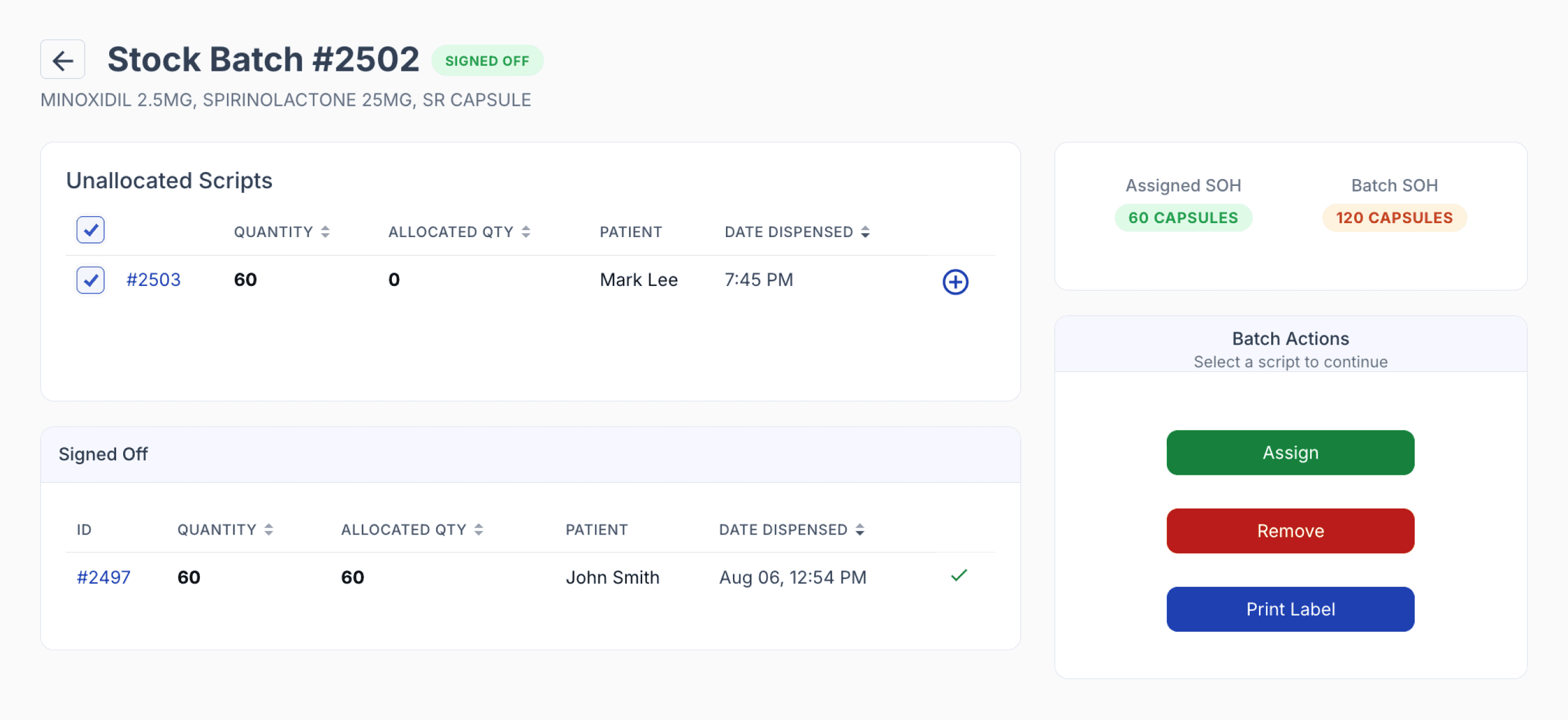
Keep record with partial quantity retained
If the batch is converted and the dispense record is kept with a partial quantity retained, the dispense record is updated to the retained quantity. The remaining quantity stays available in the batch for future allocation.
For example, if the original dispense record contains 120 units and the retained quantity is 60 units, the dispense record is updated to 60 units, while the batch continues to represent the original 120-unit preparation. The remaining 60 units are available for allocation.
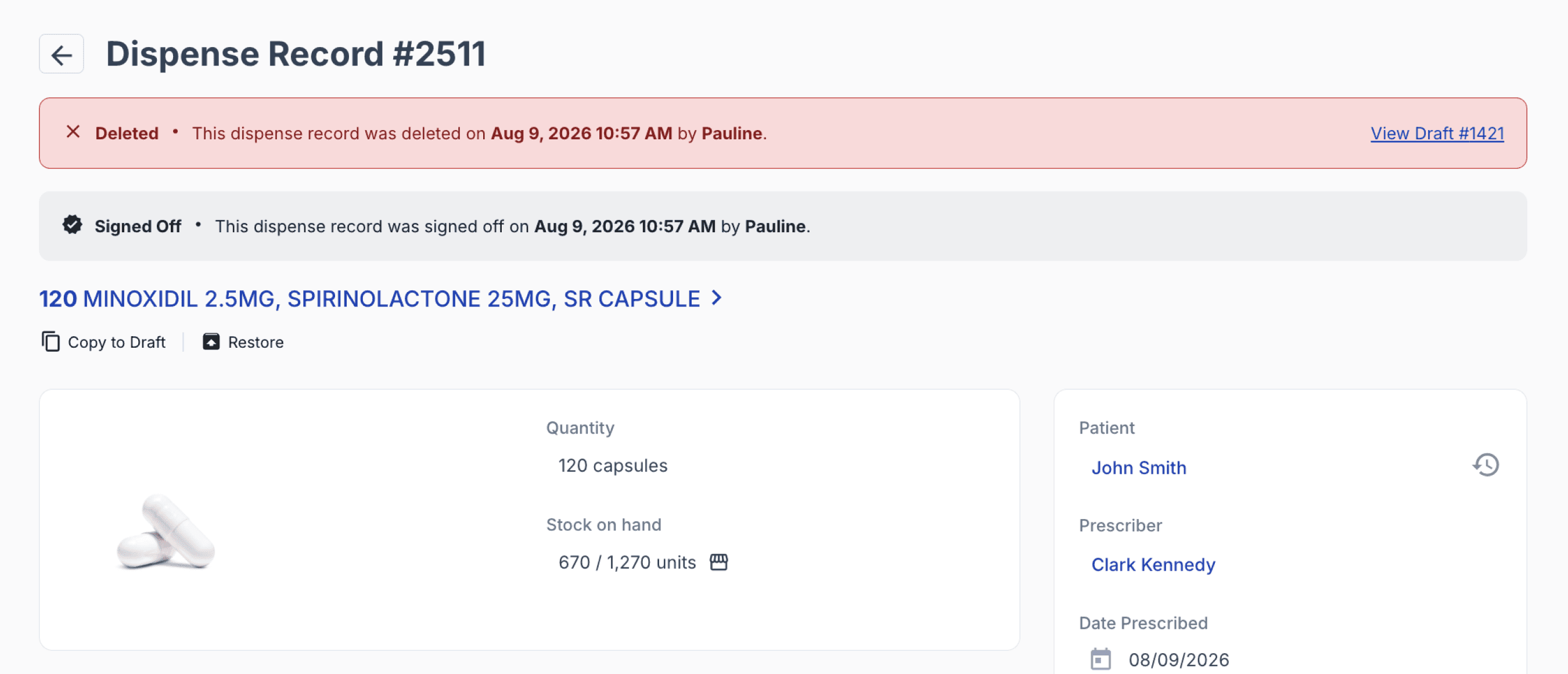
Deleted dispensed record
If the original dispense record is deleted after conversion, no quantity is allocated back to that record. The full converted quantity remains available in batch stock and is ready for allocation.
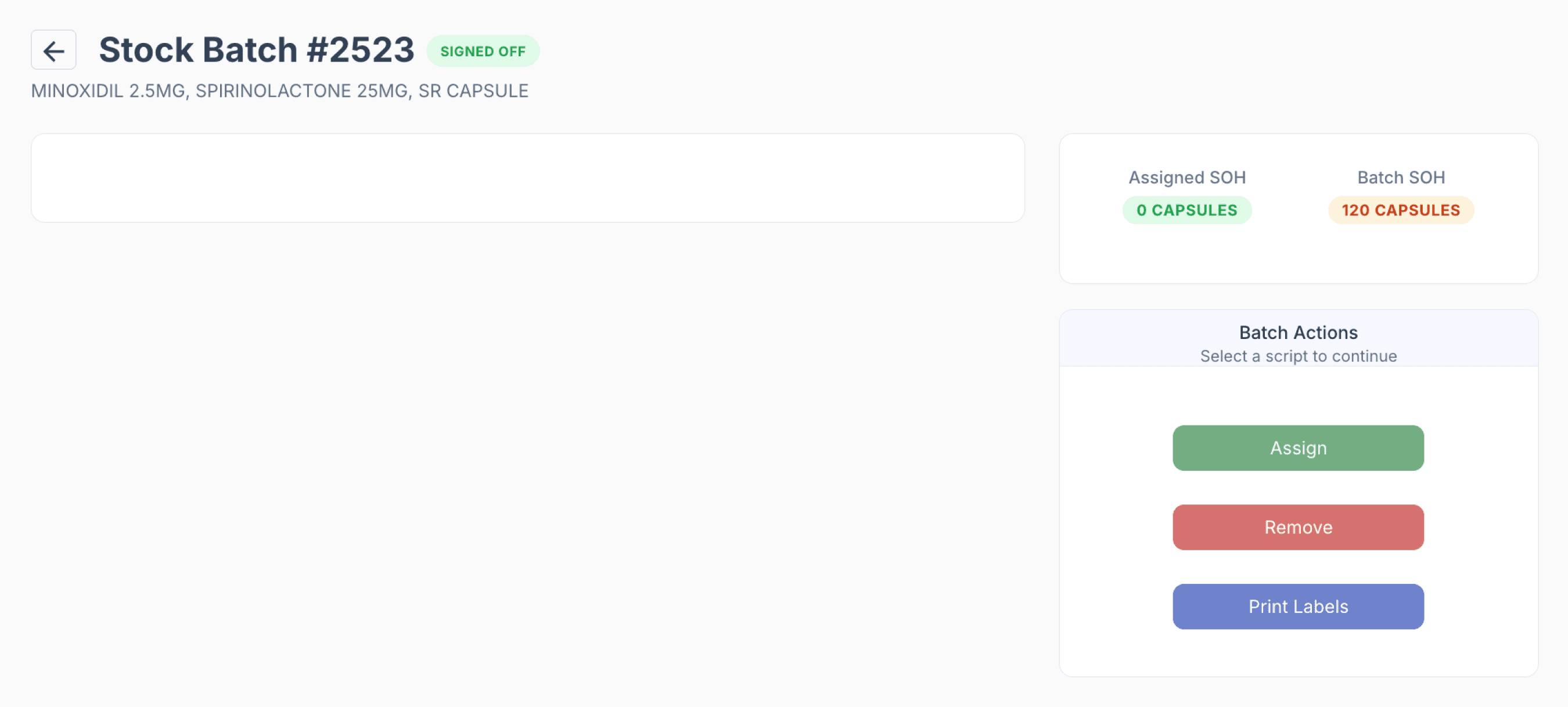
To learn more about batch stock allocation, see our blogs:
Automatic Bulk Allocation: Streamline multi-script management with audit-ready allocations
Manual Bulk Allocation: Control batch allocations efficiently across multiple scripts
Converted to compound group
If no Batch Stock is linked, Compound Direct creates a Compound Group.
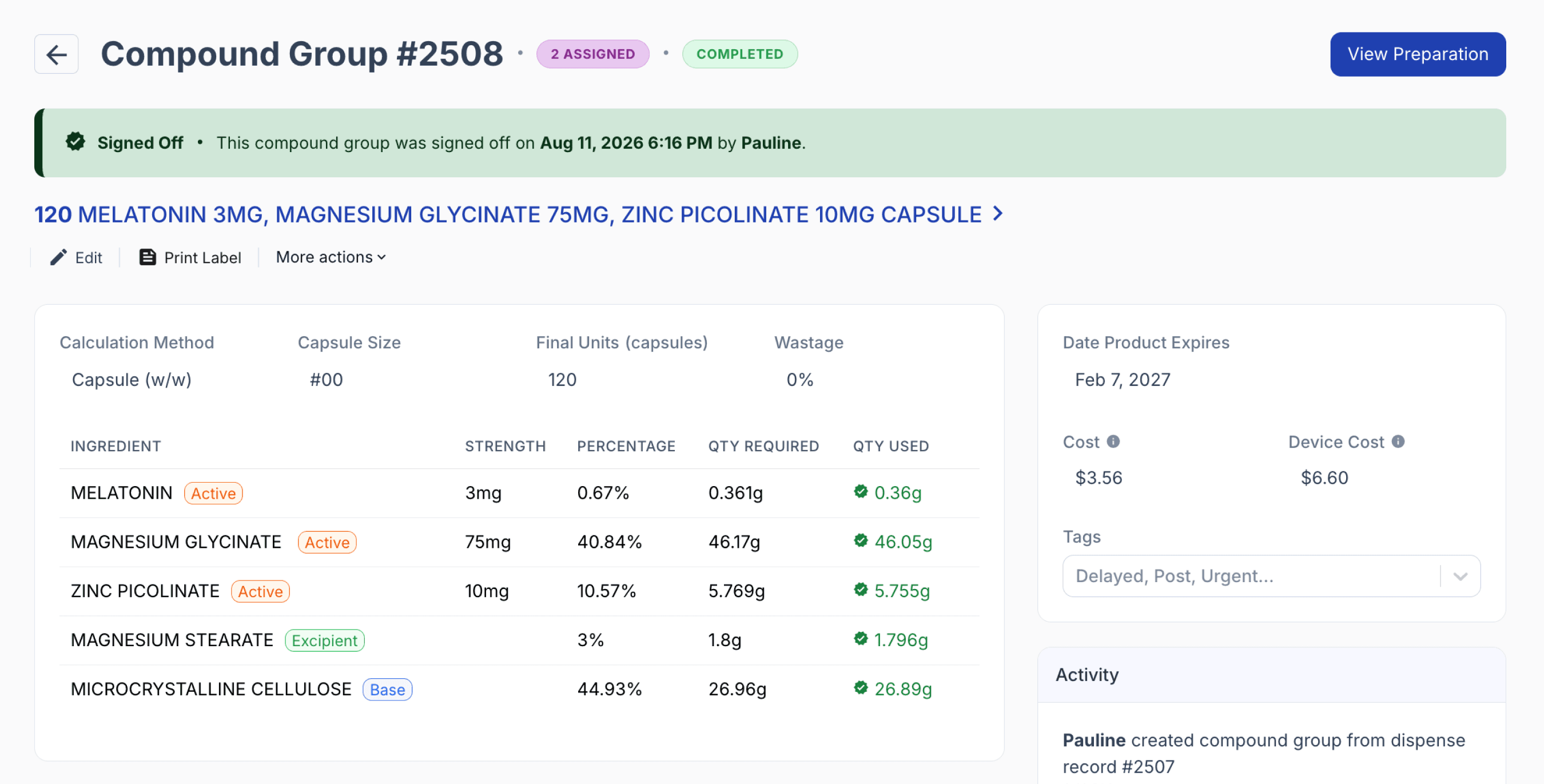
From the compound group page
Keep record with full quantity retained
If the record is kept with the full quantity retained, the full converted quantity is assigned back to the original dispense record. No quantity remains available in the Compound Group.
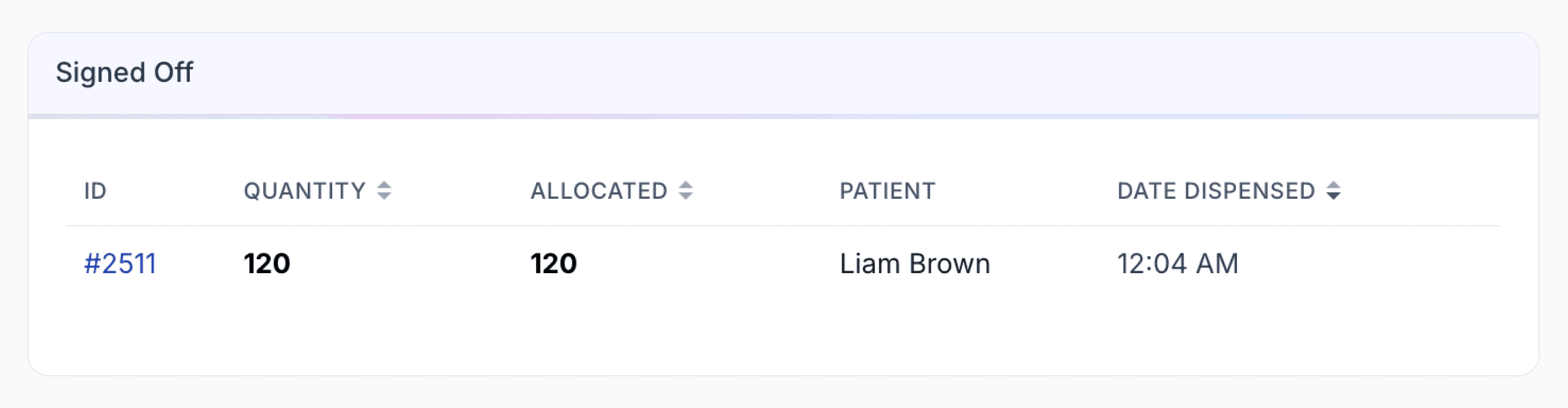
Keep record with partial quantity retained
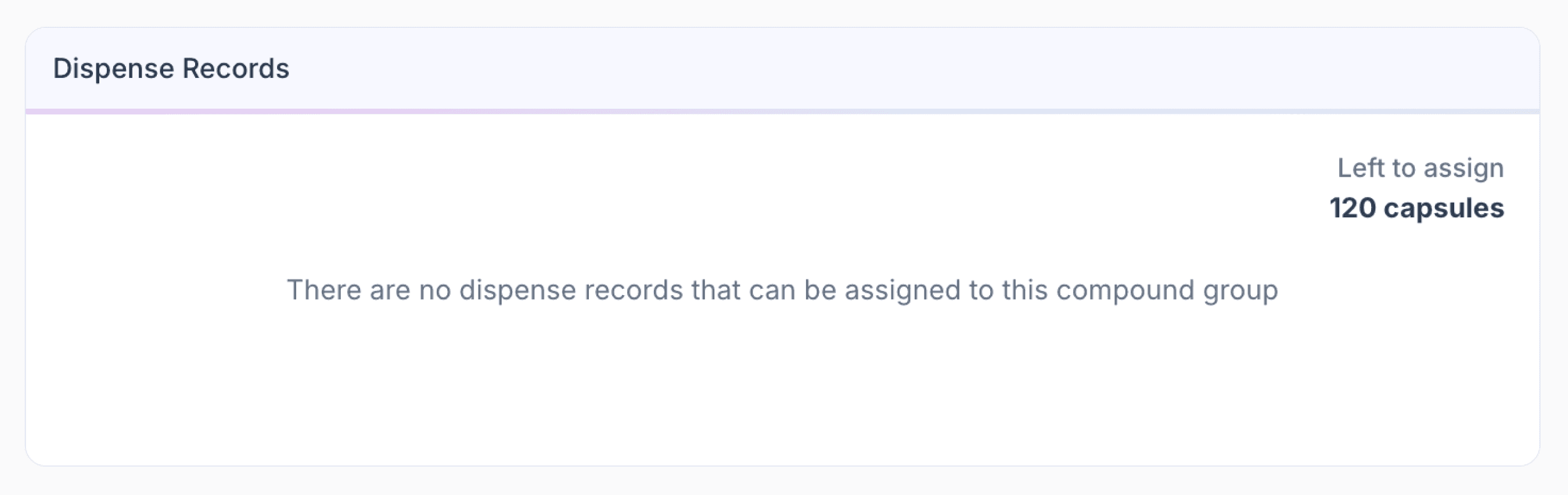
If the record is kept with a partial quantity retained, the dispense record is updated to the retained quantity. The remaining quantity becomes available in the Compound Group for future assignment.
For example, if the original dispense record contains 120 units and the retained quantity is 60 units, the dispense record is updated to 60 units and the remaining 60 units stay available in the Compound Group.
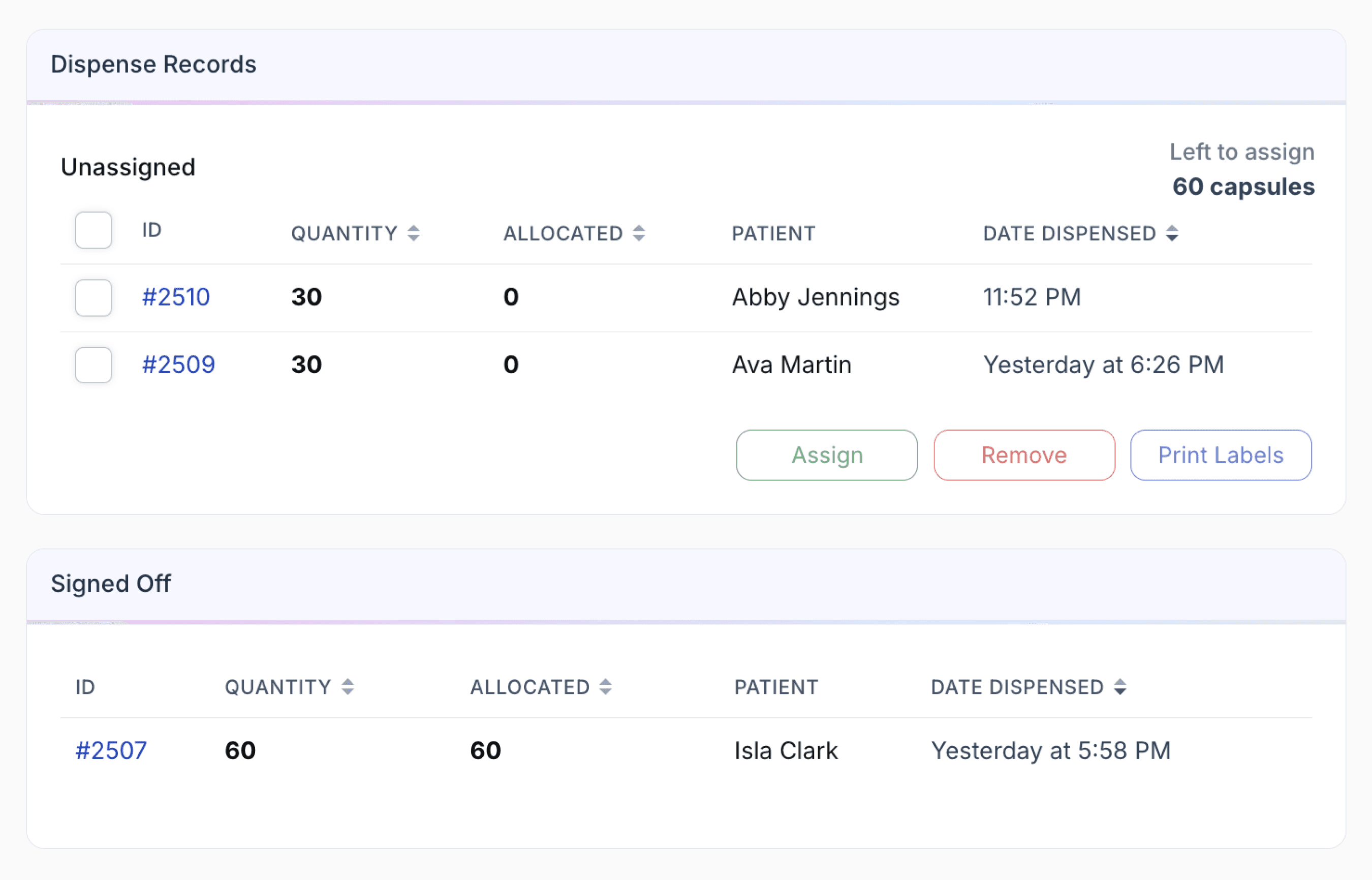
Deleted dispensed record
If the original dispense record is deleted after conversion, no quantity is assigned back to that record. The full converted quantity remains available in the Compound Group.
To learn more about how compound groups work, see Compound Groups: How to prepare multiple compounds in one go
The new record carries across key compounding information, including formulation details, ingredients, formulation step statuses, activity notes, preparation files, and devices. Tags are reset rather than copied.
The original dispense record is then either updated or archived, depending on the selected conversion option.
For batch stock conversions, copied ingredients and formulation step statuses are removed from the original record. For compound group conversions, those copied items remain on the original record.
E-prescription submission during convert to batch
Convert to Batch automatically manages linked e-prescription records when the original dispense record is changed.
Partial quantity retained
If the retained quantity changes, Compound Direct resubmits the linked e-prescription record where applicable, either as an amend or finalise submission.
Dispense record deleted
The record is first converted with a quantity of 0 and then archived, triggering an e-prescription reversal.
No linked e-prescription record
No resubmission or reversal is required.
Submission exclusions
Automatic submission does not apply to certain records, including imported records, future-dated prescriptions, non-e-prescriptions, and records with unchanged or zero quantities.
Failed reversals
Reversals are processed asynchronously. If a reversal fails, it can be retried from the UI.
This applies to both standard e-prescription and manually submitted e-prescription records, provided a linked e-prescription record exists and the record meets the requirements for submission.
Summary
Convert to Batch turns a completed dispense into reusable Batch Stock or a Compound Group while preserving the original compounding work. Users can retain the full or partial patient quantity, or delete the original dispense record, with remaining stock made available for future allocation. The process also maintains relevant compounding information and manages linked e-prescription updates or reversals where applicable.