
Using commercial medicines in compounding pharmacy

Compounding Pharmacy is generally used to create unique formulations to meet specific customer needs when commercially available drugs are not suitable or available in the required form or dosage. However, in some instances, Compounding Pharmacies will use commercially available medicines to meet the clinical needs of customers.
The use of commercially available medicines in Compounding Pharmacy can be for a variety of purposes:
- Dosage Adjustment
- Formulation Changes
- Flavouring and Allergen Exclusion
- Discontinued or Unavailable Medications
- Customised Medications for Special Populations
Compound Direct can deal with the complications of using commercial medicines in Compounding Pharmacy.
Designed by Freepik

Part 1: Adding a commercial medicine to Compound Direct
Similarly to typical raw compounding ingredients, commercial medicines are also handled as ingredients in the Compound Direct system.
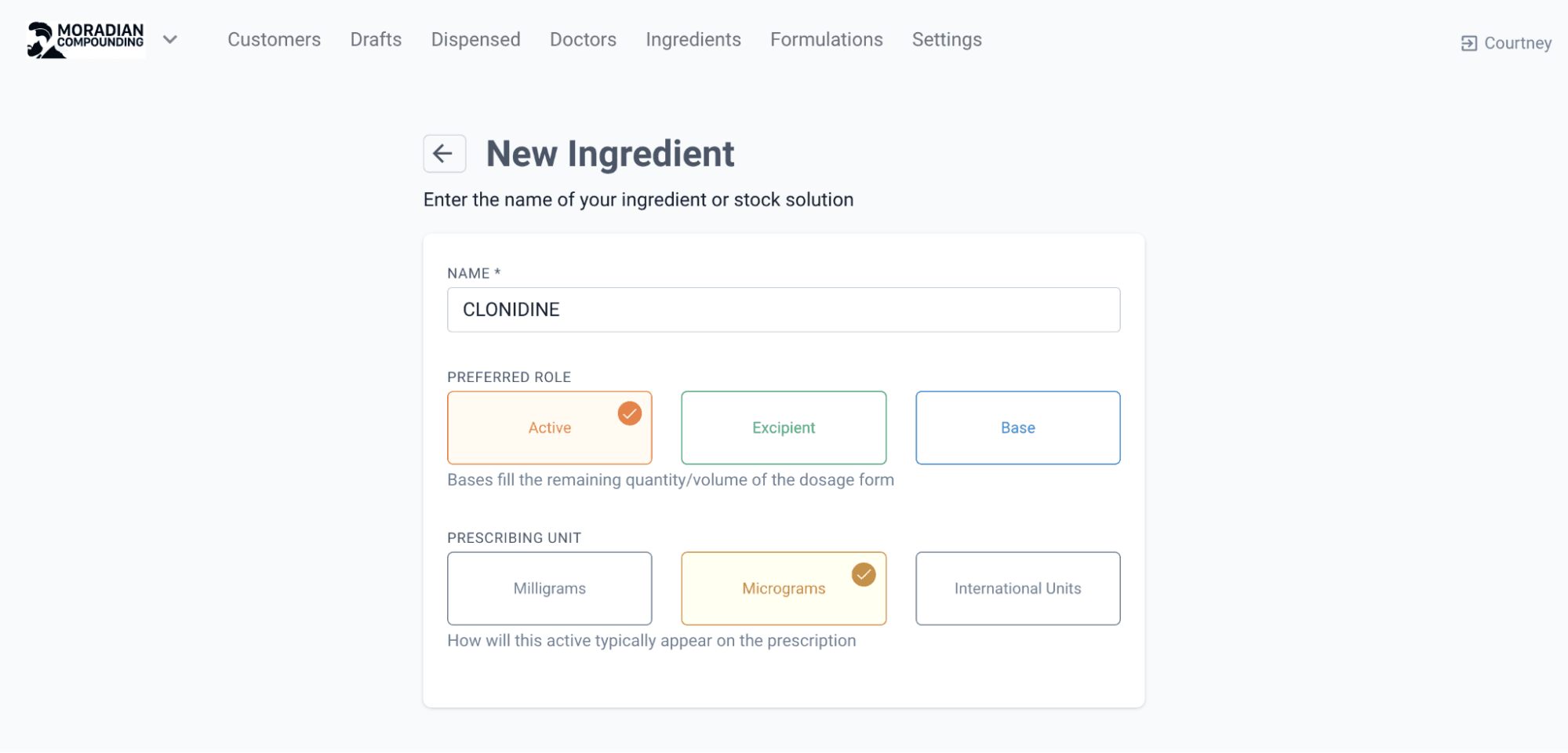
Step 1: Create Ingredient
Select Create Ingredient on the ingredients tab. Add the name of the ingredient, the prescribing unit and press Next.
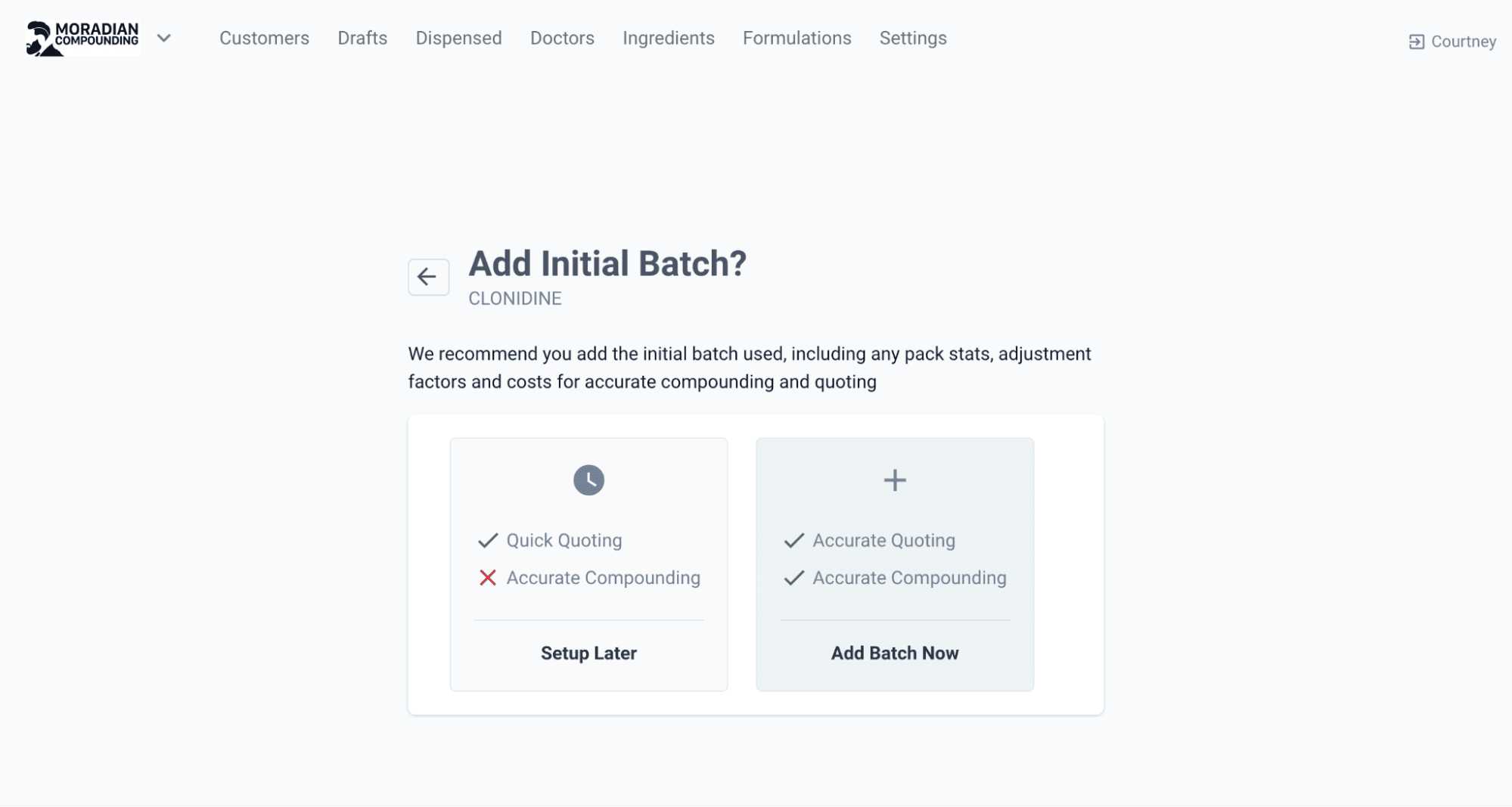
Add the Supplier and select Add Batch Now and indicate if the ingredient is a liquid on the next page. For commercial tablets and capsules, it would be selected as a powder (grams).
Step 2: Add the Initial Batch details
Add the Supplier Lot/Batch number and expiry date. When entering the Quantity Purchased, enter the figure as the total grams of the product not the quantity of tablets (if a tablet form).
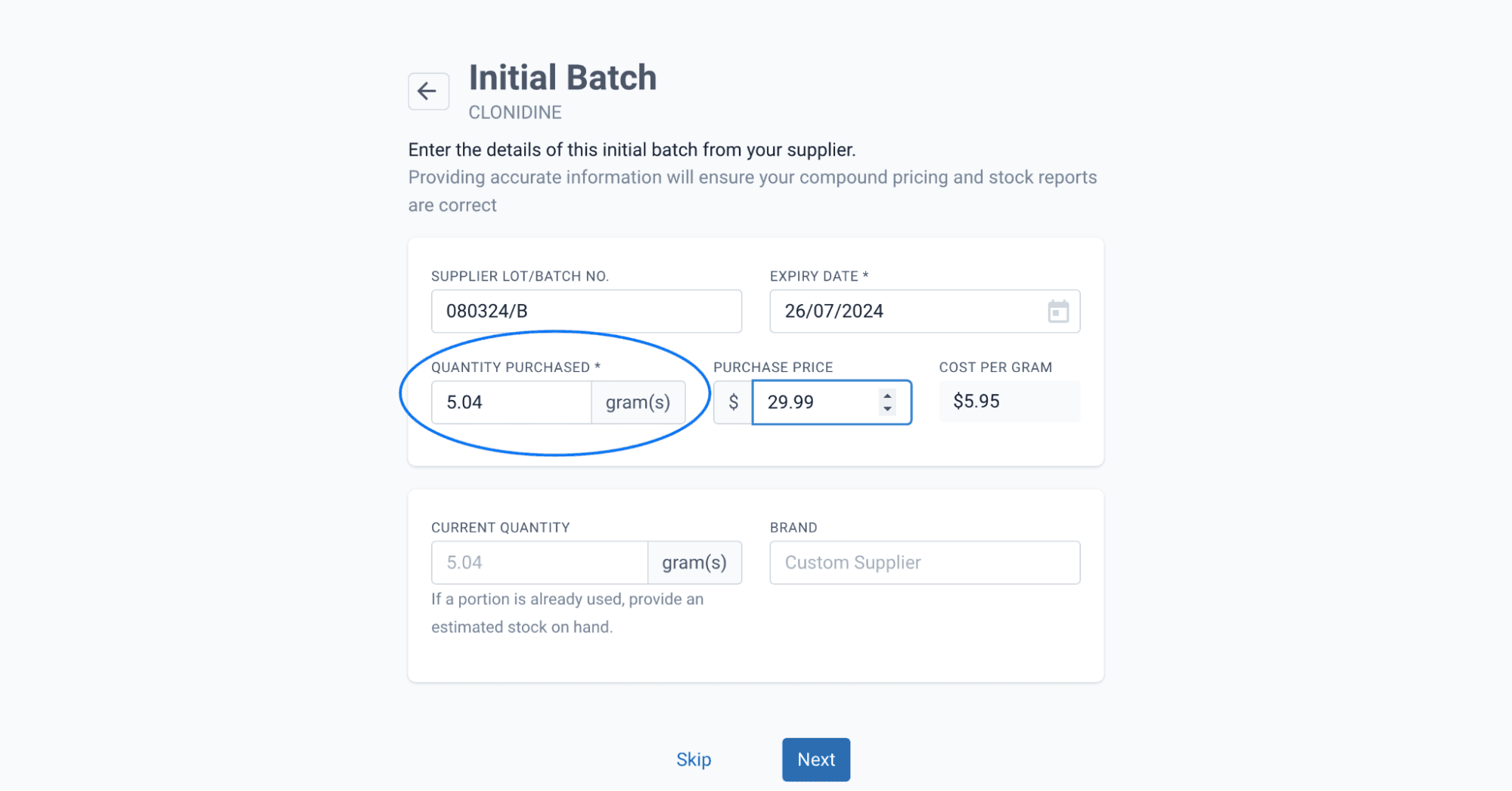
The following calculation was used to calculate the quantity purchased:
- Quantity Purchased (grams) = total number of tablets (28) x average weight of singular tablet (0.18grams)
Step 3: Add the Adjustment Factor
Use the Commercial medicines Adjustment Factor Method to calculate the concentration/purity of the capsules. Enter the total weight (grams) of 5 capsules and the strength per capsule.
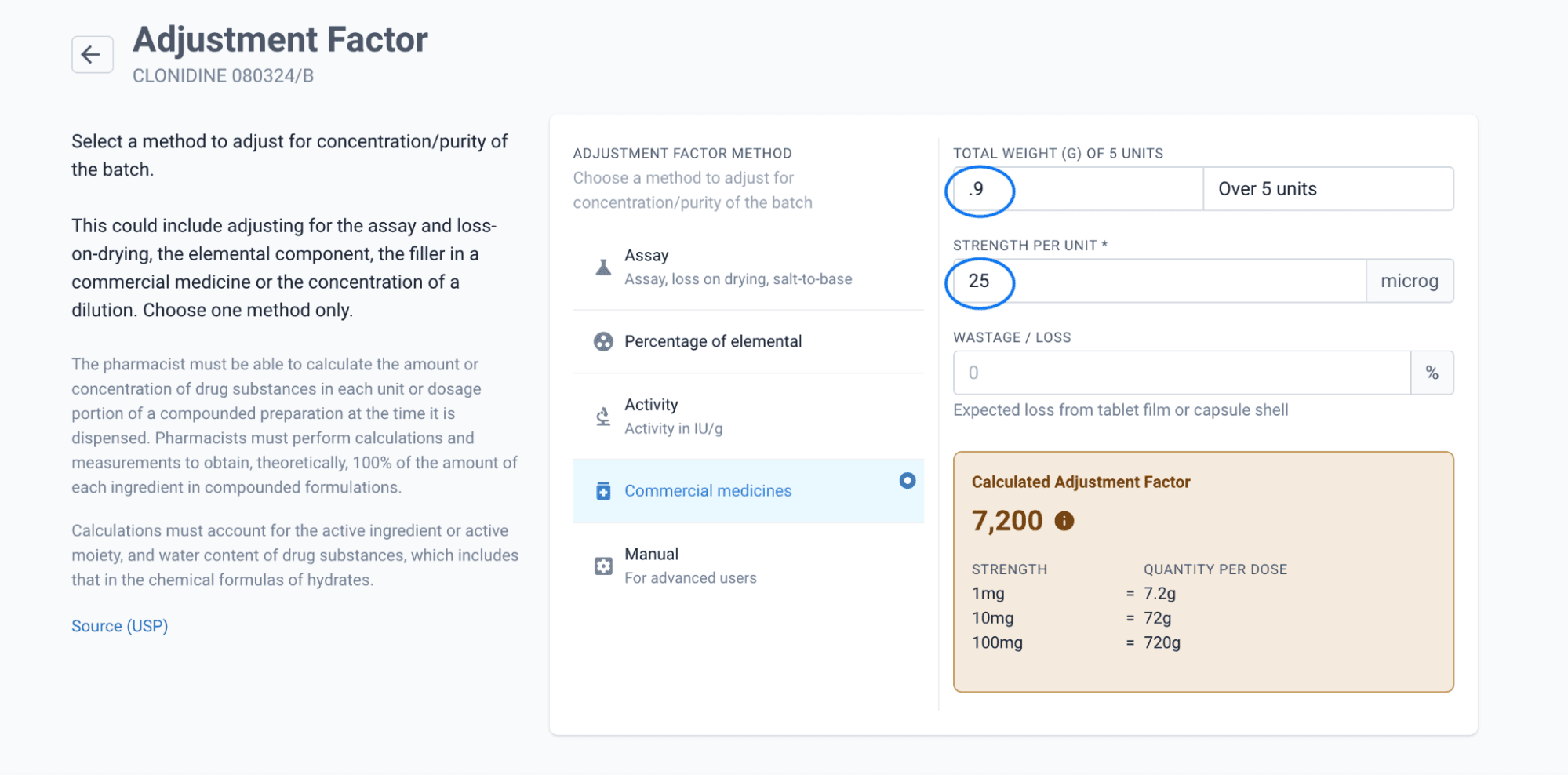
OPTIONAL: Enter the wastage/loss percentage. This is the expected loss from the tablet film or capsule shell. To determine the percentage, weigh the sieved wastage and calculate the percentage of the total weight of units entered.
The following formula was used to calculate the wastage percentage:
- Wastage/Loss(%) = sieved wastage weight (.02g) / total weight of selected units (0.9grams) x 100 = 2.22
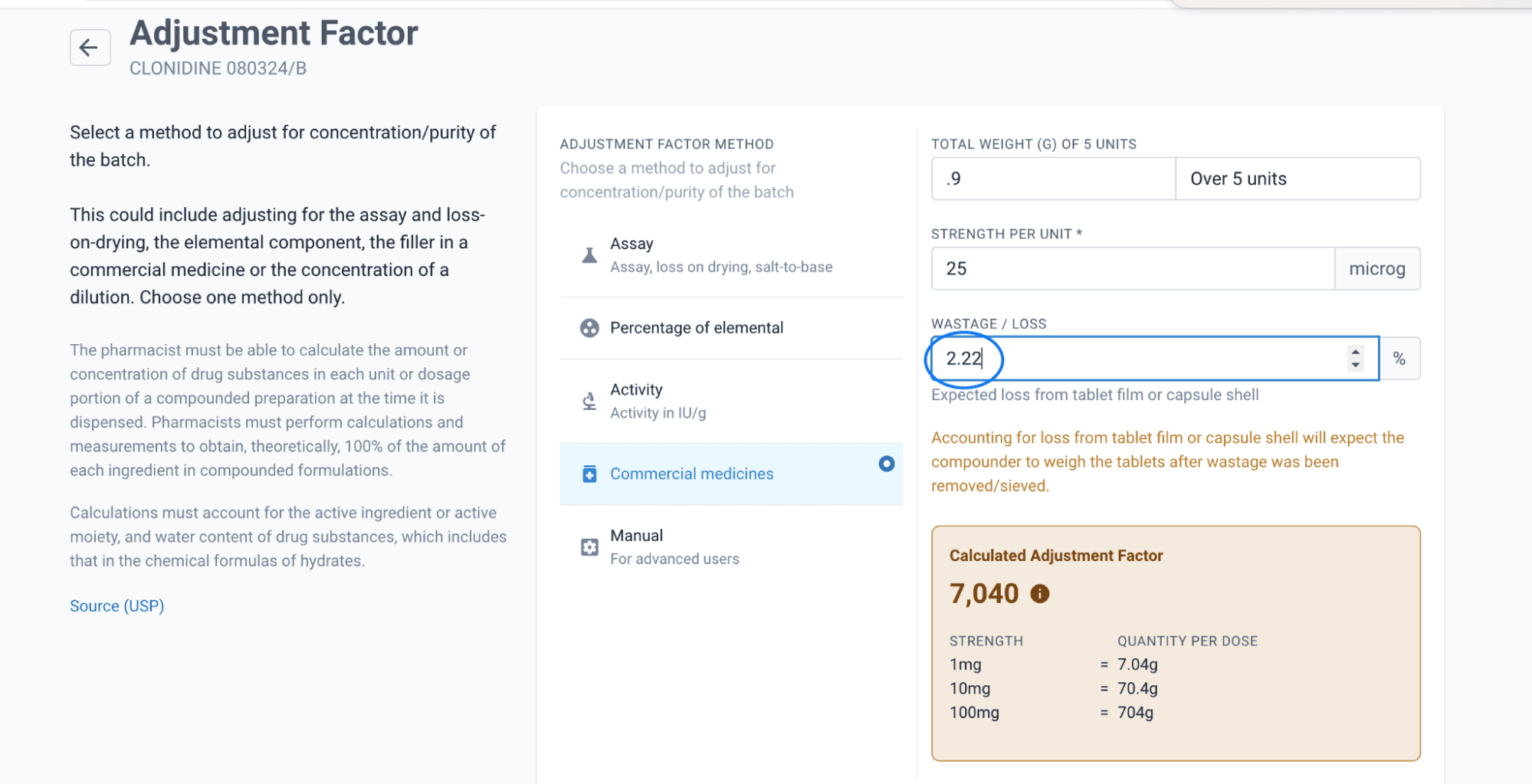
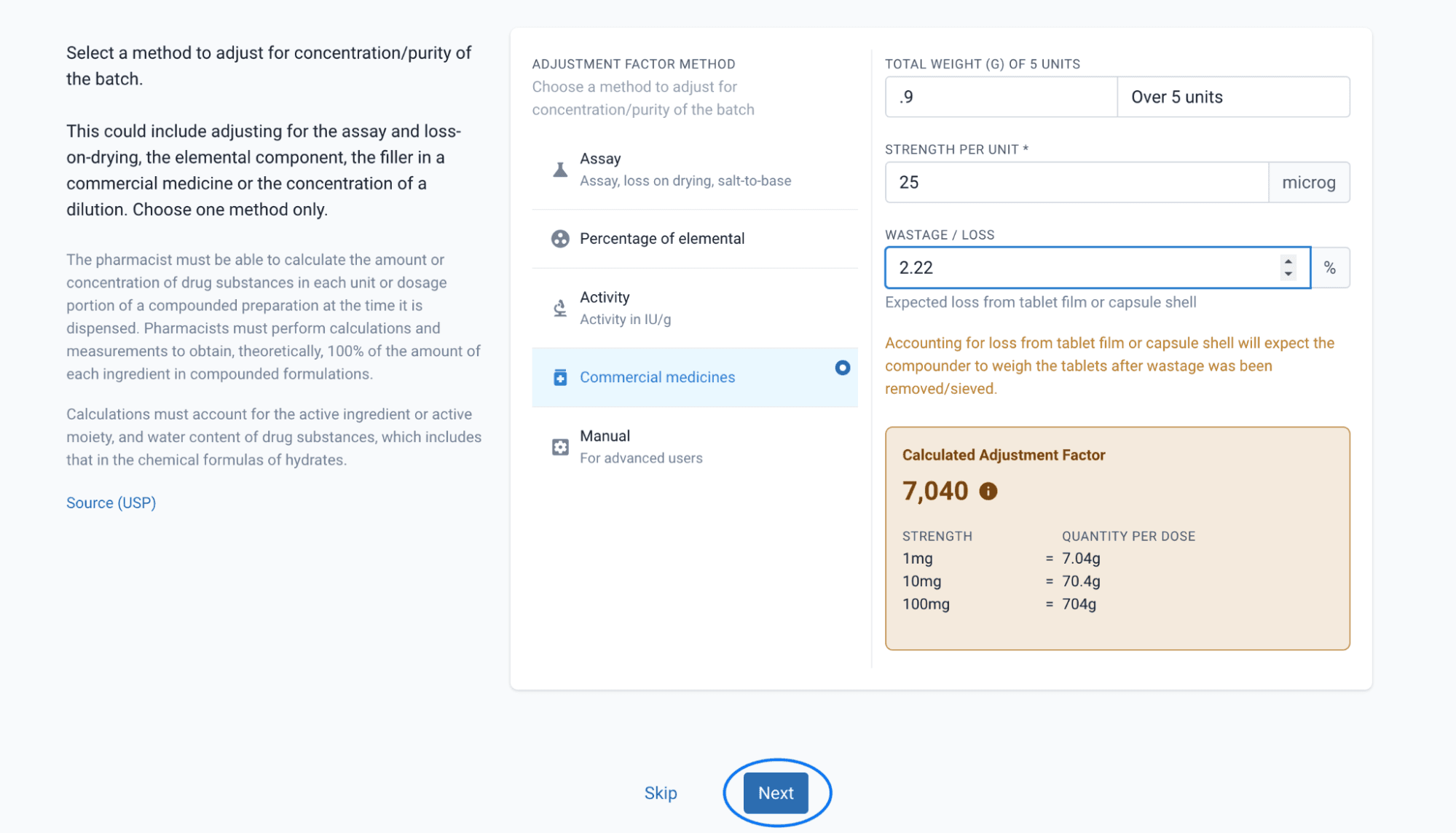
It is important to note that when a wastage percentage is entered, the weighing of the commercial medicine needs to occur after the wastage is removed. If no wastage is entered, you will be asked to validate the number of capsules/tablets proir to crushing/sieving.
Press Next
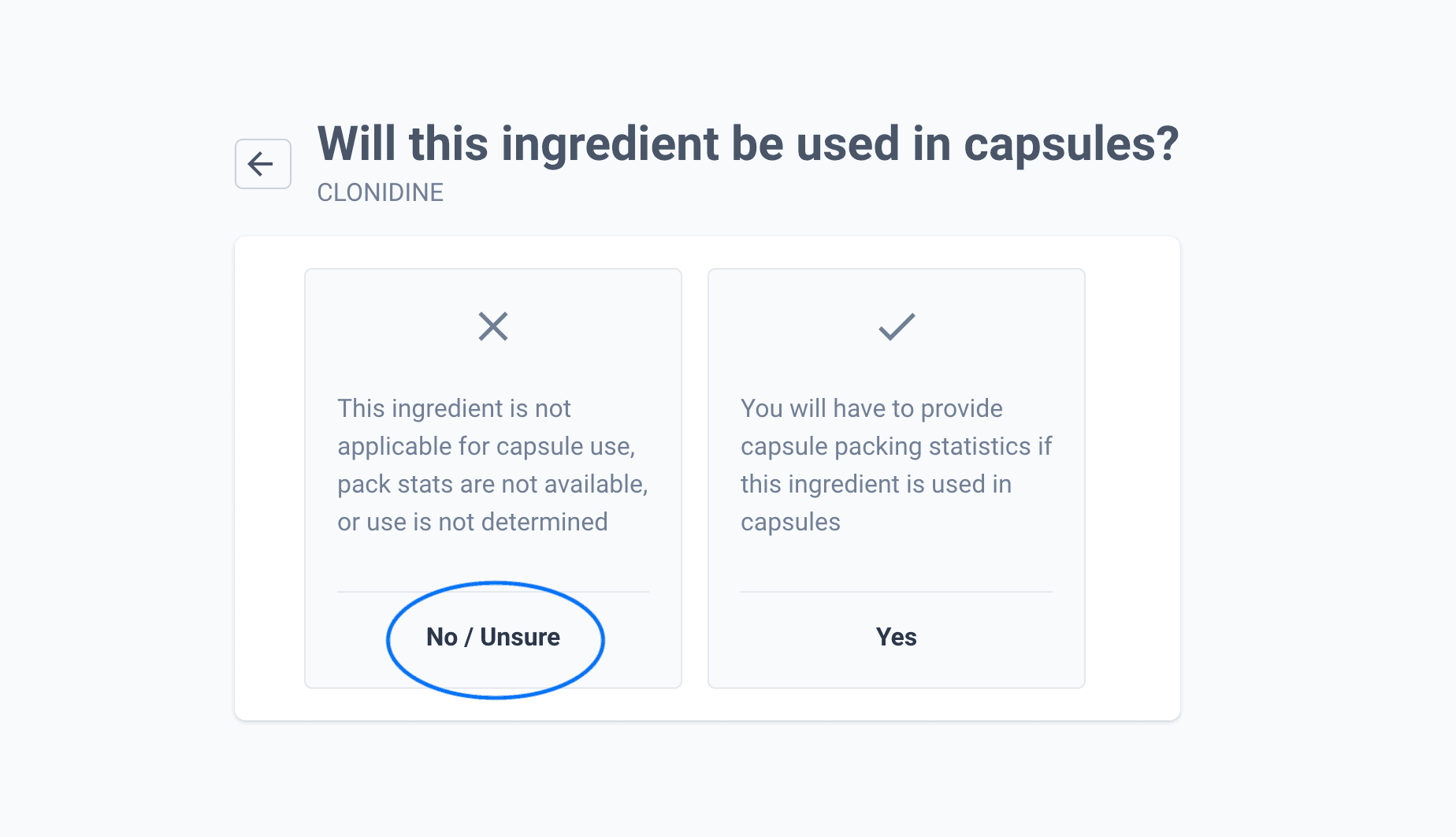
Step 4: Select if the ingredient is going to be used in capsules
In this case, the ingredient will not be used in capsule form. If selecting yes, follow the prompts to add the packing statistics.
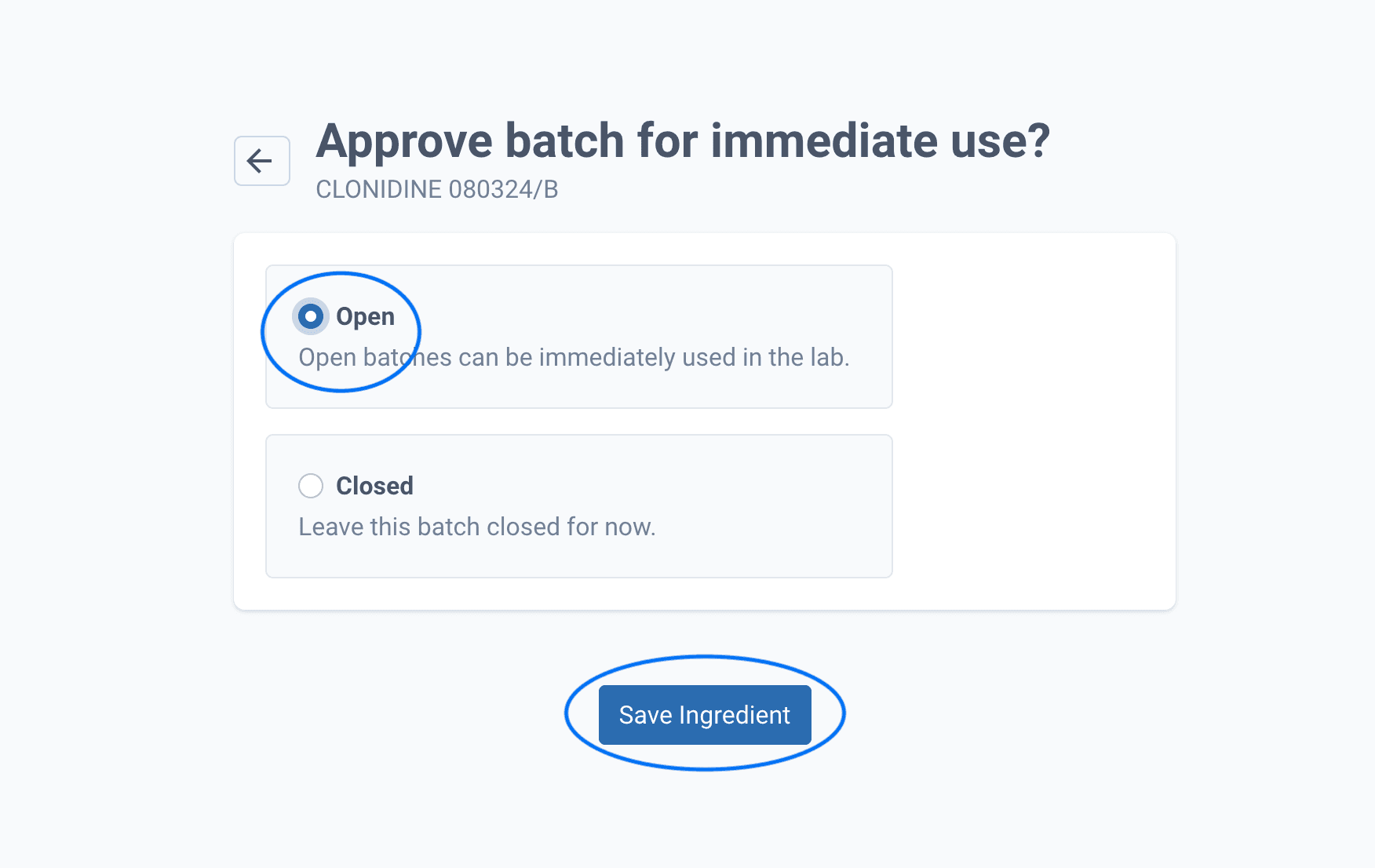
Step 5: Approve batch
Select to either Open the batch for immediate use or to leave Closed. Save Ingredient.
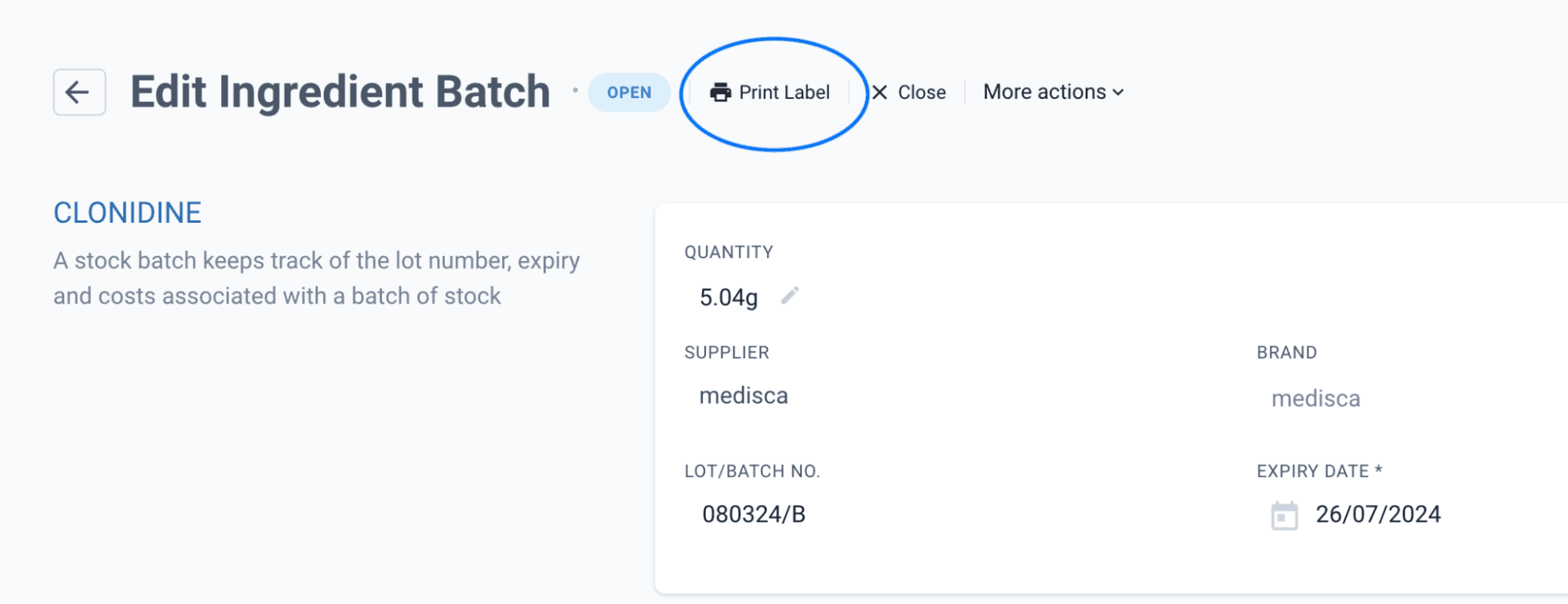
Step 6: Print Batch label
Click into the Batch Code.
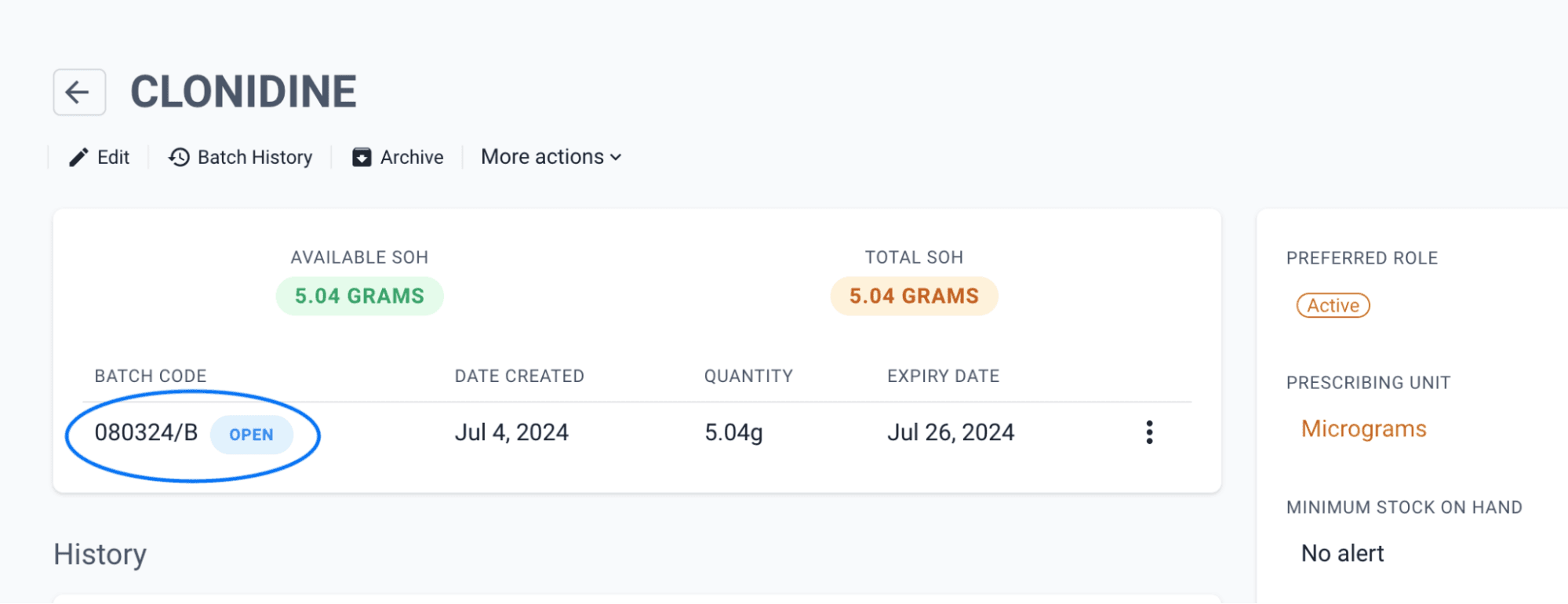
Each batch requires a new label for scan checking during the compounding process. Select Print Label and place the label on the product.
Part 2: Using commercial medicines in a formulation
Step 1: Go to the Formulations tab
If there is no formulation tab go to Settings > Formulations. Select Create Formulation.

Step 2: Create formulation using Commercial Medicine
Add all the appropriate information including dosage form, expiry, ingredients etc. Once completed press create.
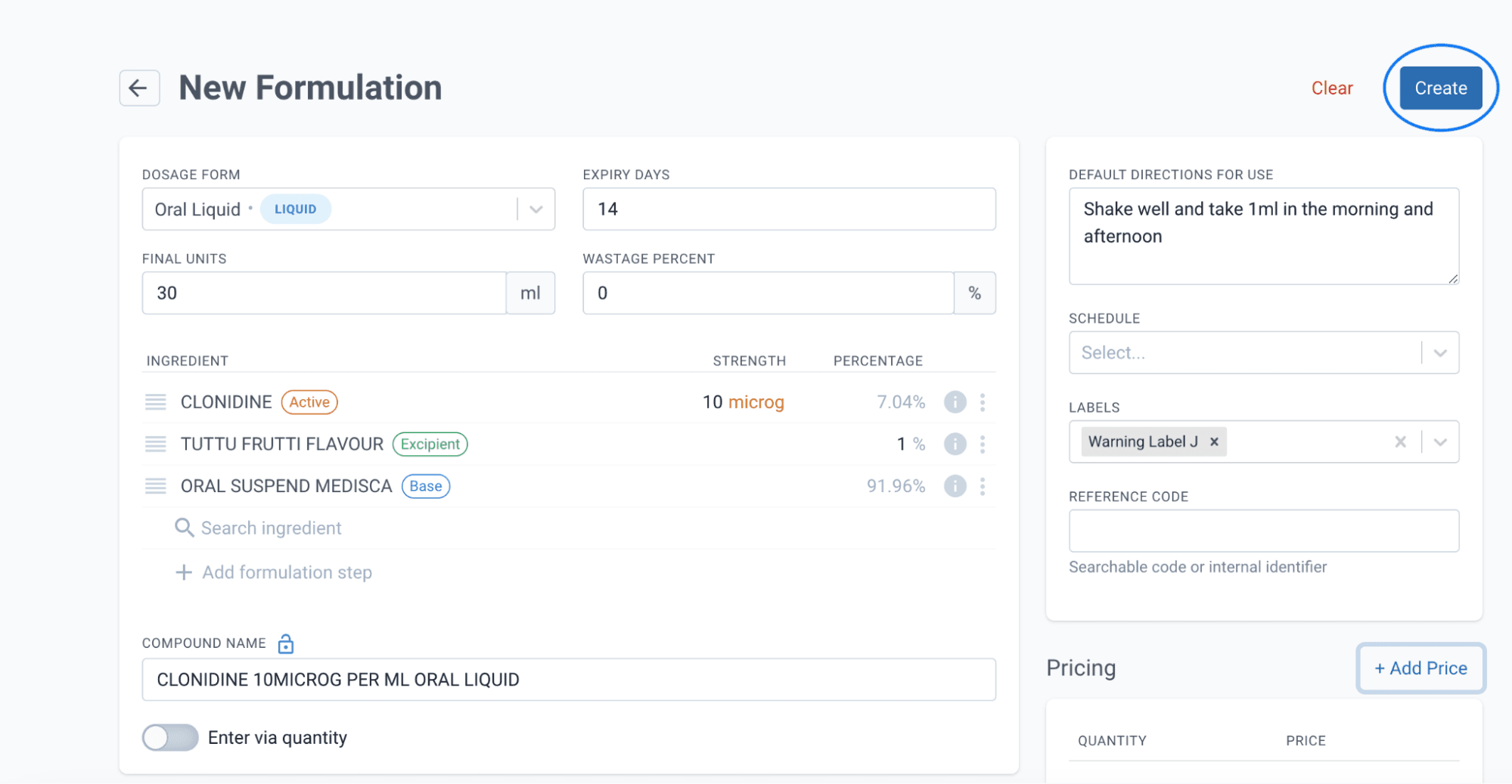
Please note this is an example only. Not to be used as a reference formula.
Part 3: Compounding with Commercial Medicine Formulation
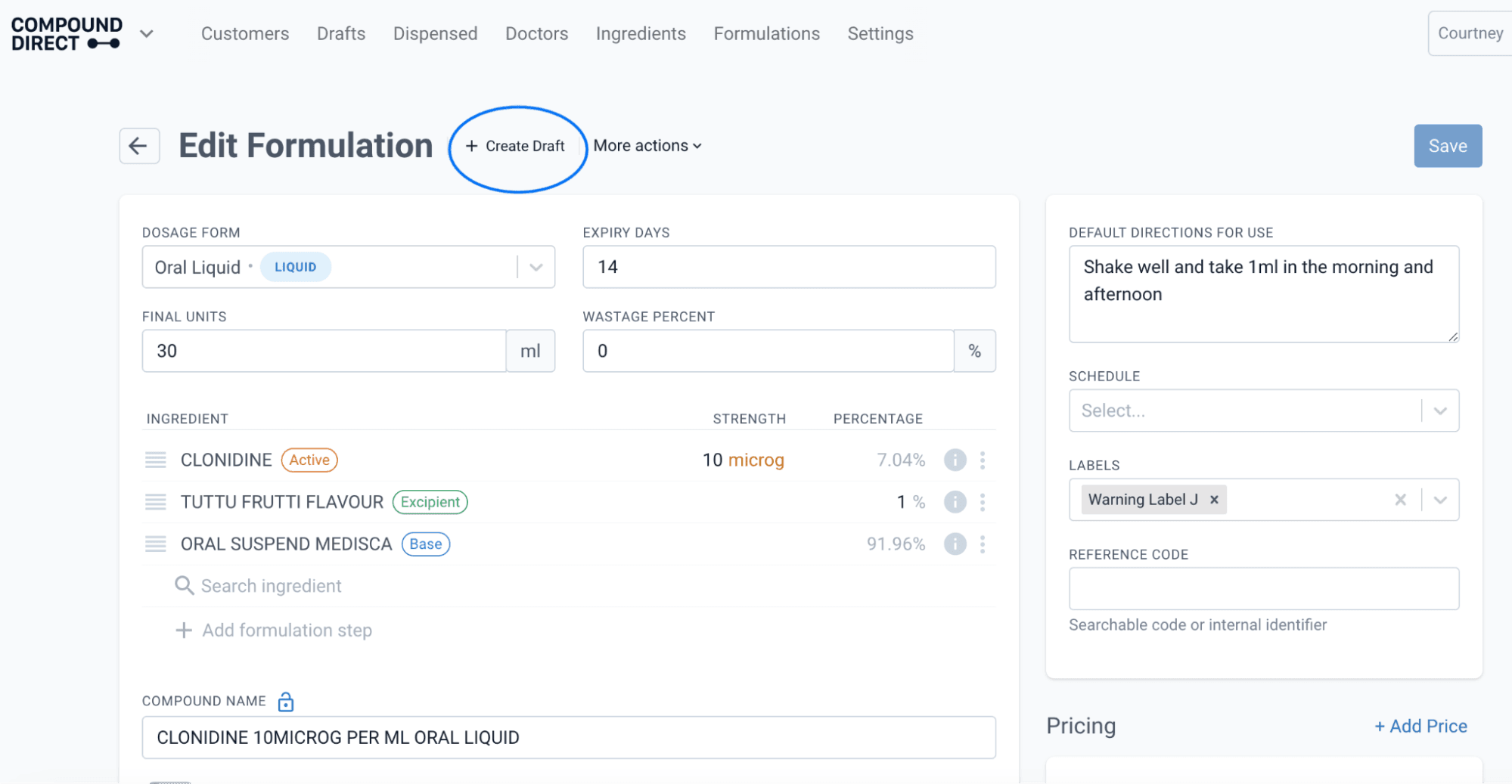
Step 1: Create a draft using the Commercial Medicine formulation
Click Create Draft.
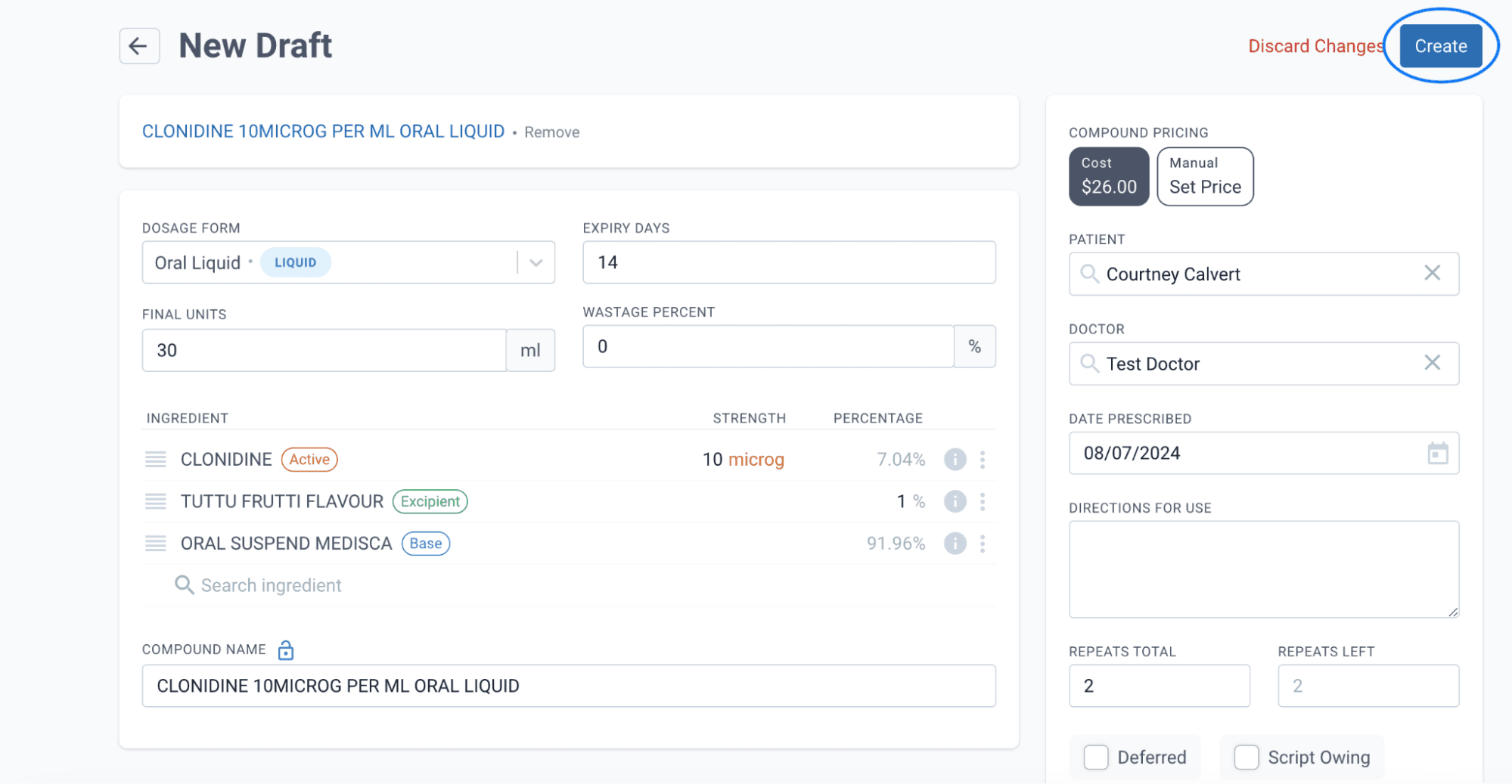
Enter the relevant information and press Create.
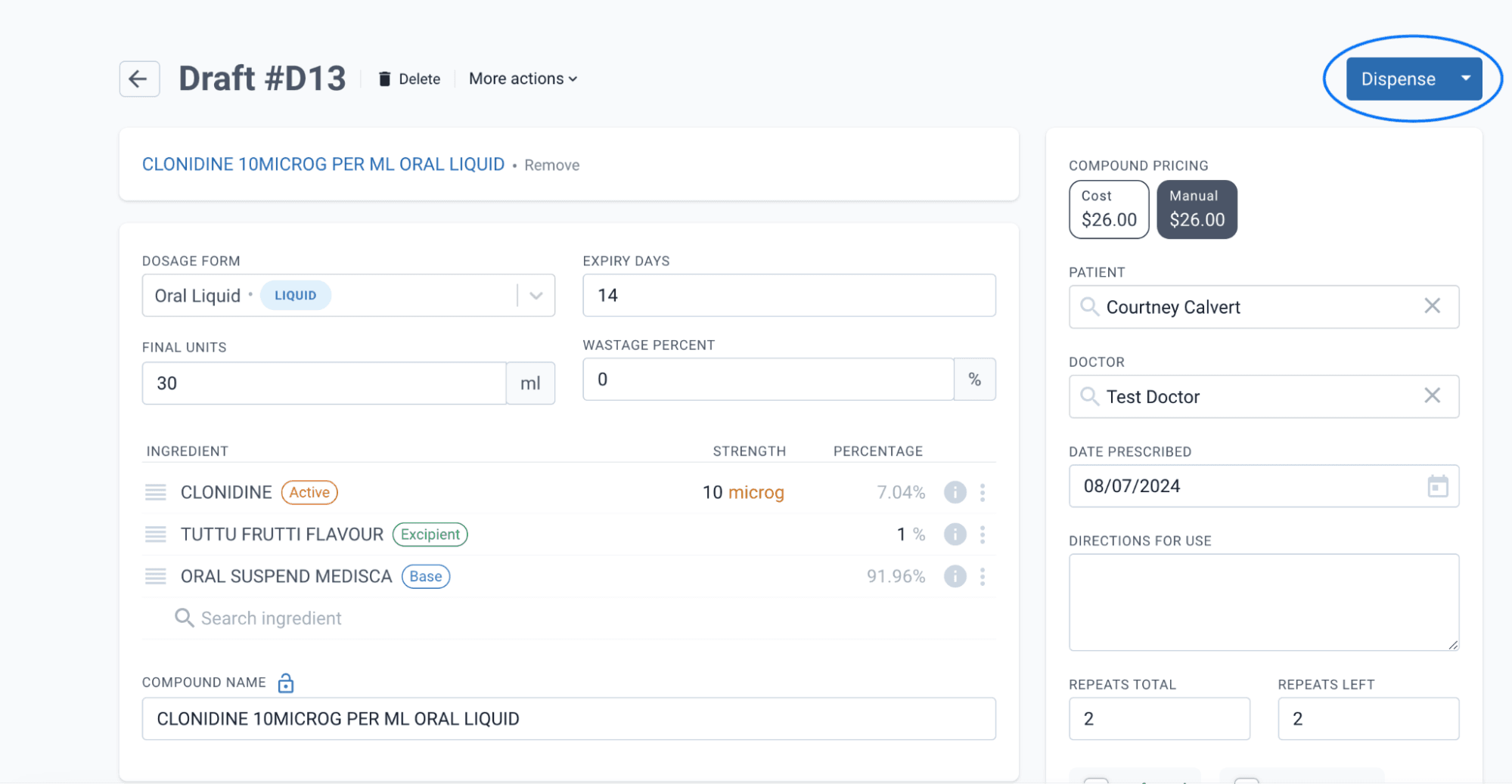
Dispense the compounding record.
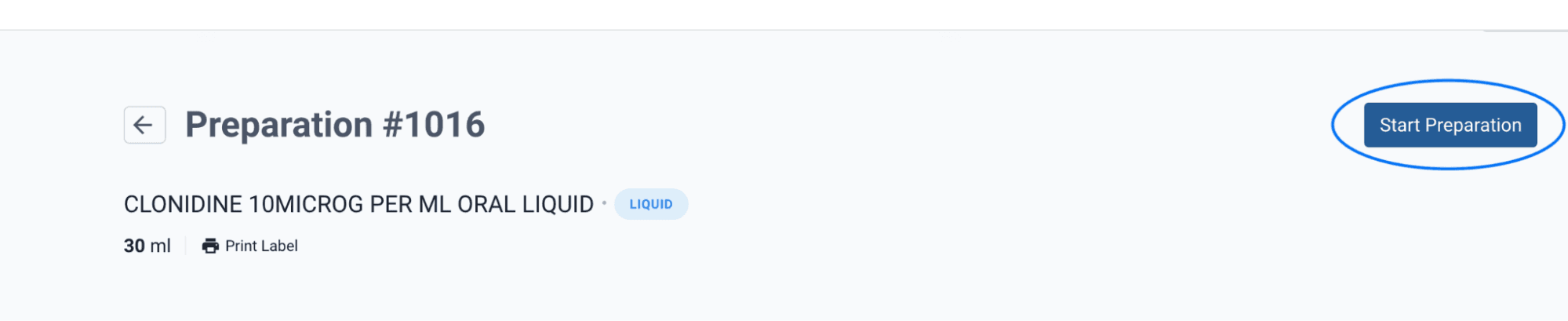
Step 2: Compound the Dispensing Record
Select View Preparation and Start Preparation over the next two pages.

Scan and verify the batch. In this instance, the first ingredient is Clonidine, the commercial medicine that has been used throughout this article.
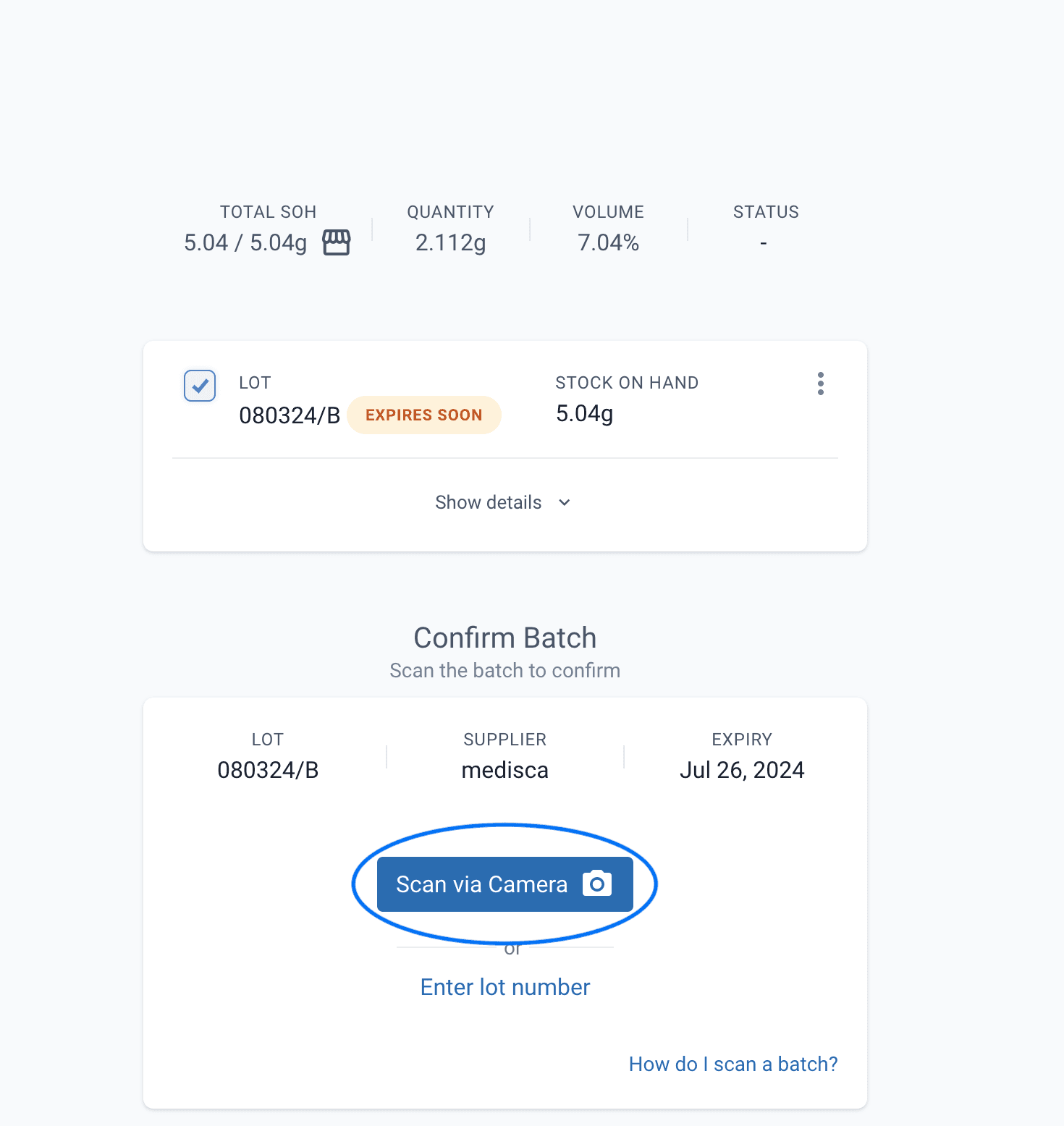
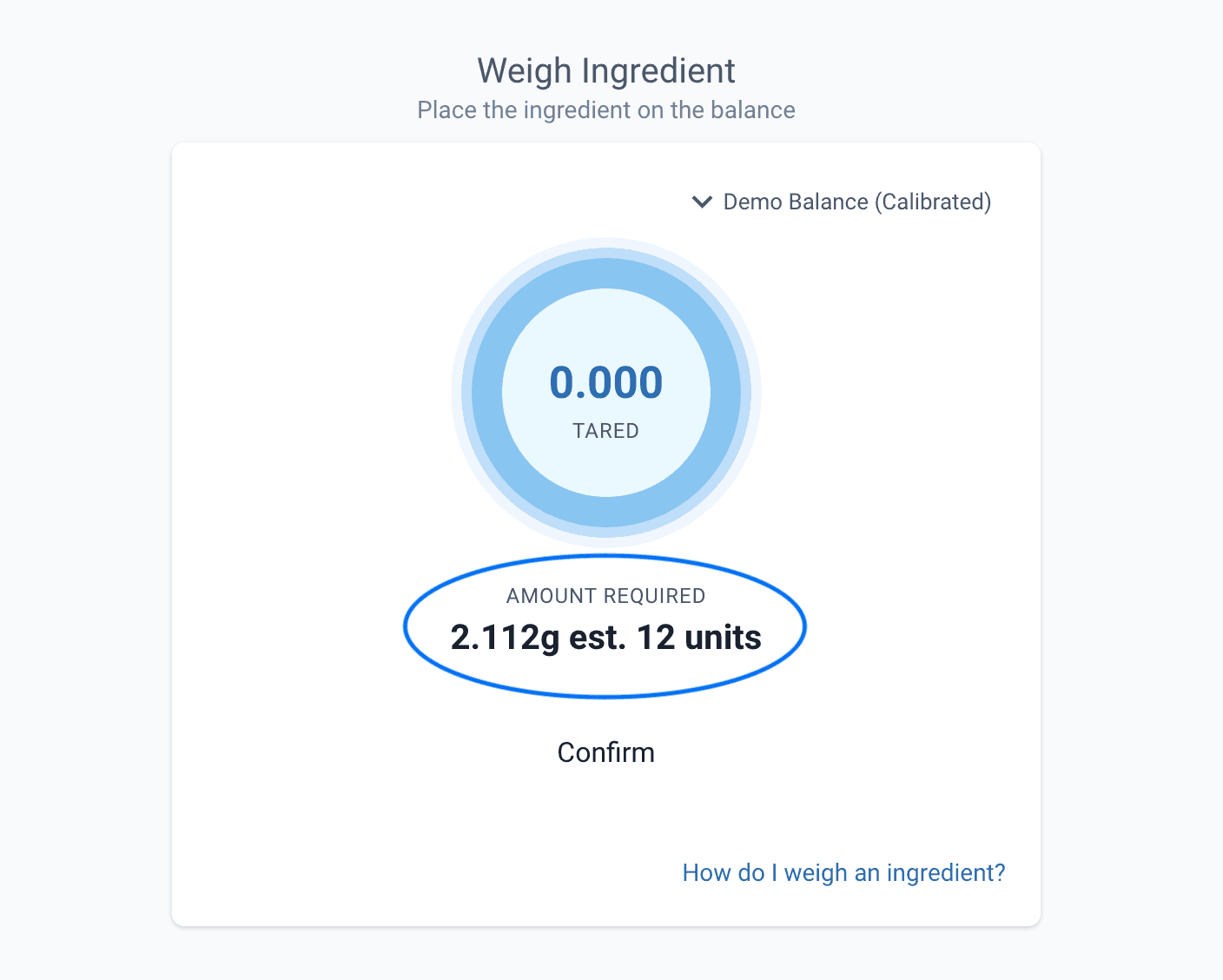
Once scanned, the software will display the weight of the raw powder needed and the estimated tablets required to achieve this weight. It is important to note that a wastage percentage was added to the adjustment factor. Meaning the weight of raw powder required, refers to the weight needed after the wastage has been sieved.
In this example, 2.112g of sieved powder is needed, it is estimated that 12 tablets are required to achieve this amount.
If the batch does not have a wastage percentage entered and requires a coating/film or other material to be removed, the weight required will represent the tablets before this coating/film has been removed. This is because the system is assuming you are weighing the powder before you sieve any wastage.
Continue through the usual Compounding process. Confirm all remaining batches and weigh/measure out all ingredients.
What to do if there is no Wastage Percentage?
In this example, the Wastage percentage has been removed from the ingredient batch. This change has resulted in a larger amount of powder (or whole tablets, depending on internal validation practises) needing to be weighed out. The software is assuming any wastage (if applicable) will be sieved out after the weighing process.
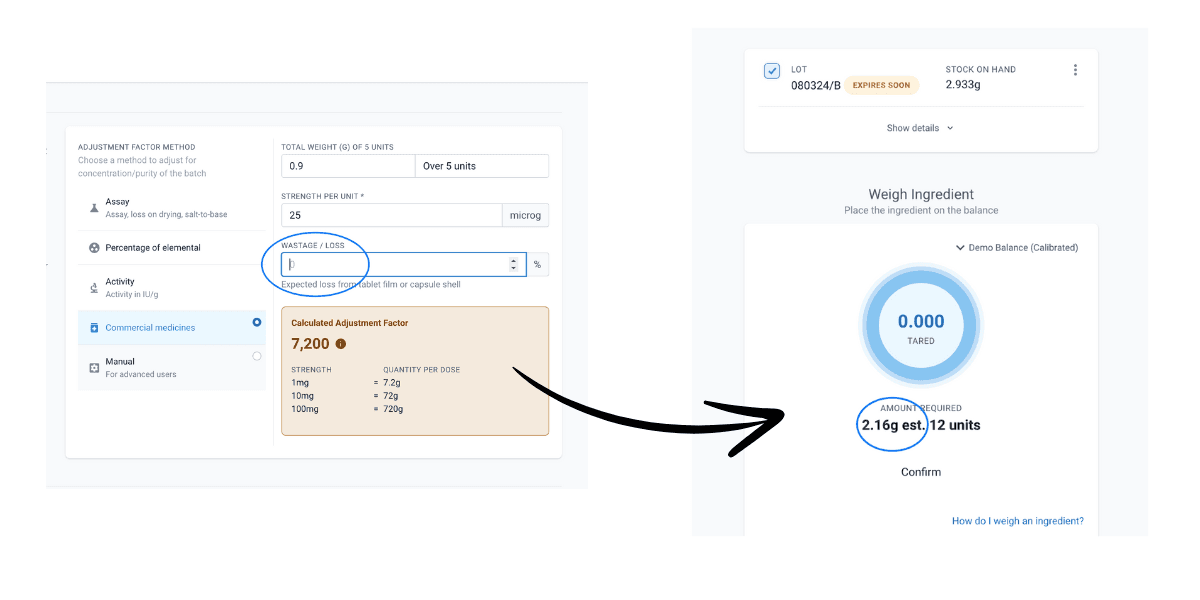
Continue through the usual compounding process. Confirm all remaining batches and weigh/measure out all ingredients.
Step 3: Review and sign-off on the dispensing record
Review the Quantity Used against the Quantity Required, there may also be additional risk management steps to review at the end of the dispensing record.
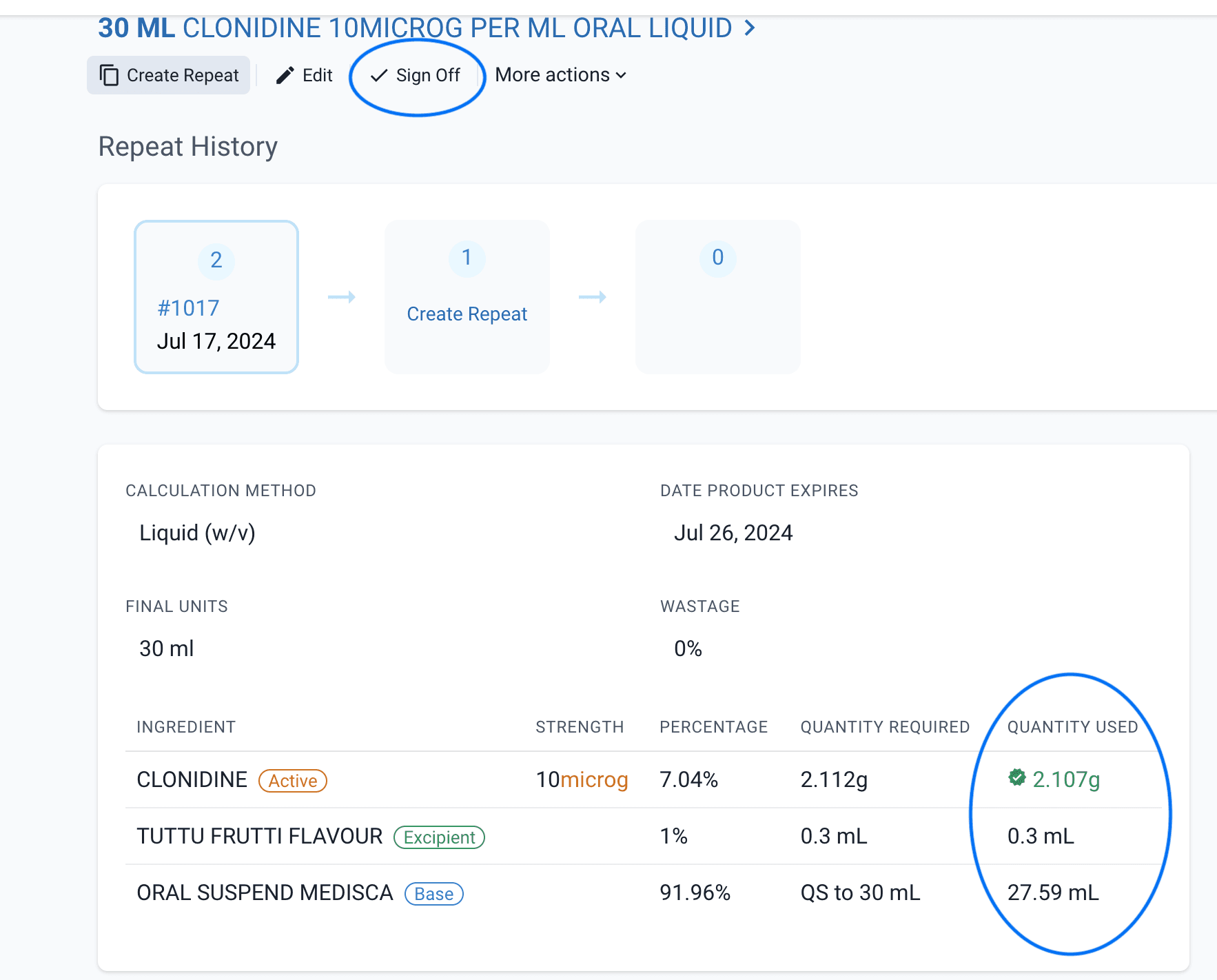
If all data is accurate and reflects the compounding requirements, sign off on the dispensing record.
Conclusion
Commercial medicines are commonly used in Compounding Pharmacy. Understanding how to manage these medicines within the Compound Direct software will minimise the risks associated with compounding.
When entering Commercial Medicines as an ingredient, use the Commercial Medicines Adjustment Factor. This adjustment factor has the option to include a wastage percentage, requiring some manual calculations. If a wastage percentage is entered, the quantity required when compounding will refer to the weight of the raw powder with wastage already removed. If no wastage percentage is recorded at a batch level, the weight required while compounding will refer to weight of the commercial medicine with the wastage (if applicable) still included in the weighed quantity in the compounding process.
If managed correctly in the software, Commercial Medicines can be used in the compounding pharmacy with great accuracy. There are complications associated with using commercial medicines but if dealt with correctly, can provide compounding solutions to the community.
All names and medical data shown in software screenshots are fictional and for demonstration purposes only. These figures represent fictional persons; any resemblance to real individuals is purely coincidental. Use of existing fictional names is for illustrative purposes and does not imply affiliation or endorsement.