
Unit-Based Dispensing: Sterile preparations in Compound Direct

Sterile compounding is typically calculated by concentration (e.g. per mL), while in practice many preparations are stored, handled, and dispensed as discrete units such as vials. This can create unnecessary complexity when pharmacies need to maintain accurate strength calculations, adjustment factor handling, traceability, and stock-on-hand reporting across the full workflow.
Compound Direct helps bridge this gap by supporting stock solution preparation alongside unit-based dispensing, so pharmacies can align the system with real-world sterile workflows.
In this article, we’ll show how to set up and use a unit-based sterile dispensing workflow in Compound Direct, while maintaining accurate formulation calculations, vial-level inventory tracking, and traceability.
This blog will help you:
- Implement unit-based dispensing workflows
- Maintain accurate strength and adjustment factor calculations
- Track sterile inventory in vial units
- Ensure reliable stock-on-hand (SOH) reporting
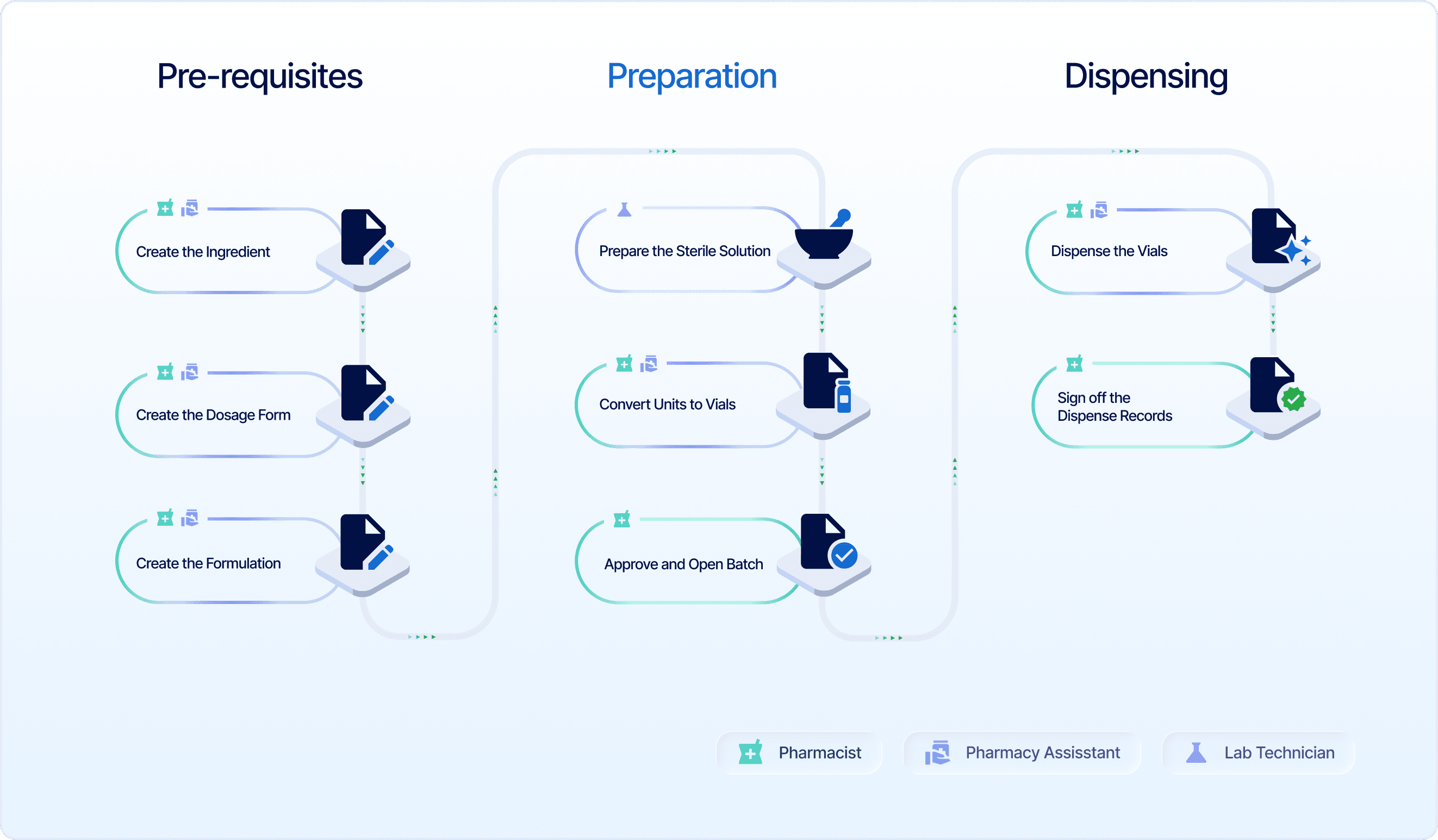
Important note: This workflow applies specifically to dispensing defined volumes from a prepared sterile stock solution. In this approach, a set volume is withdrawn from an existing sterile preparation and dispensed into individual containers (e.g. vials). This differs from conventional sterile compounding workflows, where the preparation is dispensed based on the total compounded volume rather than individual unit withdrawals.
For this blog, we will use a Thymosin Alpha-1 injection as our example preparation. The goal is to prepare a stock solution that can later be dispensed into unit-based sterile vials, where each vial may be a different volume (e.g. 2.5 mL or 5 mL).
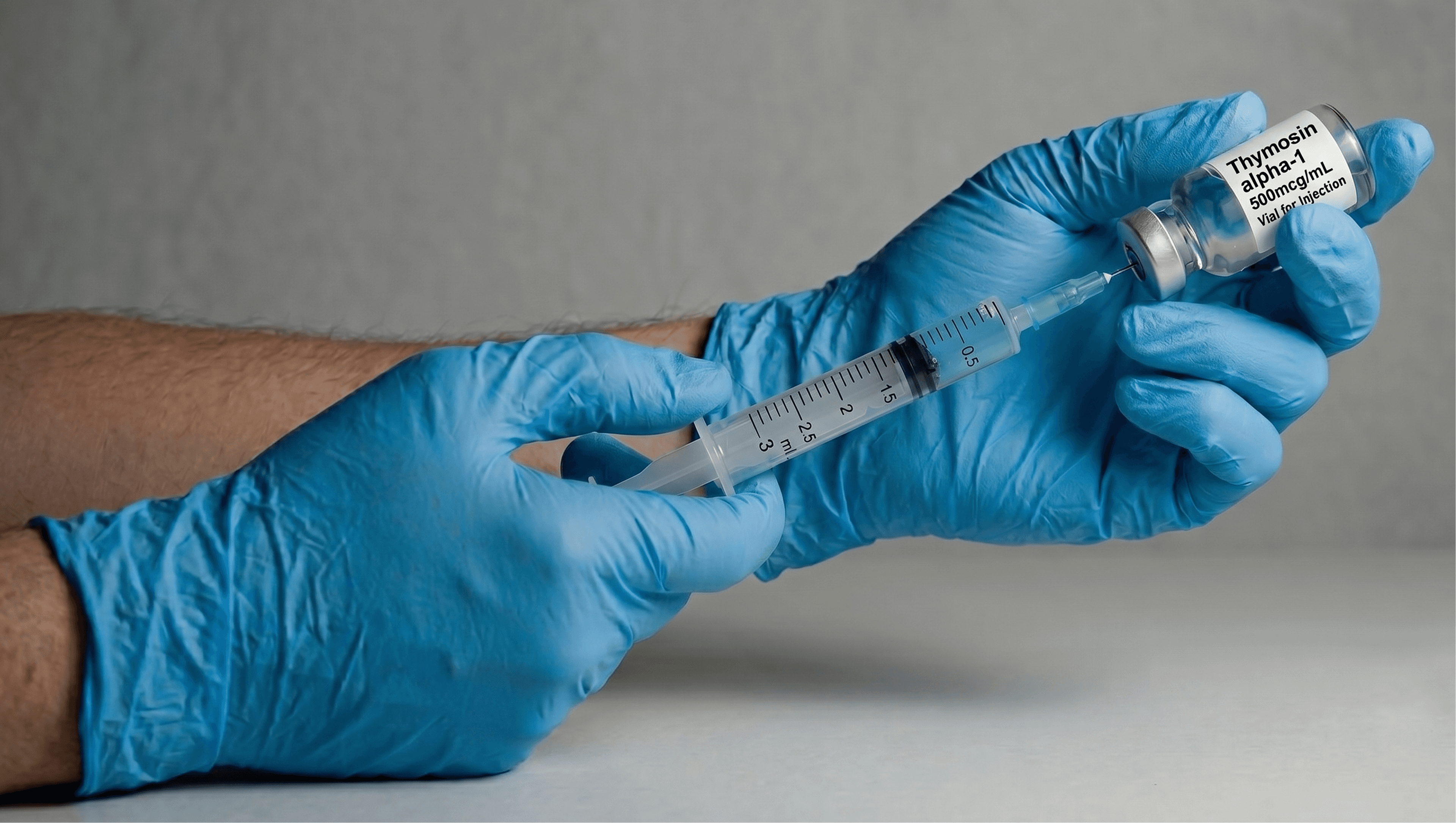
This is an AI-generated image created using Gemini.
In this scenario, the final concentration of the preparation is 500 mcg/mL, and the end goal is to produce 10 individual units, with each unit dispensed as a 1 mL vial. To support this workflow, we will prepare a 10 mL stock solution, which provides enough volume to dispense 10 × 1 mL vial units. Each unit is intended to be dispensed to different patients.
In the following steps, we will walk through how this preparation is created and dispensed in Compound Direct, how the stock solution can later be dispensed in vial units, and how the system maintains accurate formulation calculations and stock-on-hand (SOH) reporting throughout the process.
What needs to be set up in Compound Direct?
To support this workflow, there are three key prerequisites that need to be created in Compound Direct:
- Ingredient (Aliquot/Dilution)
- Dosage form
- Formulation
To get started, let’s set up the required prerequisites in the system.
Prerequisite stage
This stage covers the setup of required pages in Compound Direct, completed by the pharmacist or pharmacy staff, to support the subsequent sterile compounding and unit conversion processes.
Part 1: Create the ingredient
In this stage, the formula for the sterile solution is set up on the Ingredients page as an Aliquot/Dilution ingredient, which will be used for the actual preparation of the sterile compound.
To begin, navigate to the Ingredients page, then click ‘Create Ingredient’.
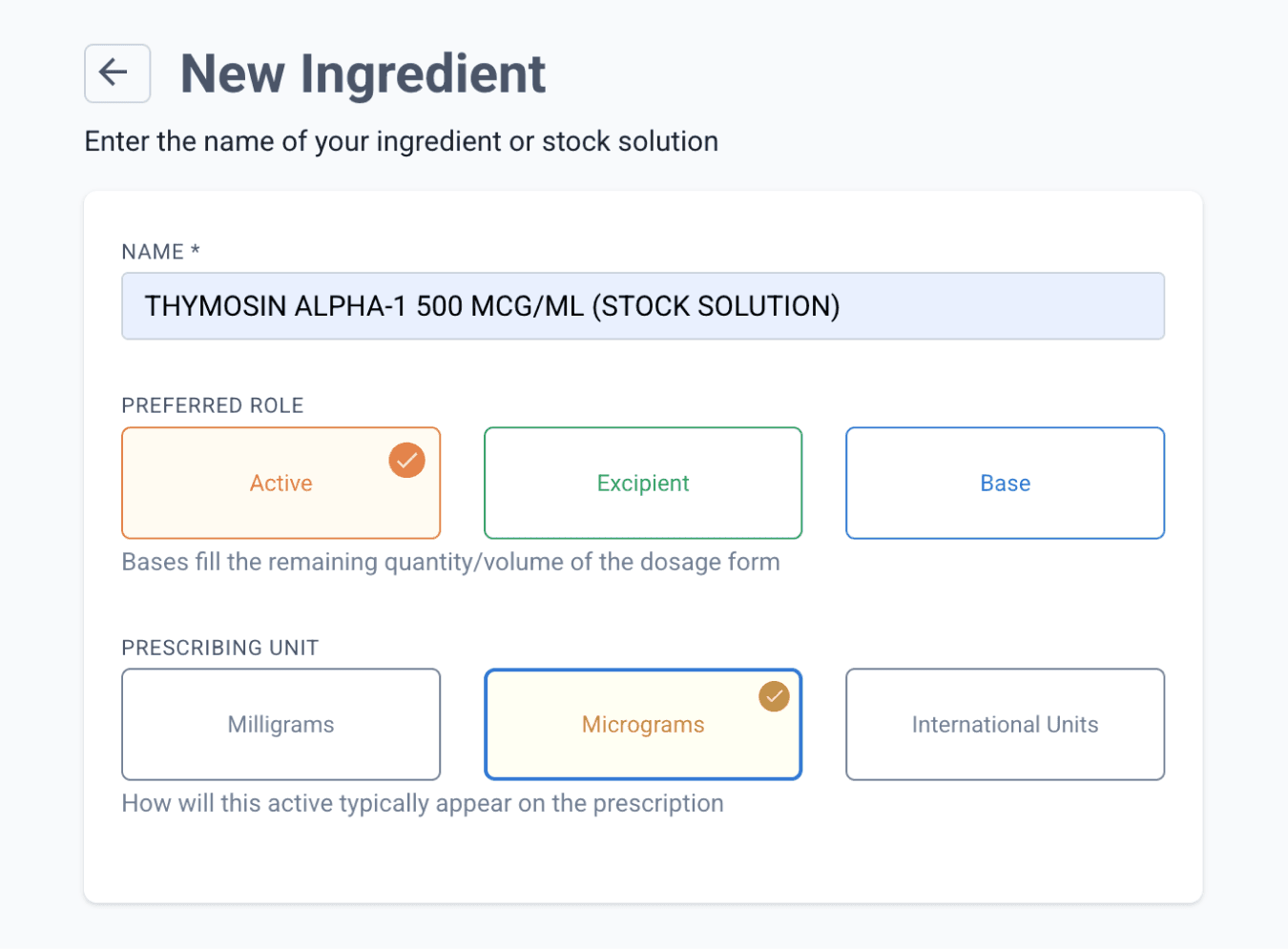
From the ingredients page
Add the ingredient as ‘Aliquot/Dilution’.
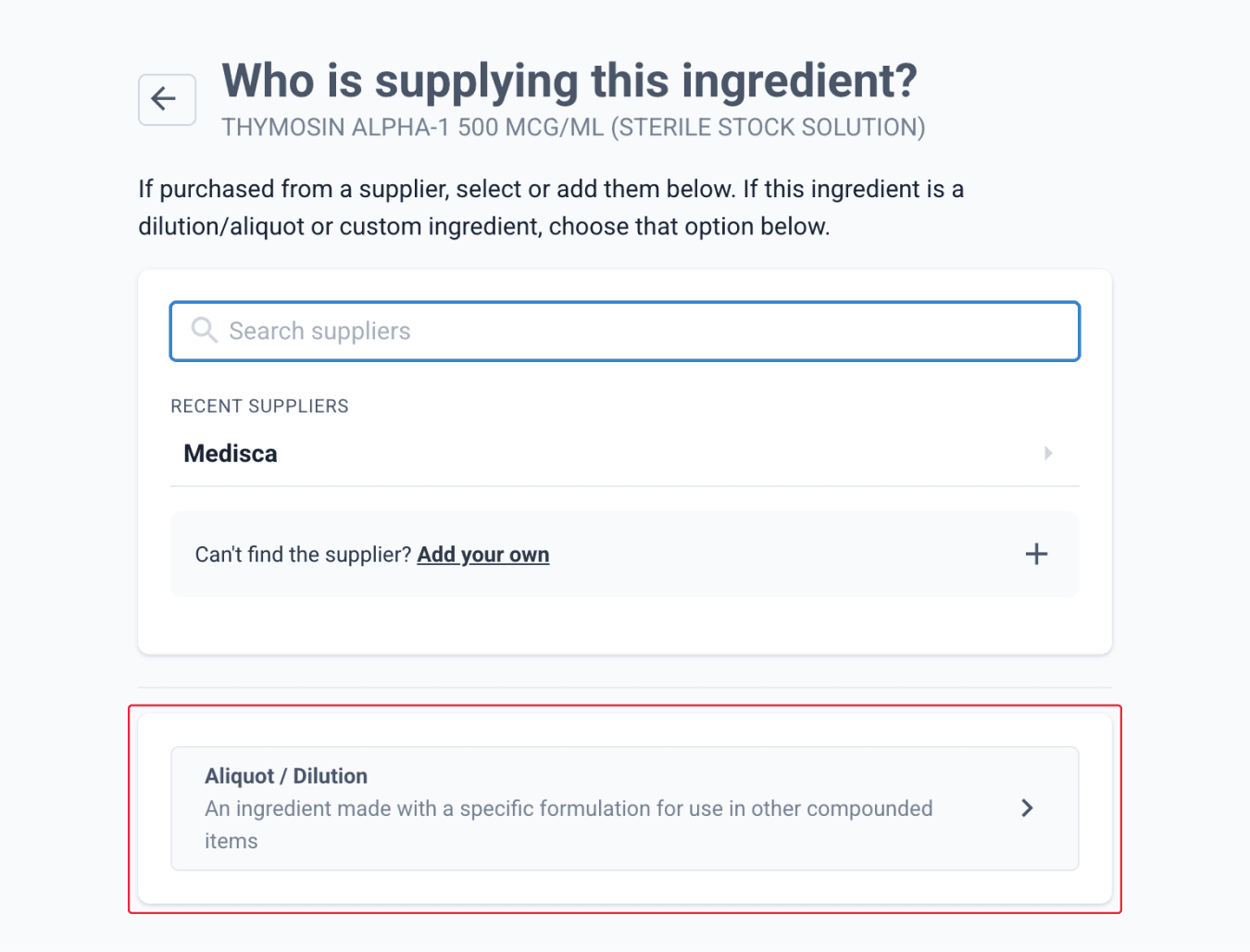
From the ingredients page
Add the raw ingredients required for the sterile preparation. For this example, we assume both ingredients, the active and the base, have already been created in the system, with each ingredient entered with its respective adjustment factor.
Enter all required formulation steps, including QA steps necessary for sterile preparations.
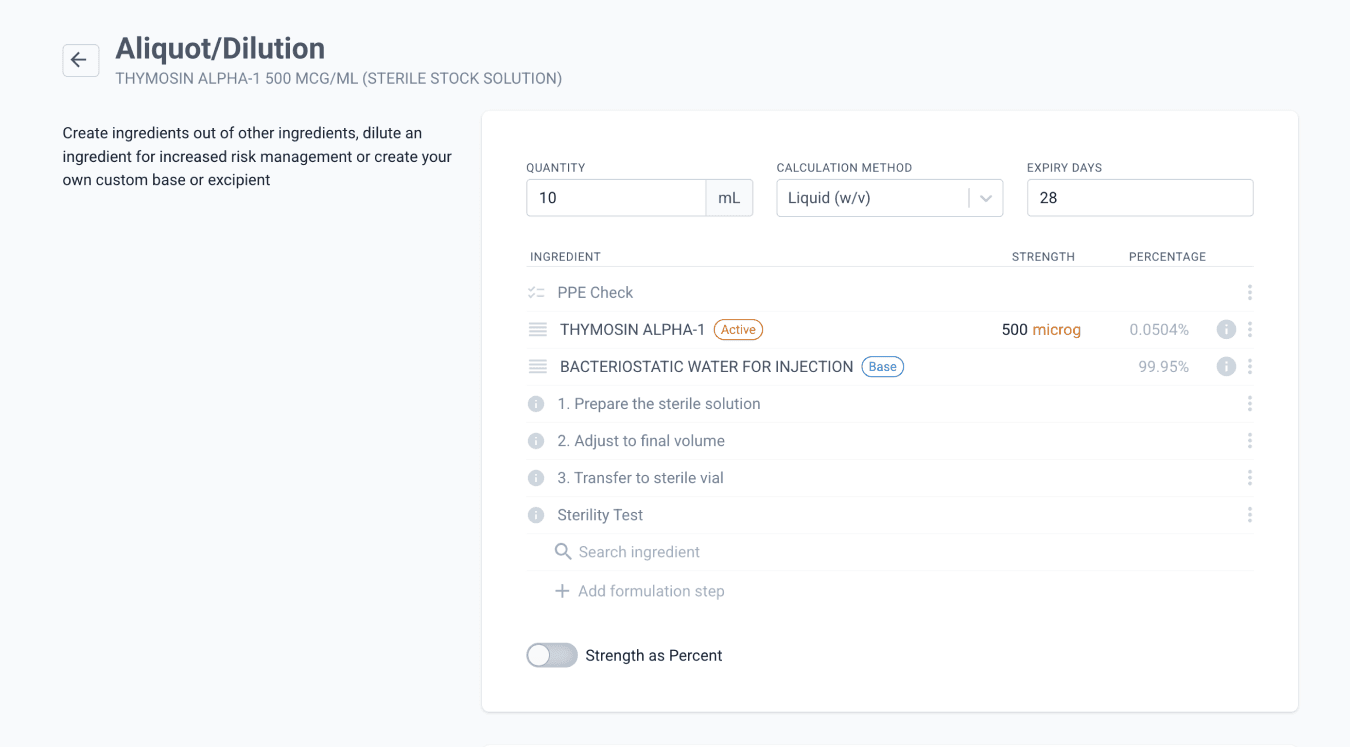
From the ingredients page
Because the raw ingredients already account for the adjustment factor, there is no need to add an adjustment factor at the aliquot/dilution level. Leave this field blank, and on the modal, click ‘Save without adjustment factor’, then click ‘Save Ingredient’.
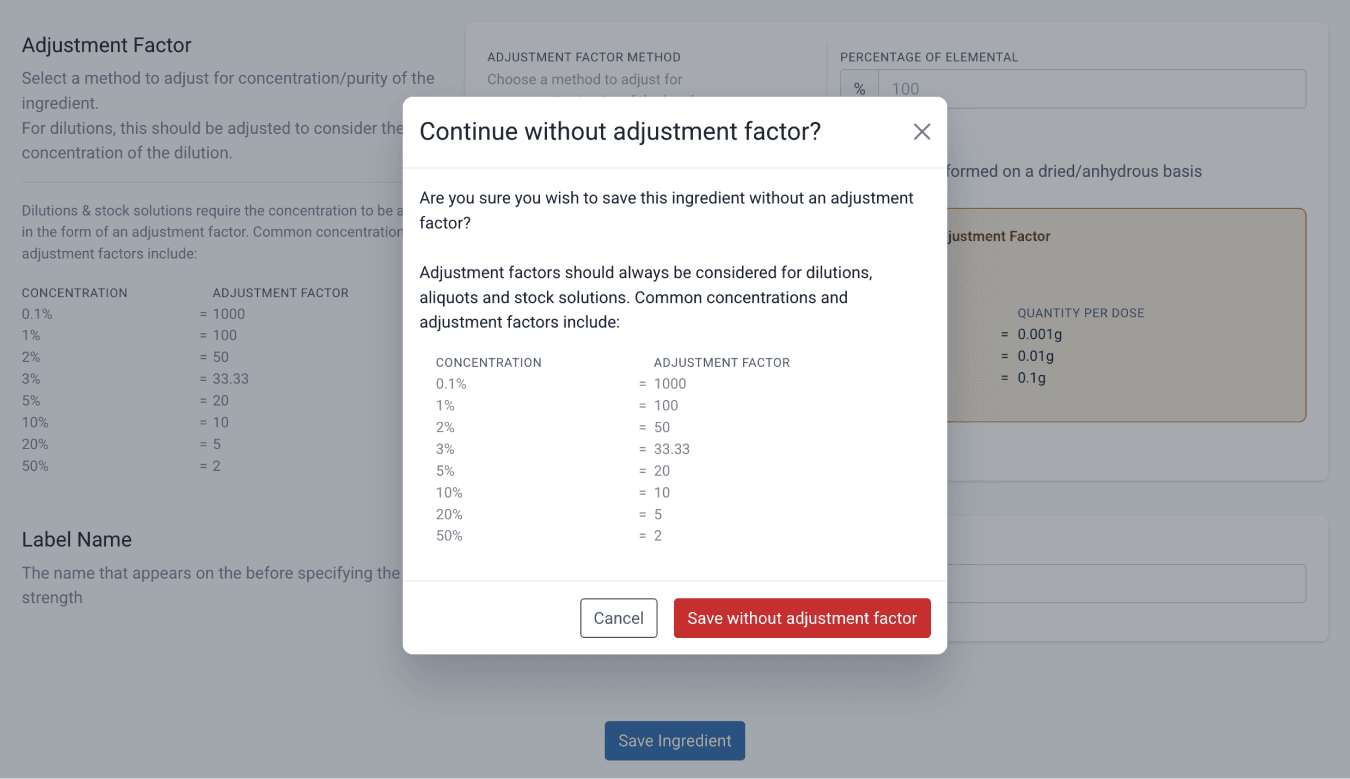
This setup will later be used by the technician when preparing the sterile solution in the lab.
Part 2: Create the dosage form
In this step, create the dosage form that defines how the sterile preparation will be dispensed and tracked, using vials for this scenario.
Select the appropriate route of administration and the desired units for the dosage form, then choose the Manual calculation method.
Ensure the ‘Allow unapproved batches’ toggle is switched on so the ingredient batches can be used without prior approval.
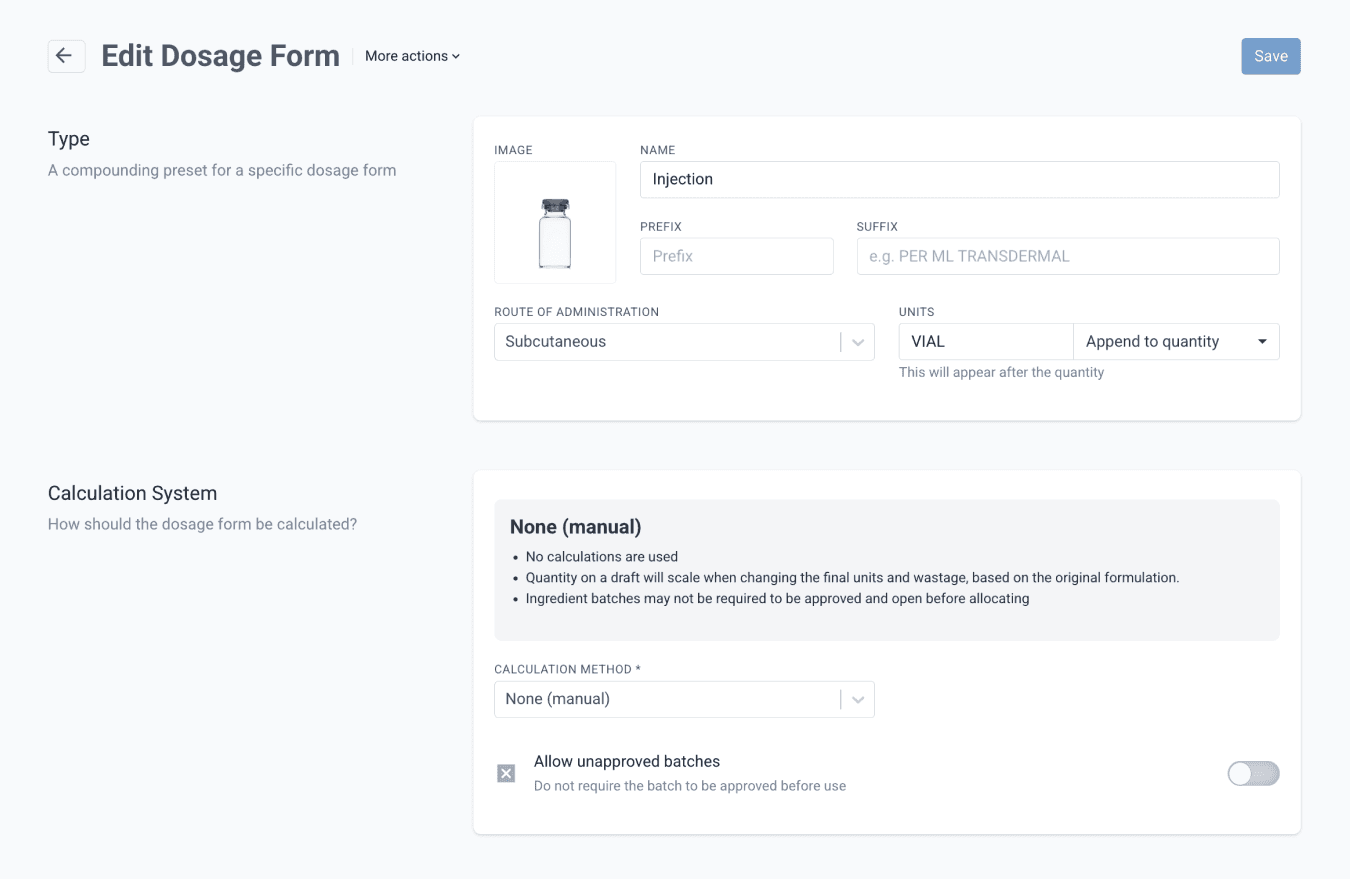
From the dosage forms page
Part 3: Create the formulation
Create a new Formulation, select the dosage form from Part 2, then add the stock solution from Part 1 as an ingredient. Set the dispensing unit to 1 vial.
At this stage, you may also use this to add any required packaging instructions as part of the formulation steps.
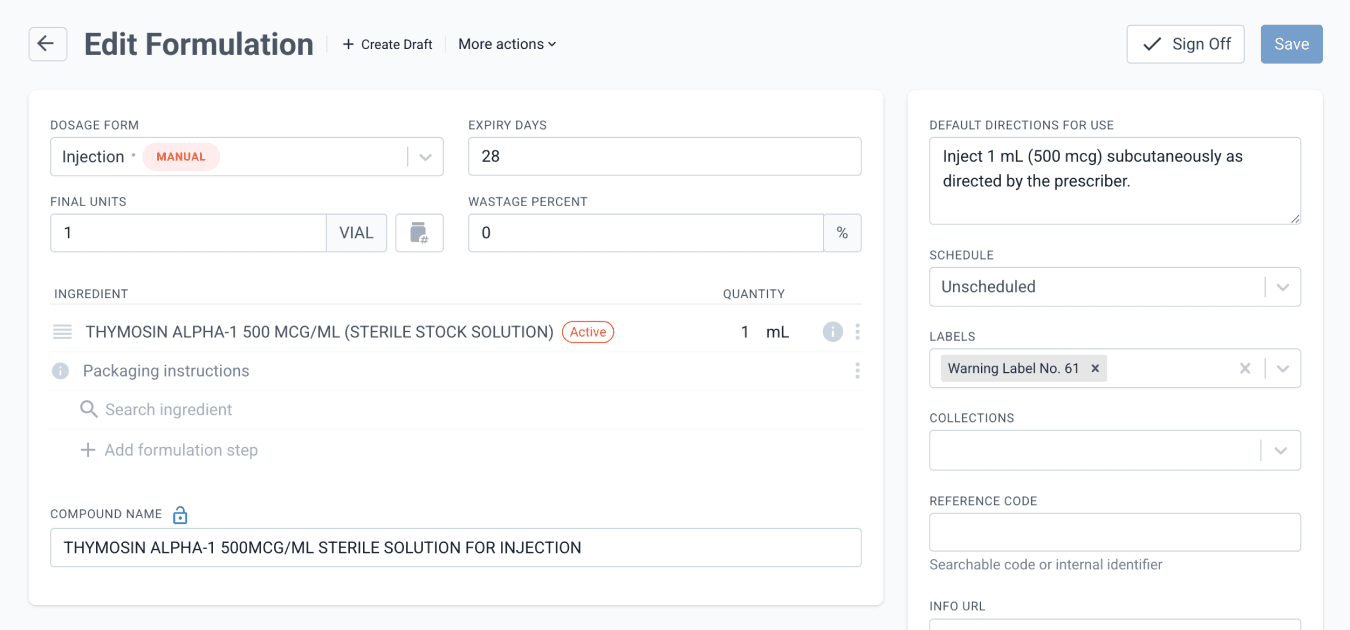
From the formulation page
Note: When using the Manual calculation method, the compound will not auto-populate. Enter the compound name manually before saving.
Once done, ‘Save’ and ‘Sign Off’ the formulation.
Next, convert the Formulation into Batch Stock.
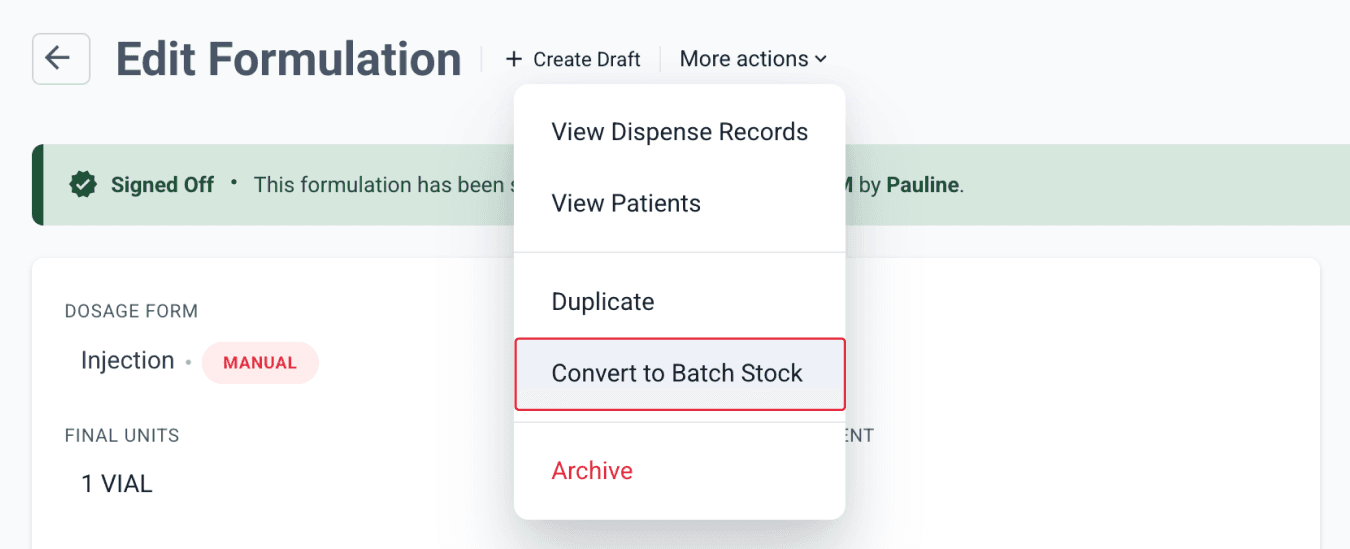
From the formulations page
On the Batch Stock page, scroll down to the Devices section and configure any devices used for this preparation.
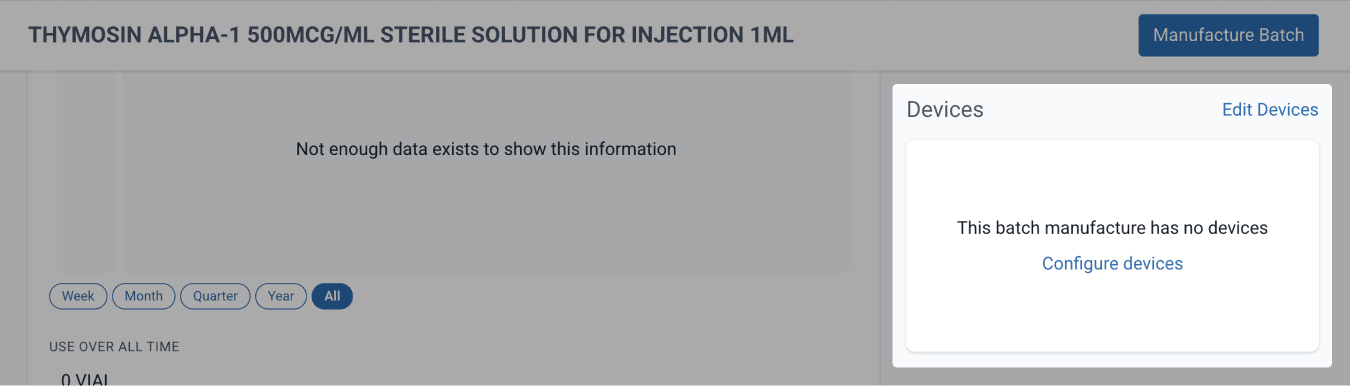
From the batch stock page
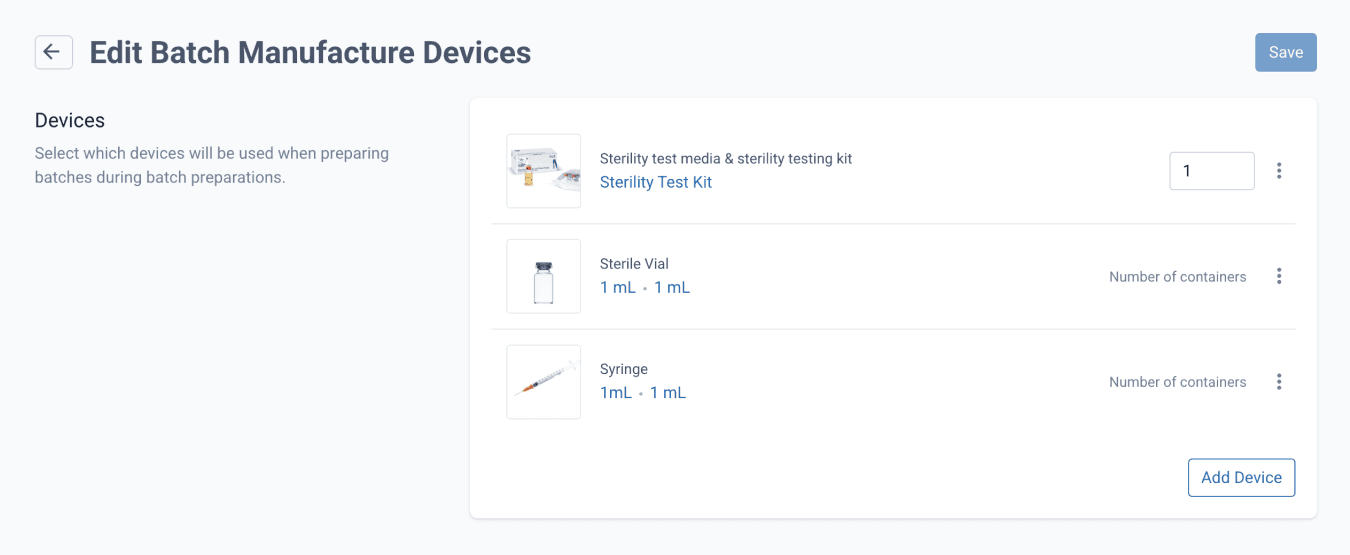
From the batch stock page
Select which devices will be used when preparing the sterile solution. Once done, click ‘Save’.
Preparation stage
This stage covers the execution of the sterile compounding process, the conversion of volumes into vial units within the system, and the approval of prepared batches, with specific roles assigned to each step.
Compound the sterile preparation
Role: Lab Technician
With all prerequisites prepared in Compound Direct, we can now proceed to the compounding workflow, using the components created in the earlier steps.
To begin, navigate to the Ingredients page and select the stock solution prepared in Part 1.
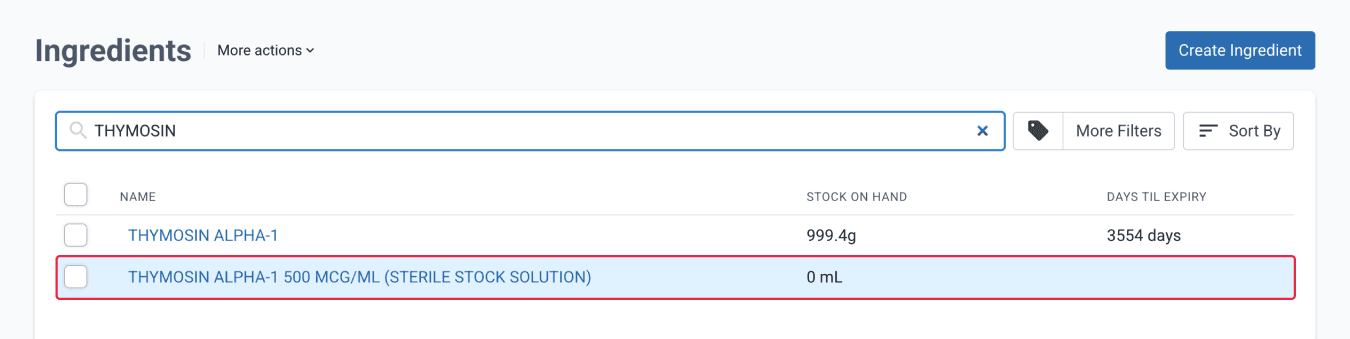
From the ingredients page
On the Ingredient page, click ‘Manufacture Batch’ to proceed to prepare the stock solution.
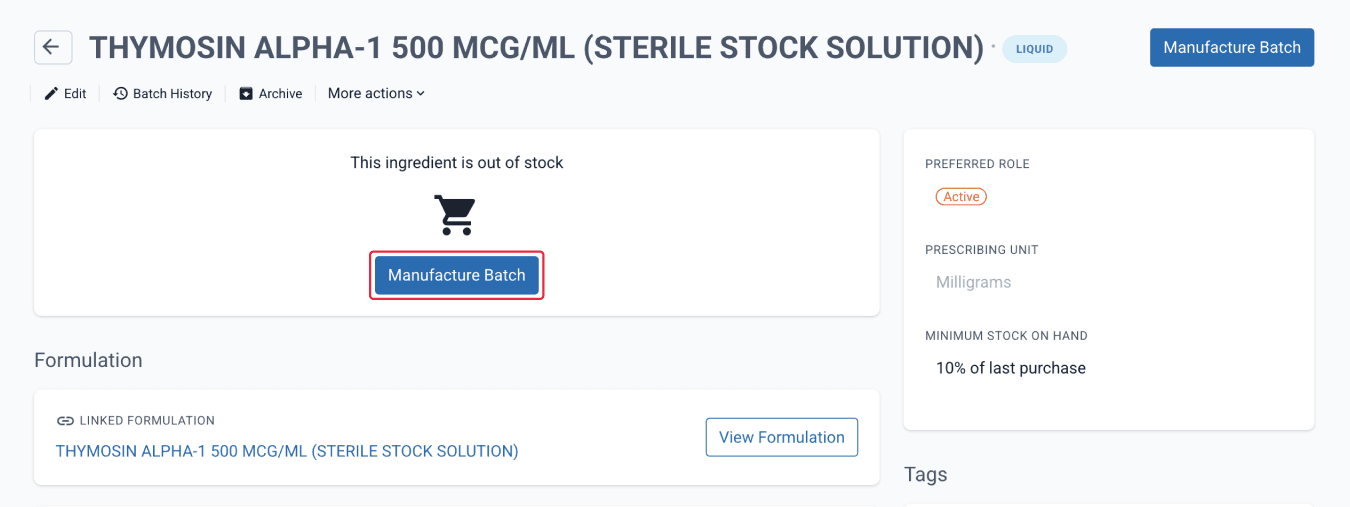
From the ingredients page
Proceed to the sterile product preparation. Click the ‘Create Batch Manufacture’ button. On the Batch Manufacture page, click ‘View Preparation’, then click ‘Start Preparation’ when ready.
Prepare the sterile stock solution.
Once done, the details of the preparation can be reviewed.
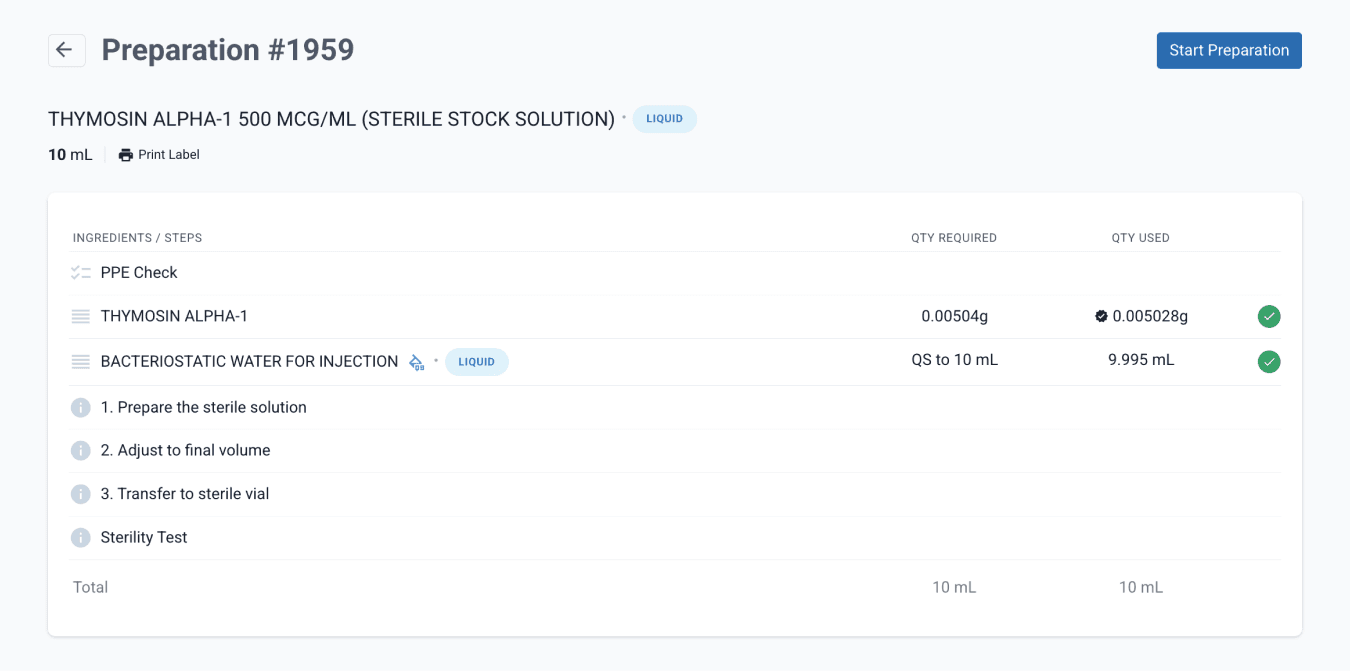
Conversion of mLs to vial units
Role: Pharmacist and/or Pharmacy Assistant
Next, navigate to the Drugs & Batch Stock page, select the batch stock prepared in Part 3.
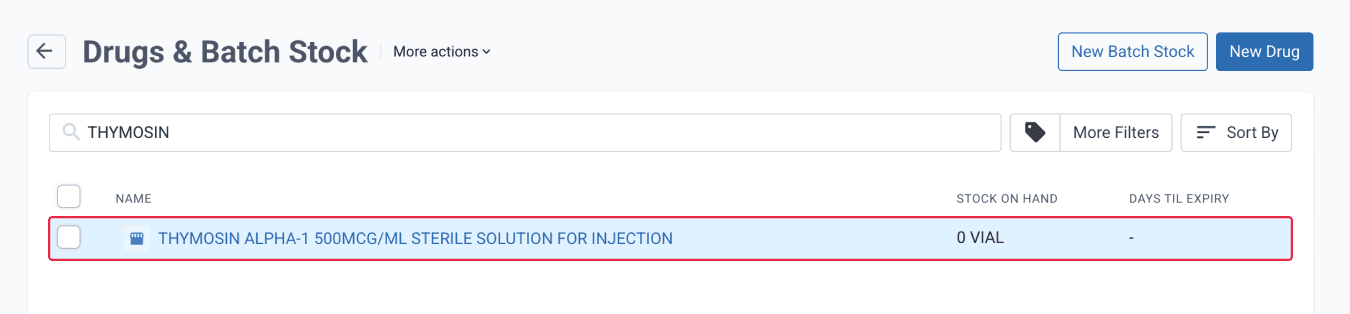
From the drugs & batch stock page
In the modal, enter the final volume and how it will be split into containers. For this scenario, enter 1 mL vials × 10 containers. The system will automatically confirm the total required.
Click ‘Create Batch Manufacture’ to proceed.
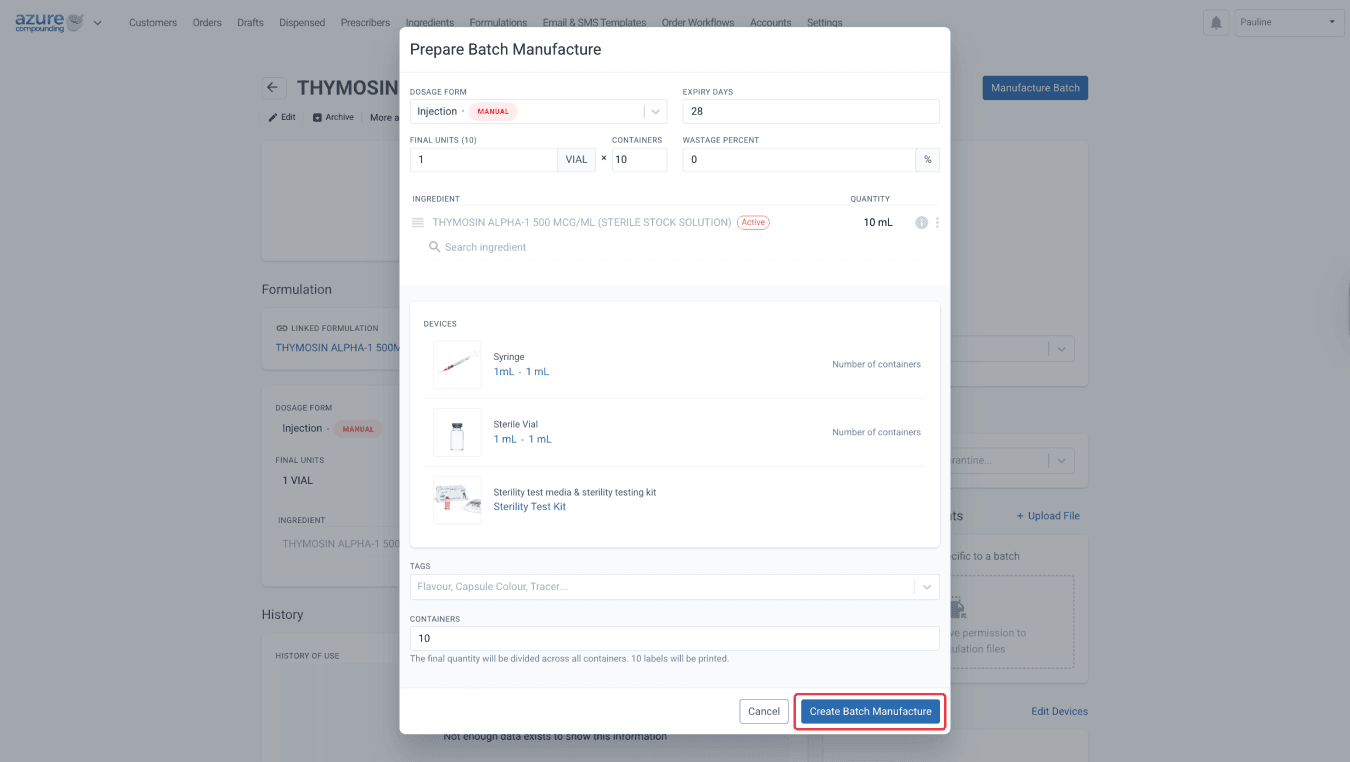
From the batch stock page
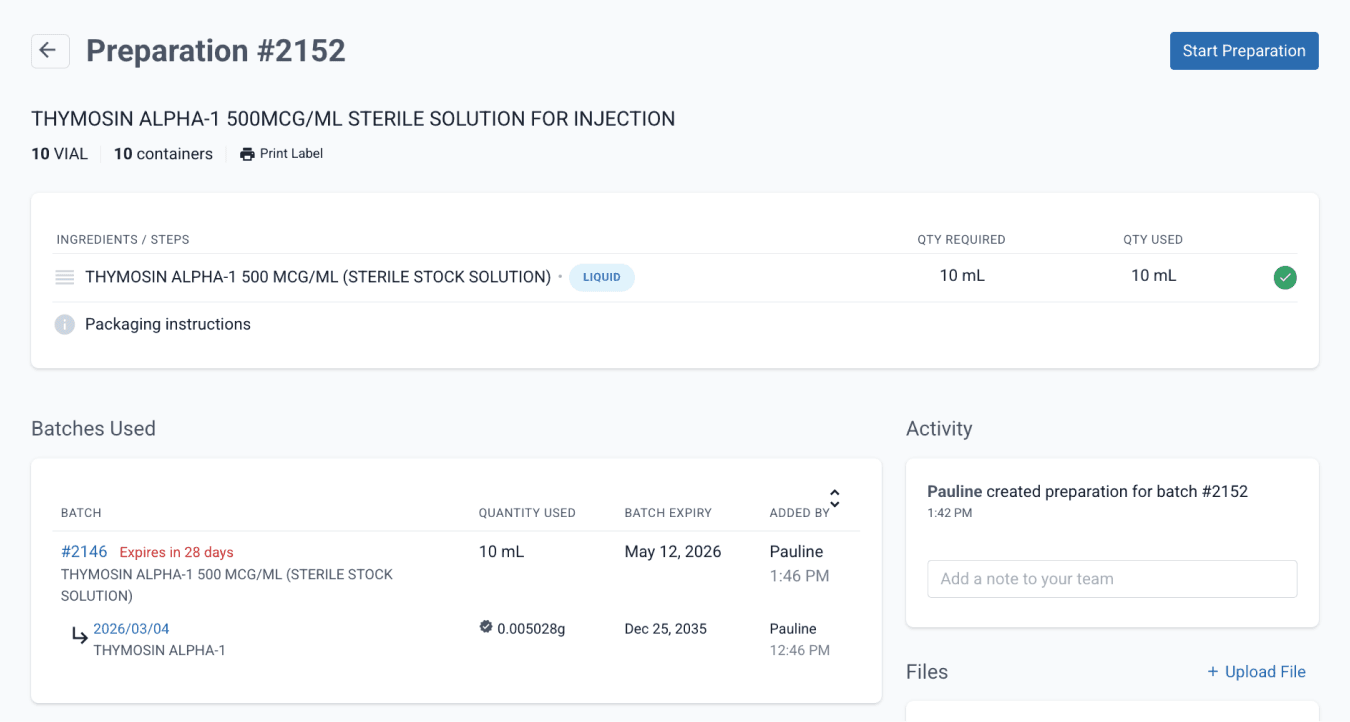
Navigate to the Preparation page.
At this stage, complete the preparation steps in the system. No further physical compounding is required, as this was done earlier. This step converts the preparation into unit-based vials in the system and can also be used to complete any required vial packaging.
From the batch stock page
Approve the vials
Role: Pharmacist
Following the actual preparation, sterile vials may be placed under quarantine for a defined period (e.g. 2 weeks) prior to use or dispensing. This allows time for sterility testing and observation to confirm that the preparation remains free from microbial contamination.
Only once the quarantine period is complete and all quality checks have passed should the vials be released for further processing or dispensing. The sterility test evidence can be uploaded under the ‘Files’ of the batch.
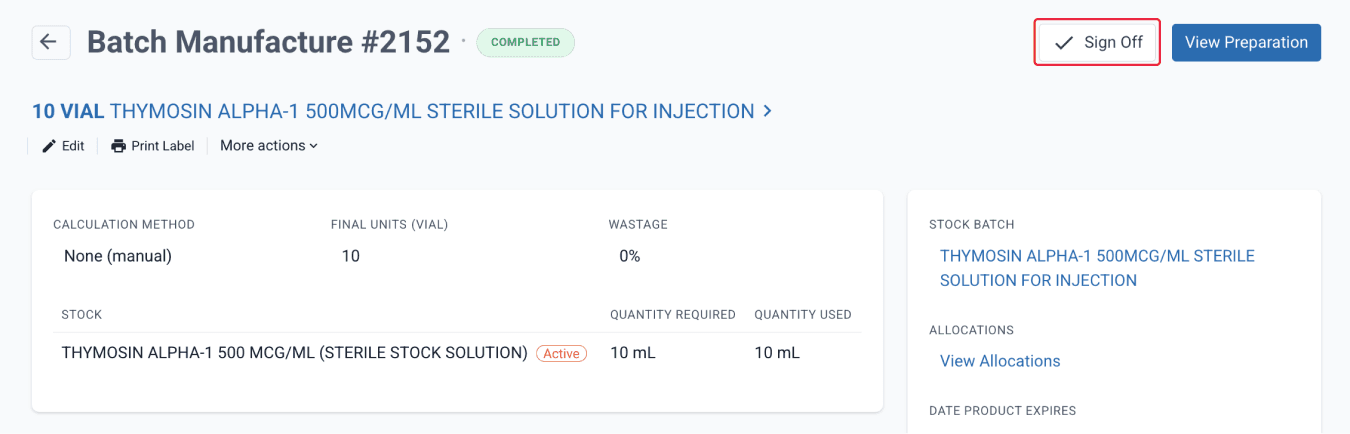
Once sterility has been confirmed, the pharmacist can now ‘Sign off’ the batch stock, then ‘Approve’ and ‘Open’ the batch.
From the batch stock page
At this stage, you have prepared a batch that can be dispensed in vial units.
Dispensing stage
This stage covers the allocation and dispensing of prepared batch stock into vial units within the system. It ensures accurate unit tracking, stock management, and traceability, while supporting proper documentation of each dispense record.
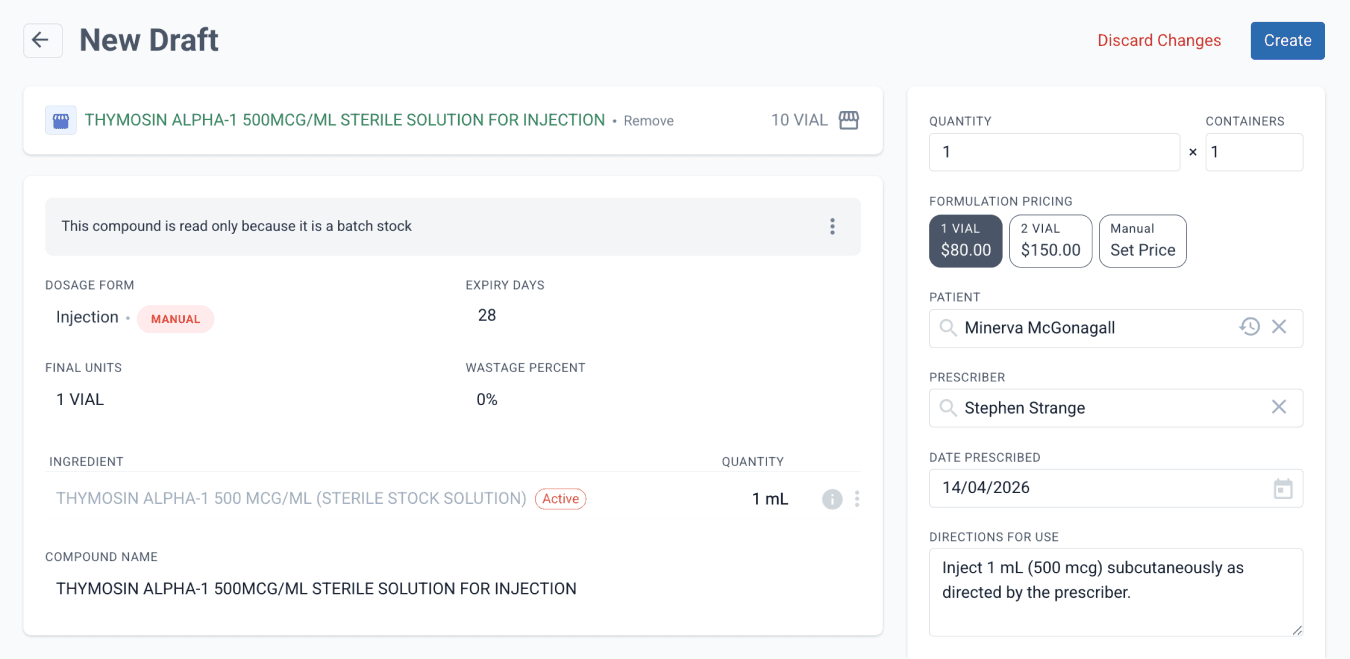
With the batch stock prepared, the formulation can now be dispensed in vial units. In this section, we will create a draft and allocate the required units from the prepared batch stock.
Create a Draft using the prepared batch stock, then Dispense once ready.
From the drafts page
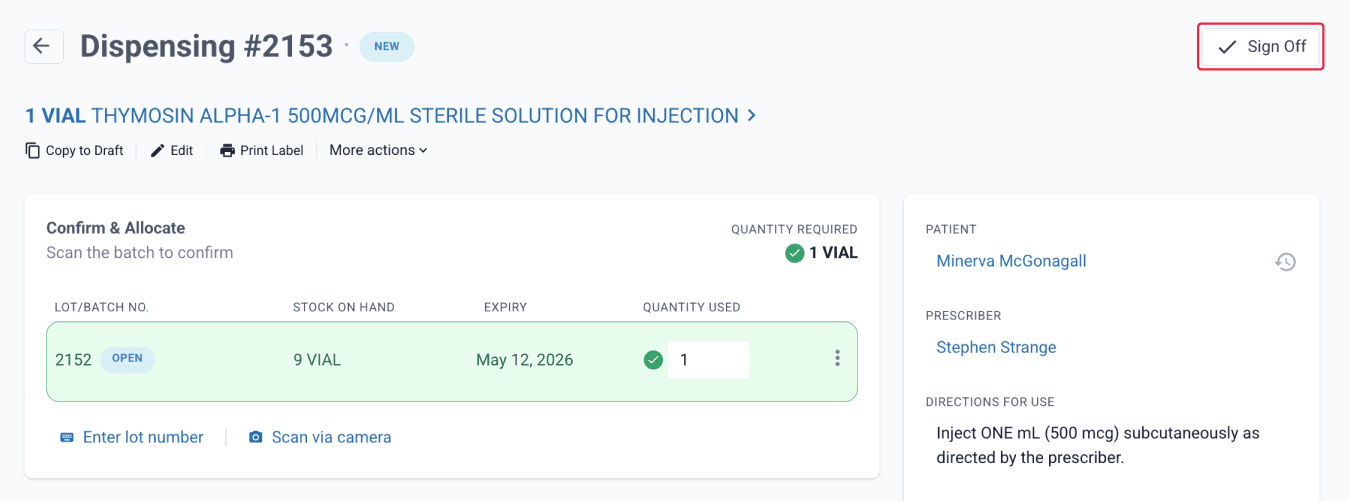
Allocate the required number of vial units. ‘Sign off’ the record once complete.
From the dispensed page
You can change the lot/batch name to provide better traceability of the stock used.
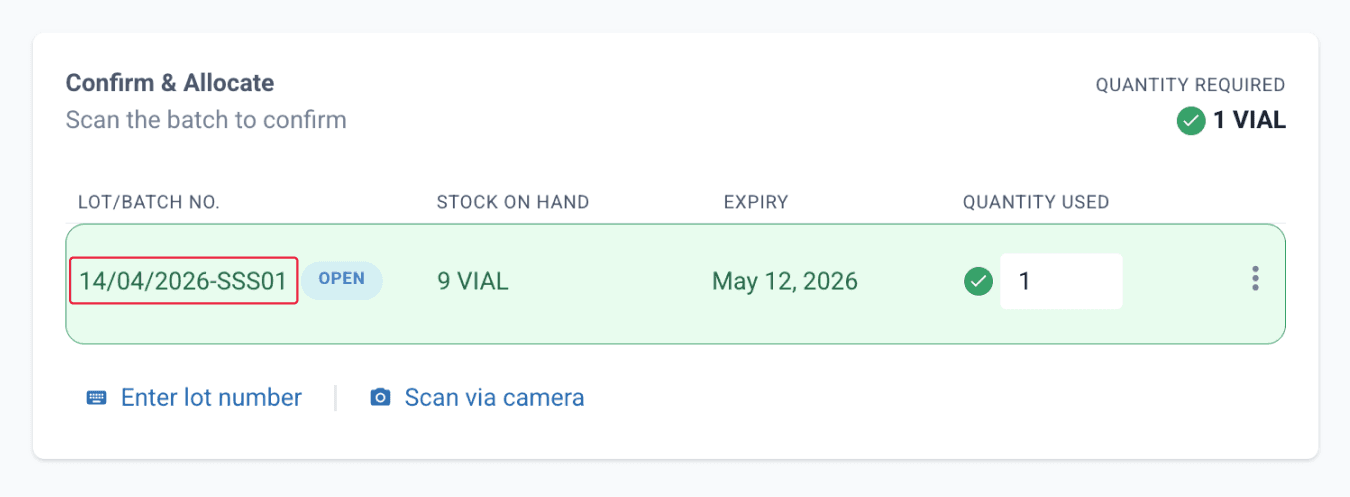
The compound is now dispensed in units, while accounting for devices and maintaining accurate stock-on-hand (SOH) management.
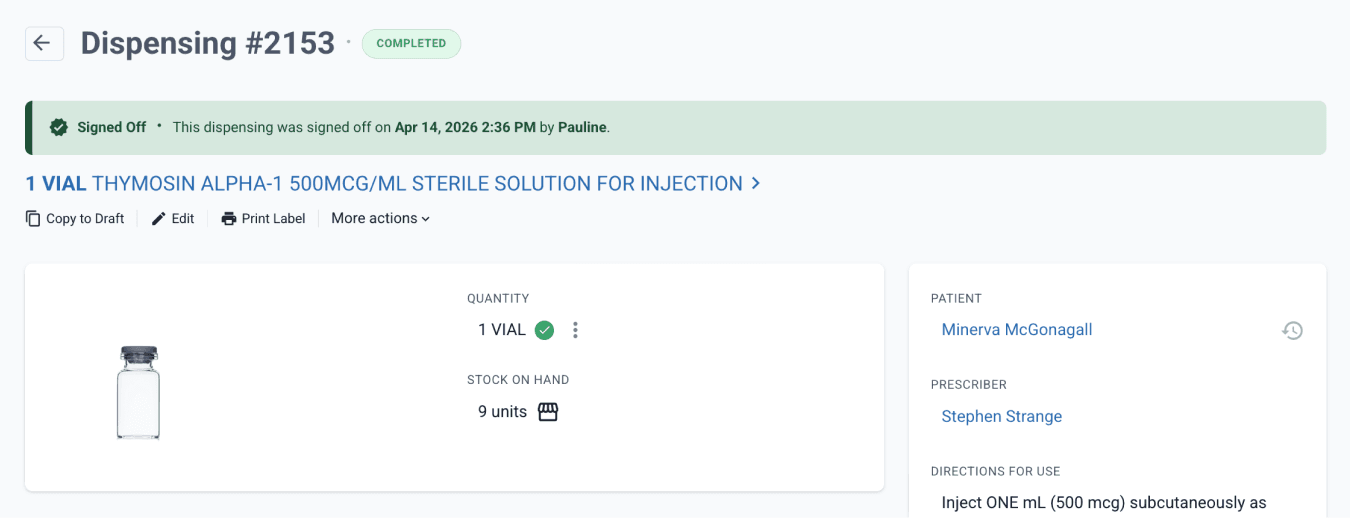
From the dispensed page
This ensures that inventory remains accurate when dispensing individual vial units from a stock solution, while preserving correct calculations for adjustment factors, formulation steps, and required sterility and QA procedures.
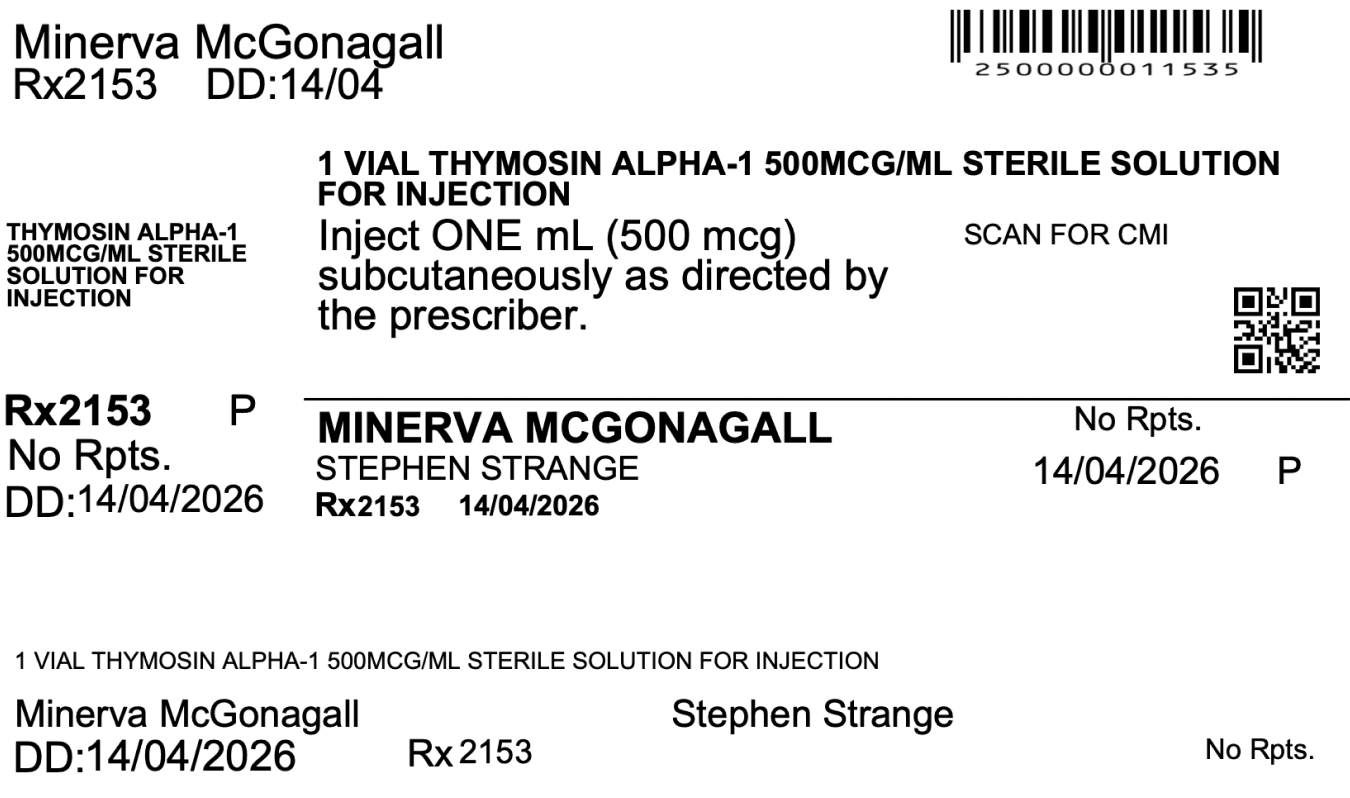
From the dispensed record print preview
Usage history
To track the usage of a sterile preparation, navigate to the Drugs & Batch Stock page and select the desired batch stock.
From there, click ‘Batch History’, or directly select the specific lot/batch no. of the sterile stock solution, and select ‘View Allocation’.
You will then be able to view a summary of dispense records, including the corresponding customer details for each dispense instance.
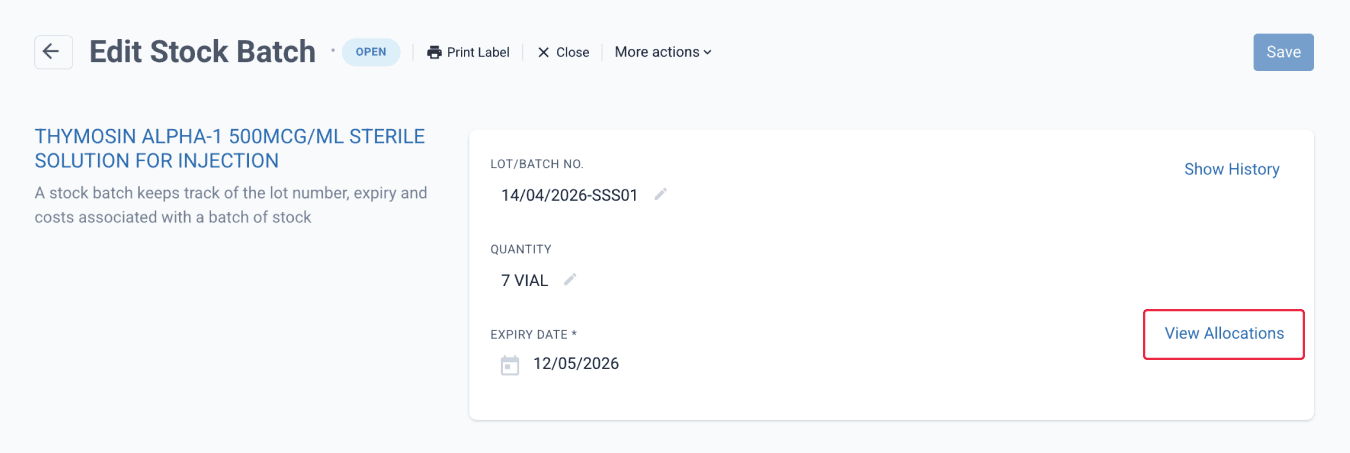
From the batch stock page
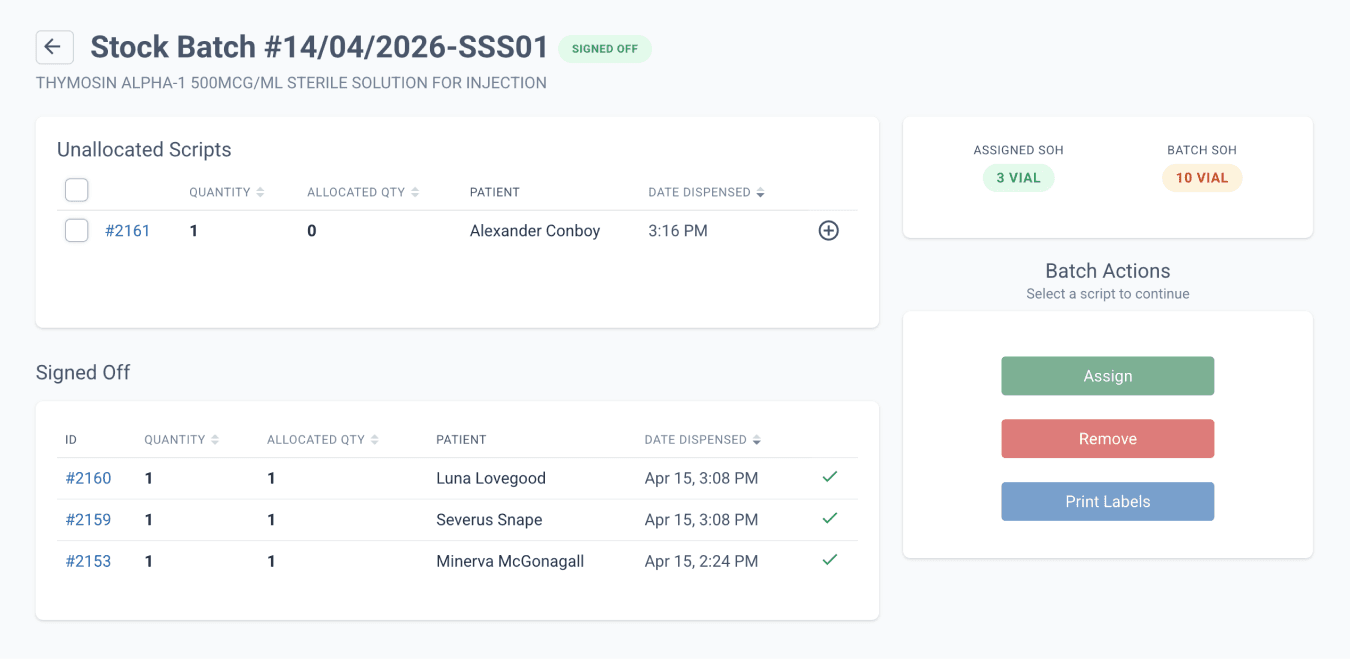
From the batch stock page
Tip: In cases such as sterility failures or product recalls, it may be necessary to investigate at different levels. If a sterility failure occurs after a preparation has been dispensed, review the usage history from the sterile preparation itself (stored as an ingredient) to identify all affected dispensing records.
Summary
Sterile preparations are often formulated based on concentration, but in practice they are commonly stored and dispensed as discrete units such as vials. Using Compound Direct, pharmacies can prepare a sterile stock solution, configure a formulation for unit-based dispensing, and convert it into batch stock that allows individual vial units to be dispensed accurately. Throughout the process, the system maintains accurate strength calculations, adjustment factor handling, device tracking, and stock-on-hand (SOH) management. It also supports documentation of QA and sterility verification steps, ensuring full traceability across the workflow.
All names and medical data shown in software screenshots are fictional and for demonstration purposes only. These figures represent fictional persons; any resemblance to real individuals is purely coincidental. Use of existing fictional names is for illustrative purposes and does not imply affiliation or endorsement.