
Standard Operating Procedures (SOP)


What Are SOPs?
Standard Operating Procedures (SOPs) are structured documents that outline how specific operations should be carried out in your pharmacy. They help maintain consistency, support compliance, and streamline onboarding. A great example of an SOP library is the Australian QCPP manual, which covers everything from business plans and HR to quality assurance.
In Compound Direct, your compounding SOPs are stored securely and are easily accessible to all users. Procedures can be uploaded as PDFs for in-platform viewing or added as downloadable resources such as CMIs, templates, and forms.
SOP dashboard
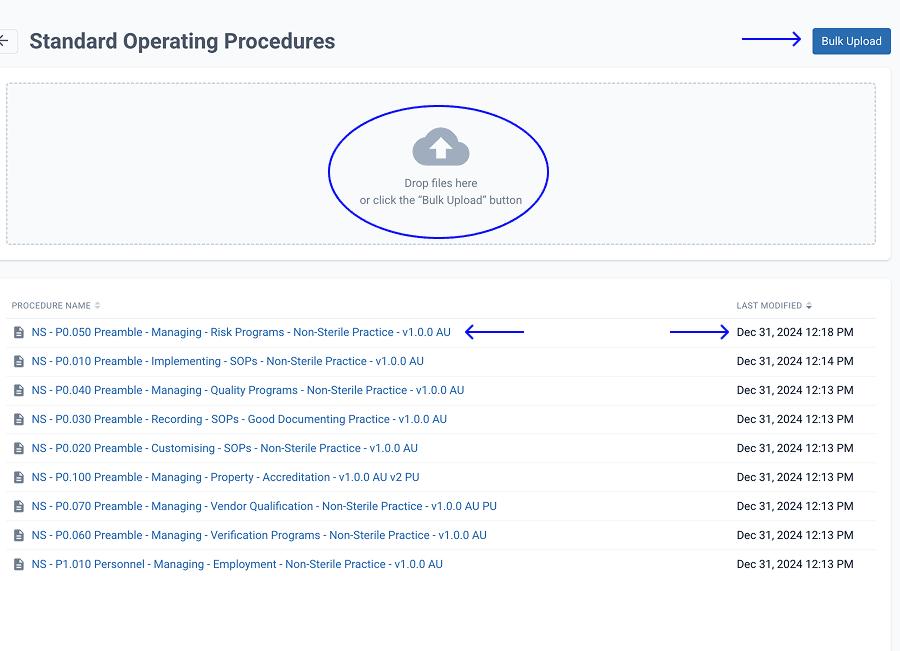
SOPs can be managed via the ‘Settings’ section of your Compound Direct workspace. From the dashboard, you can upload SOPs individually or use the Bulk Upload function to add multiple files at once. This is the quickest way to digitise your existing SOP library and make it accessible across your team.
Viewing an SOP
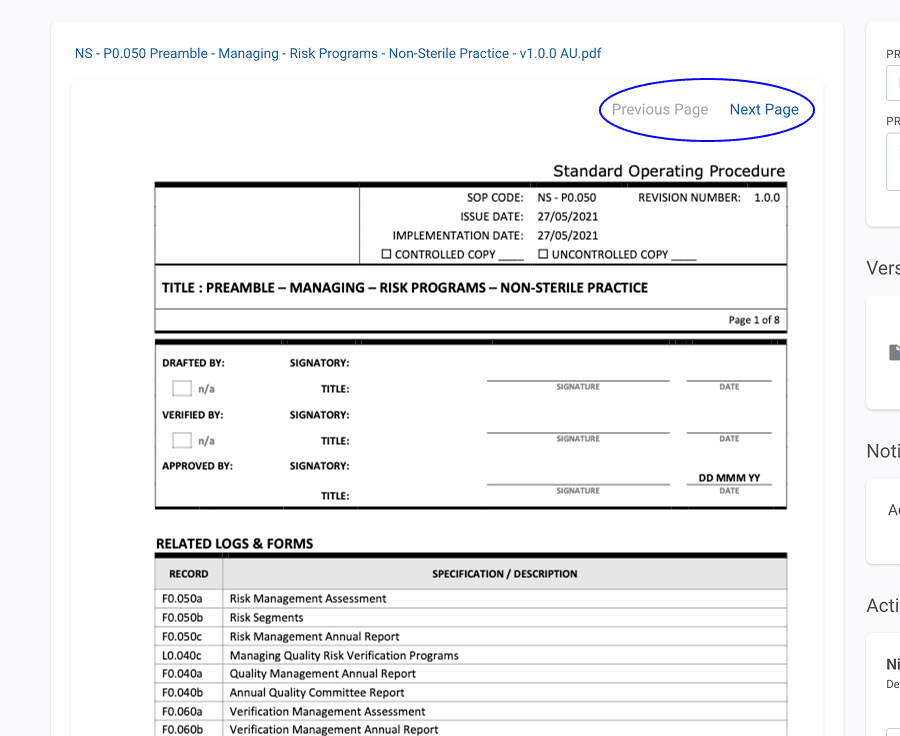
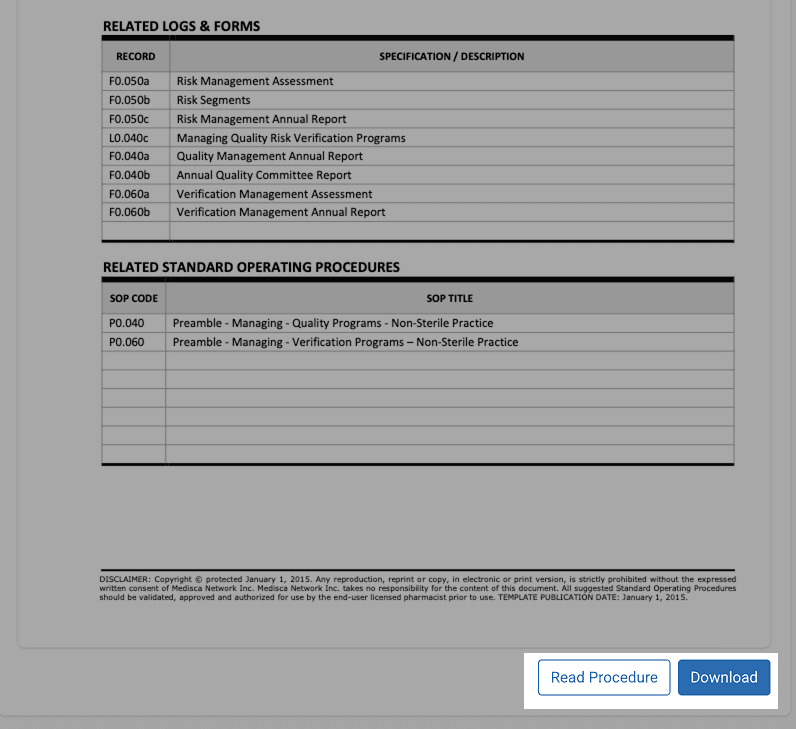
To view an SOP, simply select it from your library. If it’s saved as a PDF, it will open directly within Compound Direct. Multi-page SOPs can be browsed using the ‘Next Page’ and ‘Previous Page’ navigation buttons.
Modifying SOPs
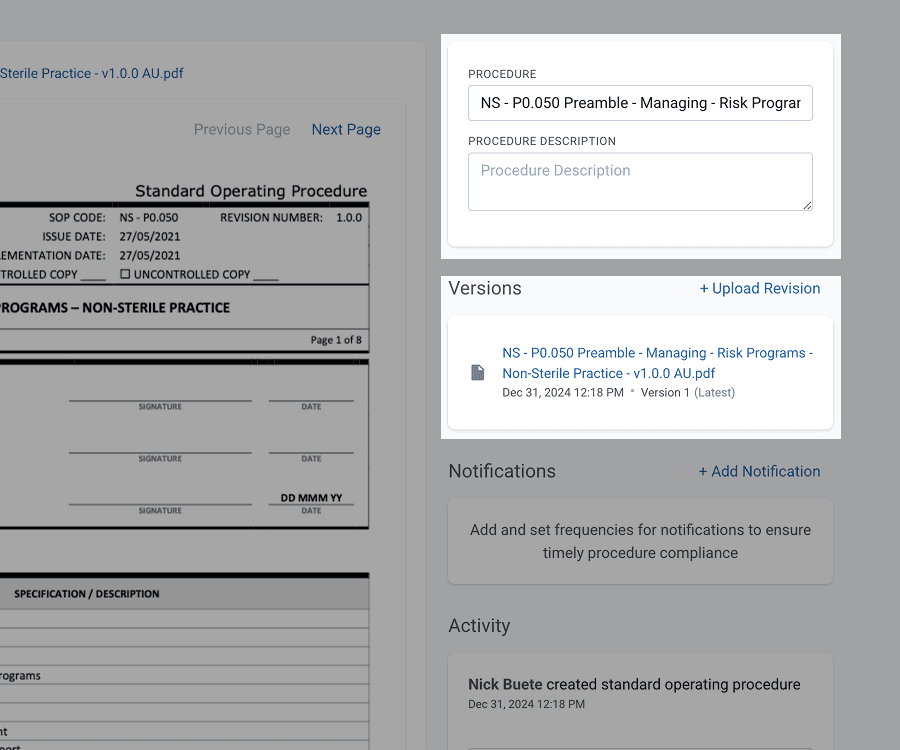
Once an SOP is uploaded, you can rename it and add a description that is useful for ensuring clarity, especially if the original file name isn’t descriptive. To update the SOP content, use the ‘Upload Revision’ feature. This automatically creates a new version while retaining access to earlier versions for reference and audit purposes.
Why you should schedule SOP notifications (and how to do it well)
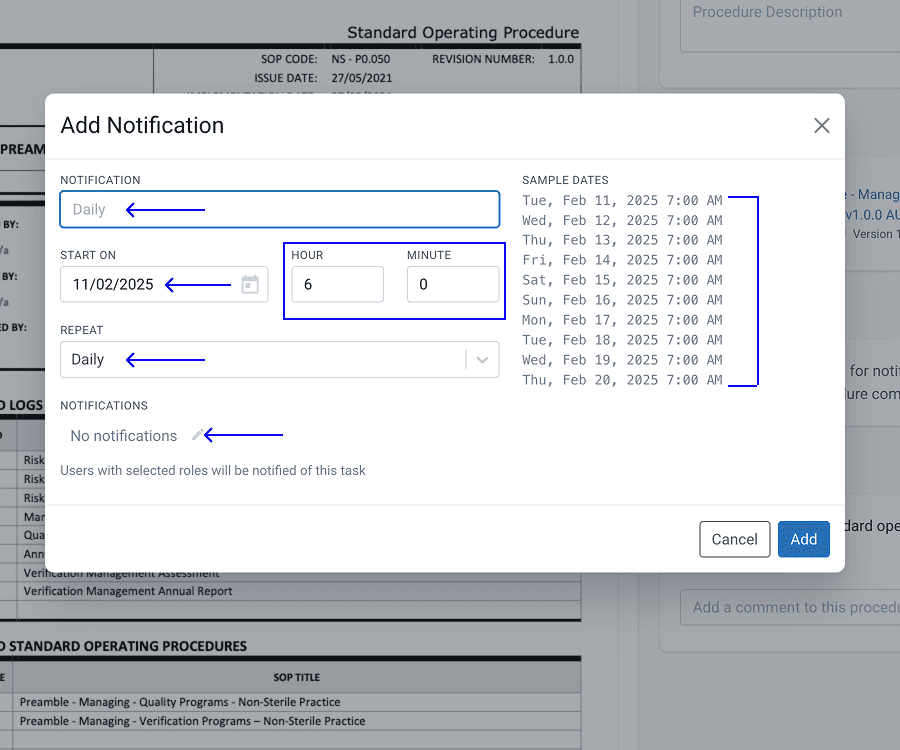
Standard Operating Procedures (SOPs) are only valuable when they’re actually used, and used correctly. One of the easiest ways to embed SOPs into your team’s workflow is to schedule timely notifications. With Compound Direct, SOP notifications aren’t just a reminder, they’re a tool for consistency, safety, and staff confidence.
1. Pair SOPs with routine tasks
Think about the start and end of your pharmacy day. Is your team expected to complete a lab bench decontamination, clean equipment, or log fridge temperatures? These recurring maintenance tasks are the perfect time to prompt staff with the relevant SOP. By sending the procedure alongside the task notification, even new team members can follow the correct steps without needing to dig through folders or ask a colleague. It’s a simple move that supports training, accountability, and a clean audit trail.
2. Keep critical procedures top of mind
Certain SOPs, like those for handling hazardous chemicals, responding to spills, or completing mock recalls, shouldn’t gather dust. You can set up scheduled reminders for staff to review and acknowledge these key processes at intervals you define. It’s a proactive way to keep safety procedures front of mind and make sure everyone stays aligned with regulatory expectations.
3. Drive continuous improvement
If you’re running a lab that’s focused on best practice and continuous improvement, SOP review shouldn’t be an afterthought. With scheduled notifications, you can build a review system directly into your workflow, prompting managers or designated staff to review and update SOPs regularly. This ensures your procedures evolve alongside your business and remain compliant with industry standards.
SOP compliance
When onboarding staff, introducing new processes, or making procedural changes, you can ensure staff compliance using the built-in acknowledgement feature.
Staff members can:
- Open the SOP and click ‘Read Procedure’
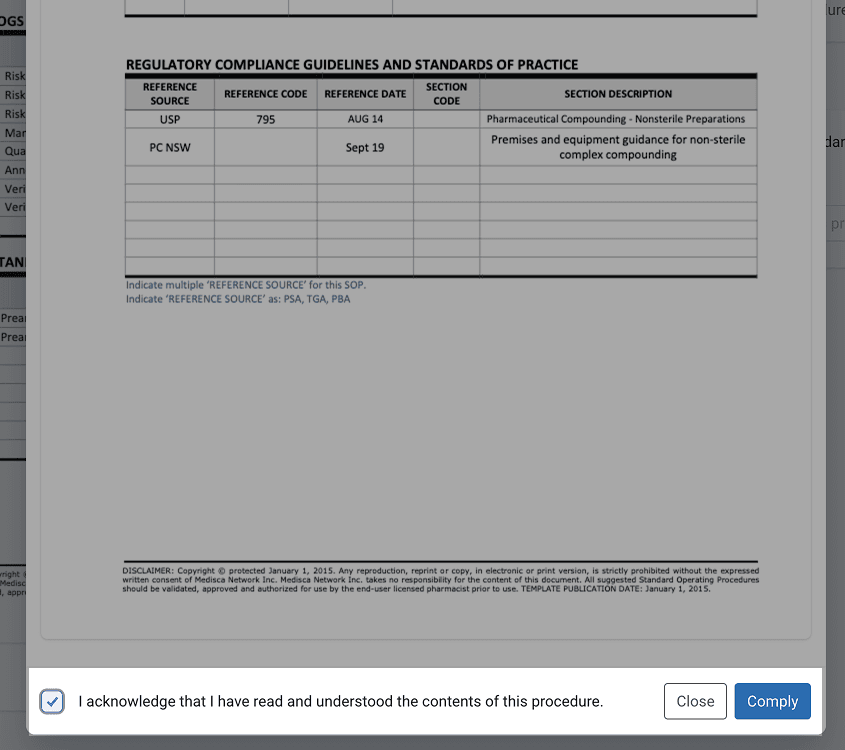
- Acknowledge understanding and then click ‘Comply’
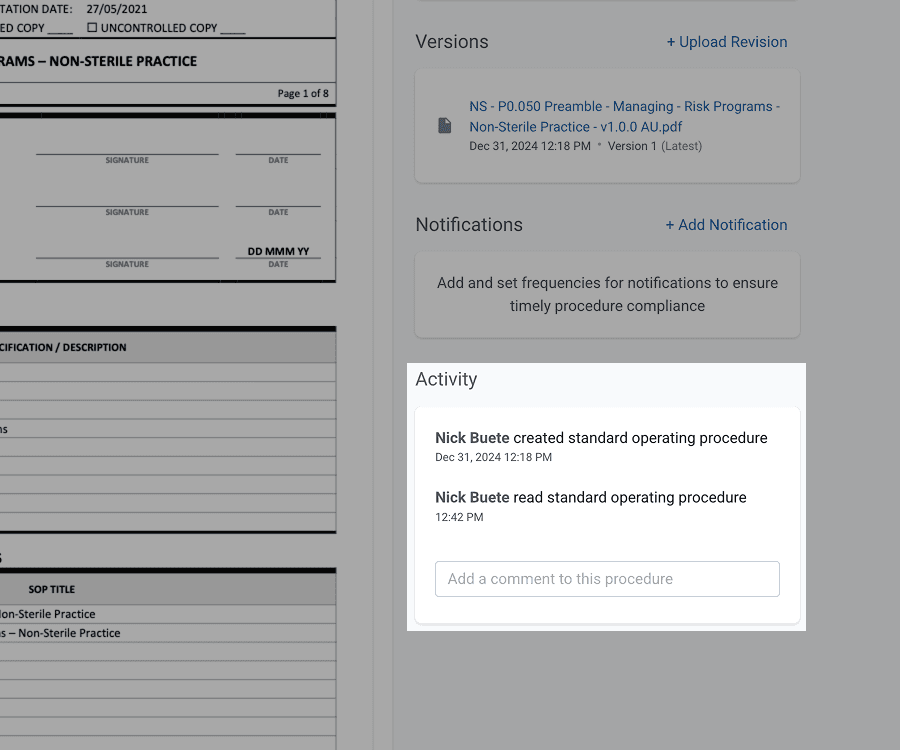
This interaction is logged in the Activity feed, showing who reviewed the SOP and when, an essential part of maintaining quality and compliance standards.
Summary
Compound Direct’s SOP module gives you full control over how your procedures are managed, shared, and tracked. From version control to automated staff notifications, everything is designed to keep your operations safe, standardised, and audit-ready.
Whether you’re onboarding new team members, running a mock recall, or reviewing your safety protocols Compound Direct helps you turn SOPs from static documents into dynamic, actionable tools.
All names and medical data shown in software screenshots are fictional and for demonstration purposes only. These figures represent fictional persons; any resemblance to real individuals is purely coincidental. Use of existing fictional names is for illustrative purposes and does not imply affiliation or endorsement.