
From order to payment: A step-by-step guide to using Compound Direct’s EFTPOS integration

EFTPOS, which stands for Electronic Funds Transfer at Point of Sale, is a payment system that allows customers to make purchases using debit or credit cards at retail locations. It enables secure transactions by transferring funds electronically from the customer's bank account to the merchant's account.
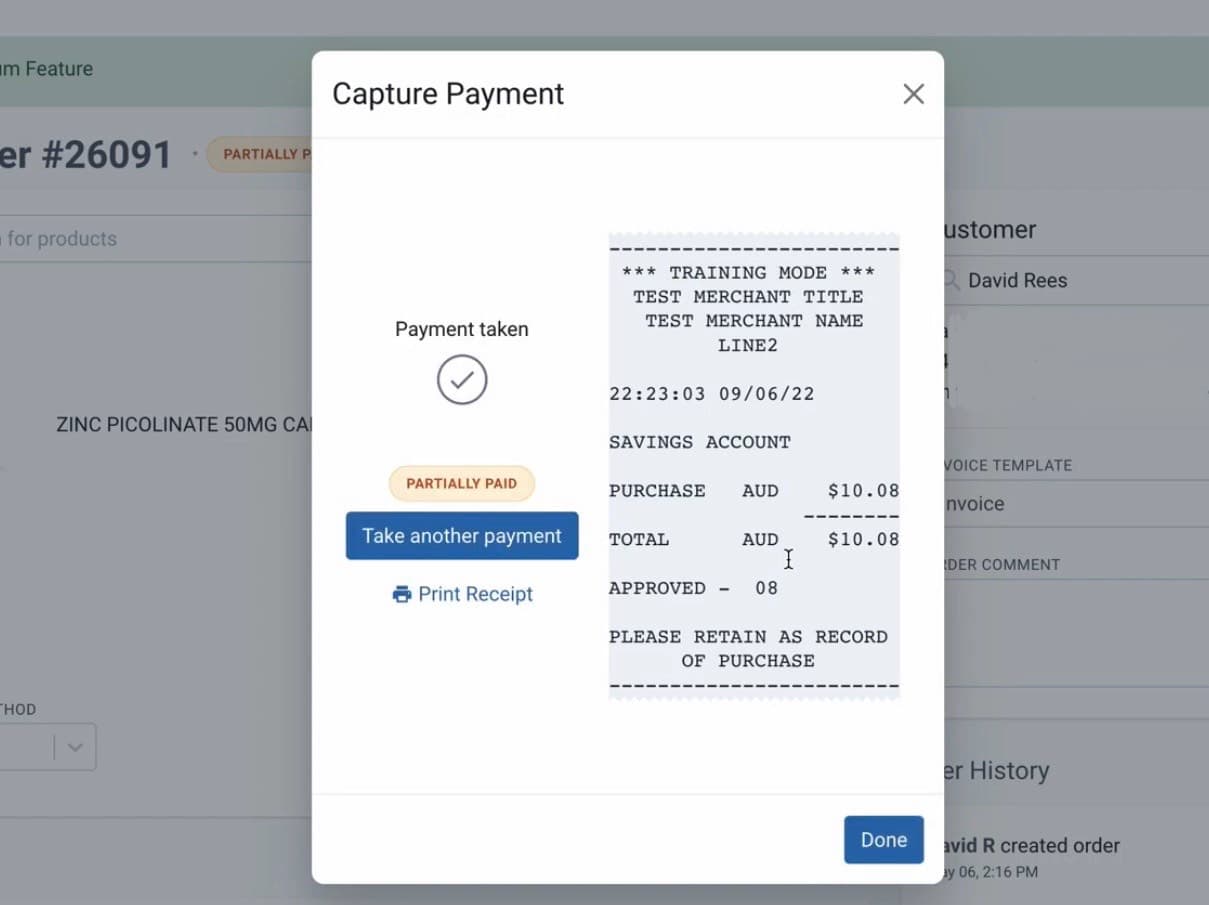
From the order record page
Directions for EFTPOS Set-up
If you plan to set up Eftpos with Compound Direct, you can use any “Linkly Cloud compatible terminal” from a partnering bank.
See this image for all the banks that support the Linkly Cloud terminals.
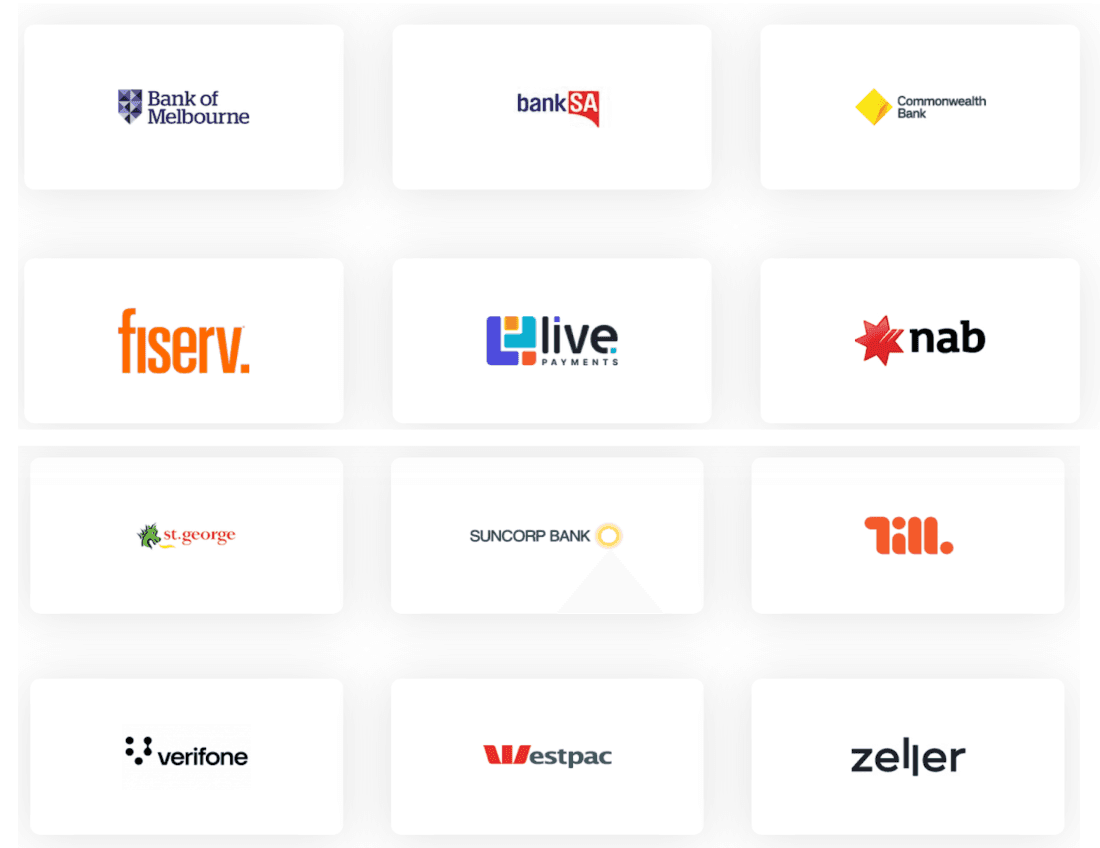
To request a "Linkly Cloud Integrated Terminal," you would typically need to contact a bank or payment service provider that offers this solution.
Please ensure it is cloud-integrated as traditionally they are not.
Once you’ve contacted the bank and requested the Linkly Cloud Integrated Terminal, here’s a brief overview of what to expect during the installation process:
- Technician Visit: After processing your request, a technician will be scheduled to come to your site to set up.
- Configuration: During the visit, the technician will configure the terminal within your existing systems, including integrating it with Compound Direct (the technician may need to call Compound Direct while onsite).
- Communication: The technician may need to ask your team for assistance with the setup, so ensure someone is available to provide any necessary information or access.
- Testing: After the configuration, they’ll likely test the terminal to ensure everything functions correctly.
- Training: The technician might also provide a brief overview of using the terminal and troubleshoot common issues.
The technician will have a username, password and pair code for each terminal, which must be added to Compound Direct. This is done by saving a test "Order", confirming payment via EFTPOS and then entering the menu to set up EFTPOS terminals.
Setting up an order in Compound Direct
1. In the Compound Direct software when setting up an order go into your ‘Orders’ tab then click ‘Create Order’.
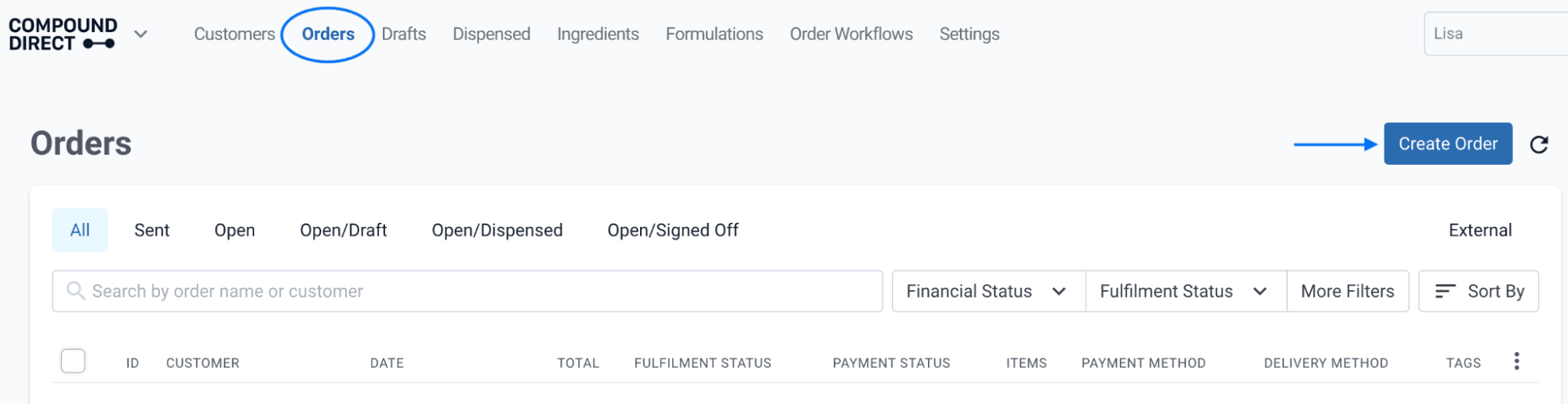
From the orders page
2. Click into the Search Bar and find the order in this case you will click on ‘Unpaid Scripts’ then select the order number and click on the ‘+’ button.
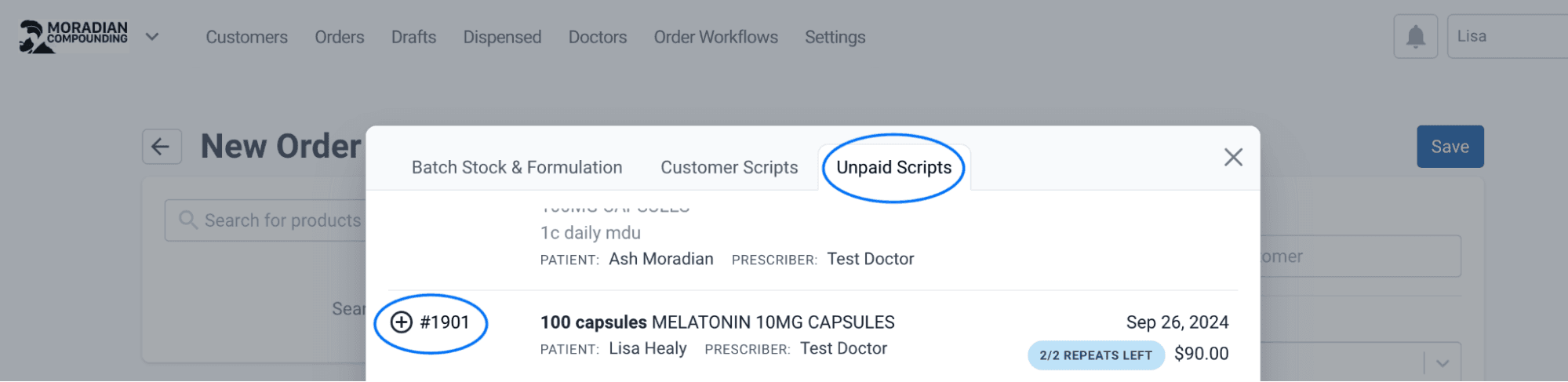
From the new order page
3. Under the Customer details select the PAYMENT METHOD (In-store), save the order, then click on ‘Confirm Order’.
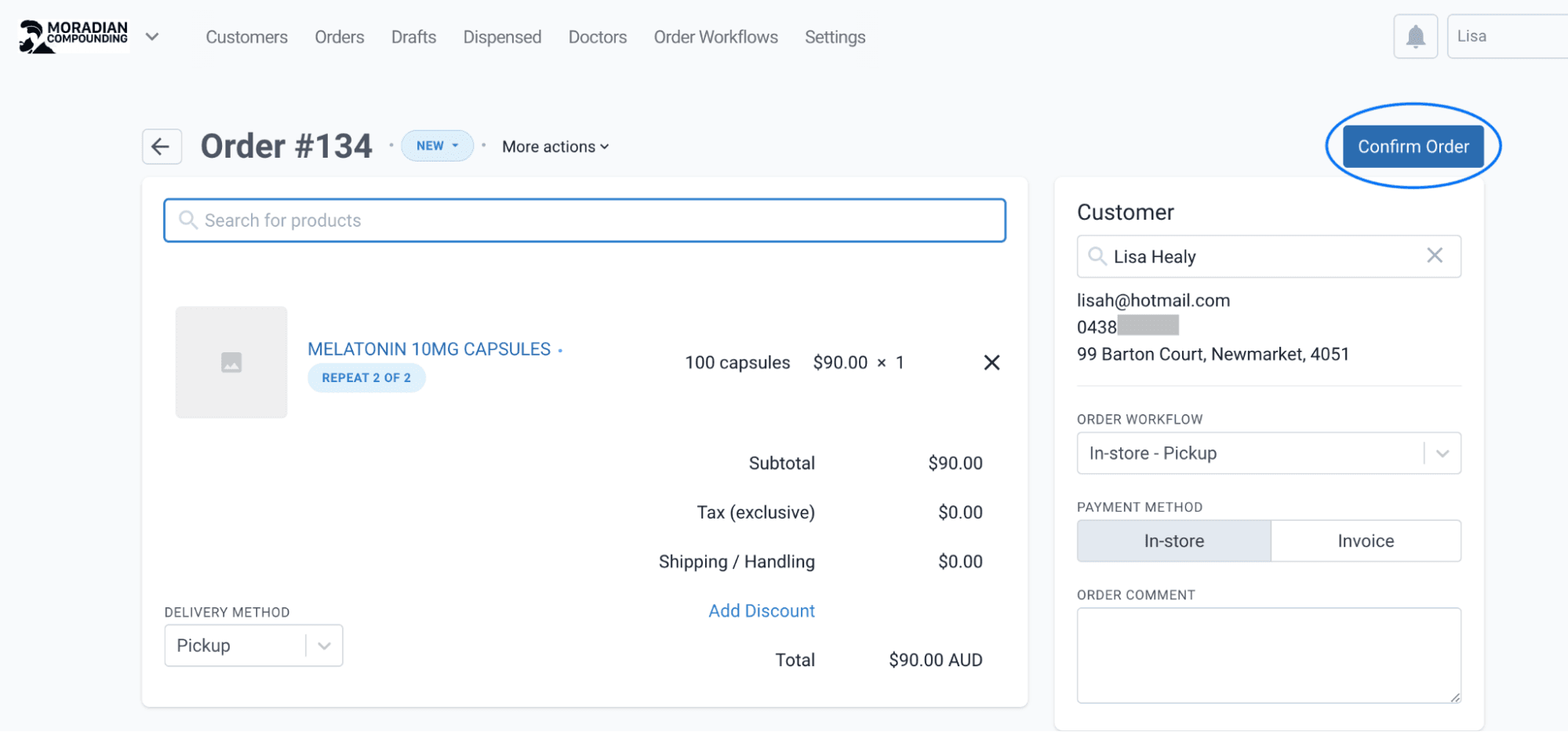
From the order record page
4. Once you have clicked Confirm Order select payment method ‘3 - EFTPOS’ you can also press the ] key.
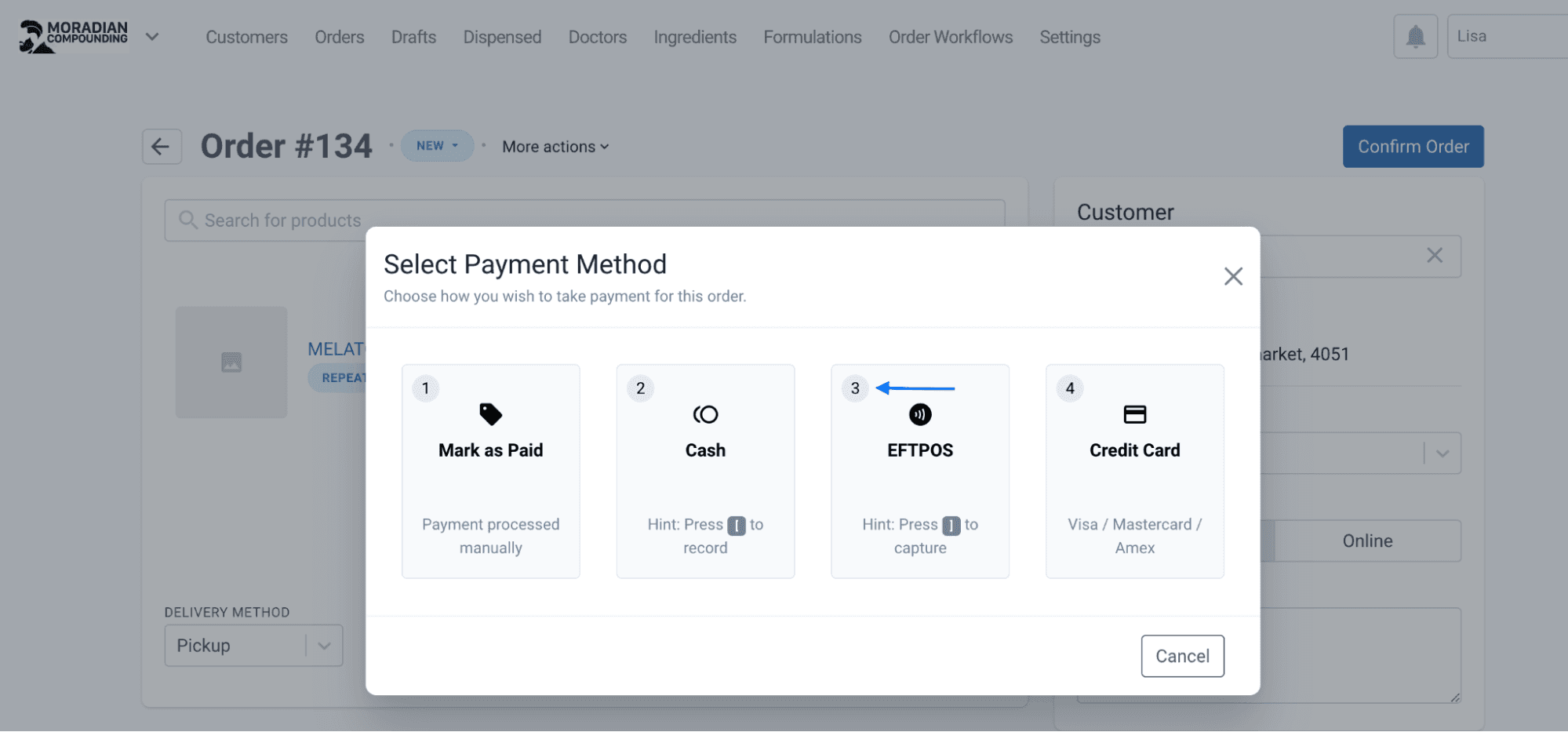
From the order record page
5. You will now be able to ‘Connect to your terminal’ if this hasn’t been set up or ‘Select Terminal Device’ if it’s already been added.
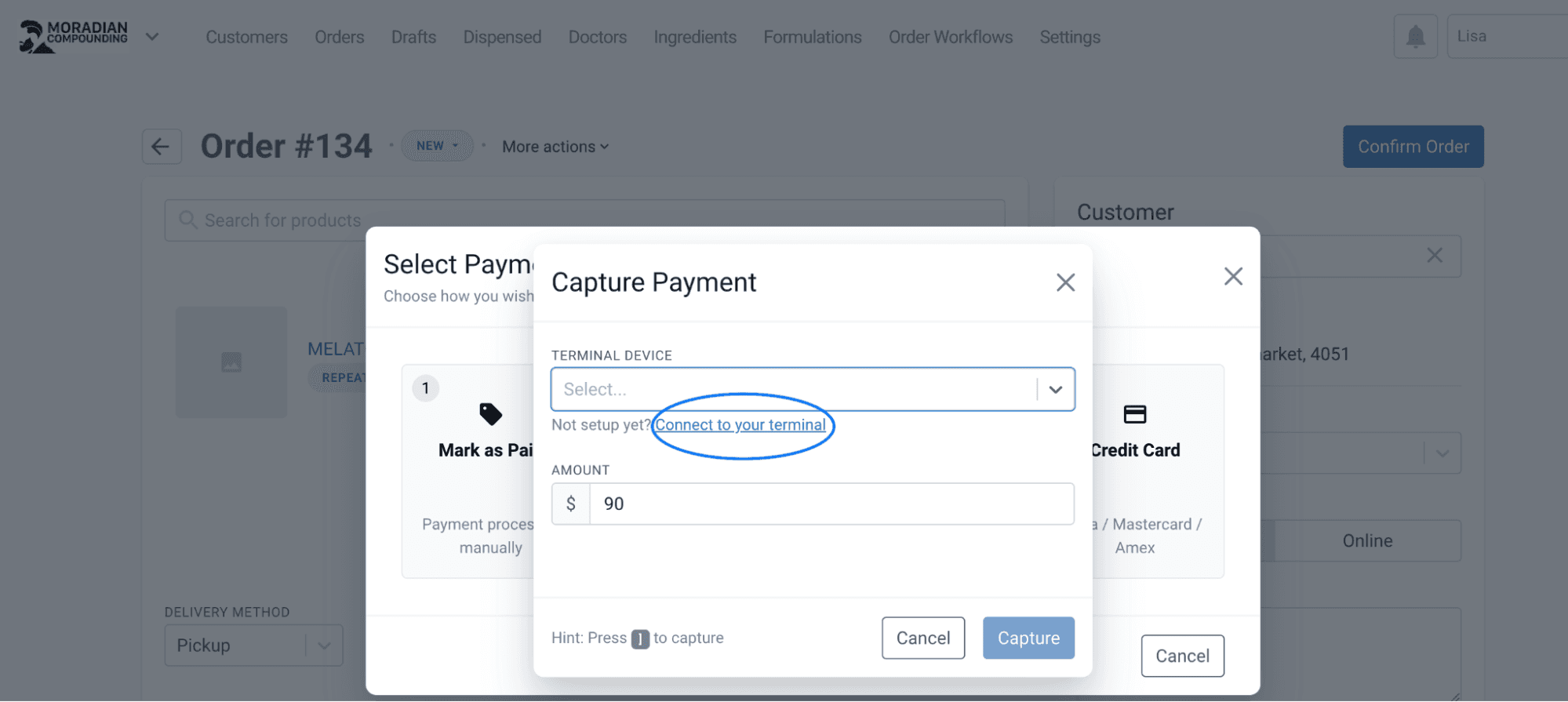
From the order record page
6. If your terminal hasn’t been set up yet it’s at this point, the technician from Linkly will be onsite and will call Compound Direct for configuration. When connecting to your payment terminal your technician will enter the following information “Username’: ‘Password’: Passcode and ‘Custom Name’- (e.g POS Register 1). This is done by saving a test "Order", confirming payment via EFTPOS and then entering the menu to set up EFTPOS terminals.
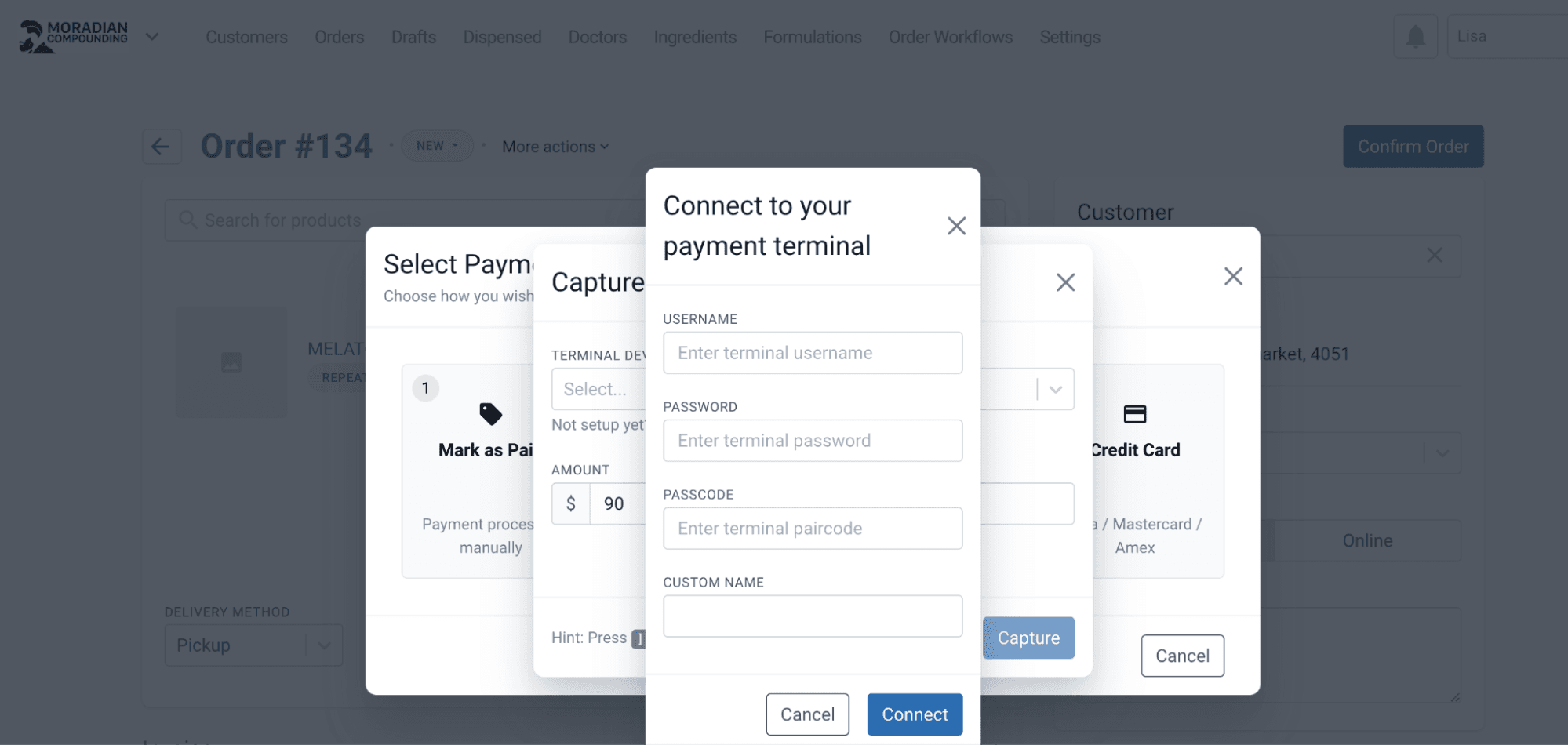
From the order record page
Once the setup is complete, you can select dispensed items to be charged out from the 'Orders' page, and then charge out those items to the integrated terminal, after a moment the terminal will display the amount to charge. Once charged, Compound Direct will record the payment details and an e-receipt can be provided via Email and/or SMS.
Conclusion
In conclusion, Compound Direct Software can facilitate seamless transactions via EFTPOS between customers and merchants using debit or credit cards. The process is simple and efficient: items are selected from Compound Direct’s 'Orders' page, customer details are added, and payment is processed through an integrated terminal, with all transaction details recorded. Additionally, an e-receipt is provided for convenience, enhancing the overall transaction experience within the software.
All names and medical data shown in software screenshots are fictional and for demonstration purposes only. These figures represent fictional persons; any resemblance to real individuals is purely coincidental. Use of existing fictional names is for illustrative purposes and does not imply affiliation or endorsement.