
Setting up and sending two-way SMS

If you haven’t set up your 2-Way SMS feature in the Compound Direct software here are a few steps to get you up and running. The 2-Way SMS feature is a valuable addition for both your customers and your compounding pharmacy. By leveraging the 2-Way SMS feature, both your pharmacy and your customers can enjoy smoother, more efficient interactions.
Benefits for the Compounding Pharmacy:
- Efficiency:
- Streamlines communication processes by consolidating SMS and email interactions in one place, saving time and reducing the risk of missed messages.
- Improved Tracking:
- Keeps a comprehensive log of all customer interactions, which helps in maintaining accurate records and enhances service quality.
- Enhanced Customer Service:
- Allows for quicker response times and better management of customer inquiries, leading to higher satisfaction and loyalty.
- Organisational Benefits:
- Helps in organising communication and keeping track of follow-ups, making it easier to manage customer relationships.
Here's a streamlined explanation of how the 2-Way SMS feature works and its benefits:
1. SMS Received via Email:
- When a customer sends an SMS, it is forwarded to your email system.
2. Respond via Email:
- You can reply to the customer’s SMS directly from your email. The response is converted back into an SMS and sent to the customer’s phone.
3. Saved Correspondence:
- All SMS interactions, including both incoming messages and responses, are automatically logged and saved in the customer’s profile within your compounding software.
To set up the Two-Way SMS Go to the ‘Settings’ page.
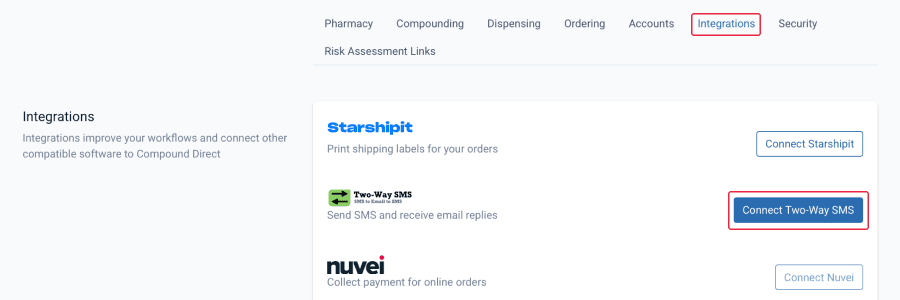
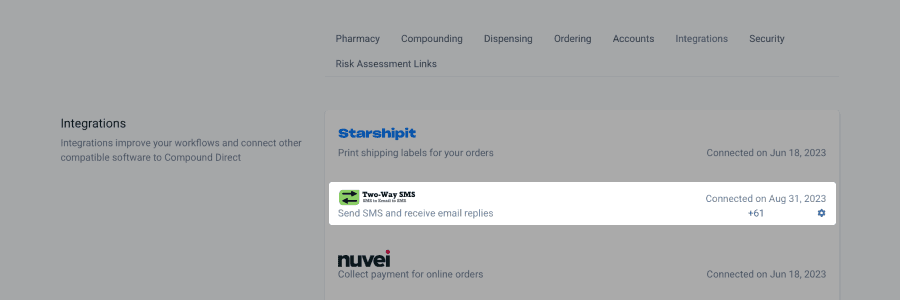
Click on ‘Integrations’, press Connect Two-Way SMS
From your workspace page
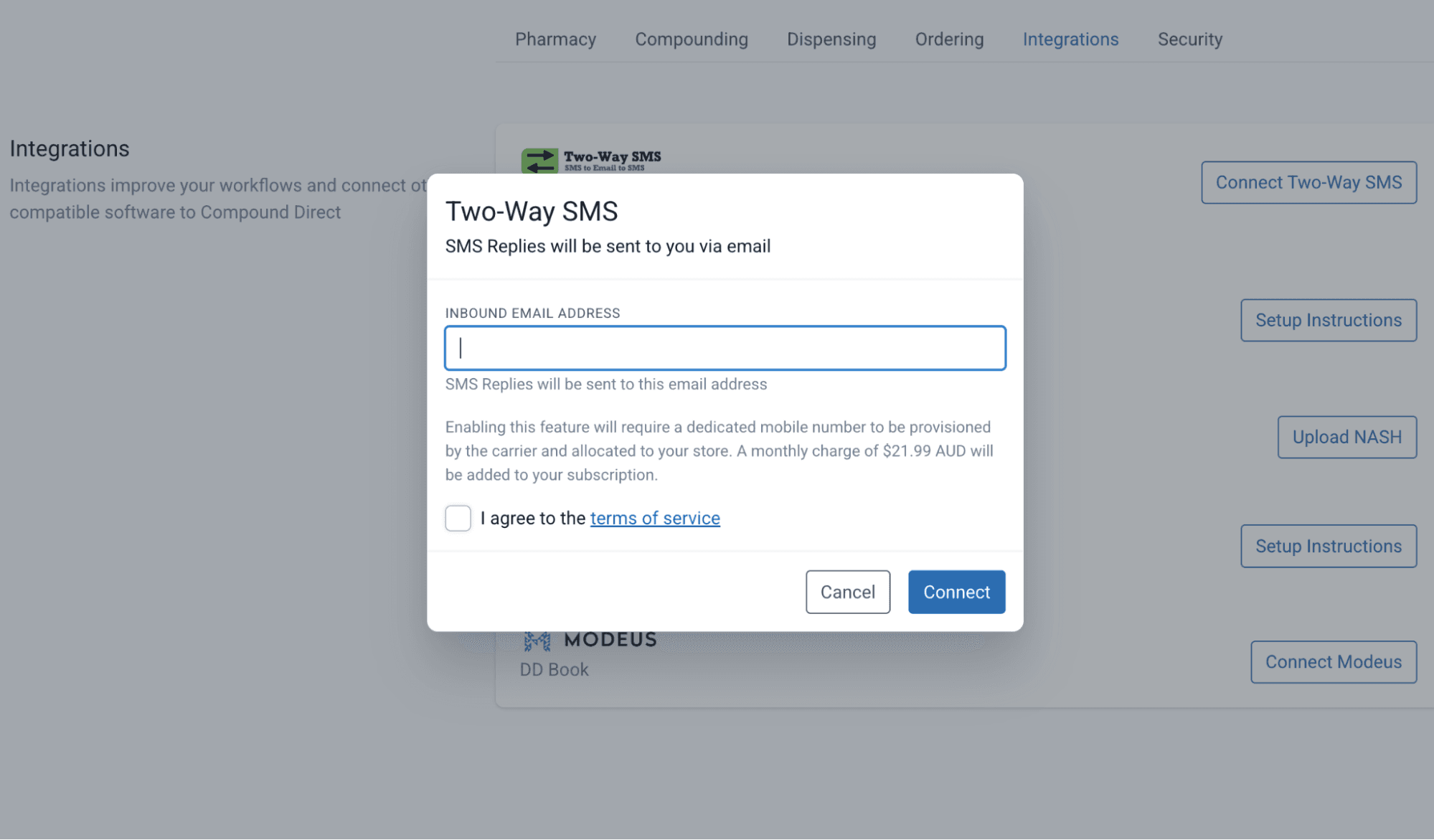
Add the email reply address, tick confirmation to the terms of service and then press Connect.
From your workspace page
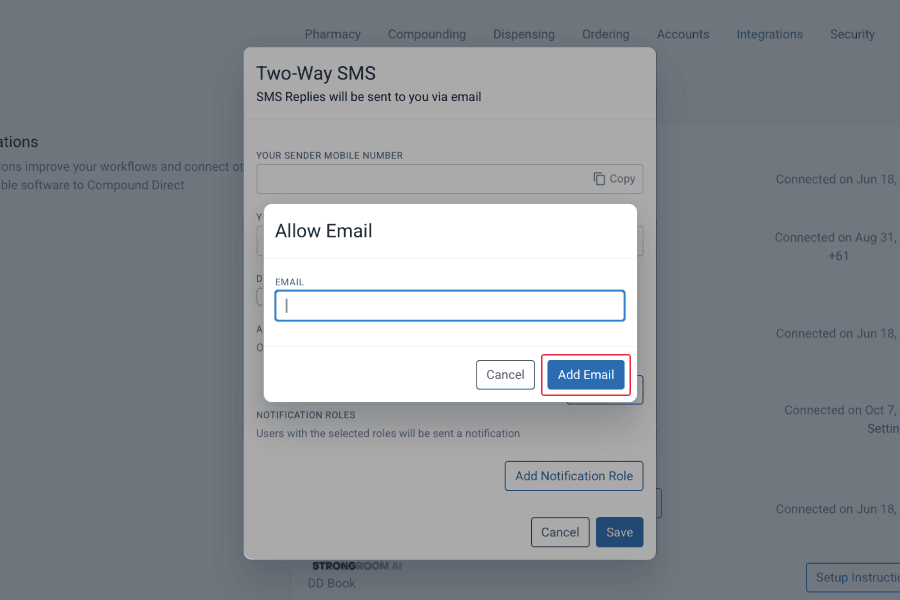
By default, only the primary email address listed will be able to respond to the inbound sms. To add another email address for replying to inbound SMS notifications, follow these steps:
- Click on "Add Email."
- Enter the additional email address (work or personal) which will be able to reply to inbound sms notifications.
From your workspace page
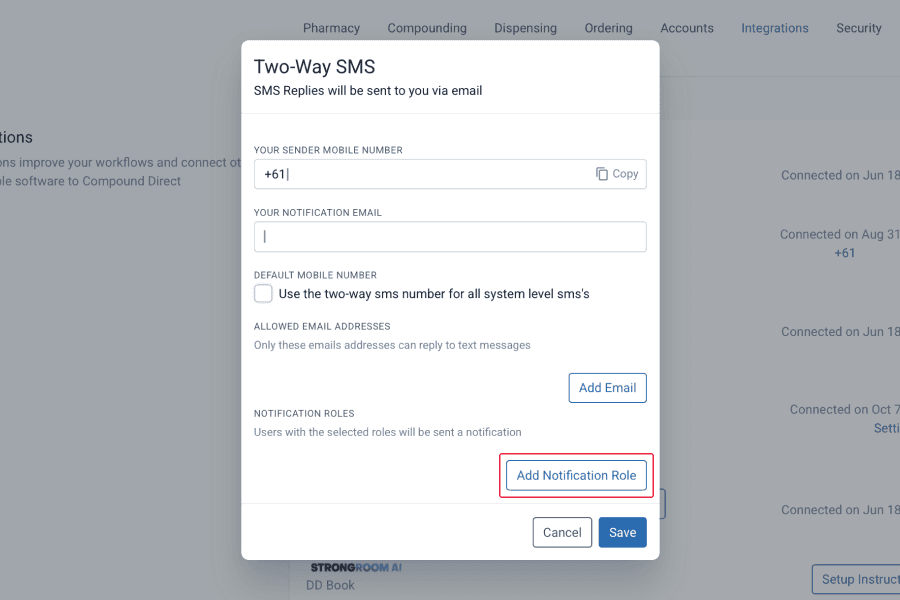
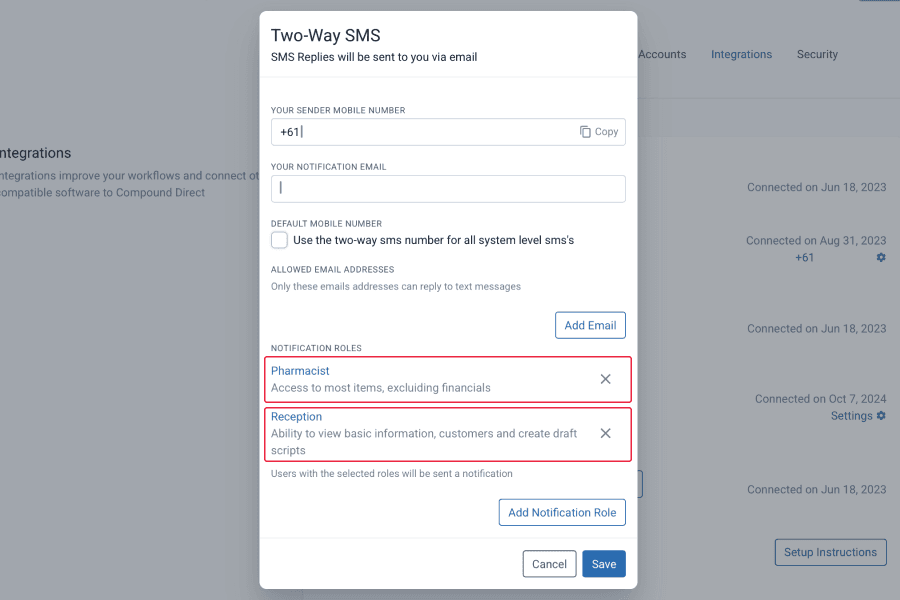
You can select which roles will be notified of inbound SMS. Click on ‘Integrations’ and select ‘Two-Way SMS’ and ‘Add Notification Role’.
From your workspace page
List each role who you want to be notified of the incoming SMS e.g Pharmacist and Reception
From your workspace page
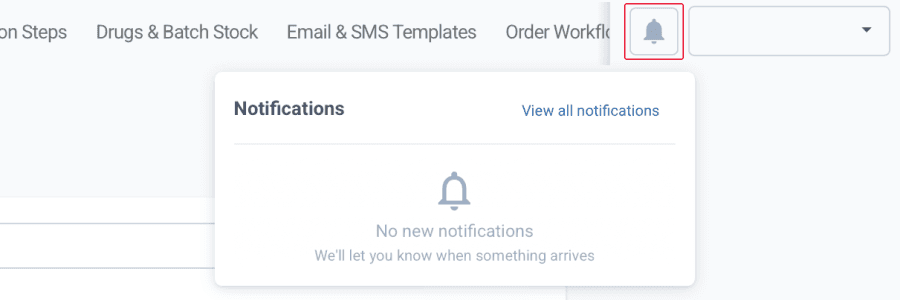
This notification will appear in the top right of your Compound Direct workspace where you can click to view the customer’s profile and SMS.
By completing these steps, you'll set up your Two-Way SMS feature and start enjoying the benefits of efficient, well-organized communication with your customers.
From your workspace page
*For a step-by-step guide on How to send an SMS see the ‘SMS Customers’ tutorial.
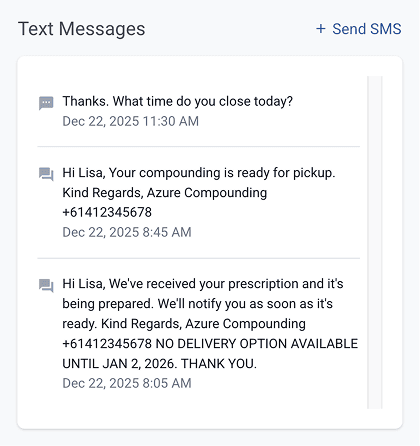
On the customer profile, the details of SMS messages that have been sent and received will be displayed on the right-hand side, where you can also send new text messages. This feature provides an excellent way to keep track of your correspondence and maintain a clear record of all interactions.
From the customer record page
The email you receive in your inbox from a customer who has sent an SMS will appear similar to the following example:
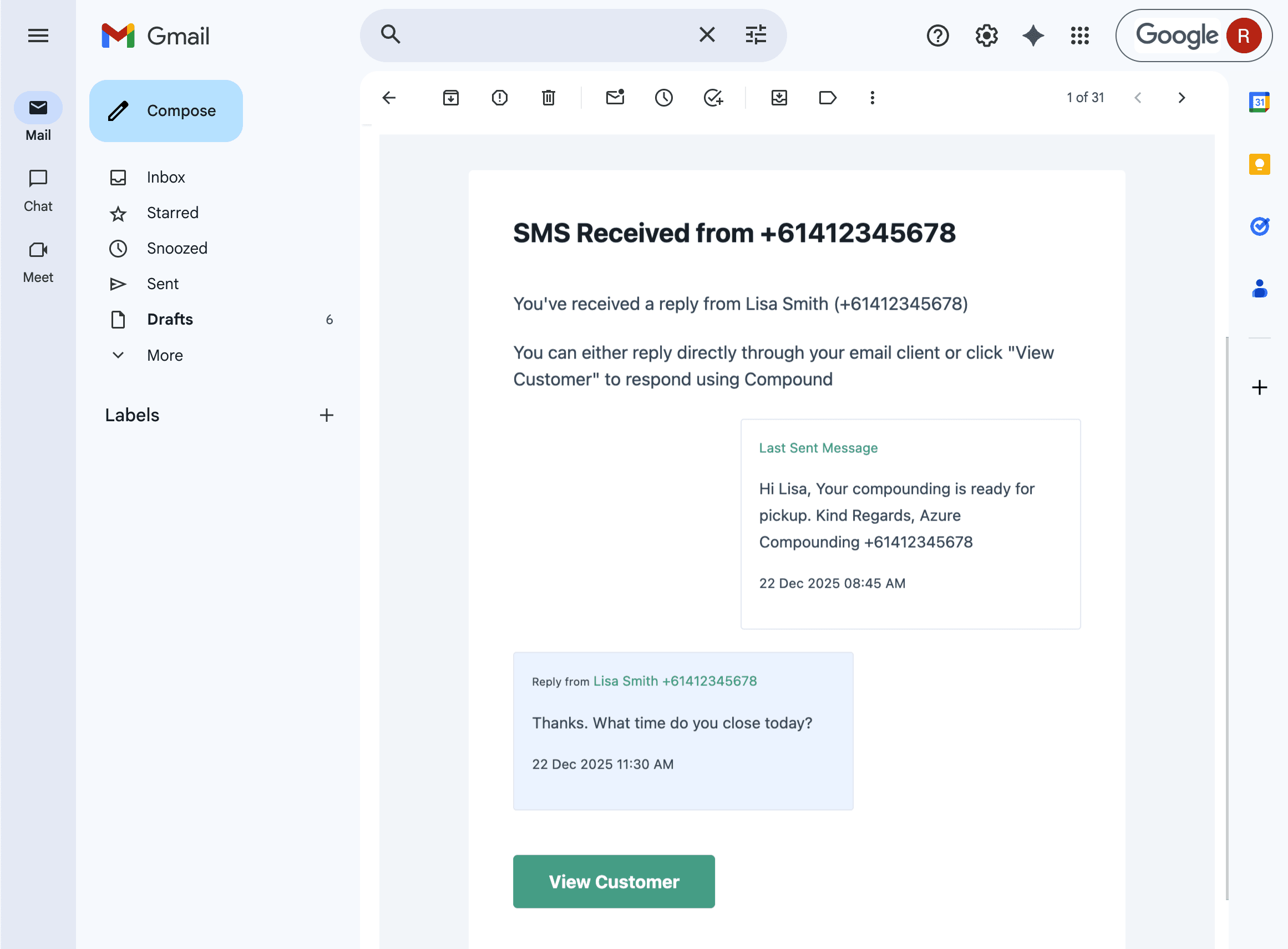
From Gmail
When you reply directly from your email, your response will be sent just like a regular email but will be converted back into an SMS to the customer. Alternatively, you can press ‘View Customer’ and reply to the customer via Compound Direct.
The customer will receive a text to their mobile phone, and it will appear something like this:
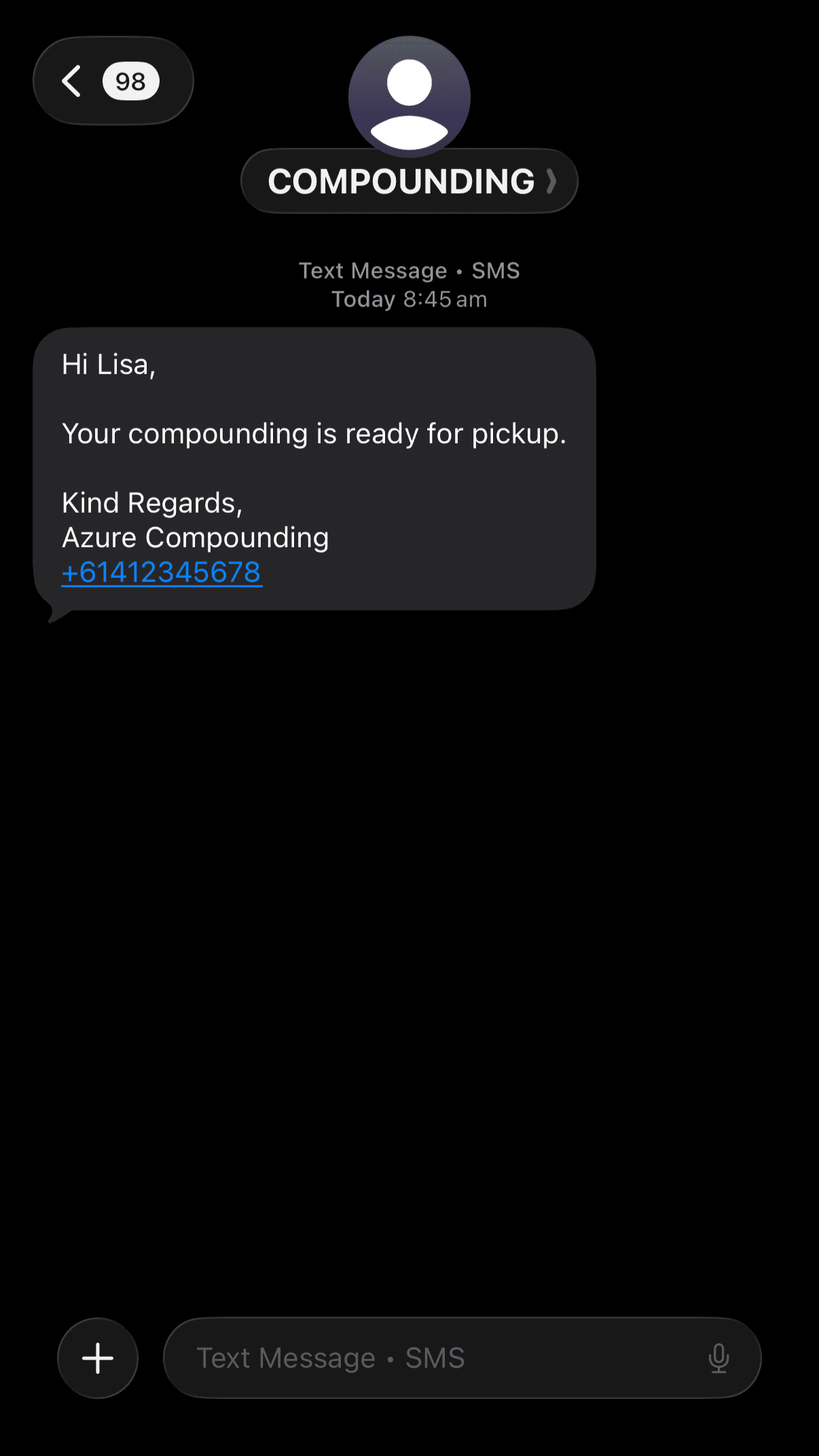
Conclusion
Centralizing communication into a single platform significantly enhances operational efficiency and customer service. By managing and tracking all interactions in one place, you streamline response times and ensure that every customer inquiry is addressed promptly and organized. This approach not only improves your pharmacy's ability to handle communications effectively but also elevates the overall customer experience. Efficient management and documentation of SMS correspondence ultimately benefit both your business and your customers, fostering a more seamless and satisfactory service.
All names and medical data shown in software screenshots are fictional and for demonstration purposes only. These figures represent fictional persons; any resemblance to real individuals is purely coincidental. Use of existing fictional names is for illustrative purposes and does not imply affiliation or endorsement.