
Selecting the optimal device for your compounding lab set-up

It can often be a difficult task to decide how to best set up your compounding lab. Compound Direct is a versatile cloud-based compounding software, which often leads to a myriad of choices when determining which internet- capable device to use in the compounding lab. Ultimately, when purchasing PCs, iPads or Tablets, we want to make sure that the device capability promotes ease of scanning, limits contamination risks and aids in seamless compounding.
In a compounding laboratory setting, where precision, efficiency, and cleanliness are paramount, choosing the right device for tasks like barcode scanning, data entry, and managing lab operations is critical. In this article we will explore the pros and cons of the most commonly used devices.
Device Option 1: PC/Laptop
Many compounding pharmacies already have PCs installed in their compounding lab. It can be a cost-effective way to utilise Compound Direct if the pharmacy already has reliable computers available.
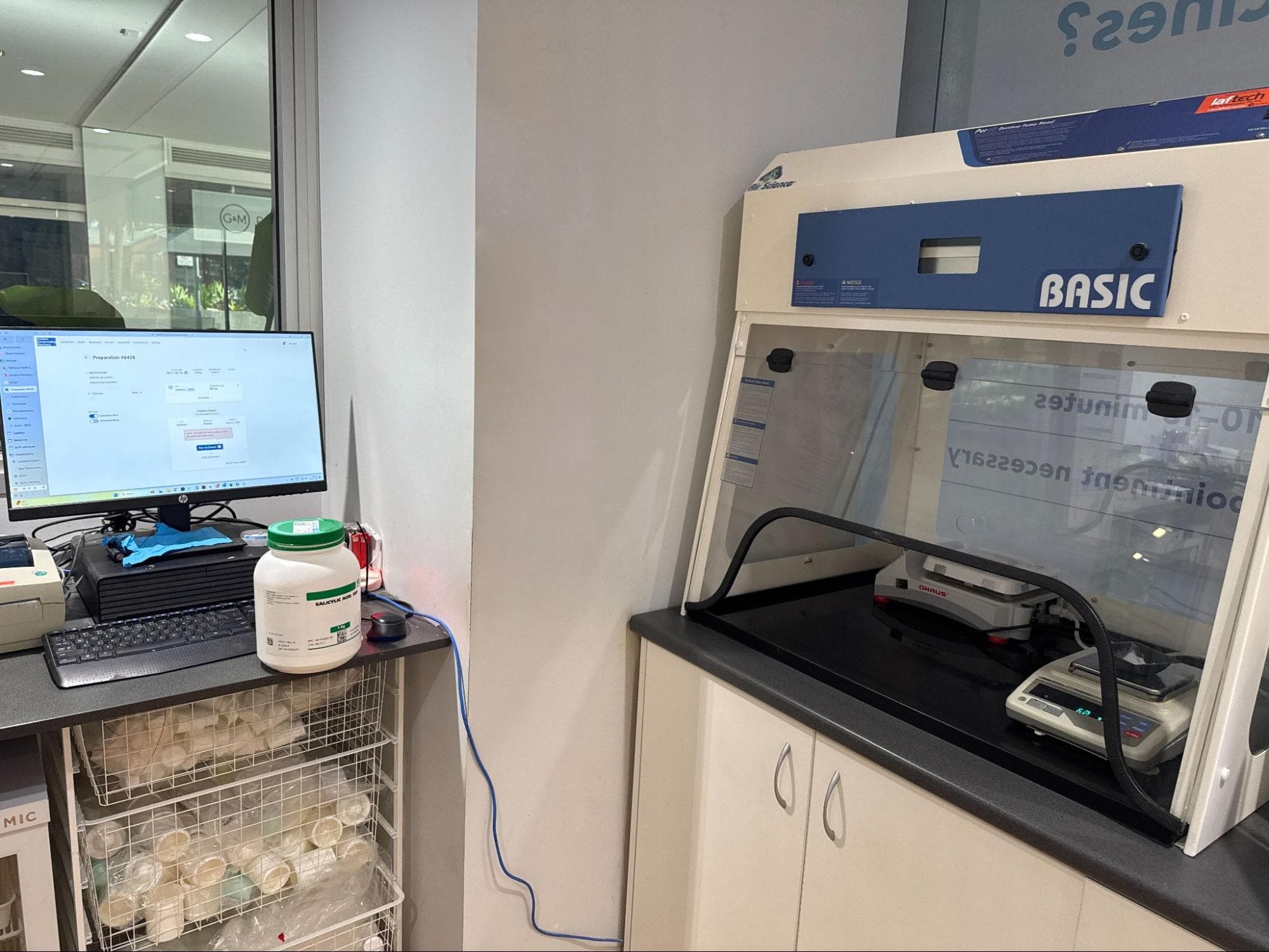
Image: Compounding laboratory set up with a PC as the supporting device (image supplied)
Pros:
- Typing Ease: Full-sized keyboards offer a comfortable typing experience for extensive data entry, reducing typing strain. This is particularly useful when creating drafts, formulations and entering ingredients.
- User-Friendliness: Familiar operating systems (Windows, macOS) offer a broad range of compatible software. The mouse and keyboard input are precise and efficient for lab tasks.
- Durability and Stability: PCs and laptops are generally robust for long-term use and are more likely to handle intensive data-heavy tasks compared to mobile devices.
- Integration with Other Systems: PCs easily integrate with other laboratory management and inventory systems, allowing for seamless workflow.
- QR Code/Barcode Scanning: Barcode scanners can be connected via USB or Bluetooth to the PC, offering fast and reliable scanning for batch verification.
- Battery: No battery concerns, with direct-to-power outlet plugins
- Technical support: PCs and Laptops have better access technologies if external technical support is required
Cons:
- Cleanliness Factor: PCs and laptops can accumulate dust, dirt, and ingredient residues, which can be difficult to clean thoroughly in a lab environment. They often have more crevices and fans that may trap contaminants. It is possible to obtain plastic keyboard covers for PCs but this is not practical for laptops.
- Portability: Laptops are portable but still less mobile than tablets or iPads. PCs are stationary and not suitable for a mobile, hands-on environment in a lab. The PC may not be located next to the lab's weighing station, which creates a less-than-ideal workflow when validating batches and weighing/measuring ingredients.
- Cost: Lack of in-built scanning capabilities which requires the use of additional hardware.
- IT Complications: A technician is required for technical concerns.
- Space: PCs take up a significant bench space, which is often at a premium in a compounding lab.
- QS streamlining: Visual QS’ing is more difficult when using a device without an inbuilt camera.
External add-on options:
Independent barcode scanners can be connected via USB or Bluetooth to the PC, offering fast and reliable scanning for batch verification.
- Foot pedals underneath the compounding workspace can be connected to the software to confirm the weight on the balance without the use of hands.
- Presentation remotes with clicking capability can also be integrated with the software to assist wirelessly in the same way as the foot pedals. There is a higher risk of contamination due to the hands-on requirement with this item.
Summary:
Whilst providing multiple positive uses, PCs limit space within the compounding lab and often require additional external devices which take up further space. Additionally, PC/Laptops have a higher risk of contamination with the amount of touch points available (e.g. keyboard, screen, mouse, external scanners etc). Positively, PCs and Laptops do make the entire compounding process from drafting to dispensing to compounding easier with the keyboard capabilities.
Device Option 2: iPad/iPhones
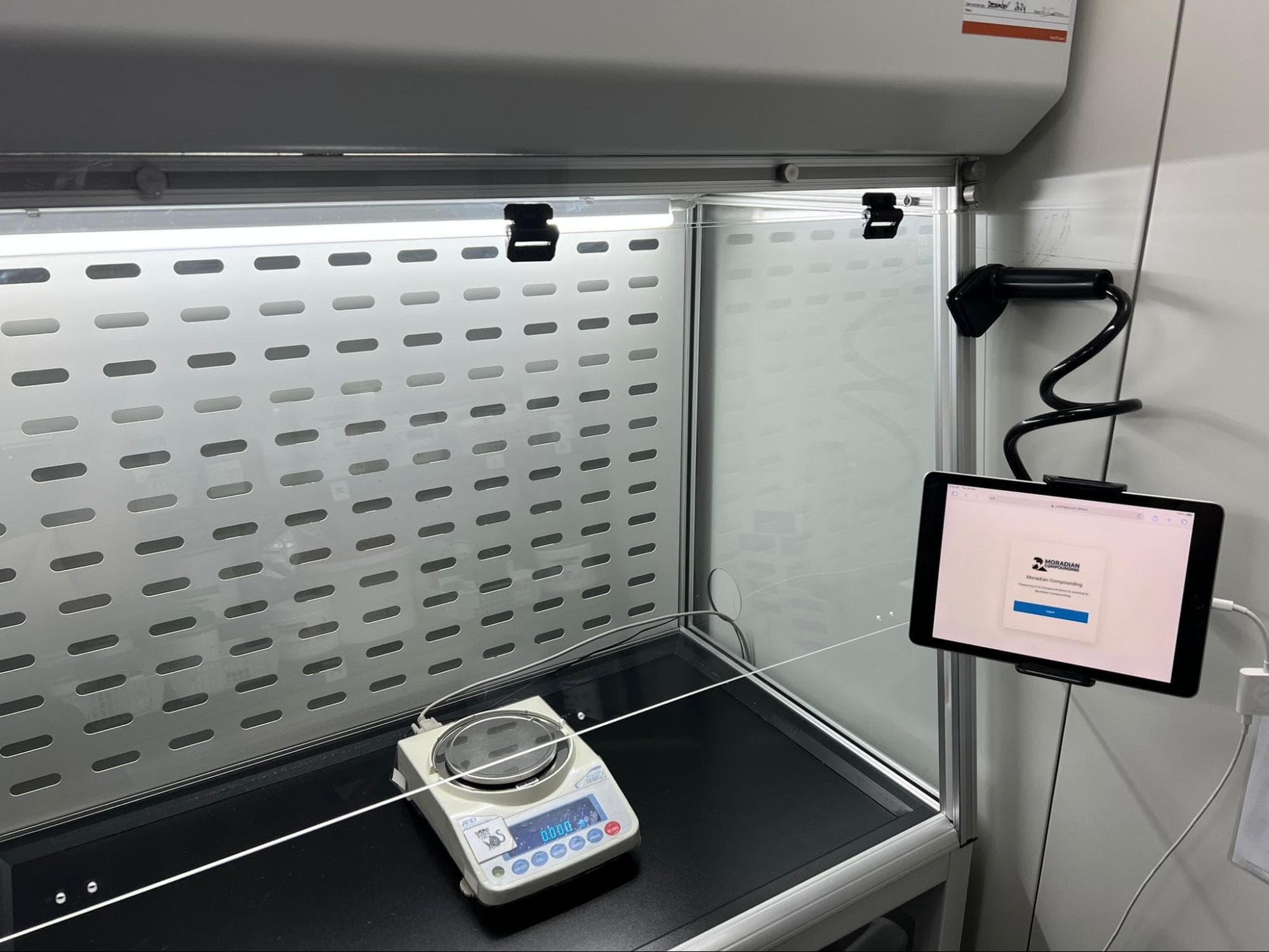
Image: iPad secured with clamp mount in the compounding lab (photo: supplied)
Pros:
QR Code/Barcode Scanning: Inbuilt scanning capability with the iPad camera. The camera automatically scans the QR Code on the ingredient batch or to verify a specific manufacturer when allocating.
- Cleanliness: iPads are easier to clean than laptops and PCs due to their smooth, sealed design and minimal ports. They are ideal for environments where quick sanitation is necessary.
- Portability: The iPad is lightweight and portable. There are many options available for how to position within the lab:
- Clamp stand
- Desk stand
- Articulating arm
- Touchscreen Interface: The touchscreen allows for faster navigation during the compounding process.
- User-Friendliness: The iOS interface is known for its smooth performance and ease of use. Staff will likely already be familiar with navigating an iPad or iPhone.
- Accessibility: Camera can be set to ‘Always Allow’. Compounding workflow can continue day-to-day without changing access settings.
- Availability: Can ad-hoc compound if the main computer is busy as devices are more available.
- QS Streamlining: Visual assessment evidence is streamlined with an inbuilt camera, automatically prompting for a photo when QS’ing to volume
- Space: Allows for optimal bench space in the compounding lab, especially when clamped to the compounding hood.
Cons:
- Typing Ease: While the iPad's touchscreen is convenient, typing for extended periods can be cumbersome compared to a physical keyboard. Not the best option for type-heavy activities within Compound Direct, including creating ingredients, drafting, creating formulations etc.
- Limited External Hardware Options: Compared to PCs and laptops, the iPad may not be compatible with many external hardware devices within the pharmacy.
- Barcode Scanning: The built-in scanners on tablets require good lighting and positioning is important to ensure the best angles when scan checking. If these two variables are achieved, the inbuilt scanning capability is high quality.
- Contamination Risks: iPad cases and stands have the potential to hold dust/powders. In most cases though these
- Workflow: Presents difficulties for use during the whole workflow process of Compound Direct. Drafting to Sign-Off has some touchpoints that are best performed on a keyboard.
- Battery: Mobile devices have varying battery capabilities. Charging times need to be planned to ensure a low battery doesn’t interfere with compounding workload.
- Screen Size: Varying screen sizes on mobile devices can affect what is visible on a single screen, as well as the size of text and the amount of information displayed.
- Functionality: using other systems in tandem can present problems. E.g. excel spreadsheets.
- Wi-Fi reliability: iPads require wireless connectivity, often labs are insulated, and/or a significant distance from the router which may make it difficult to maintain a strong connection.
Summary:
The iPad is a strong contender for compounding labs, offering a good balance between portability, cleanliness, and barcode scanning capability. Its user-friendly touchscreen interface makes it ideal for quick tasks, but typing large amounts of data can be a challenge. It excels in mobility, cleanliness and space but may lack the flexibility and extensive software compatibility of a PC or laptop.
Device Option 3: Android Tablet/Android Phone
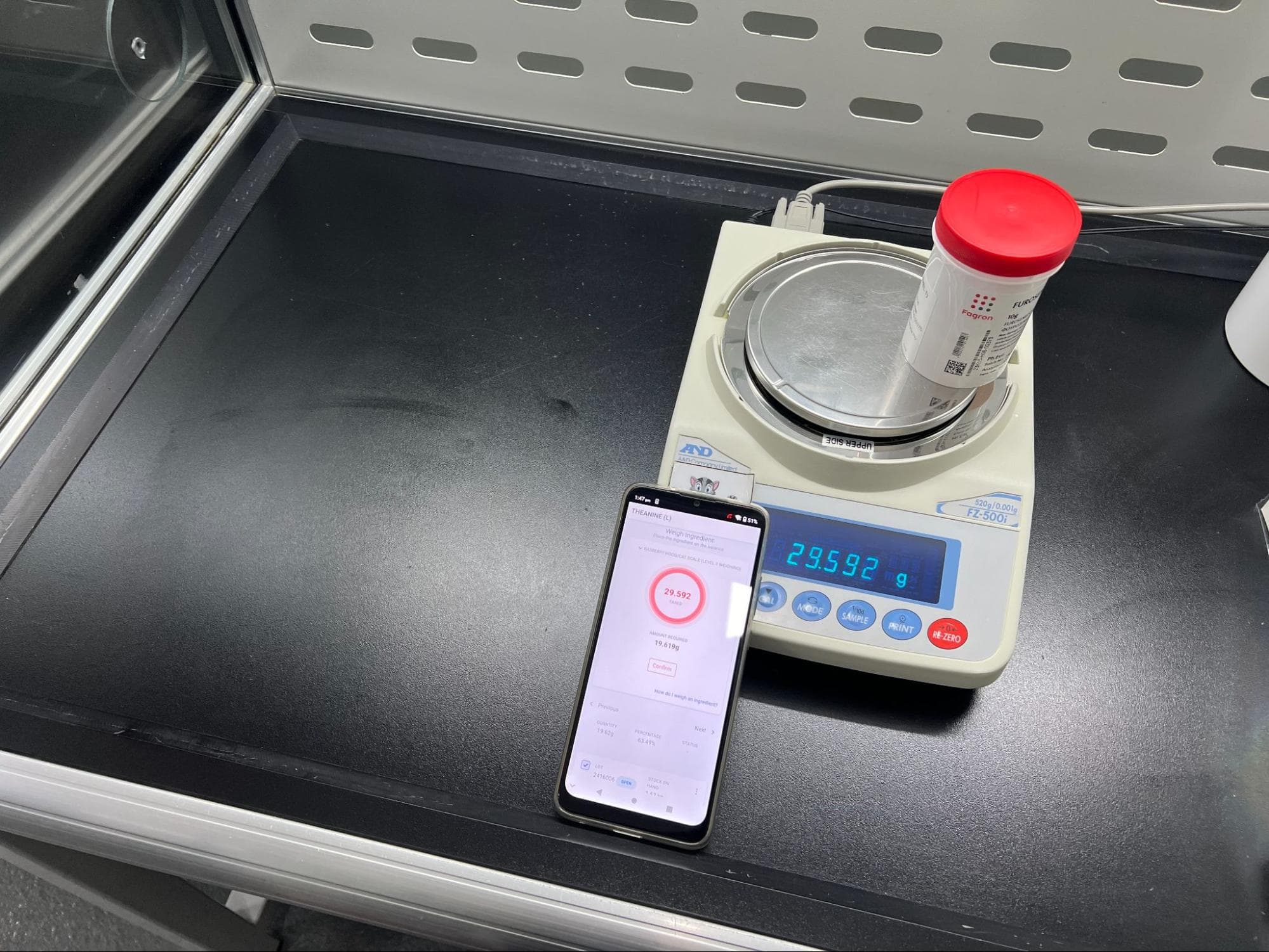
Image: An Android phone being used with the integrated scales with Compound Direct
Pros:
- Barcode Scanning: Inbuilt scanning capability with the built-in Android camera. The camera automatically scans the QR Code on the ingredient batch or to verify a specific manufacturer when allocating.
- Cleanliness: Similar to the iPad, tablets are generally easier to clean than PCs or laptops. Their smooth, sealed bodies have fewer areas for contaminants to accumulate.
- Portability: Tablets/Phones are highly portable and lightweight, offering the flexibility to be used at various workstations or on-the-go within the lab.
- User-Friendliness: Tablets/Phones are typically designed with simple interfaces that are user-friendly and familiar.
- Availability: Can ad-hoc compound if the main computer is busy as devices are more available.
- Space: Allows for optimal bench space in the compounding lab, especially when clamped to the compounding hood.
- Portability and Space: Tablets & Phones are lightweight and portable. There are many options available for how to position within the lab:
- Clamp stand
- Desk stand
- Articulating arm
Cons:
- Typing Ease: Tablets are not as comfortable for extended typing sessions as PCs or laptops due to their on-screen keyboards. However, external keyboards can be connected for a better typing experience.
- Software Functionality: While Android and Windows tablets support a broad range of apps, they may not offer the same depth of specialised lab software or operating system stability as a PC or iPad. The interfaces may not be as as the Apple operating systems on iPads or iPhones.
- Wi-Fi reliability: Tablets require wireless connectivity, often labs are insulated, and/or a significant distance from the router which may make it difficult to maintain a strong connection.
- Barcode Scanning: The built-in scanners on tablets require good lighting and positioning is important to ensure the best angles when scan checking. If these two variables are achieved, the inbuilt scanning capability is high quality.
- Battery: Mobile devices have varying battery capabilities. Charging times need to be planned to ensure a low battery doesn’t interfere with compounding workload.
- Screen Size: Varying screen sizes on mobile devices can affect what is visible on a single screen, as well as the size of text and the amount of information displayed.
Summary:
Tablets offer a flexible solution for compounding labs, with strong portability and ease of cleaning. They are well-suited for barcode scanning, however camera access can be more clunky than an iPad. As with iPads and iPhones, they fall short of providing an optimal typing experience.
Conclusion
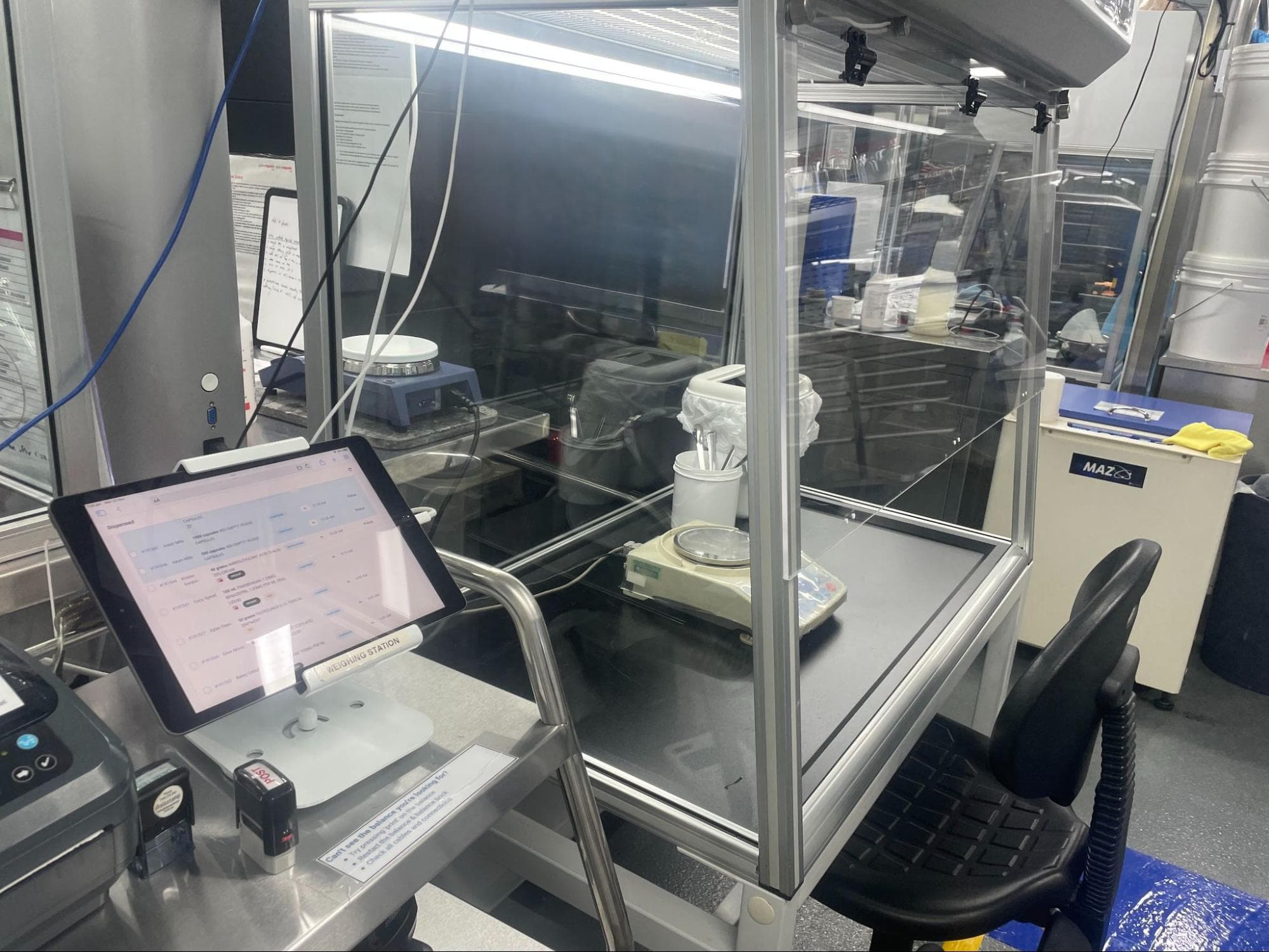
Image: iPad secured via a desk stand next to the compounding hood (image supplied)
Each device — PC/Laptop, iPad/iPhone, and Tablet/Android phone — has its advantages and drawbacks when it comes to its role in a compounding laboratory. The PC/Laptop is best suited for tasks requiring heavy data entry and complex software use, though cleanliness can be an issue. Mobile devices excel in portability, cleanliness, and ease of use, but their typing capabilities may be limiting for long-form tasks. Operating systems on iPads and iPhones may be more familiar than those on Android mobile devices.
Ultimately, the choice depends on the specific needs of the lab — whether ease of mobility, speed of scanning, space, or typing comfort is the priority.
All names and medical data shown in software screenshots are fictional and for demonstration purposes only. These figures represent fictional persons; any resemblance to real individuals is purely coincidental. Use of existing fictional names is for illustrative purposes and does not imply affiliation or endorsement.