
MySL in Compound Direct: Patient registration and activation codes

What is MySL?
In Australia, the Active Script List (ASL), also known as My Script List (MySL), is a secure digital service that stores a patient’s active electronic prescriptions in one centralised list. Instead of managing individual eScript tokens sent by SMS or email, patients can provide consent for their pharmacy to access their ASL/MySL, allowing pharmacists to view and dispense active prescriptions directly from a single, up-to-date list.
This creates a smoother dispensing experience for both patients and pharmacy teams, particularly for patients managing multiple medications or ongoing repeat prescriptions.
Accessing MySL in Compound Direct
In Compound Direct, a patient’s MySL can be accessed from the Customers record by selecting the MySL badge.
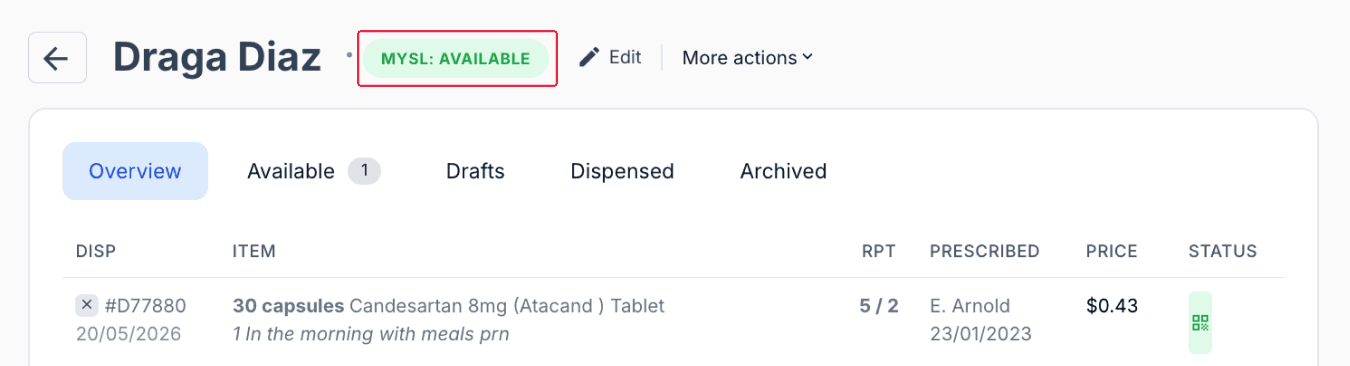
From the customers page
Once consent has been granted, MySL provides a consolidated view of the patient's active prescriptions, including both paper and electronic prescriptions. While both prescription types may be displayed, only electronic prescriptions can be dispensed directly through MySL.
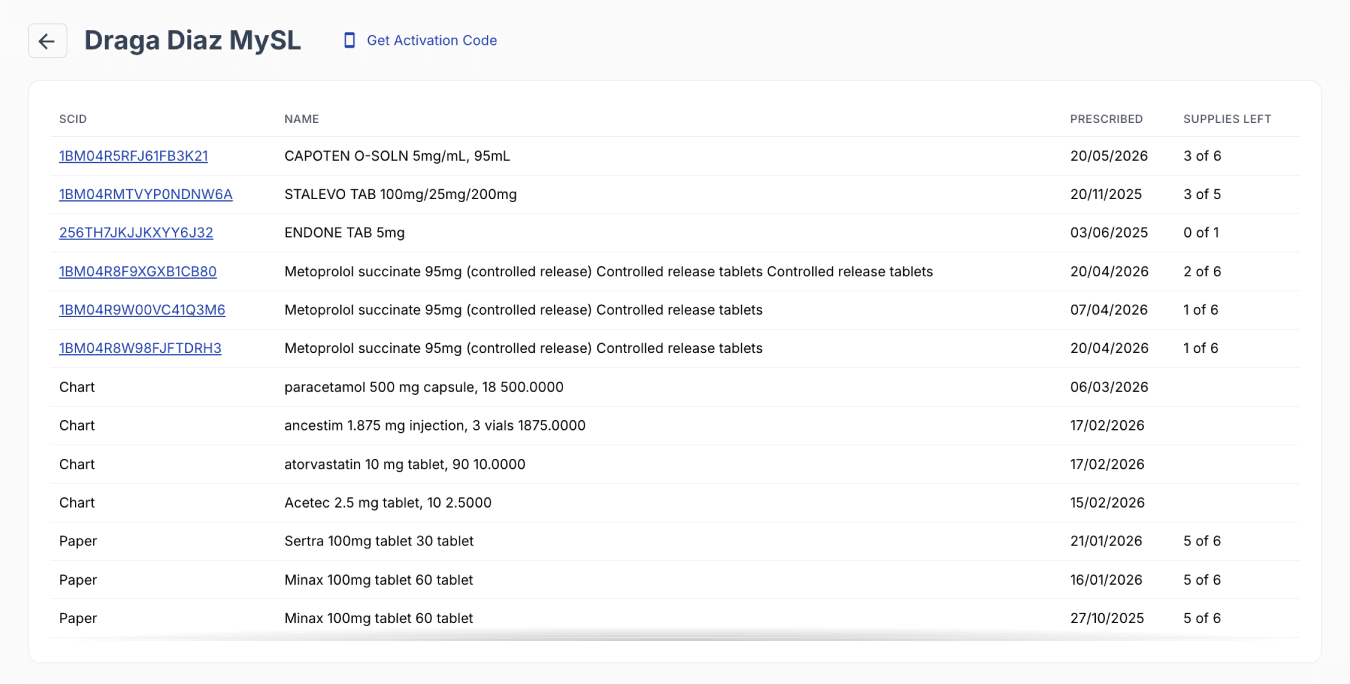
From the customers page
Step 1: Link the patient's individual healthcare identifier
Before MySL can be used, the patient must be linked to their IHI. Ensure the patient's details, including their full name, date of birth, Medicare number, and gender, are recorded correctly in the customer profile.
Then request the IHI through Compound Direct. If the IHI becomes unlinked, use Validate to relink the record.
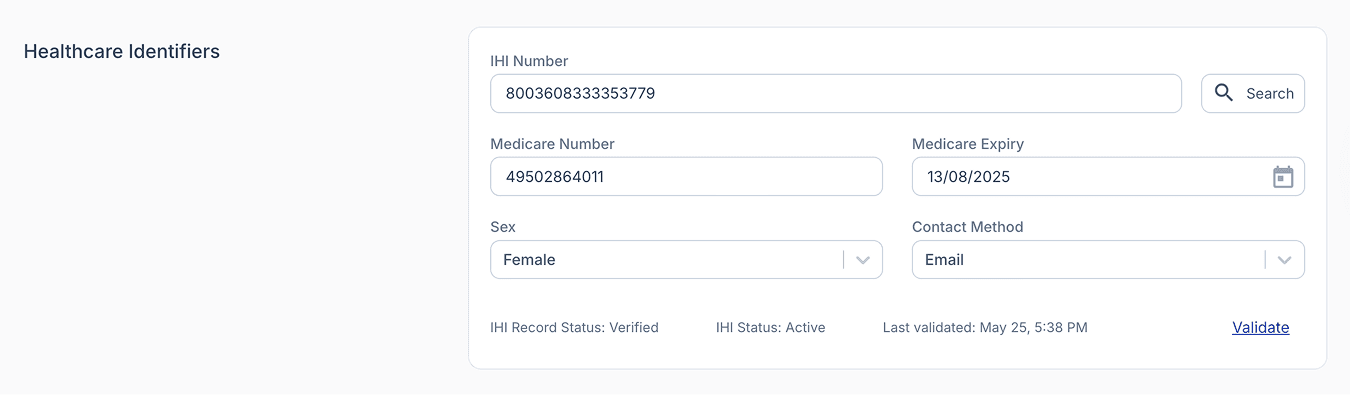
From the edit customer page
Step 2: Register the patient for MySL
Once the patient’s IHI has been linked in Compound Direct, you can request access to their MySL by clicking the ‘MySL: Available’ button.
If MySL is unregistered, click ‘MYSL: Unregistered’ and follow the prompts to register. Once completed, the patient will be registered for MySL.
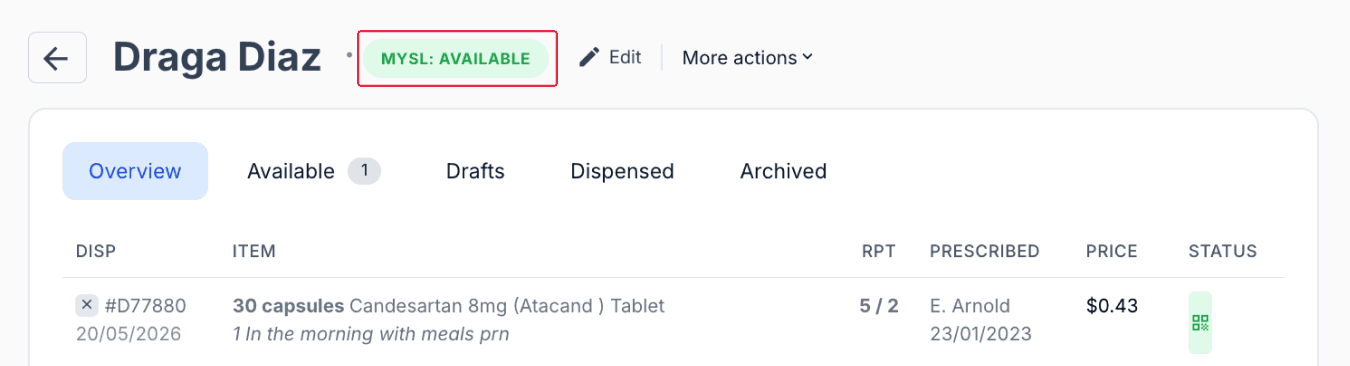
From the customer page
Step 3: Obtain patient consent
Patient consent is required before viewing their MySL or generating activation codes. The customer's MySL page allows you to send consent requests to patients and view their current consent status.
To request consent, click the ‘Request Consent’ button. The patient will receive an email requesting authorisation for the pharmacy to access and view their prescriptions through MySL.
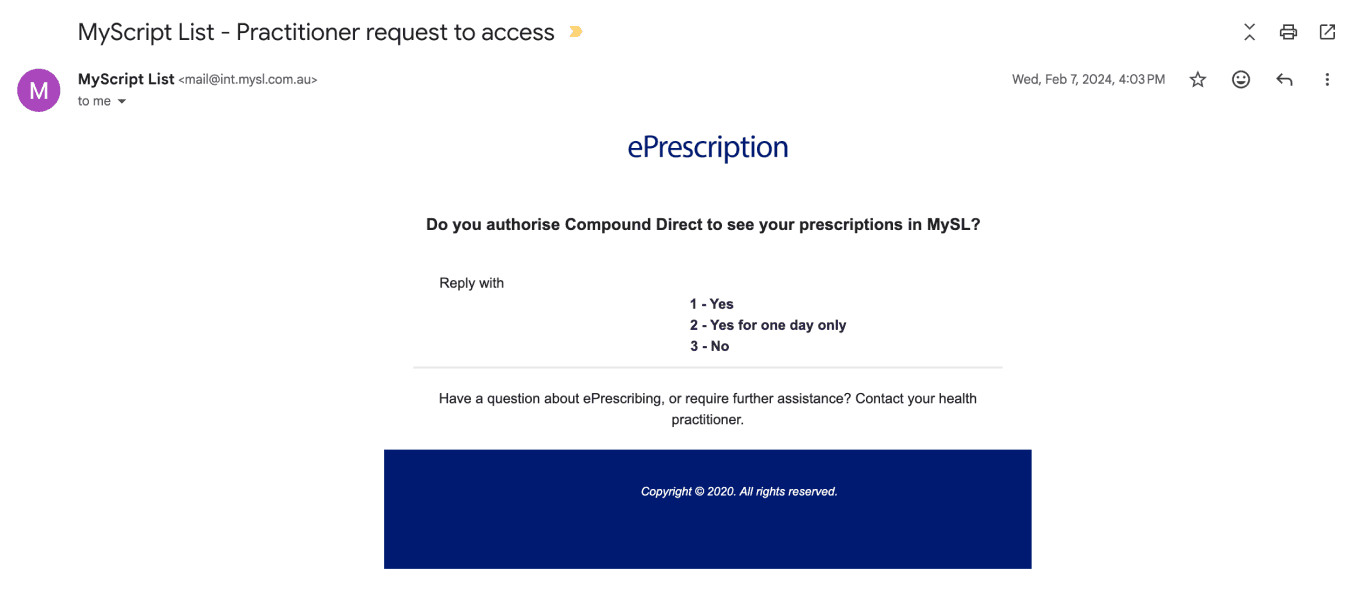
From the customer's email

From the customer's MySL page
Step 4: View the patient's active script list
After consent has been granted, Compound Direct will display the patient's active prescriptions.
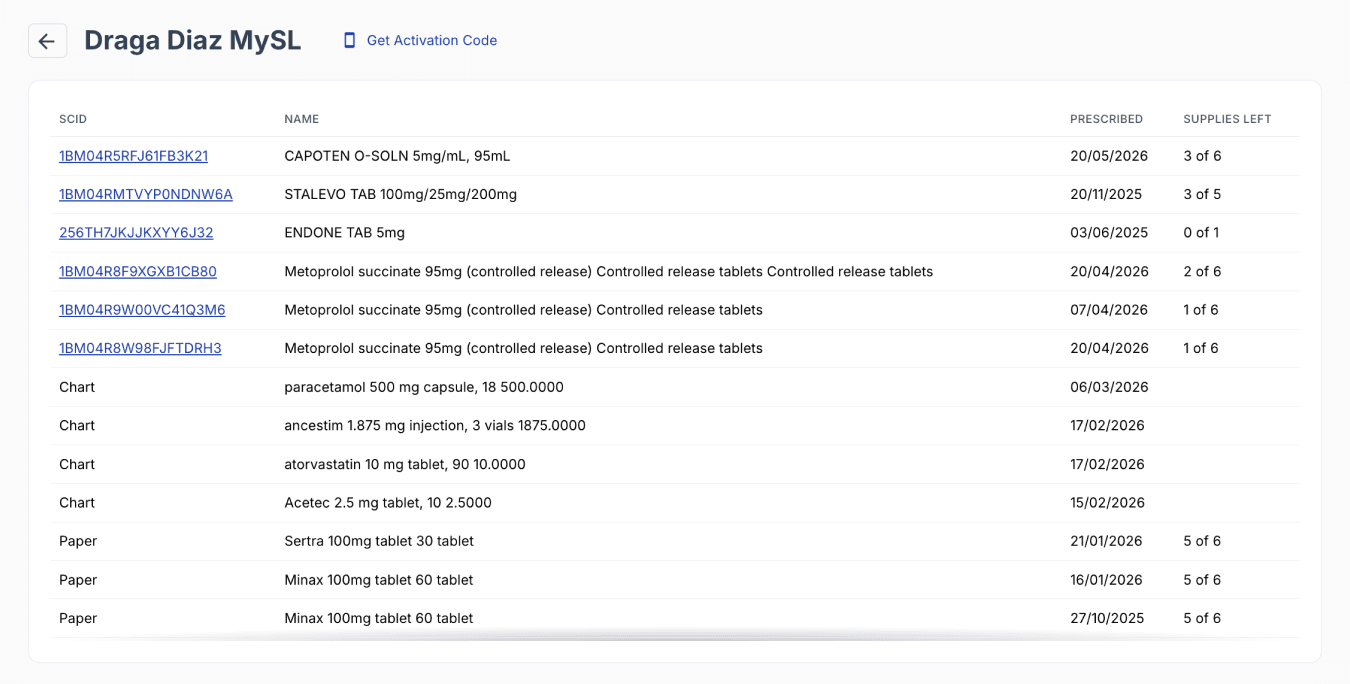
From the customer's MySL page
Step 5: Generate an activation code
An activation code can be copied by clicking the ‘Get Activation Code’ button which is useful for script wallets.

From the customer's MySL page
Provide the activation code to the patient so they can complete setup within their preferred script wallet application.
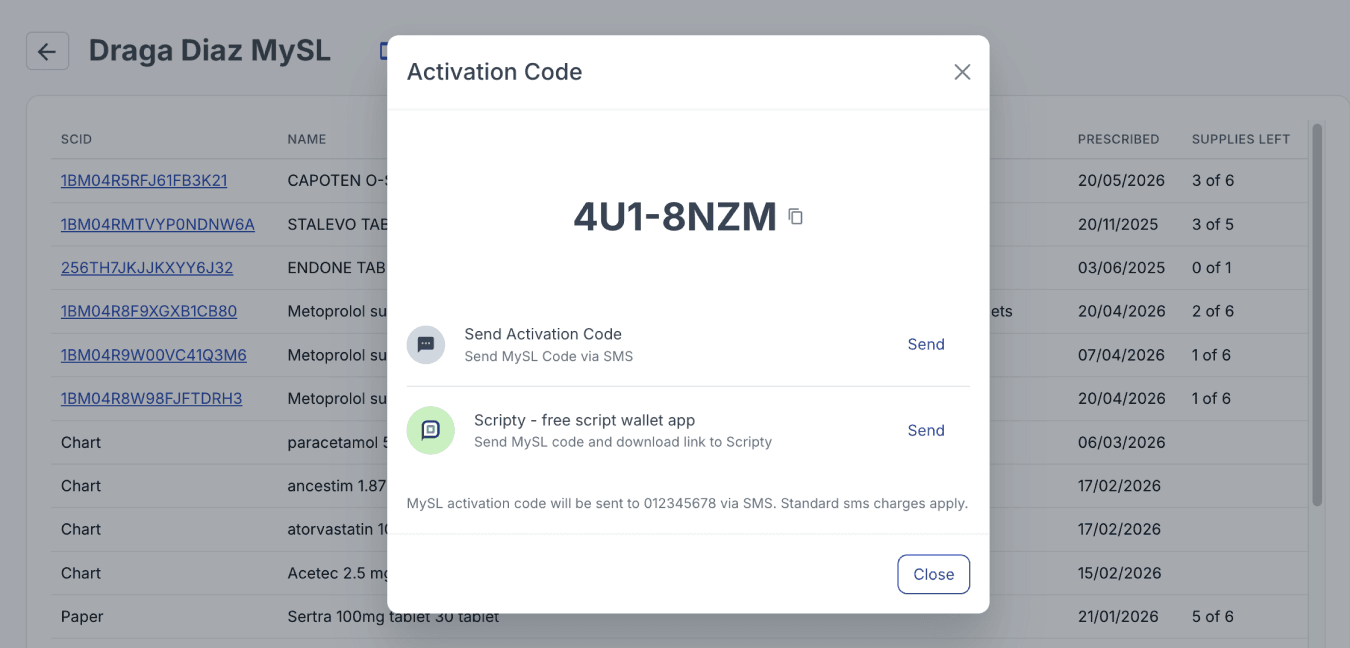
From the customer's MySL page
Managing MySL registration details
Registration details associated with the patient’s MySL can also be viewed here, including patient information and any nominated carer details. You can update the patient’s email, contact number, and primary contact details using the ‘Update Registration’ button, or add carers or agents via ‘Add Carer/Agent’, with support for multiple carers per patient.
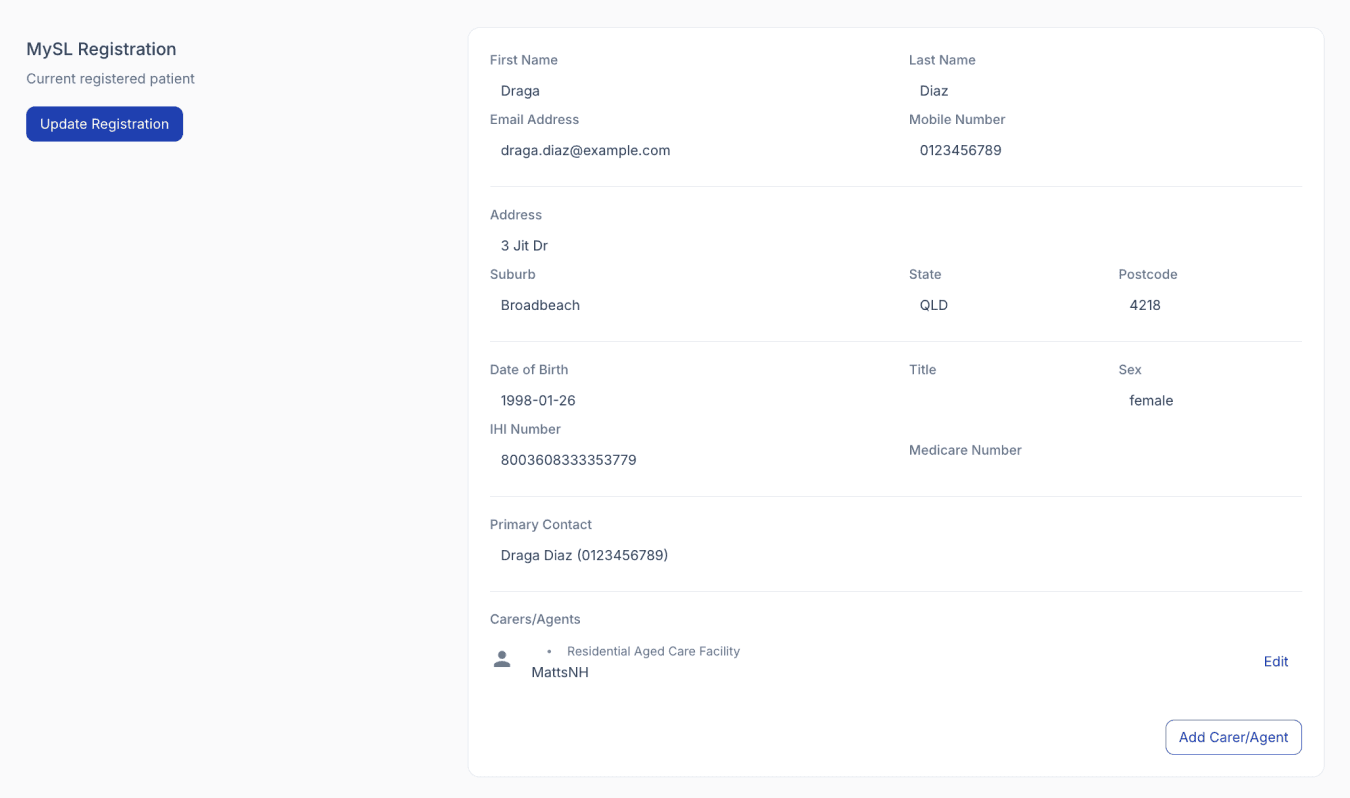
From the customer's MySL page
Summary
MySL (My Script List) allows pharmacies to access a patient’s active electronic prescriptions from a centralised list. In Compound Direct, patients must first have their IHI linked, be registered for MySL, and provide consent before their active prescriptions can be viewed. Activation codes can also be generated for use with supported script wallet applications, and patient registration details can be managed directly within MySL.
Troubleshooting
Why can’t I link a patient to an Individual Healthcare Identifier (IHI)?
Verify that the patient's details have been entered correctly, including their full name, date of birth, sex, and Medicare card number. The IHI cannot be matched if any of this information is missing, incorrect, or does not match the details held by Medicare.
Why am I experiencing IHI errors or timeouts?
Ensure your eRx and My Health Record credentials are current and correctly configured in Compound Direct. If the issue persists, review your details in PRODA and confirm that your NASH certificate and PIC are valid, active, and not expired.
Why has a consent request been sent but not accepted?
Check that the email address or mobile number used for the consent request is correct. If the contact details are incorrect, update them, delete the existing request, and send a new one. If the details are correct and the request remains pending, try deleting the request and resending it.
All names and medical data shown in software screenshots are fictional and for demonstration purposes only. These figures represent fictional persons; any resemblance to real individuals is purely coincidental. Use of existing fictional names is for illustrative purposes and does not imply affiliation or endorsement.