
Order Fulfilment: Complete orders with ease in Compound Direct

Order Fulfilment in Compound Direct provides flexible ways to complete orders once a dispensed script is ready. Quick Fulfil brings order lookup, fulfilment, and printing into one streamlined workflow, while orders can also be fulfilled individually from the Orders, Drafts, and Dispensed pages or automatically through fulfilment settings and workflow automations. This guide covers each fulfilment option, including sign-off checks, printing, fulfilment status, customer notifications, and automation settings.
Order Fulfilment
Order fulfilment is the final stage of the order lifecycle. At this stage, the order is ready for dispatch or collection, either through shipping to the customer or clinic, or via in-store collection. Once the dispensed script has been prepared, you can proceed to ‘Fulfil’ the order.
Quick fulfil
For teams processing multiple orders for dispatch or collection, Quick Fulfil provides a faster workflow by bringing order lookup, fulfilment, and printing together on one screen.
To begin, on the orders dashboard, click the ‘Quick Fulfil’ button.
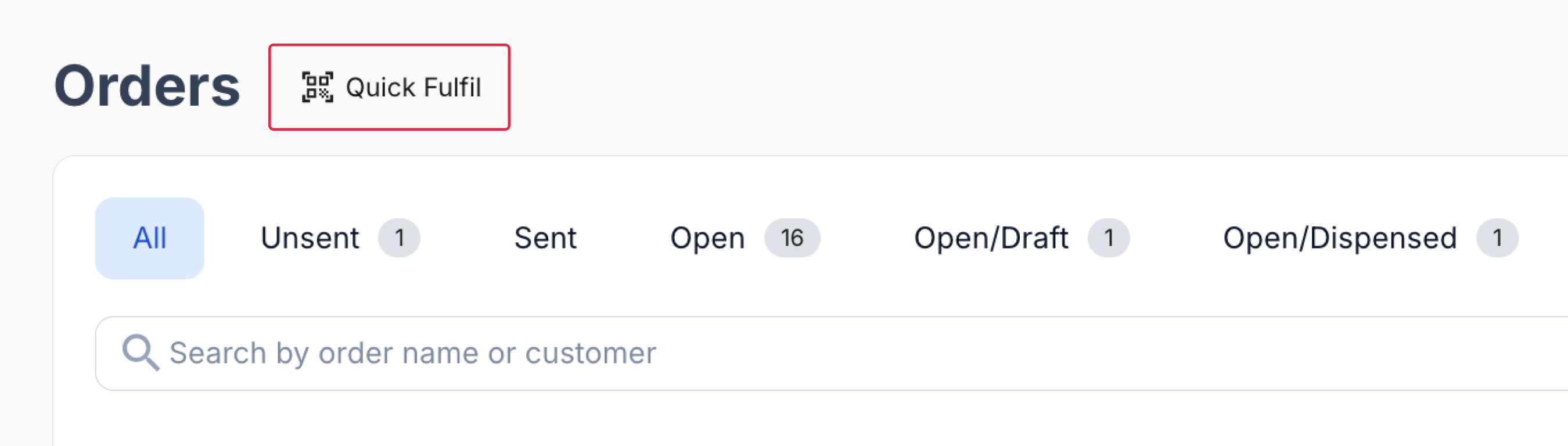
From the orders dashboard
Scan an order barcode or search by an exact order number or customer name to bring up the order.
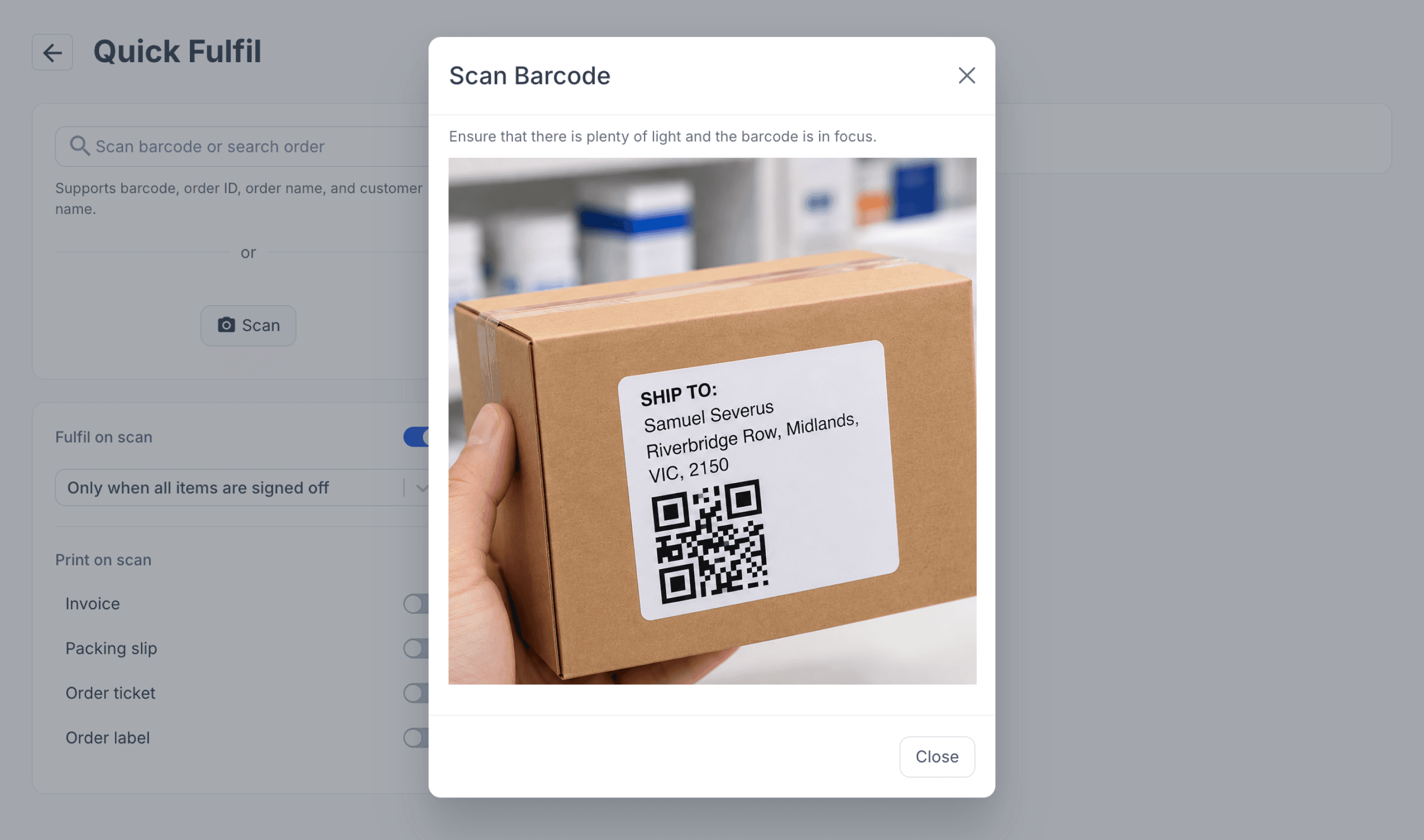
From the quick fulfil page
The image shown in the Scan Barcode modal was generated using ChatGPT for demonstration purposes only and does not depict a real customer, order, or pharmacy.
Fulfil on scan is enabled by default and automatically fulfils an eligible order once all items have been signed off. From the Fulfil on scan drop-down menu, you can select ‘Always’ to automatically fulfil eligible scanned orders regardless of sign-off status.
You can also switch off Fulfil on scan to review each order before selecting ‘Fulfil Order’ manually.
The default sign-off check helps prevent orders with unsigned items from being automatically fulfilled, while recent scan history makes it easier to keep track of progress through a queue.
To print as part of the workflow, switch on the documents you need: invoice, packing slip, order ticket or order label. Before scanning, open Printer Preferences and configure the relevant printer and paper options.
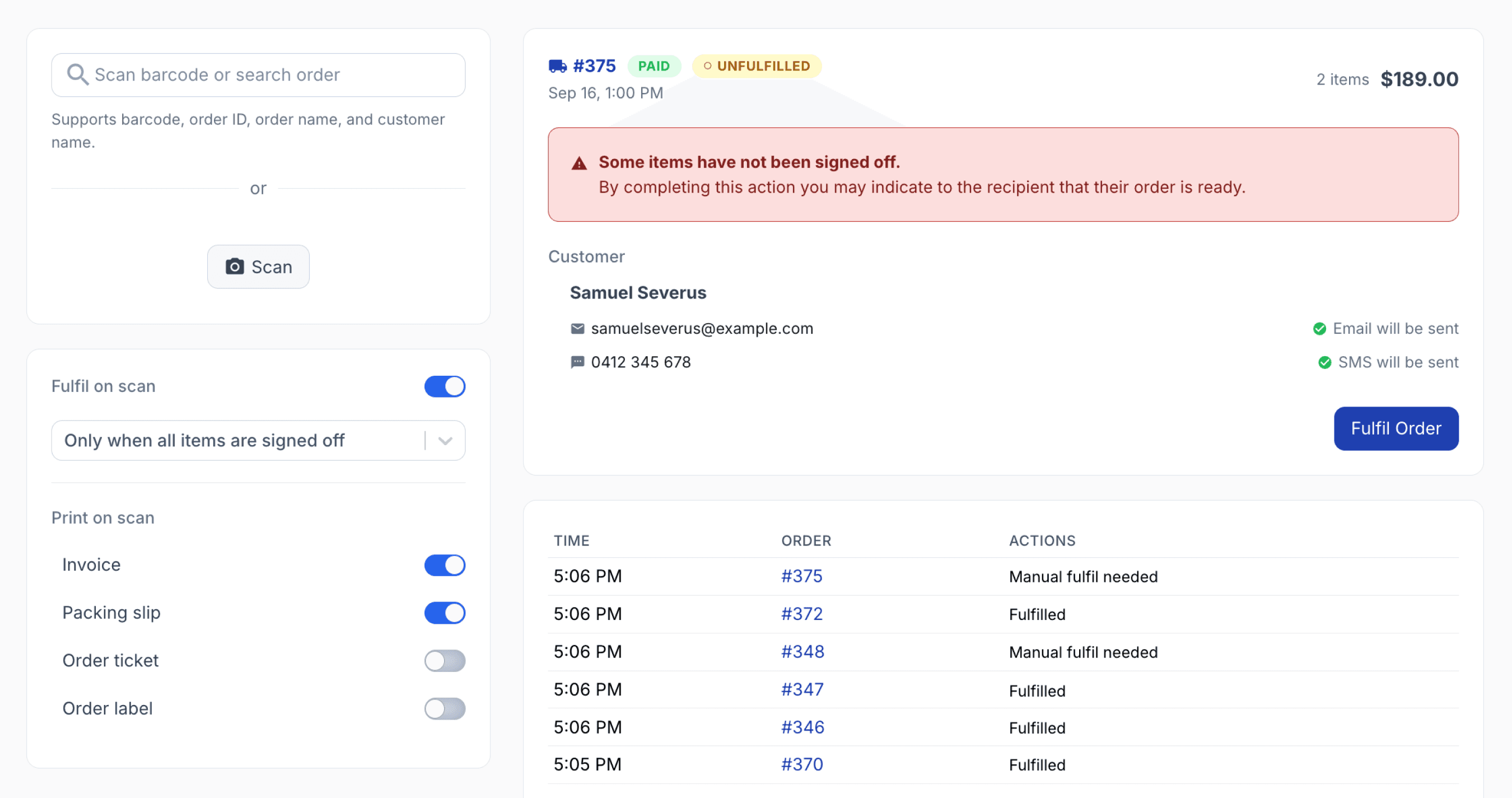
From the quick fulfil page
If a scanned order is successfully fulfilled, a green flag is displayed.
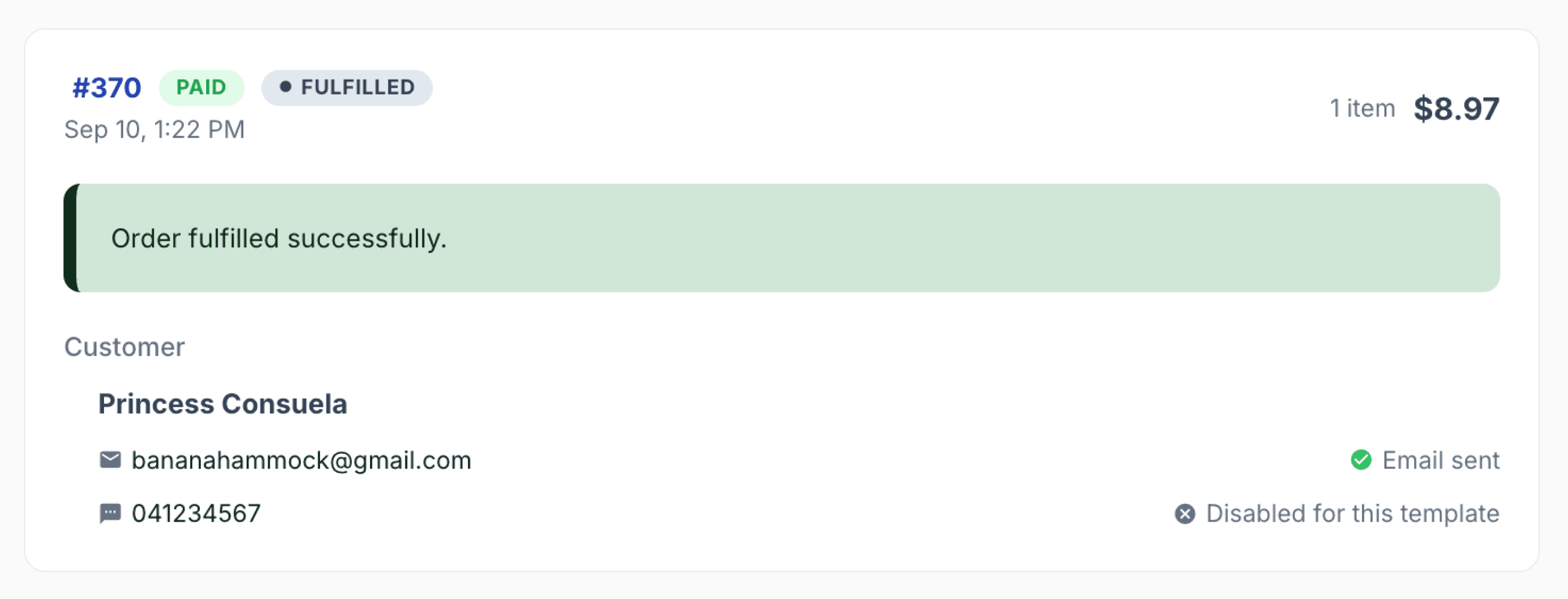
From the quick fulfil page
If an already fulfilled order is scanned again, a pop-up is displayed showing when the order was originally fulfilled and by whom.
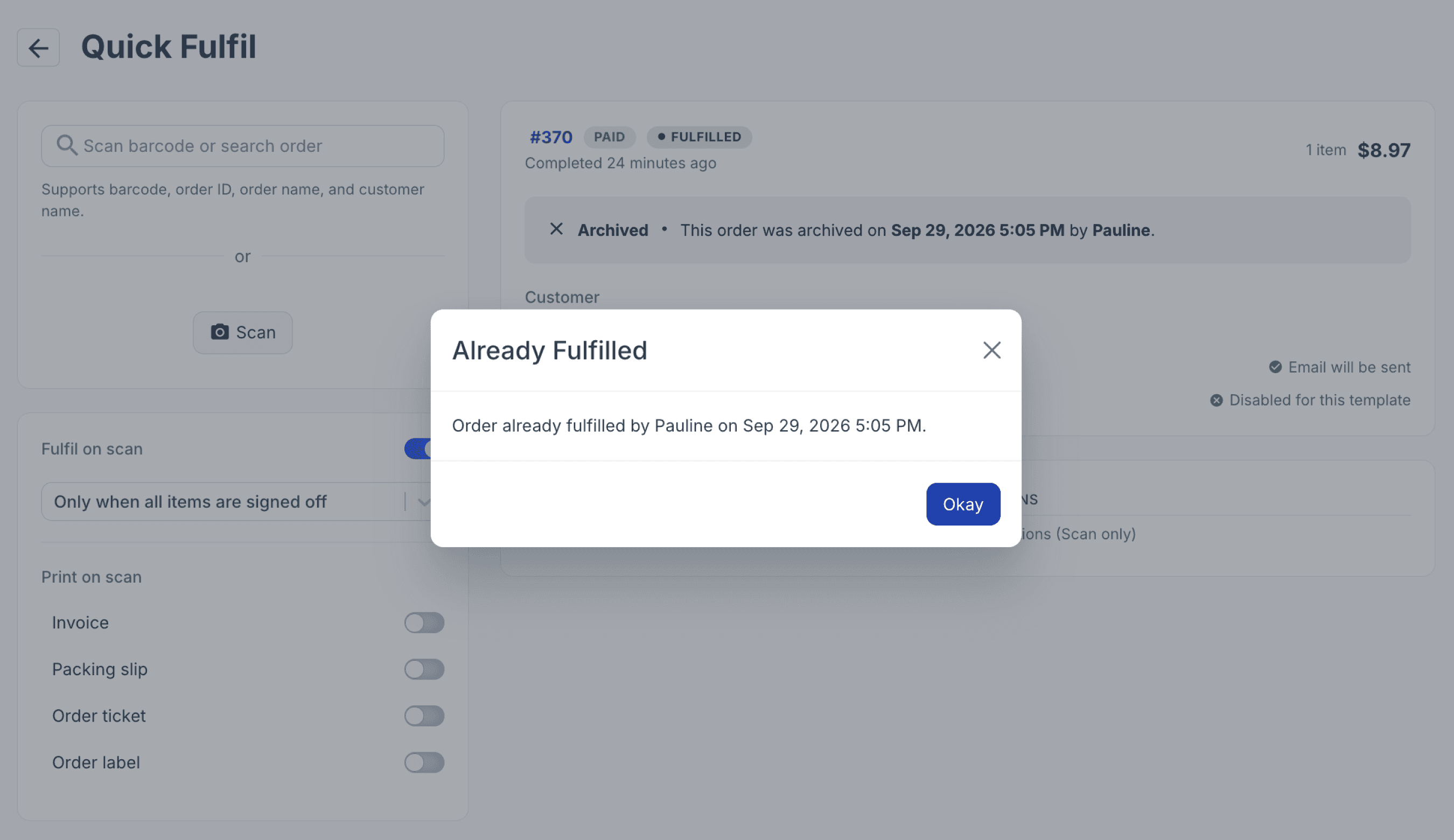
From the quick fulfil page
Quick Fulfil is designed for teams processing orders for dispatch or collection. Staff can scan the next order, review it, fulfil it when appropriate, and send the required documents to print from the same screen. This feature uses the existing fulfilment workflow, it simply brings the steps together to reduce repeated searches, page changes, and clicks.
Fulfil orders individually
Orders can also be fulfilled individually from the Orders, Drafts, or Dispensed pages, allowing you to review and fulfil each order when it is ready for dispatch or collection.
Orders can be fulfilled directly from the Orders page.
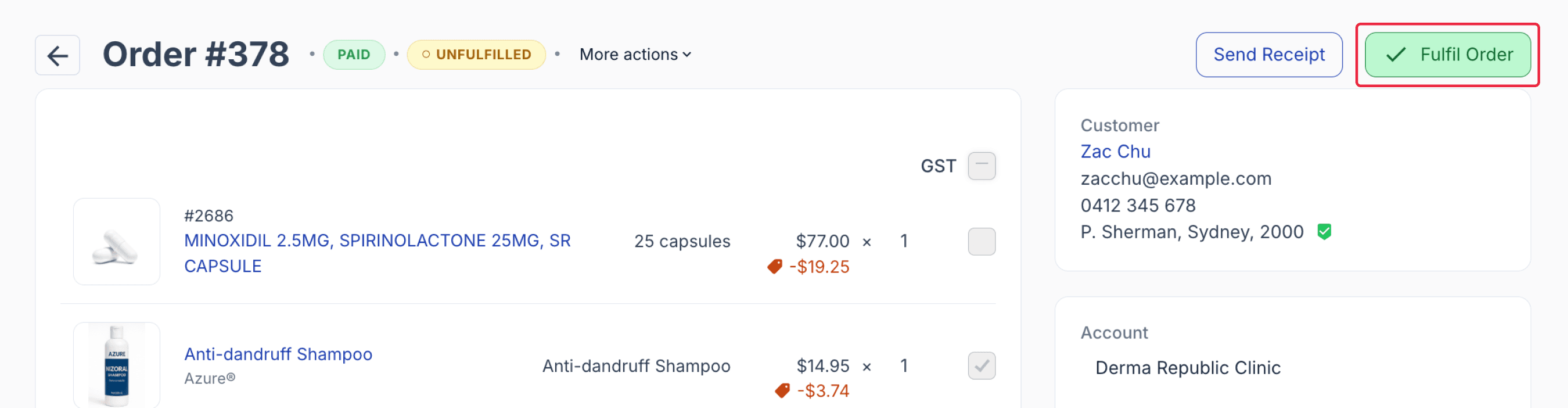
From the orders page
You may also view and fulfil the order from the Drafts and Dispensed page. The colours of the fulfilment button indicate the order’s status prior to fulfilment.
When an order contains a signed-off script, the Fulfil button appears in green.
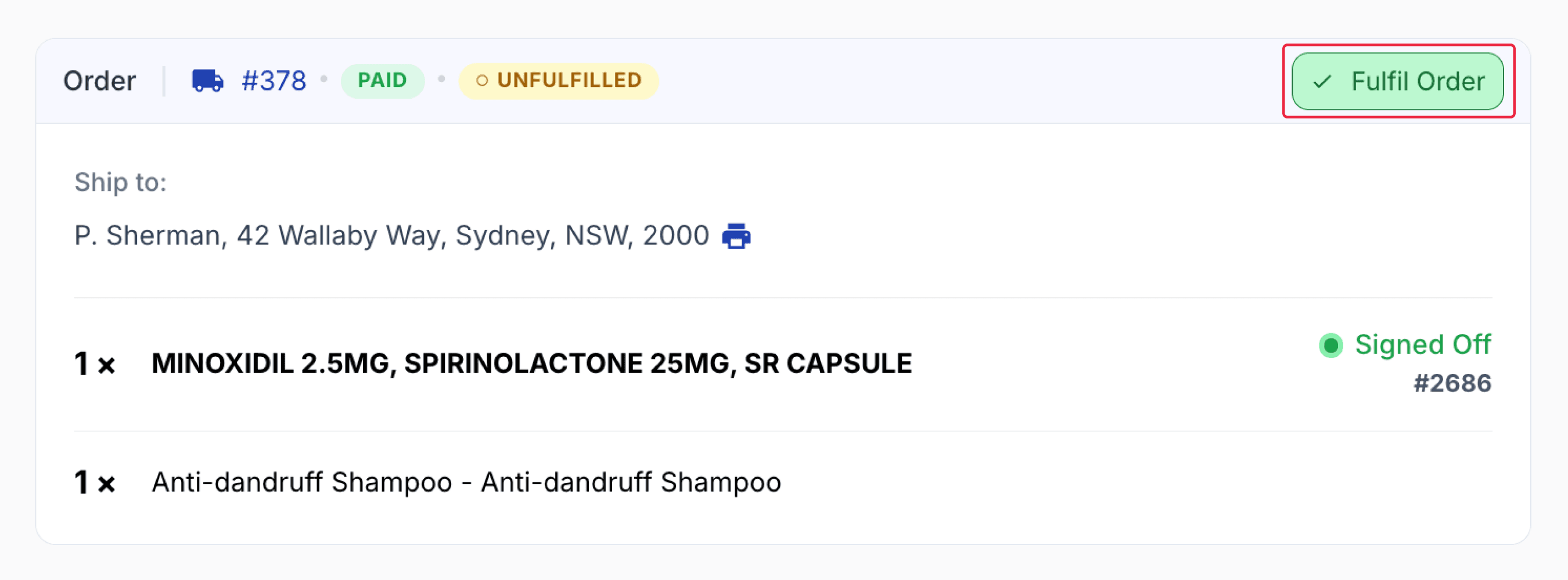
From the dispensed record
When an order is for a script that has not been signed off, the Fulfil button appears in white.
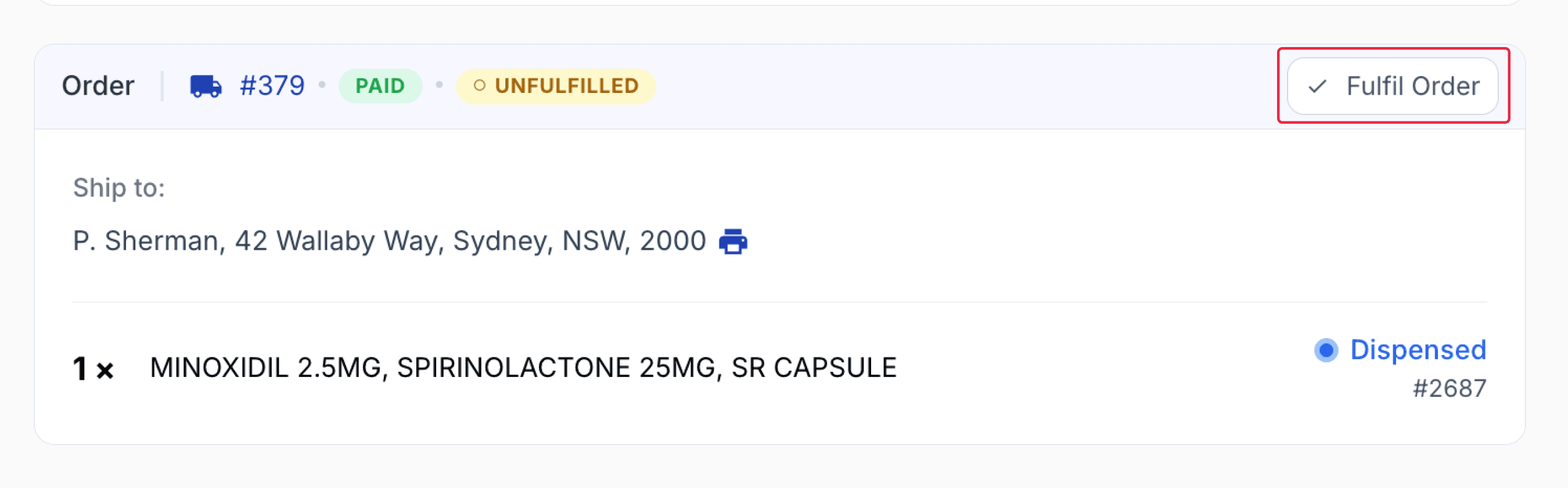
From the dispense record
When fulfilling an order that has not been signed off, a warning will be displayed on the sign off modal. From this modal, you can choose whether to notify the customer that the order has been fulfilled.
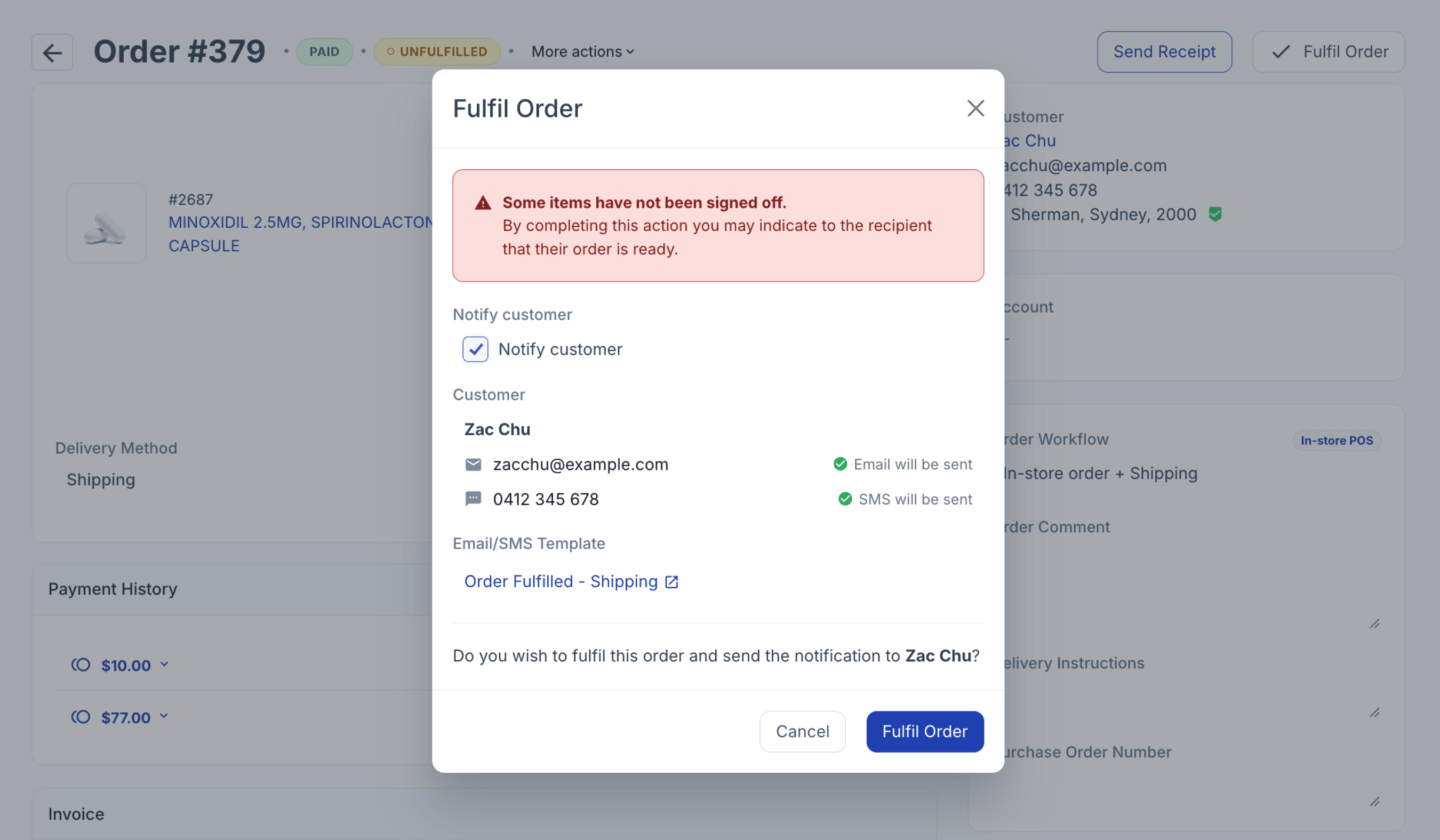
From the dispensed page
Fulfil on signoff
Order fulfilment can be automated by enabling the Fulfil on Sign-off settings, which allows orders to be fulfilled upon sign-off, depending on the selected delivery method.
Go to ‘Settings’, select ‘Your Workspace’, open the ‘Dispensing’ tab, scroll to the ‘Sign-off Settings’, and use the ‘Fulfil on Sign-off’ drop-down menu.

From your workspace page
Fulfil on save
Order fulfilment can also be automated based on your workflow automations (Select workflow automations). Fulfil on Save automatically marks the order as fulfilled as soon as it is saved.
Order fulfillment notification
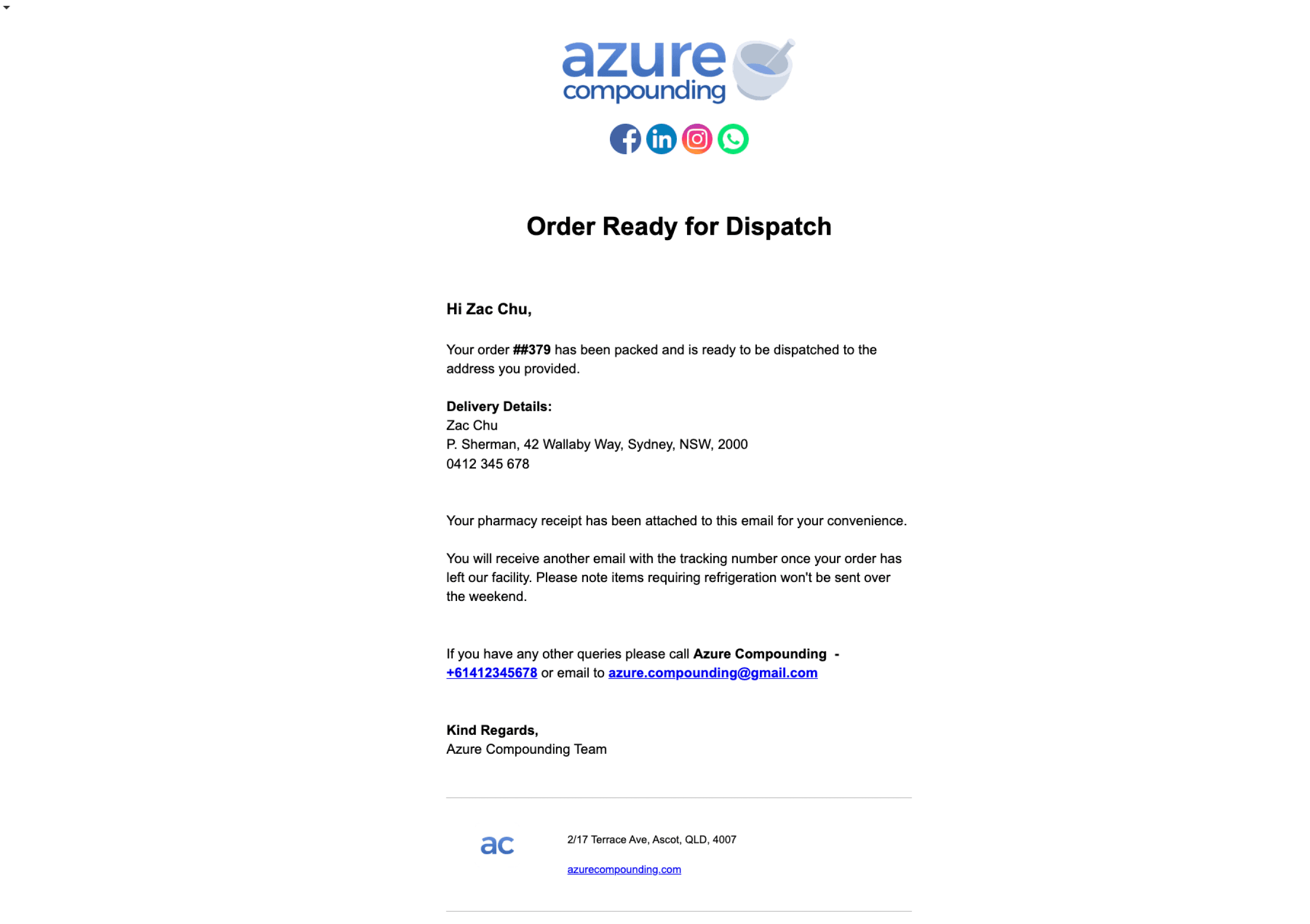
Once the order is Fulfilled, the customer may receive an order fulfilment message informing them that the order has been completed and is ready for shipping or collection. This automated message can be configured based on the communication settings enabled in the order workflow (Set up communication settings).
Summary
Order Fulfilment in Compound Direct supports different workflows depending on how your team processes orders. Quick Fulfil provides a faster way to scan or search for orders, fulfil eligible orders, and print required documents from the same screen, while orders can also be fulfilled individually or automatically through Fulfil on Sign-off and Fulfil on Save. Together, these options help teams move orders efficiently from preparation through to dispatch or collection.
All names and medical data shown in software screenshots are fictional and for demonstration purposes only. These figures represent fictional persons; any resemblance to real individuals is purely coincidental. Use of existing fictional names is for illustrative purposes and does not imply affiliation or endorsement.