
Medicinal recall procedure

A medicine recall is a rare but serious pharmaceutical event. A recall can occur for a number of reasons, such as side effects, effectiveness, packaging, and/or labeling. The governing body for medicine recalls in Australia is the Therapeutic Goods Administration, otherwise known as the TGA. As the regulatory body, the TGA is responsible for all medicines with an AUST number on the label and has the authority to recall these medicines if problems are identified. Recalls are recorded on the System for Australian Recall Actions (SARA).
Within Compounding Pharmacy, a recall can also occur at the Pharmacy level. For example, if an active ingredient was miscalculated or weighed incorrectly due to scales not being tared/calibrated before weighing. In both of the aforementioned examples, the therapeutic strength of the active ingredient would likely be clinically inaccurate. Thankfully Compound Direct has many inbuilt safeguards that significantly minimise these risks.
Patient safety should always be at the forefront of any Pharmacy. When a recall is relevant, swift action is required in Compounding Pharmacy to reduce the potential for harm. At a Compounding Pharmacy level, a recall will identify lot/batch numbers for raw ingredients purchased from distributors such as Medisca. It is vital that all customers who have received the affected lot/batch are notified.
Having a software system that allows for quick and effective recall cannot be overstated. Compound Direct reporting and record-keeping allows for a swift callback to affected customers.

Photo by Christina Victoria Craft on Unsplash
It is a simple process to identify affected customers in your Compound Direct Workspace.
Step 1: Search for the recalled ingredient on the ingredients tab.
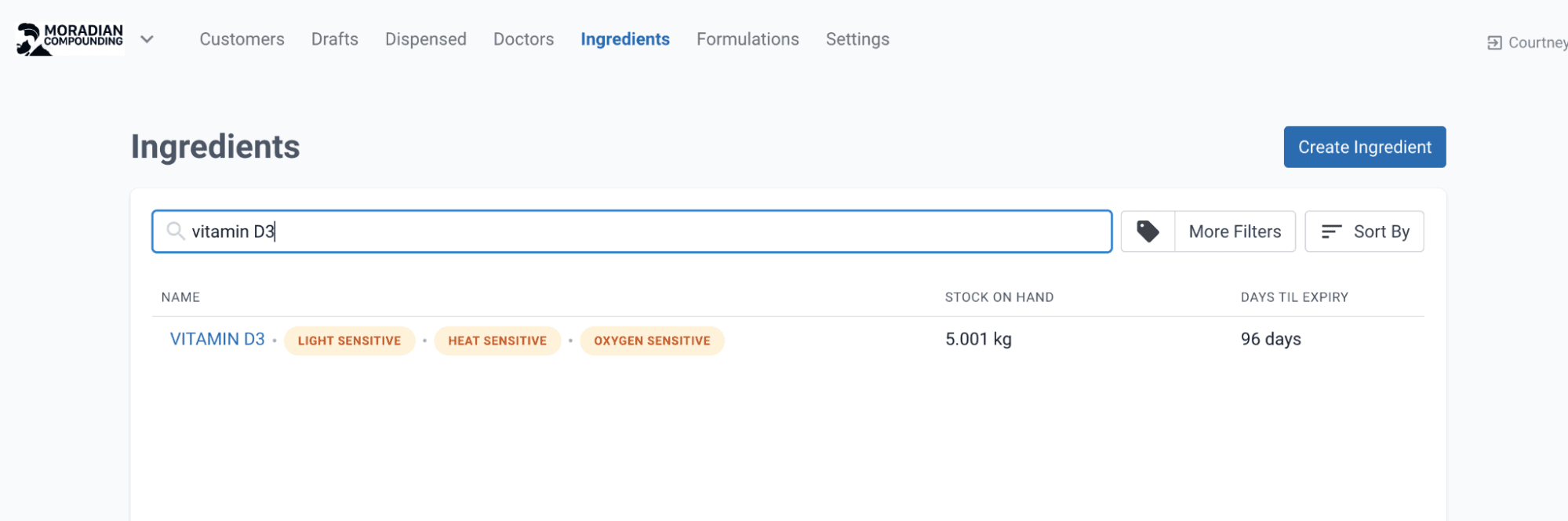
Step 2: Find and select the recalled lot/batch number.
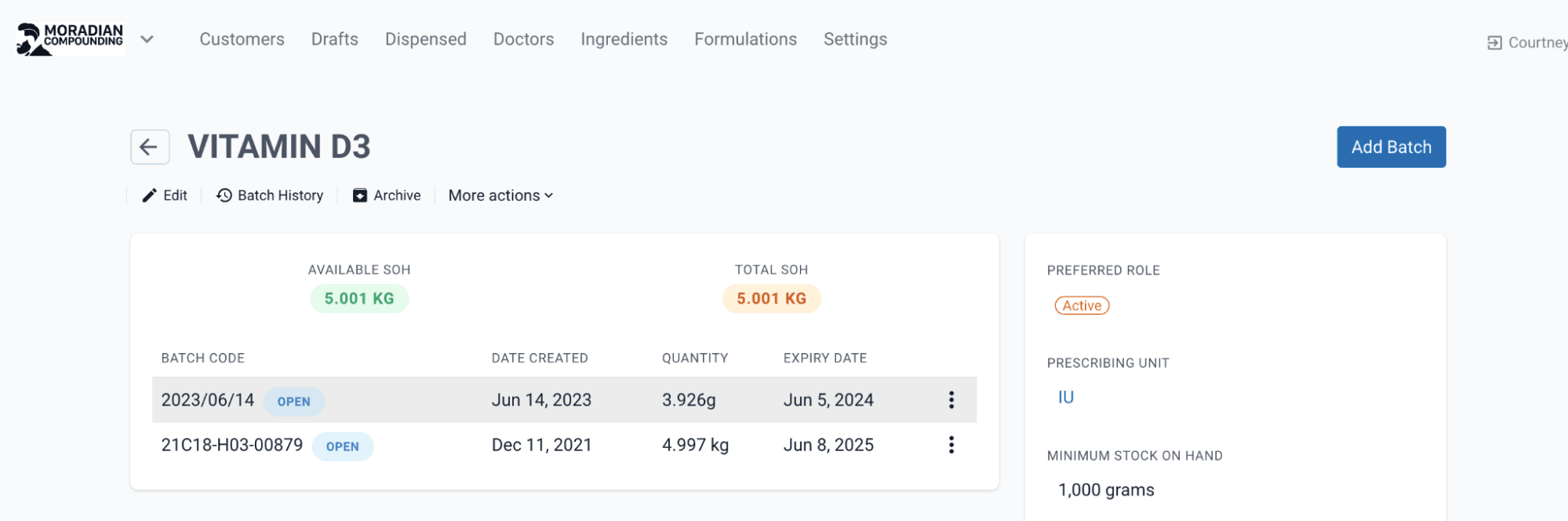
Step 3: Identify ingredient usage of the recalled lot/batch by clicking on the Show History.
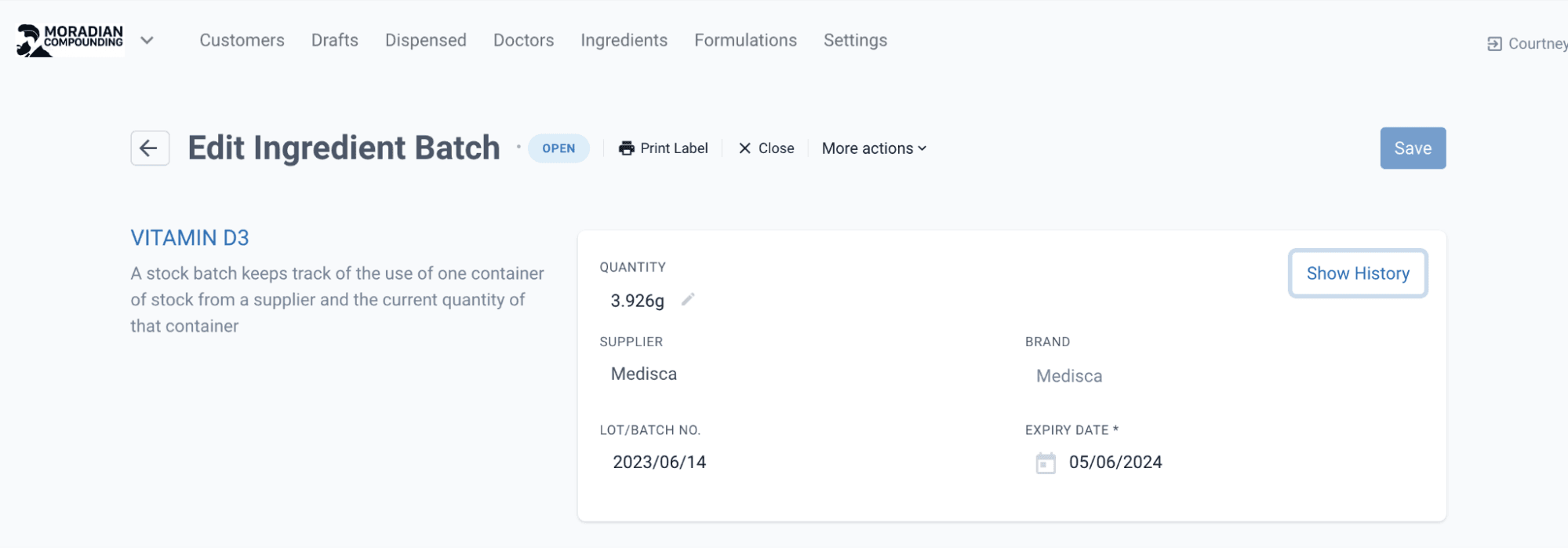
This usage history page will display a list of all compounding records that used the affected lot/batch.
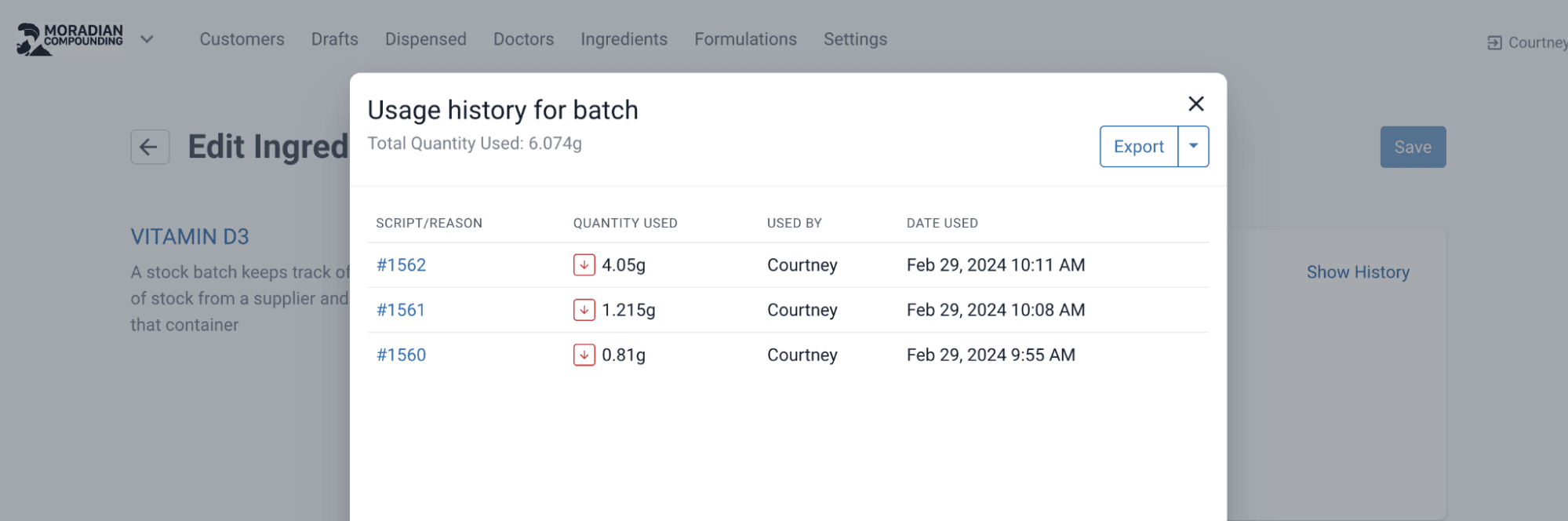
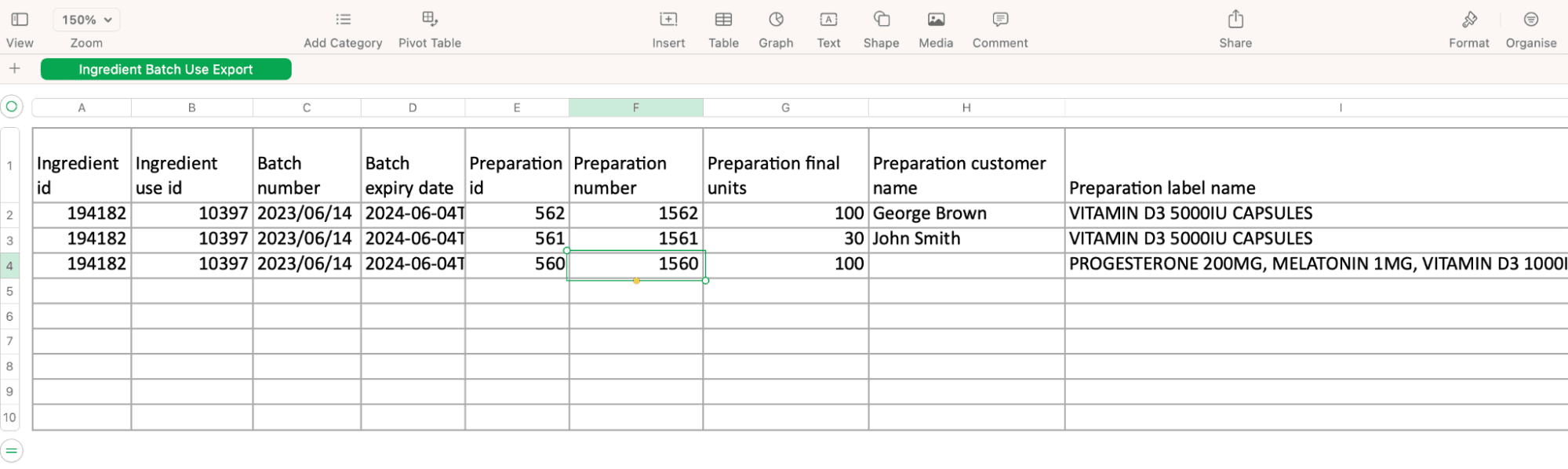
Step 4: Export the Usage History for the recalled lot/batch by clicking export. This will produce a spreadsheet providing customer details with relevant contact information. The pharmacy then needs to finalise the recall process by contacting every patient affected.
Recalls for batch compounding
What happens if the recalled lot/batch is used in a Batch Manufacture?
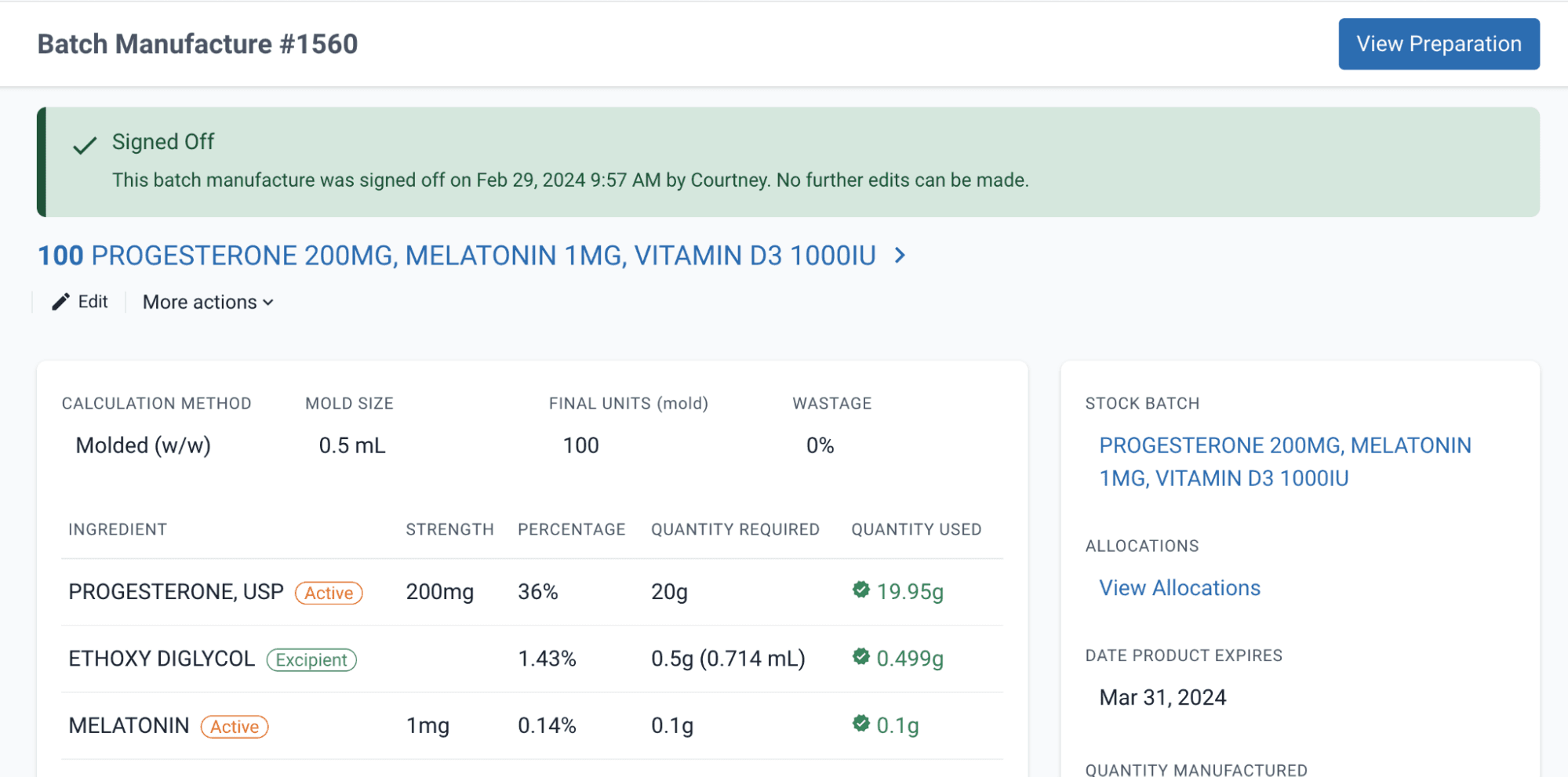
Compounding Pharmacies often batch-manufacture formulas when dealing with large quantities of the same Compounding Prescription. It is important to note if the recalled lot/batch is used in a batch manufacture, patients will not be identified in the above process. In the above example, we can see that Preparation Number 1560 has used the recalled lot/batch, but we do not know which customers have received the recalled medicine. It is important to complete some additional steps to identify customers we assigned the batch manufacture.
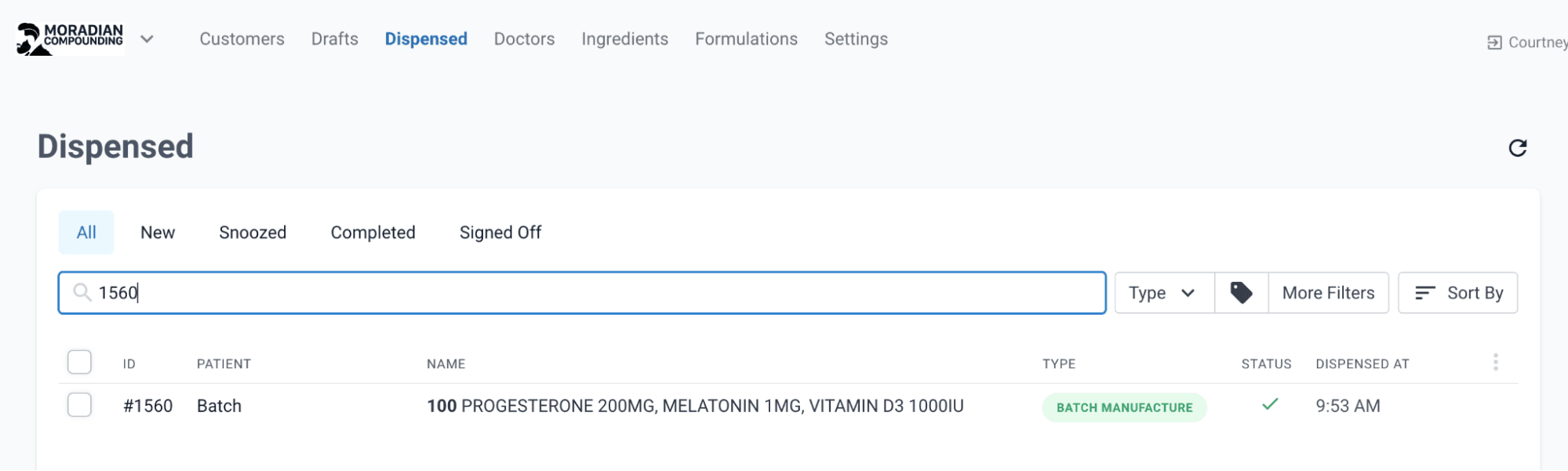
Step 1: Identify and select the batch manufacture record in which the recalled lot/batch is used by searching in the Dispensed tab.
In this instance, we enter Batch Manufacture Number 1560, which was identified in the usage history spreadsheet.
Step 2: Find and select the recalled lot/batch number.
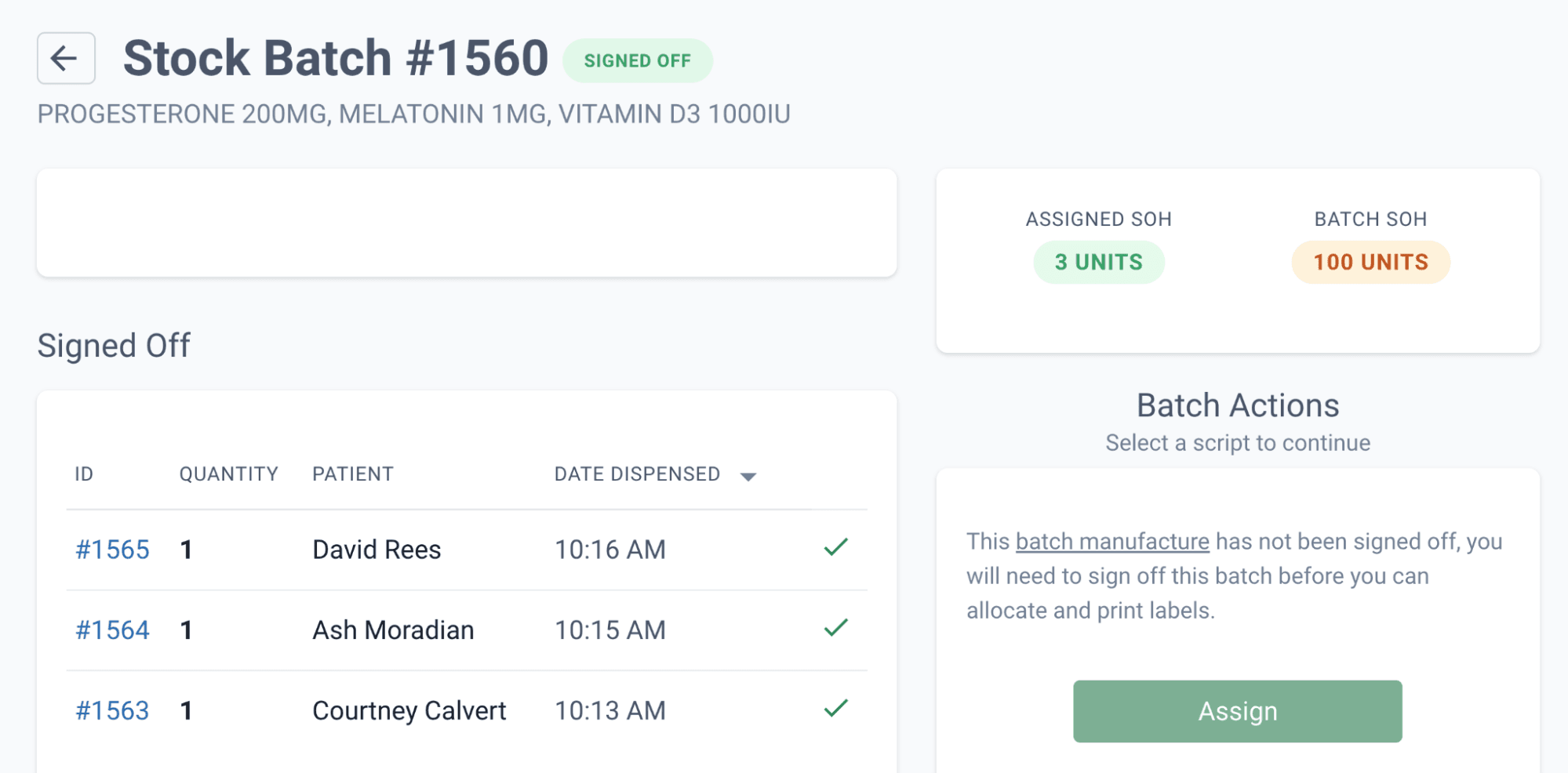
Step 3: Identify ingredient usage of the recalled lot/batch by clicking on the Show History.
Recalls for compound groups
What happens if the recalled lot/batch is used in a Compound Group?
Compound Groups provide clear traceability by linking all patients who received products from the same compound batch, enabling identification and notification of affected individuals. Additional steps must be taken to locate all patients that are linked to this specific Compound Group.
Step 1: Identify and select the compound group record in which the recalled lot/batch is used by searching in the Dispensed tab. In this instance, we enter Compound Group #1213, which was identified in the usage history spreadsheet.
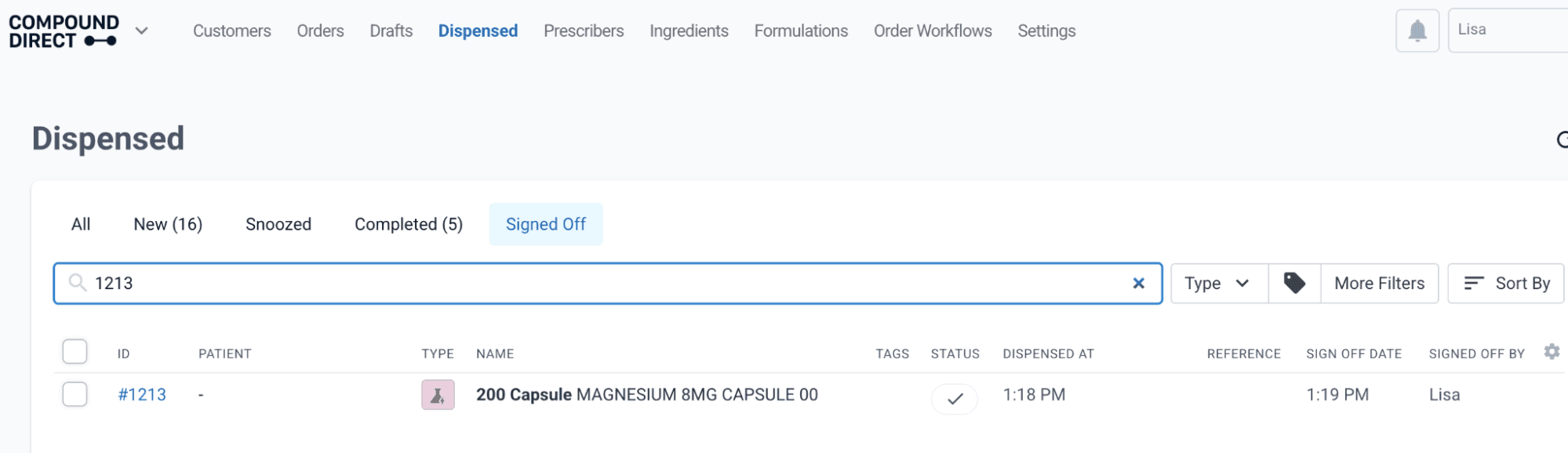
Step 2: Find and select the recalled lot/batch number.
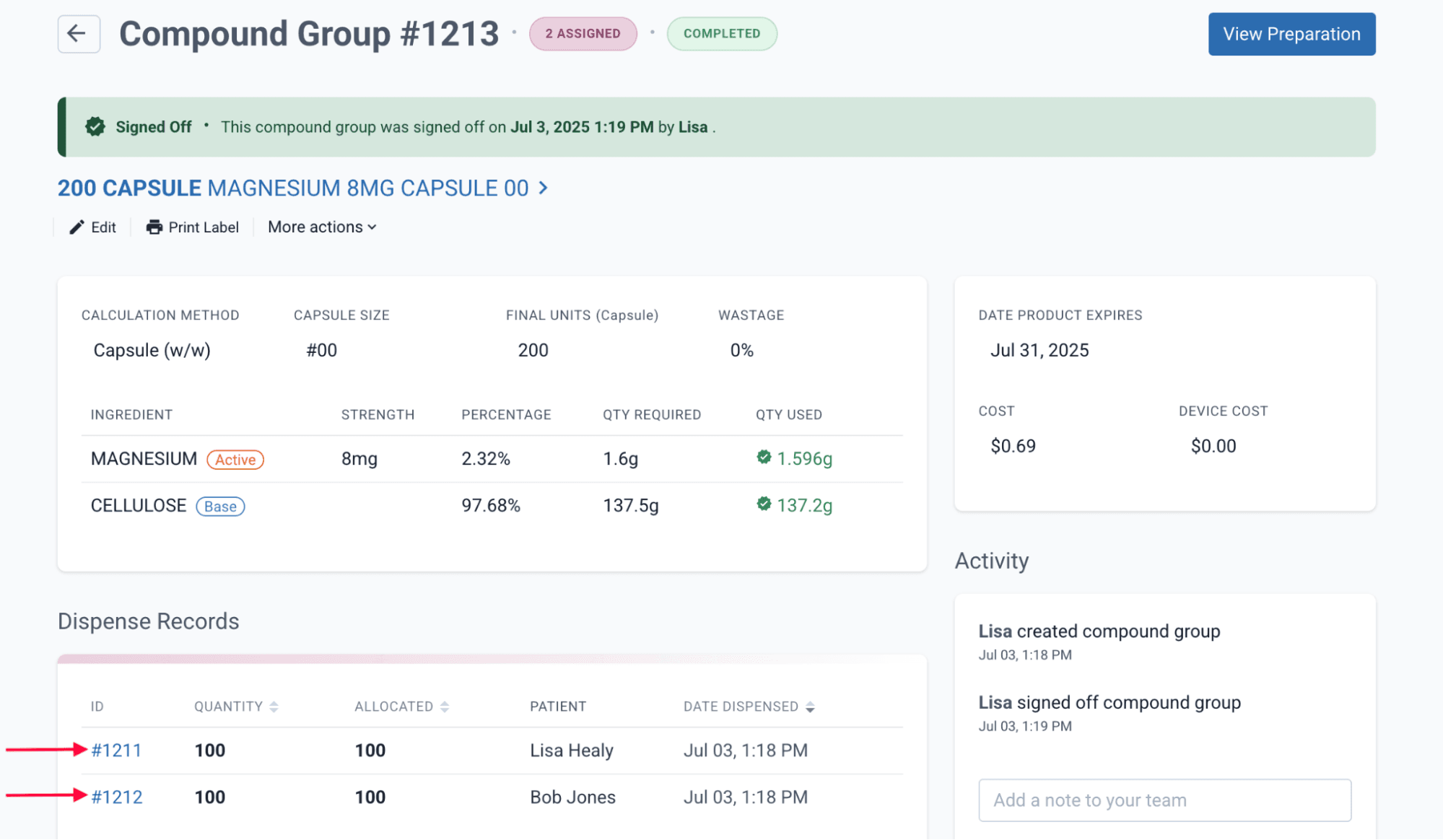
Step 3 : The Dispense Records for the Compound Group will display the patient information - in this example, ID #1211 and #1212.
You must access each individual dispense record and add these patients to your recall notification list.
Conclusion
In conclusion, this article underscores the critical importance of swift and effective medicine recalls, particularly within the Compounding Pharmacy sector. Emphasizing patient safety as the top priority, it highlights the significance of technology, such as Compound Direct, in efficiently identifying and notifying affected customers. The step-by-step guide provided illustrates the practical and streamlined approach needed to address recalls promptly. Pharmacies must remain vigilant, utilizing such systems to minimize potential risks and uphold the highest standards of healthcare in the face of pharmaceutical challenges.
All names and medical data shown in software screenshots are fictional and for demonstration purposes only. These figures represent fictional persons; any resemblance to real individuals is purely coincidental. Use of existing fictional names is for illustrative purposes and does not imply affiliation or endorsement.