
Managing preparations requiring 2-week sterility testing in Compound Direct

Managing sterile preparations that require external sterility testing involves more than submitting samples to a laboratory. While testing is underway, the remaining batch must be appropriately managed in quarantine and prevented from being inadvertently allocated or dispensed before the results have been reviewed and the batch is ready for release.
Pharmacies may already use physical quarantine controls, such as designated storage areas, but the corresponding digital batch records also need to clearly communicate the batch status to staff and support its eventual release or disposal.
Compound Direct provides a practical workflow for managing this process digitally, bringing together formulation and quality assurance steps, quarantine indicators, batch controls, laboratory documentation, inventory management, and complete traceability. From manufacture and 14-day sterility testing through to a passed or failed result, final batch disposition, and patient allocation, each stage can be managed and documented within the same workflow.
Sterile formulation
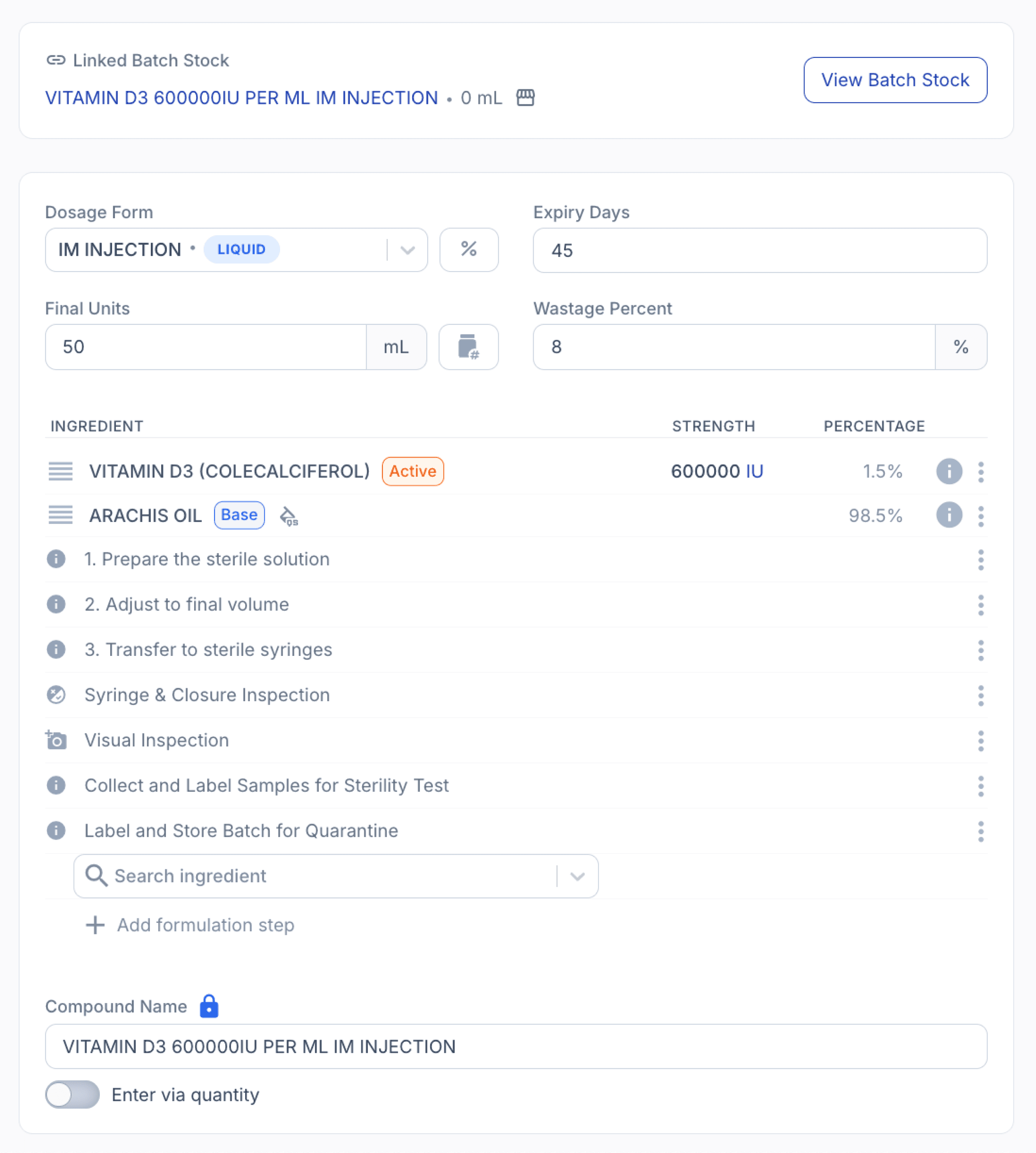
In this example, we'll use Vitamin D3 (Colecalciferol) 600,000 IU/mL IM Injection, a sterile compounded preparation manufactured from Vitamin D3 API and arachis oil and prepared as 1 mL prefilled syringes.
The example formulation is prepared as a 50 mL batch with a validated 45-day expiry and requires external 14-day sterility testing as part of the batch-release process. Following manufacture and filling, representative samples are collected, labelled, and submitted to an accredited laboratory, while the remaining prefilled syringes are held In Quarantine.
The batch remains unavailable for allocation or dispensing until the sterility test result has been received, reviewed and accepted, and the required batch-release checks have been completed.
From the formulations page
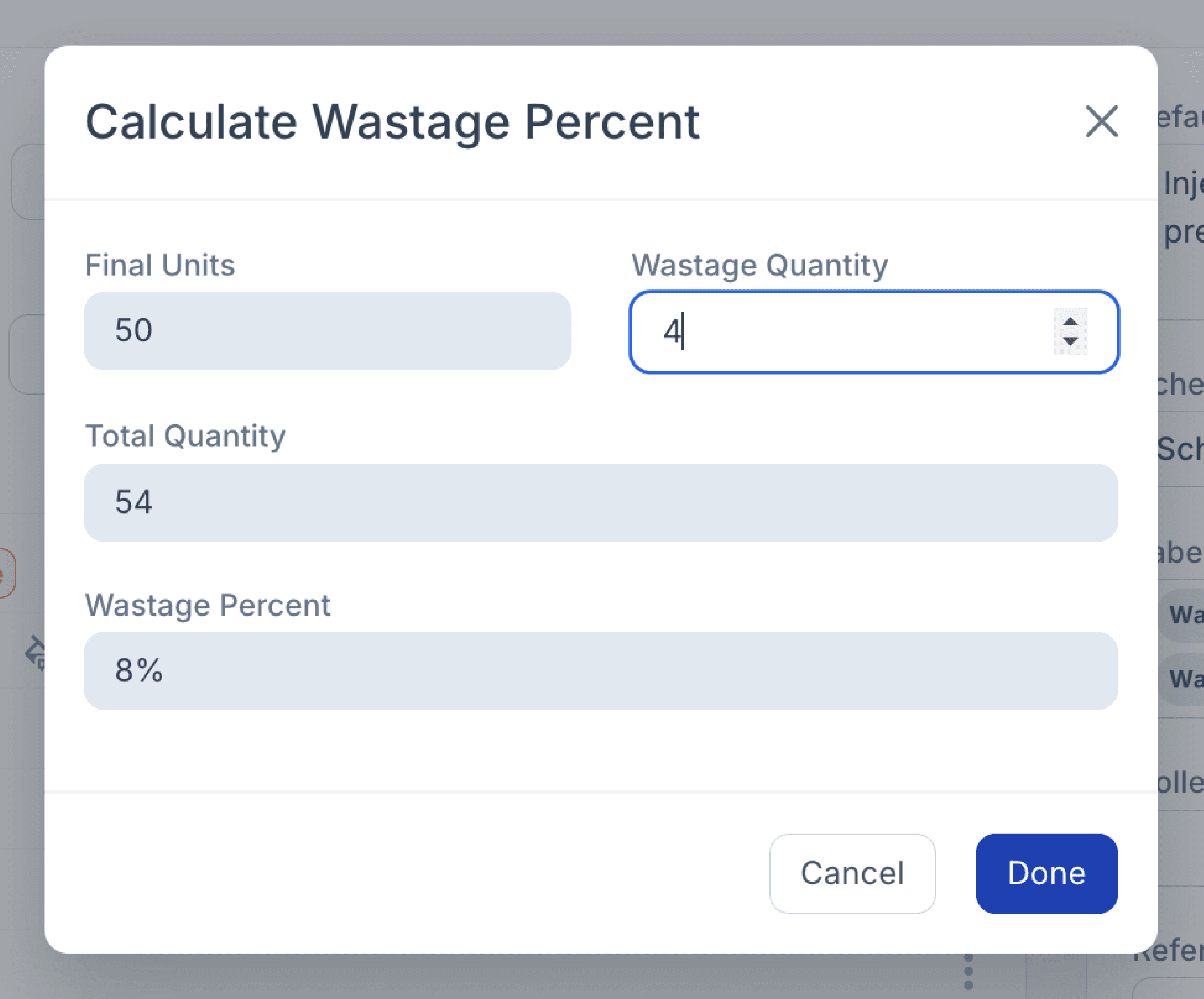
When setting up a formulation that requires sterility testing, it is also important to account for the quantity that will be removed from the batch for laboratory samples. In this example, an 8% wastage allowance has been included to ensure sufficient volume is prepared for the required samples without reducing the intended 50 mL final quantity.

You can use Compound Direct's Wastage % calculator to determine the appropriate wastage percentage based on the volume required for sampling. Simply enter the required sample volume, and the calculator will determine the corresponding Wastage % to include in the formulation.
This allows the sterility test samples to be accounted for from the outset, while preserving the intended final batch quantity for subsequent quarantine and release.
From the formulations page
Batch preparation
During preparation, Compound Direct's formulation steps can be used to guide the technician through key compounding and quality assurance activities, while documenting their completion directly within the Batch Manufacture Record.
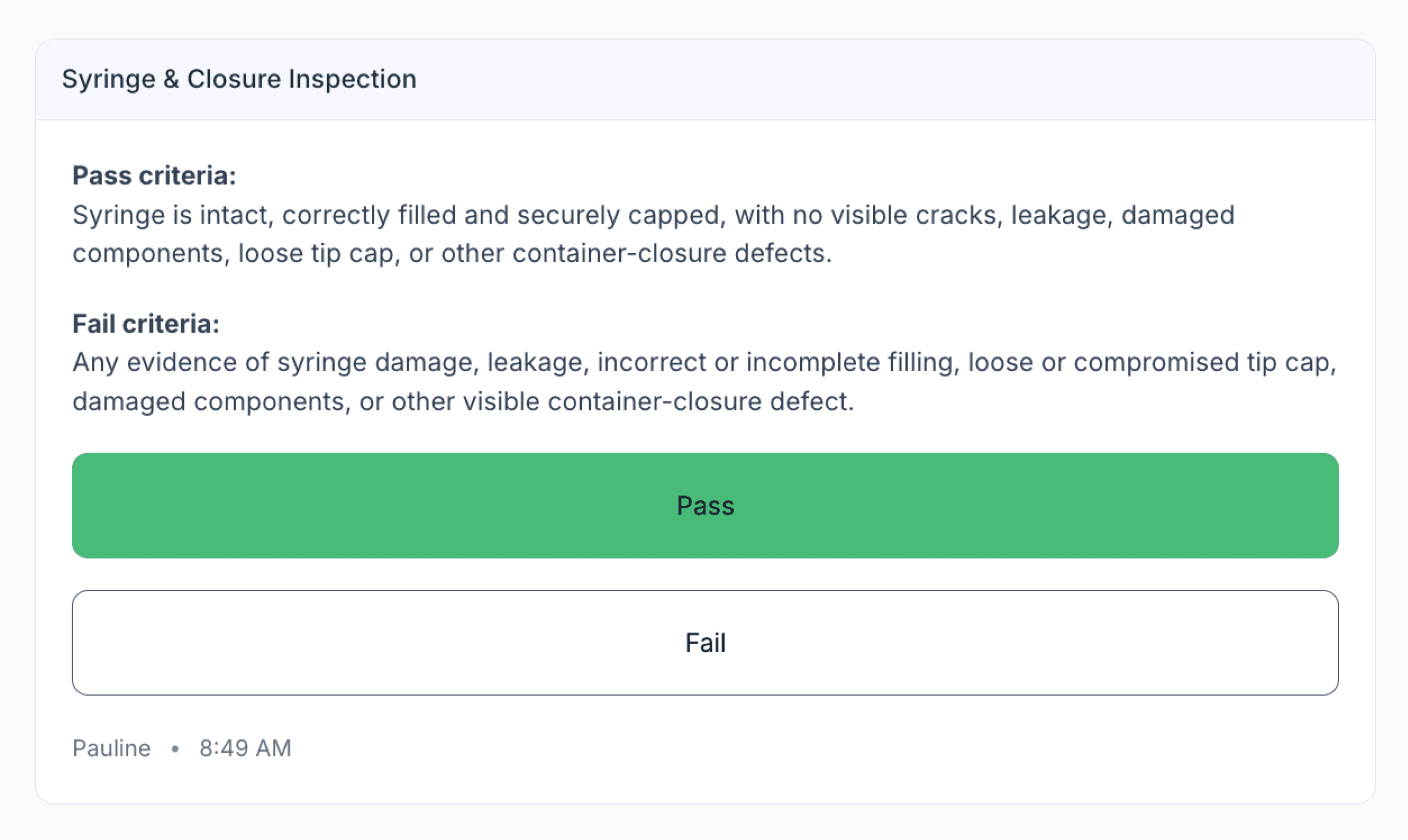
For example, a Syringe & Closure Inspection step uses a simple Pass/Fail status to confirm that the filled prefilled syringes are intact, correctly filled and securely capped, with no visible cracks, leakage, damaged components, loose tip caps, or other container-closure defects.
Recording the result provides clear evidence that the quality check was completed, including who performed the inspection and when it was recorded.
From the preparation page
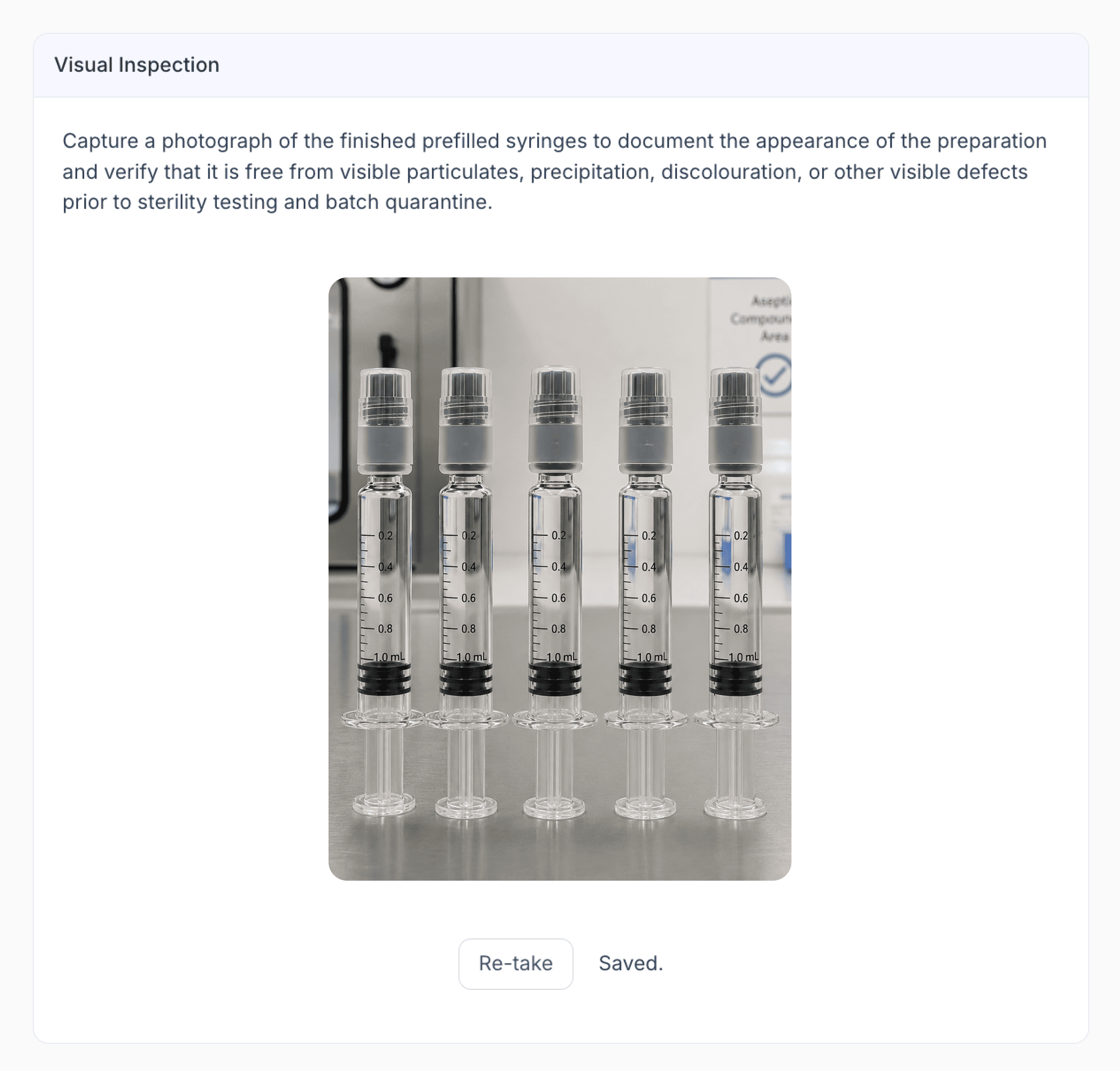
A Visual Inspection step can also be used to capture a photograph of the finished prefilled syringes, providing supporting evidence of the preparation's appearance and confirming that it is free from visible particulates, precipitation, discolouration, or other visible defects.
From the preparation page
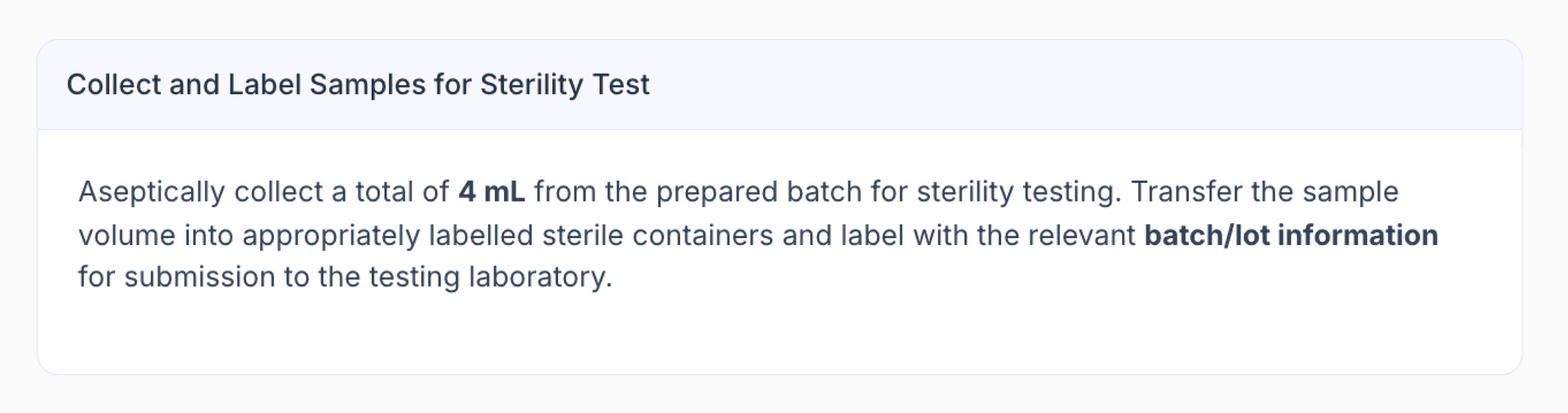
Once preparation and the applicable quality checks are complete, the required sterility test samples are aseptically collected and labelled with the relevant batch information, ready for submission to an accredited laboratory.
From the preparation page
The remaining prefilled syringes are then labelled In Quarantine and stored under the formulation's validated storage conditions while testing is underway.
At this stage, the batch remains unavailable for allocation or dispensing until a satisfactory sterility test result has been received and reviewed, and the batch has been formally released.
Managing the batch record
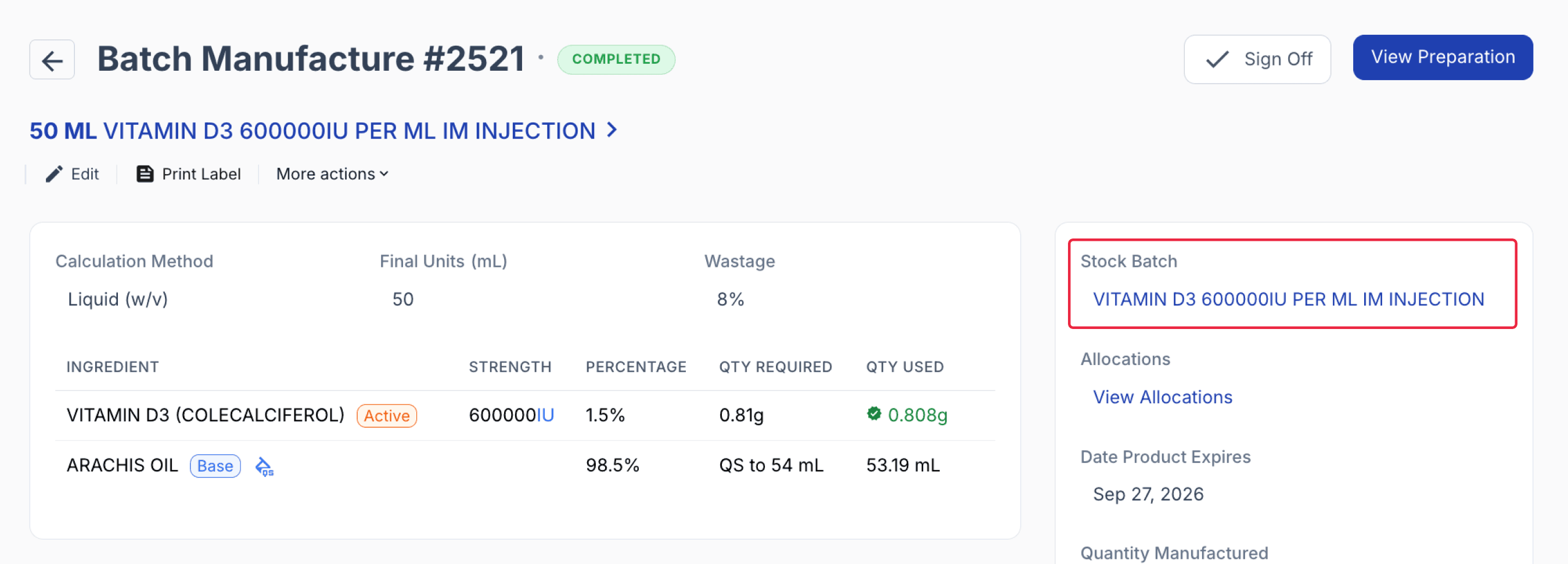
Once the master stock has been manufactured, do not sign off the Batch Manufacture Record until the sterility test has returned a passed result.
Keeping the manufacture record unsigned is one of the controls that helps prevent the batch from being allocated or dispensed while it remains in quarantine.
Instead, navigate to the corresponding Batch Stock Record.
From the batch manufacture page
For sterile preparations requiring external sterility testing, the Batch Stock Record serves as the central location for managing inventory, quarantine status, supporting documentation, and the complete audit trail throughout the testing period.
Quarantine period
While awaiting the sterility test results, the following steps can be used to help identify and manage the batch during quarantine, providing additional safeguards against accidental allocation or dispensing.
1. Keep the batch closed and unapproved until a passing sterility test result has been received and reviewed.
Keeping the batch closed and unapproved provides an additional safeguard during quarantine, preventing the stock from being allocated or dispensed until sterility has been confirmed and the batch is ready for release.
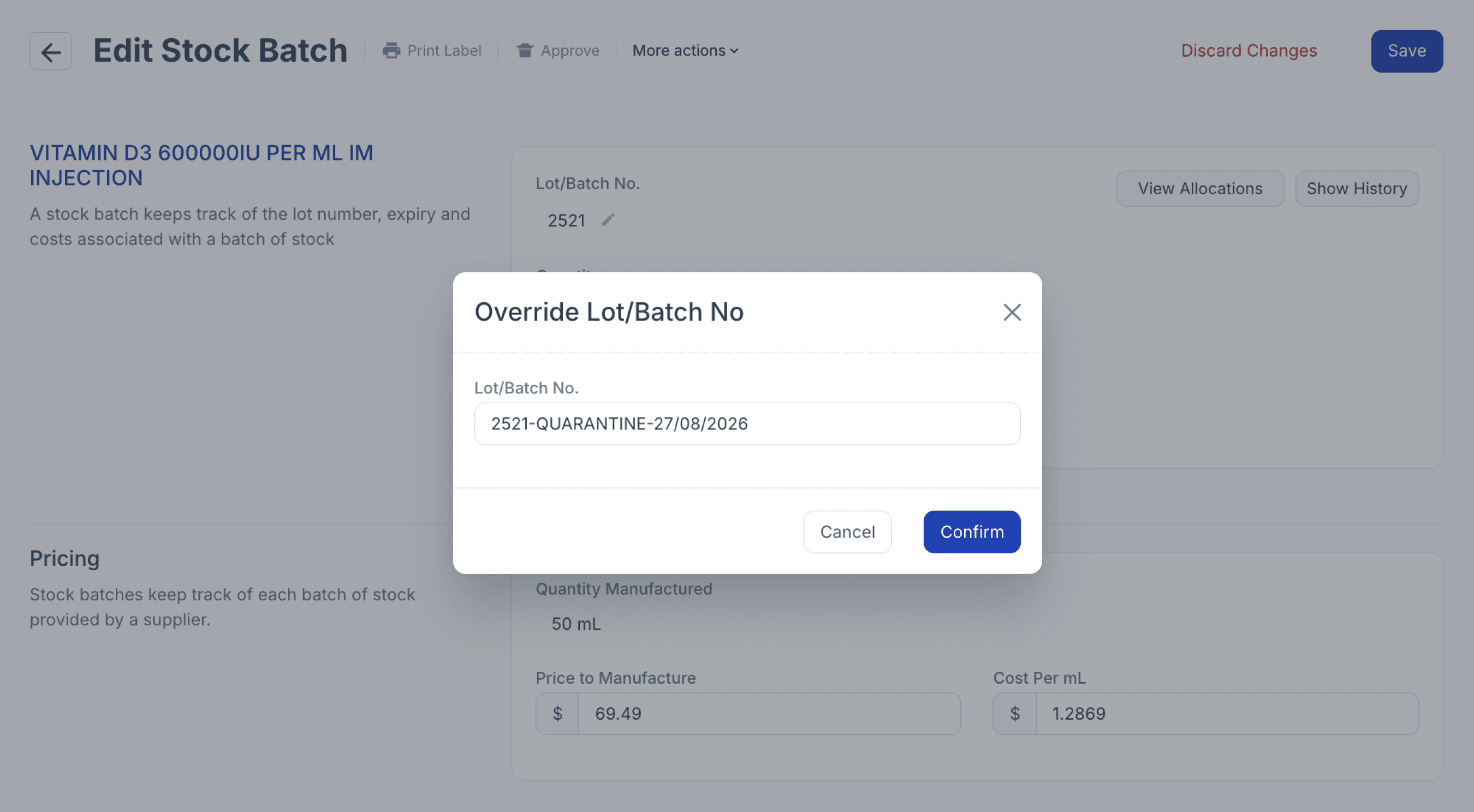
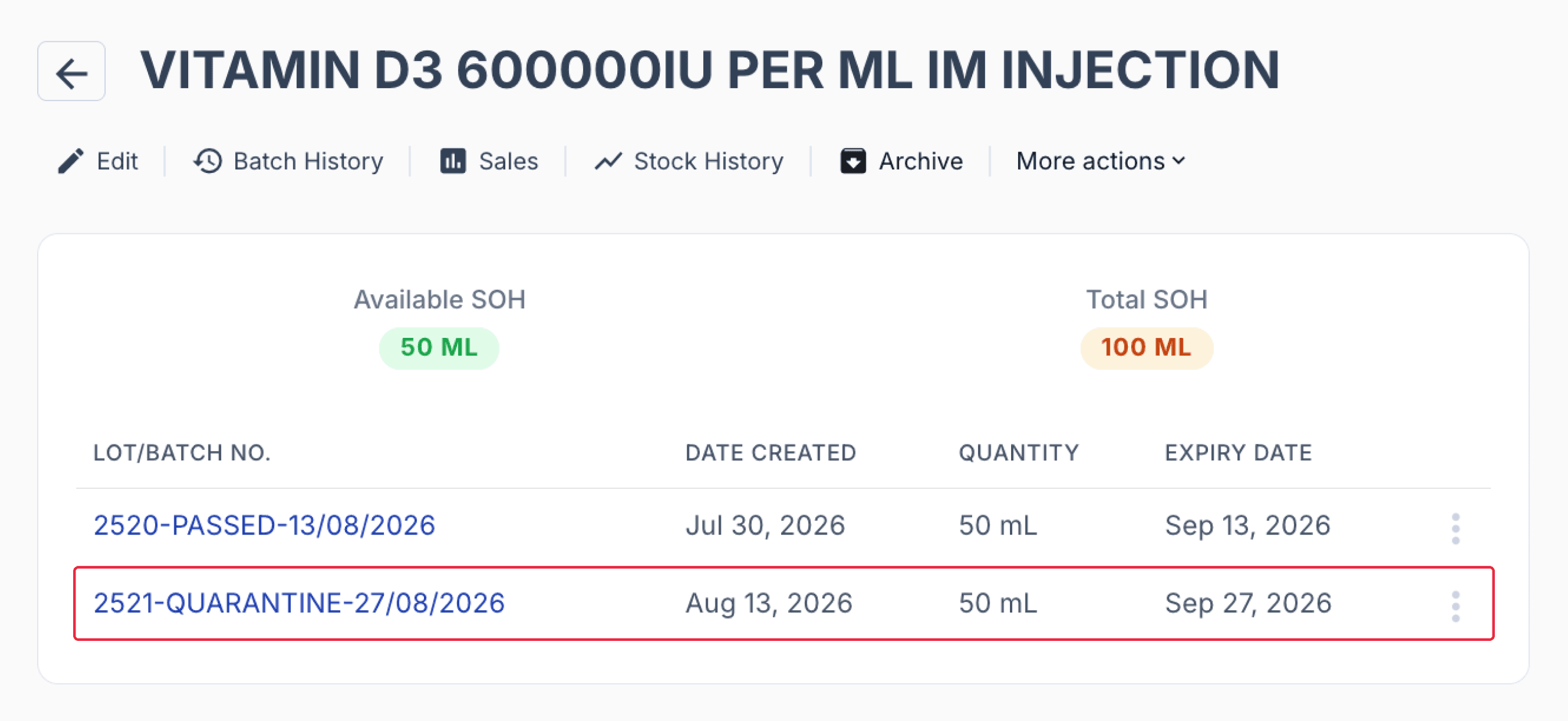
2. Rename the batch or lot to ‘In Quarantine’ to clearly indicate that it is awaiting sterility test results.
From the batch stock record
This makes it easier for staff to distinguish batches that are ready for allocation from those that are still undergoing testing.
From the batch stock page
3. Add an Activity Note on the batch manufacture record and set it as a pop-up to alert any user who opens the record that sterility testing is in progress.
This provides an additional reminder that the batch must remain in quarantine and should not yet be approved, opened or allocated.
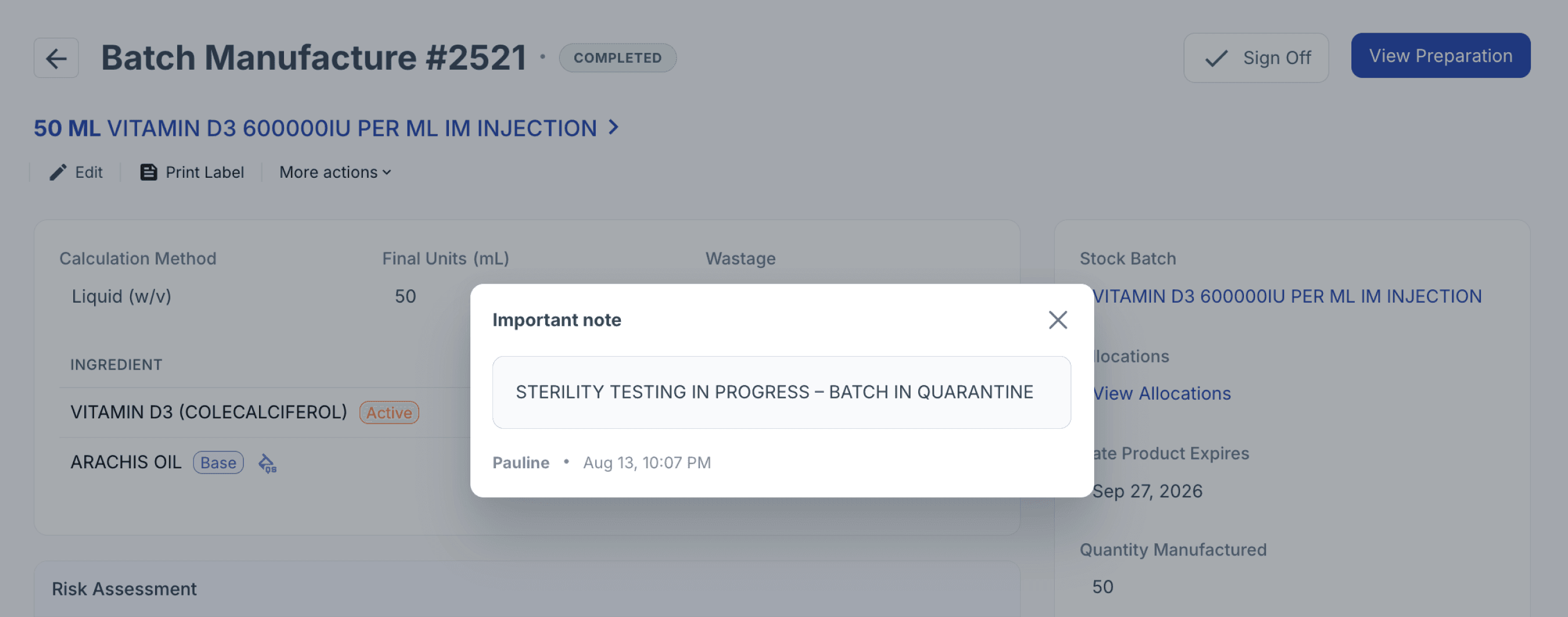
From the batch manufacture record
4. Tag the completed dispense record as ‘In Quarantine’
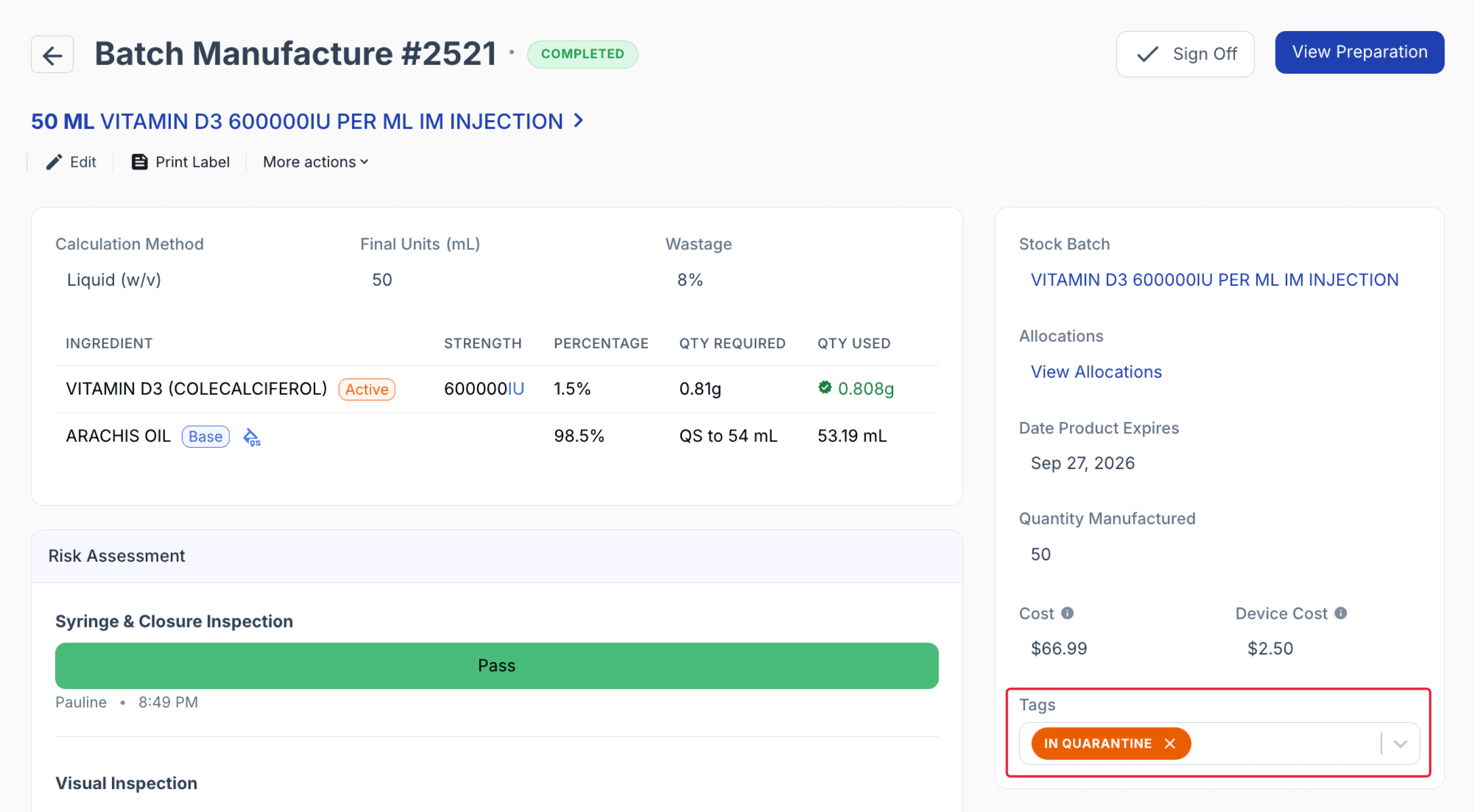
From the batch manufacture record
The In Quarantine tag is clearly visible from the Completed list on the Dispense dashboard, while the red indicator beneath the record name alerts staff that an important pop-up Activity Note is attached.
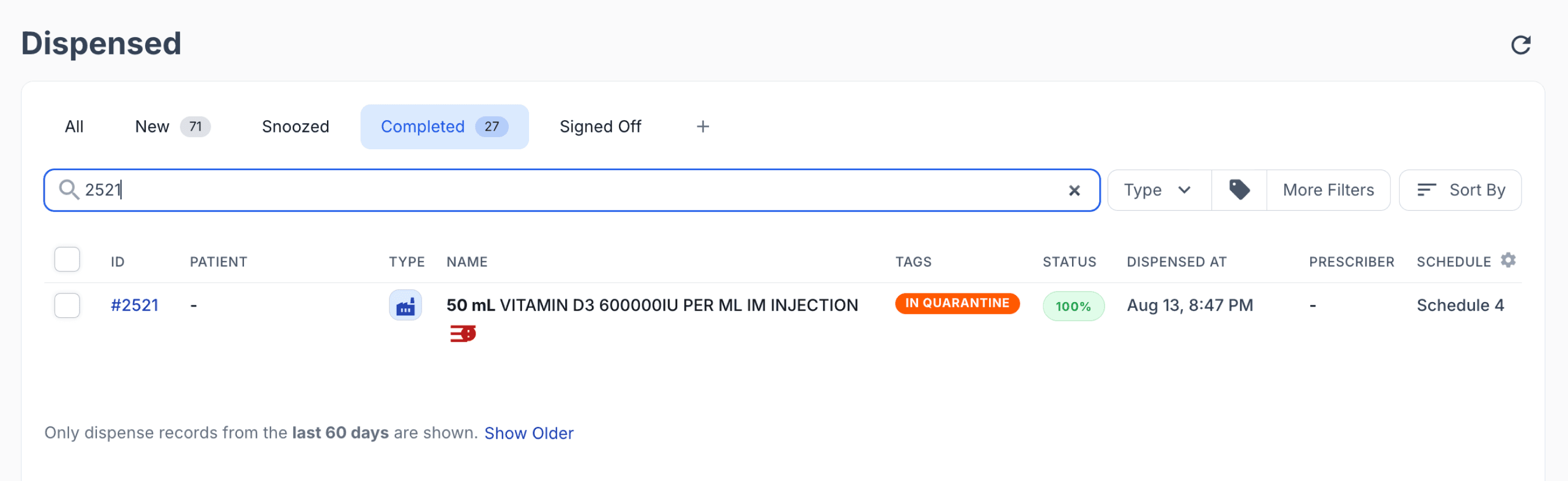
From the dispensed dashboard
By managing the batch in this way, staff can clearly monitor its quarantine status, inventory movements, supporting documentation, and eventual release or disposal from a single record.
Passed sterility test
Once the accredited laboratory confirms that the batch has passed sterility testing, you may use the following steps to update the Batch Record, remove the quarantine indicators, and release the batch for allocation and dispensing.
1. Upload the sterility test certificate and any supporting documentation to the Documents section of the batch record. This keeps the test results attached to the batch for future reference and audit purposes.

From the batch stock record
2. Rename the Batch/Lot Name from ‘In Quarantine’ to ‘Passed’ to clearly reflect the sterility test outcome.
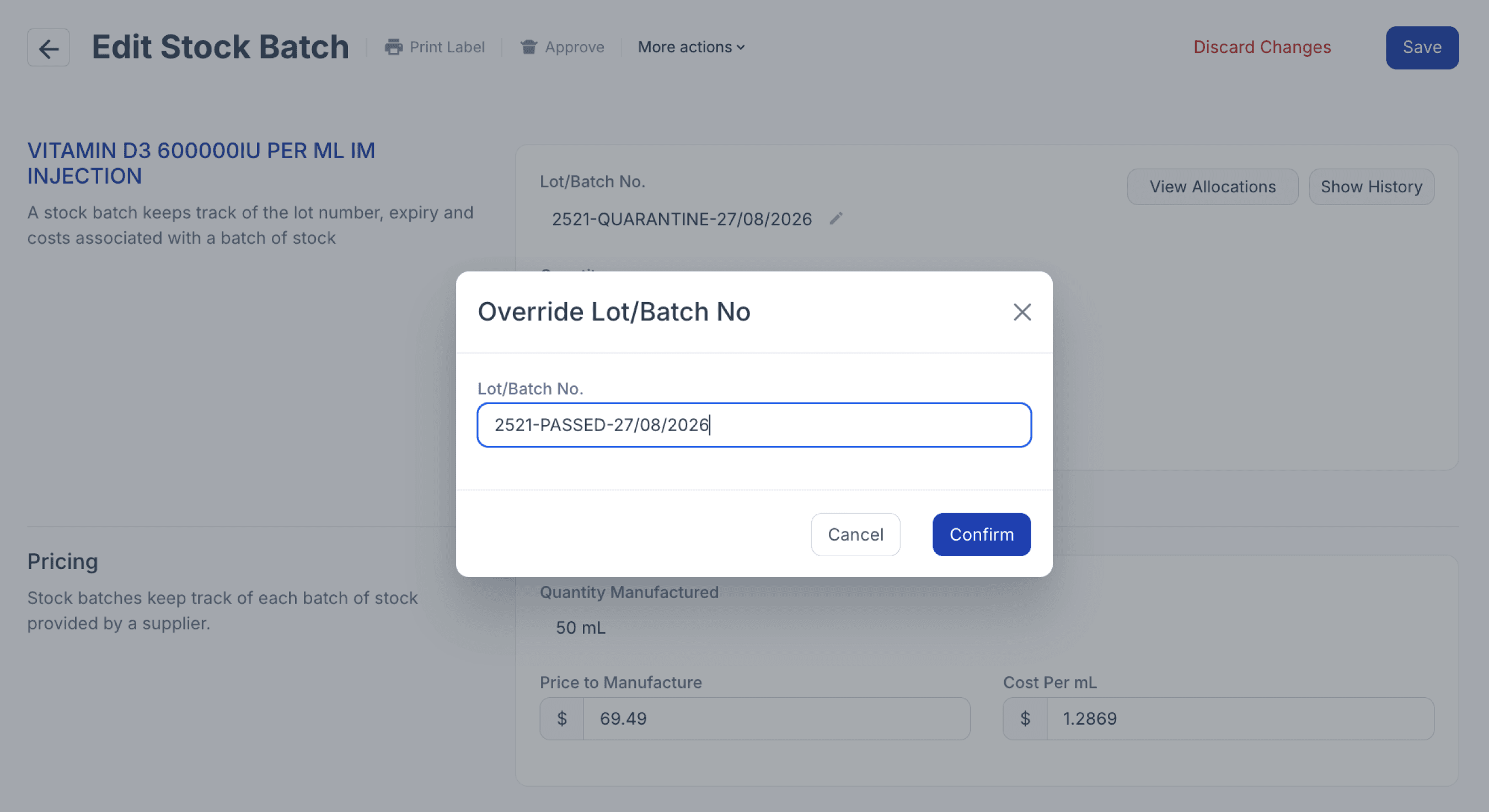
From the batch stock record
3. Before the batch can be approved, the Batch Manufacture Record must first be signed off. Select the ‘Batch Manufacture’ button or ‘Batch Manufacture #’ to open the associated manufacturing record.
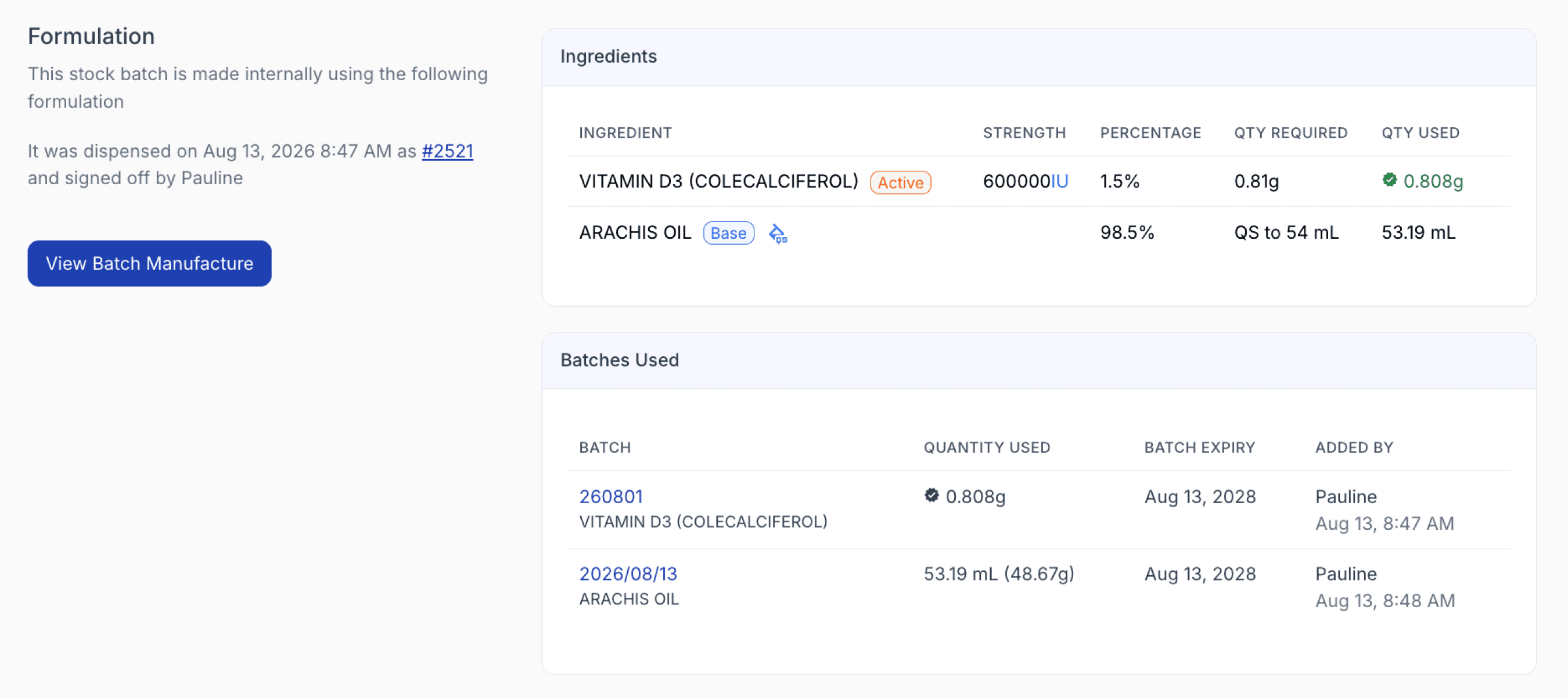
From the batch stock record
4. Remove the ‘In Quarantine’ tag and the pop-up Activity Note regarding the batch being in quarantine.
5. Review the Batch Manufacture Record and select ‘Sign Off’ once the manufacturing record and applicable QA steps have been reviewed.
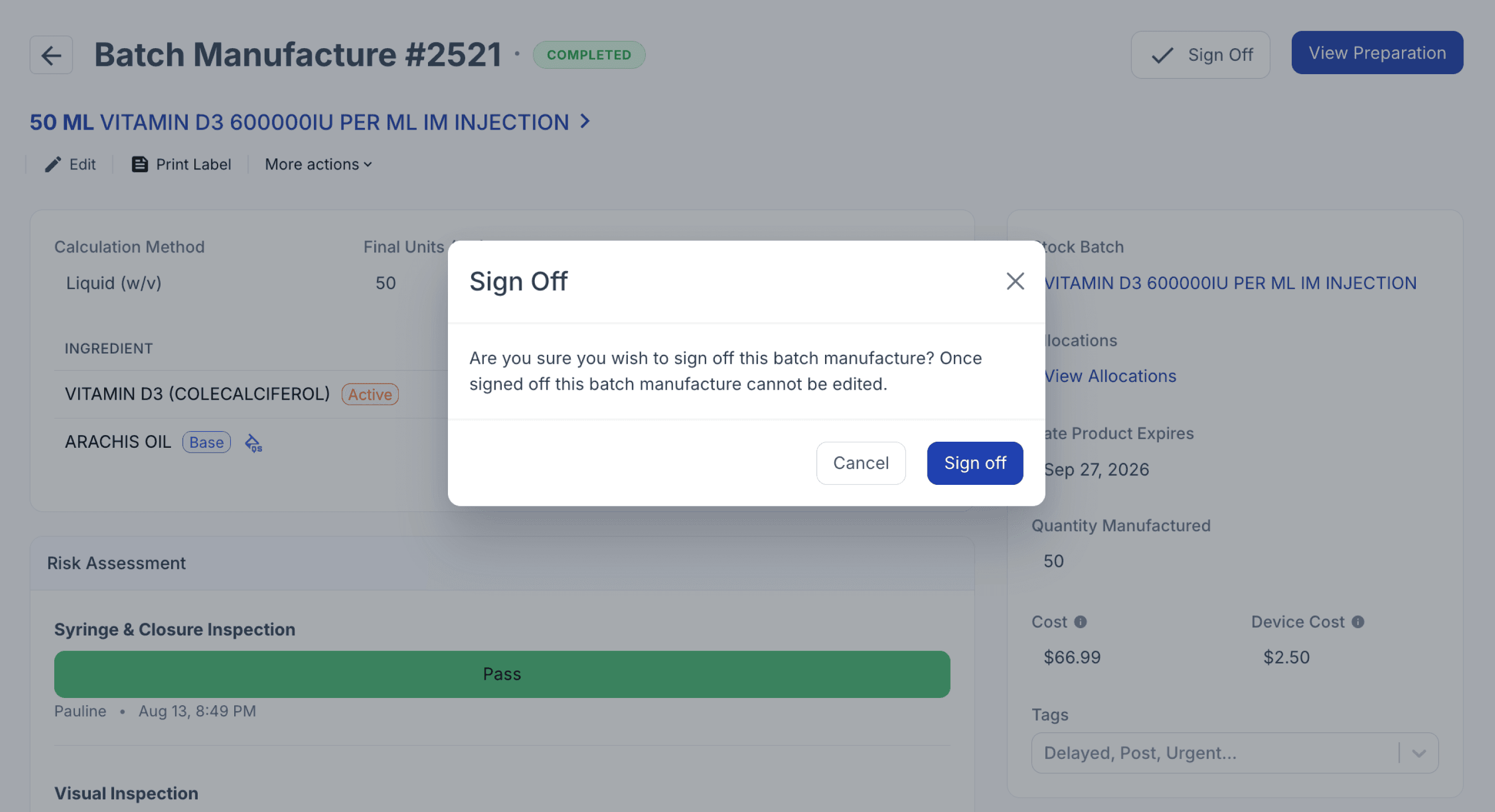
From the batch manufacture record
Important note: When signing off the Batch Manufacture Record, Compound Direct will display a warning if any QA steps marked Required to Continue remain incomplete. You can review these steps before choosing to proceed with sign-off.
6. Approve and Open the batch once the required release checks have been completed. This releases the inventory from quarantine and makes the batch available for allocation and dispensing.
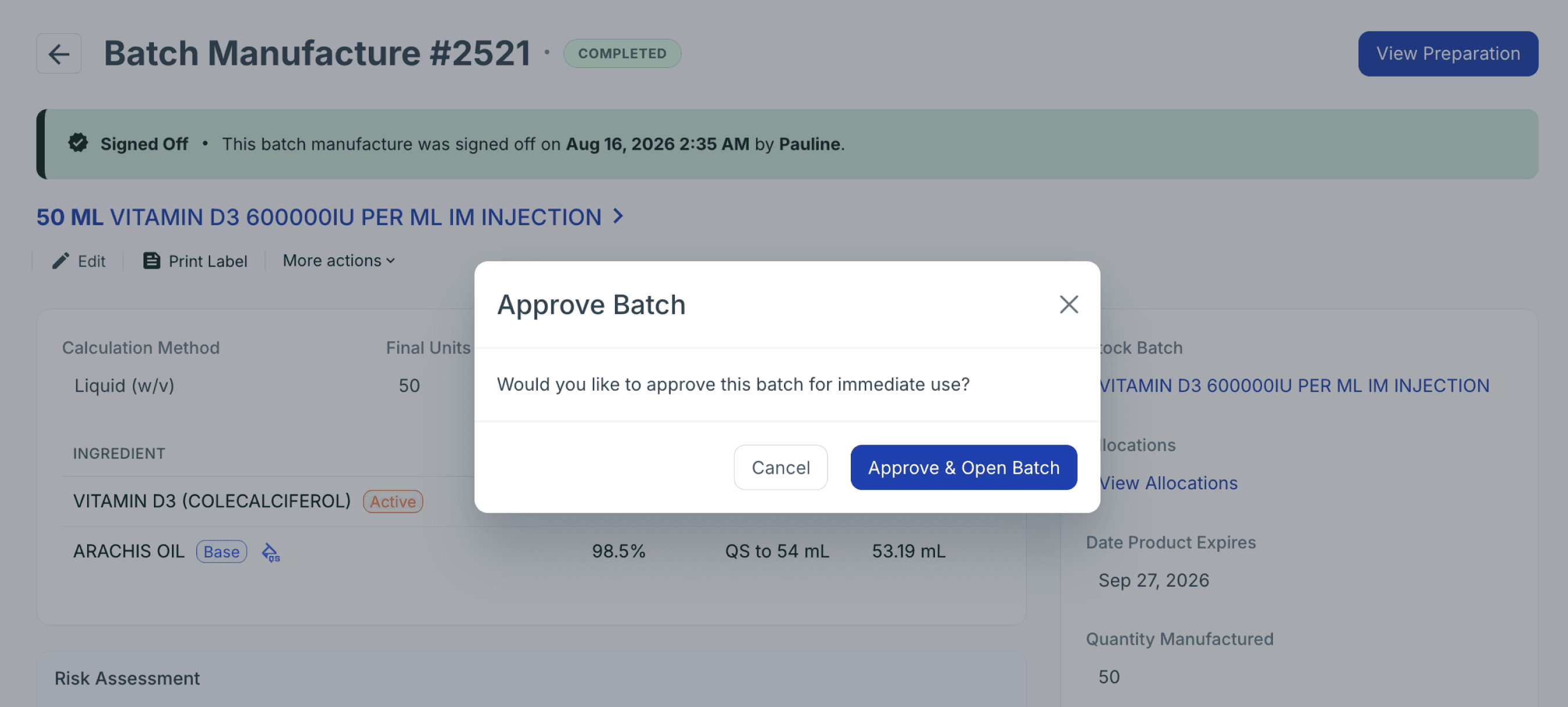
From the batch manufacture record
The batch is now released and available for allocation to patient-specific prescriptions, with traceability maintained from manufacture and quarantine through sterility testing and final batch release.
Failed sterility test
If the accredited laboratory reports a failed sterility test, the batch should remain unavailable for allocation or dispensing. The following steps can be used to clearly identify the failed batch, retain the supporting documentation, and record its final disposal.
1. Do not approve or open the batch. Keeping the batch unapproved and closed prevents the stock from being made available for allocation or dispensing.
2. Rename the Batch/Lot Name from In Quarantine to Failed to clearly reflect the sterility test outcome.
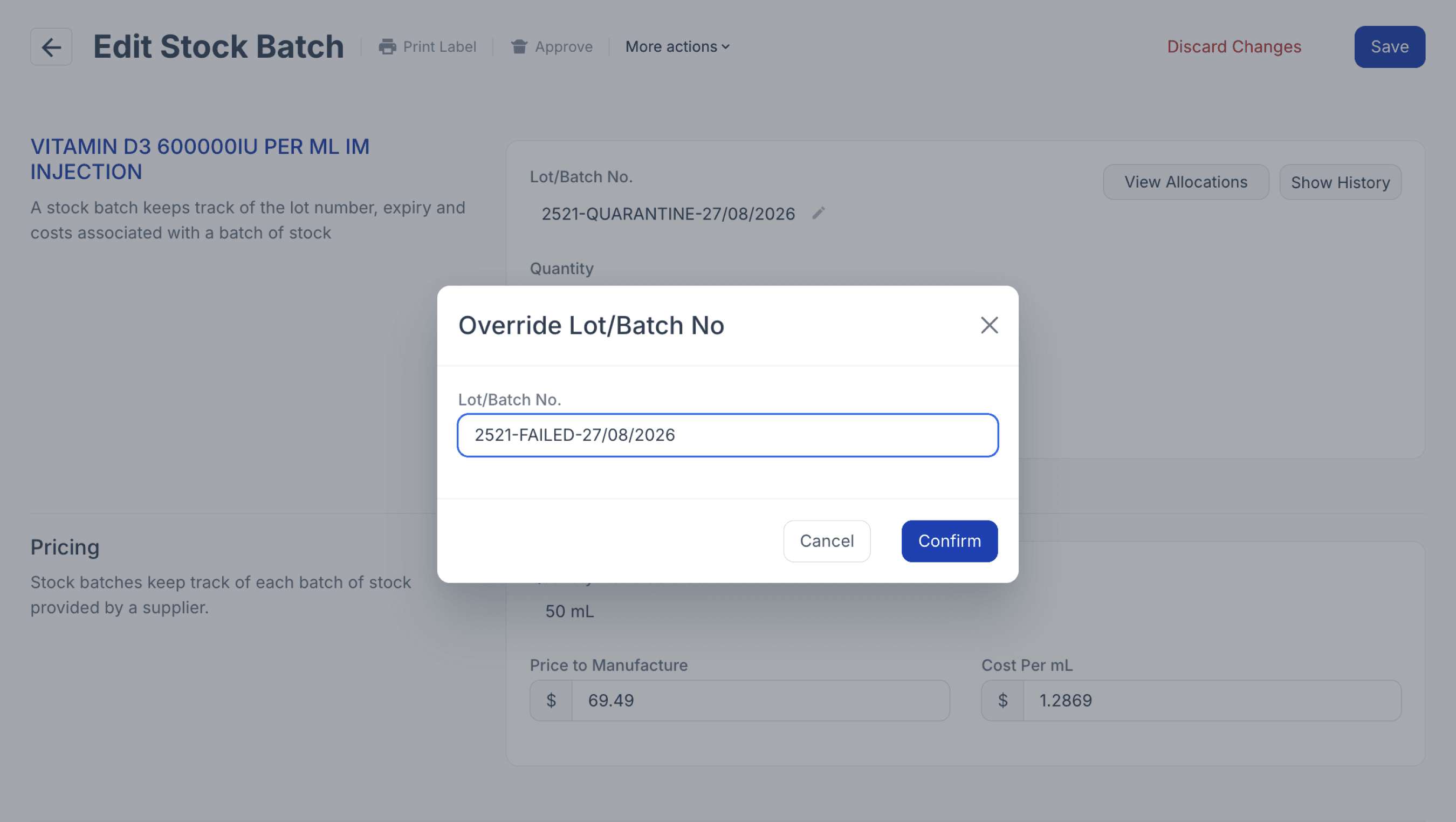
From the batch stock record
3. Upload the laboratory sterility report and any associated investigation or CAPA documentation to the Documents section of the Batch Record to maintain a complete audit trail.

From the batch stock record
4. Close the batch, if required, to provide an additional safeguard against the remaining stock being allocated.
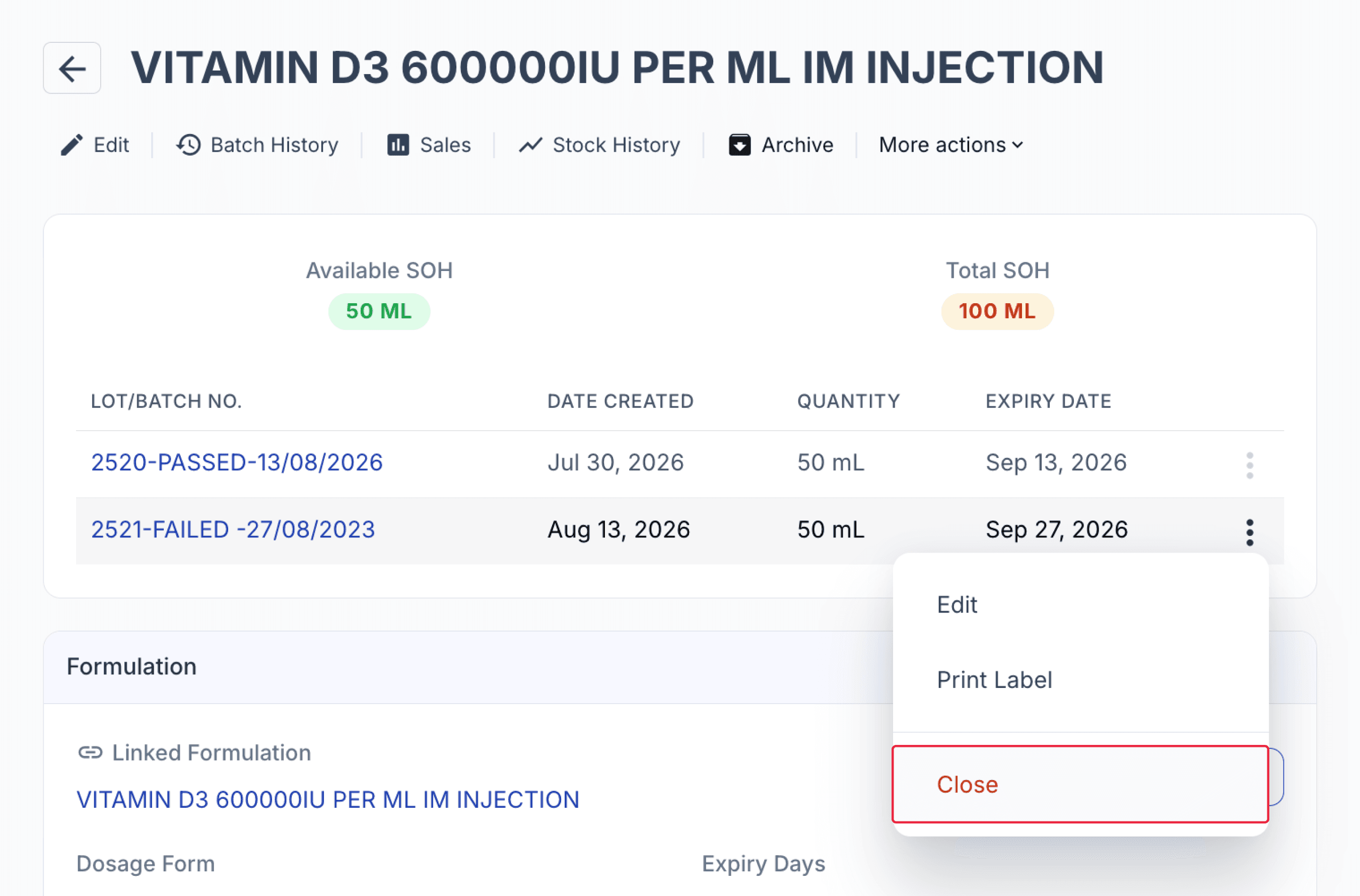
From the batch stock page
5. If the failed batch is intended to be discarded, dispose of the remaining inventory by deleting the batch stock and selecting an appropriate disposal reason, such as Failed Sterility Test.
The disposal transaction is recorded in the batch history, maintaining traceability of the batch from manufacture and sterility testing through to its final disposition.
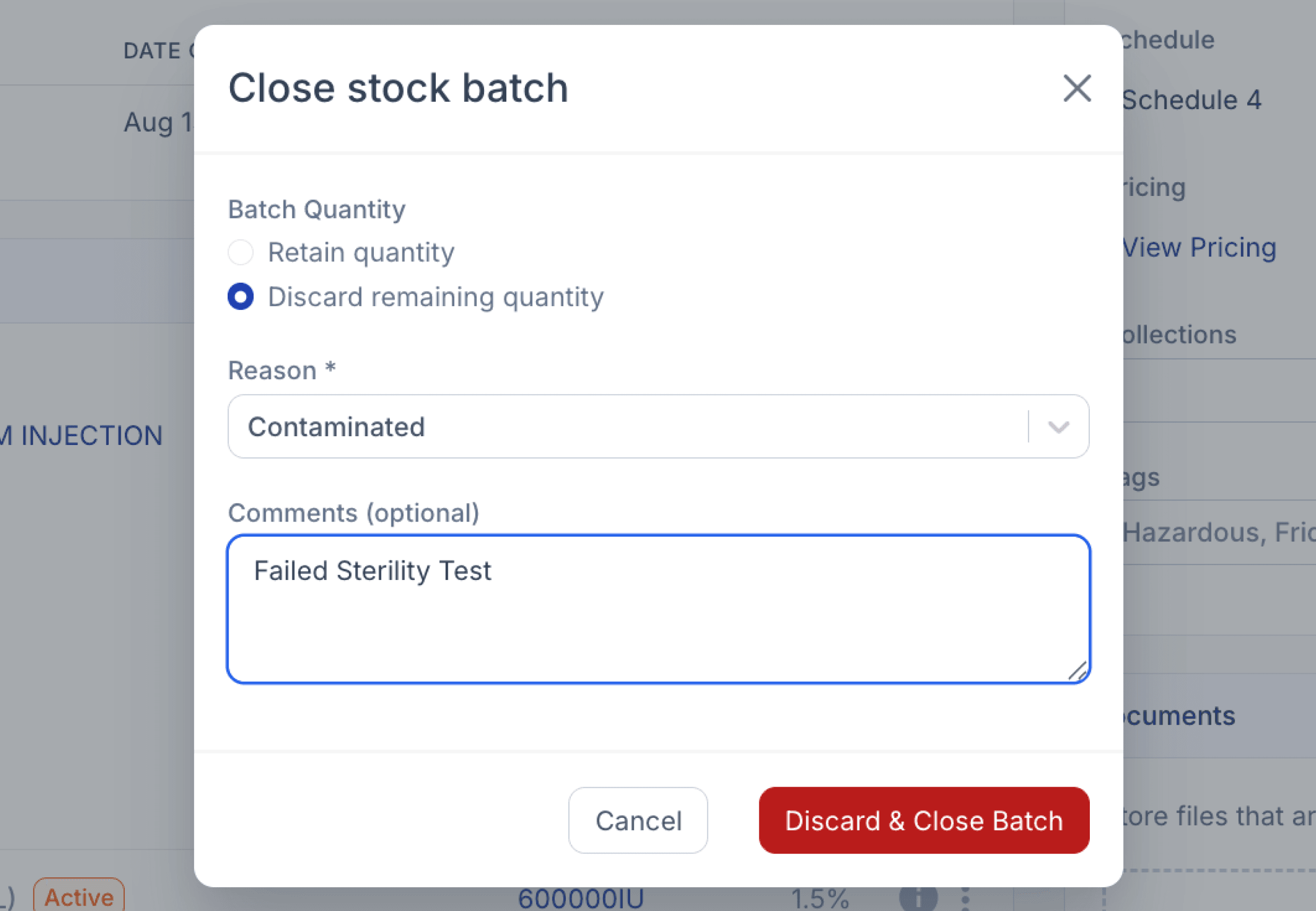
From the batch stock page
Batch traceability
Compound Direct maintains a comprehensive audit trail throughout the batch lifecycle, helping pharmacies trace supporting documentation, inventory movements, and user activity from manufacture through to final release or disposal.
The Documents section stores files associated with the batch, including laboratory sterility reports, submission forms, and other supporting documentation.
Hover over an uploaded document to view who uploaded the file and when it was added, providing additional traceability for supporting records.
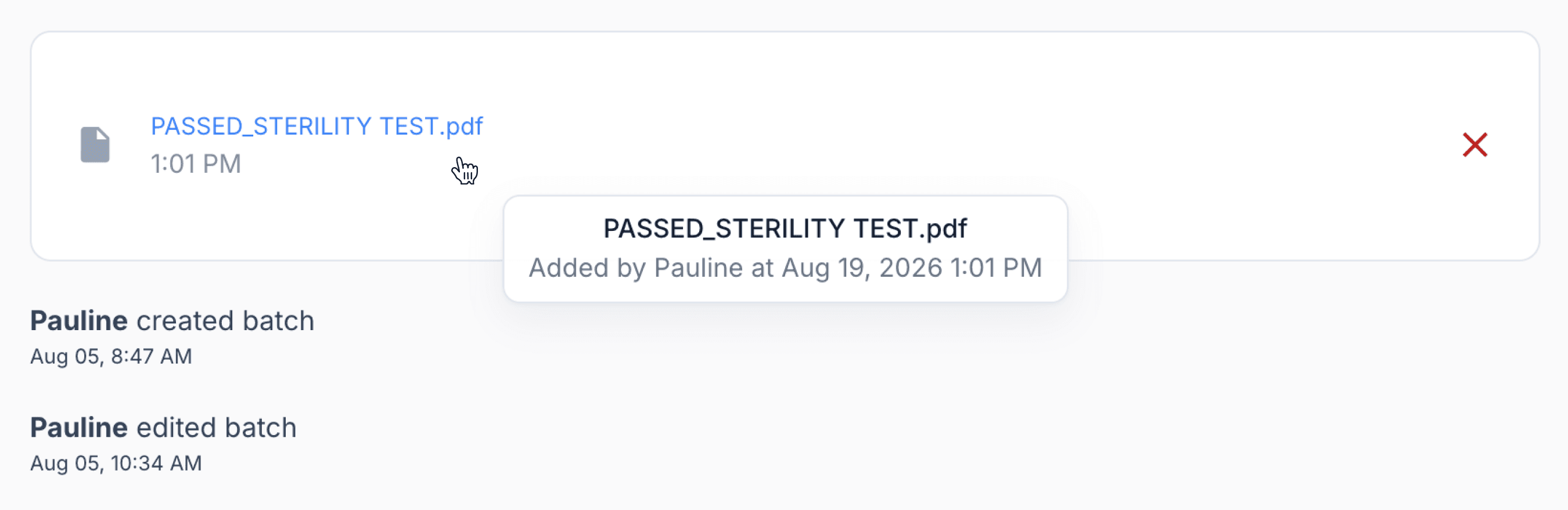
From the batch stock record
Changes made to the batch are also automatically recorded. This includes actions such as renaming the batch from ‘In Quarantine’ to ‘Passed’, as well as opening or closing the batch.
Select the Information (i) icon to view these changes, including who performed the action and when it occurred.
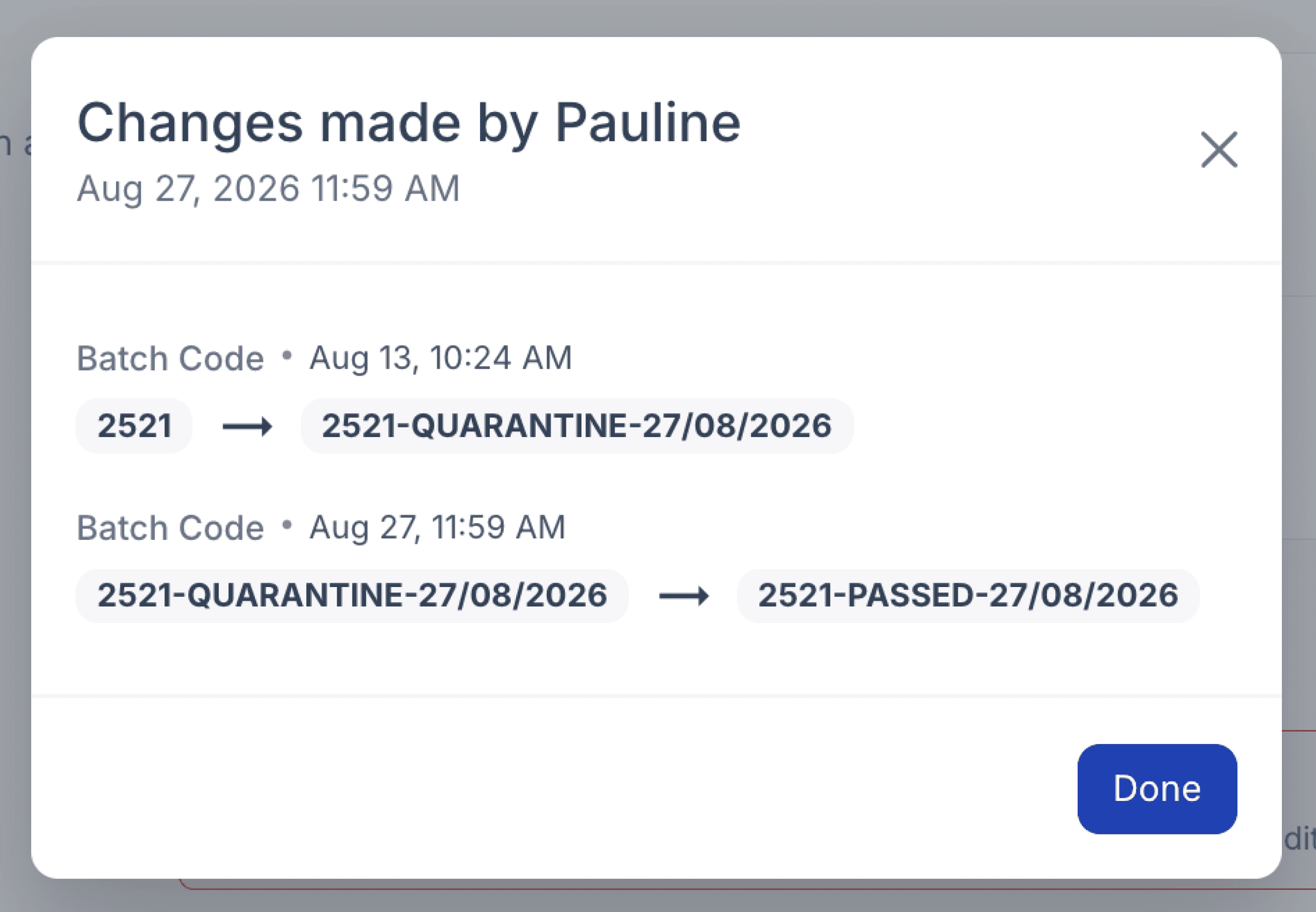
From the batch stock record
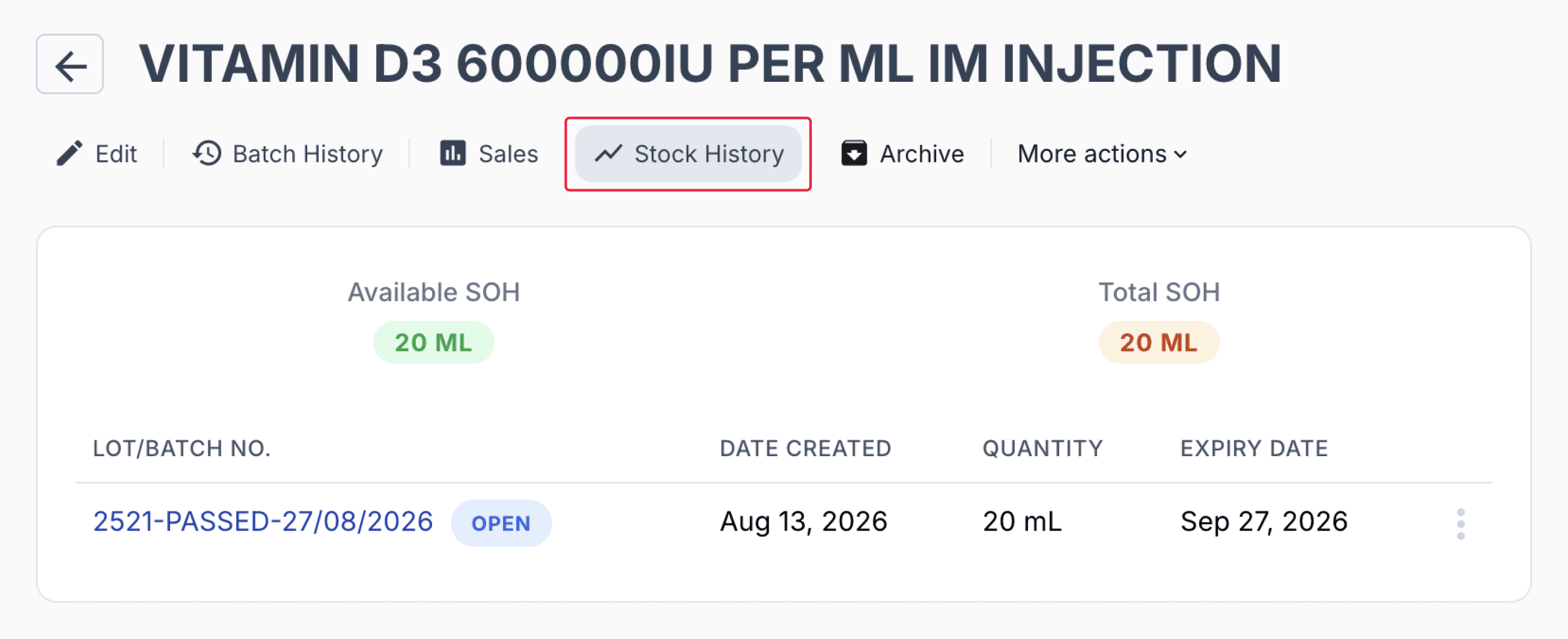
Once the stock has been closed and discarded, the batch record still remains available for review. You can check it under ‘Stock History’ where you can view the full history of the batch stock record, including the batches you have discarded.
From the batch stock record
Batch history and allocation
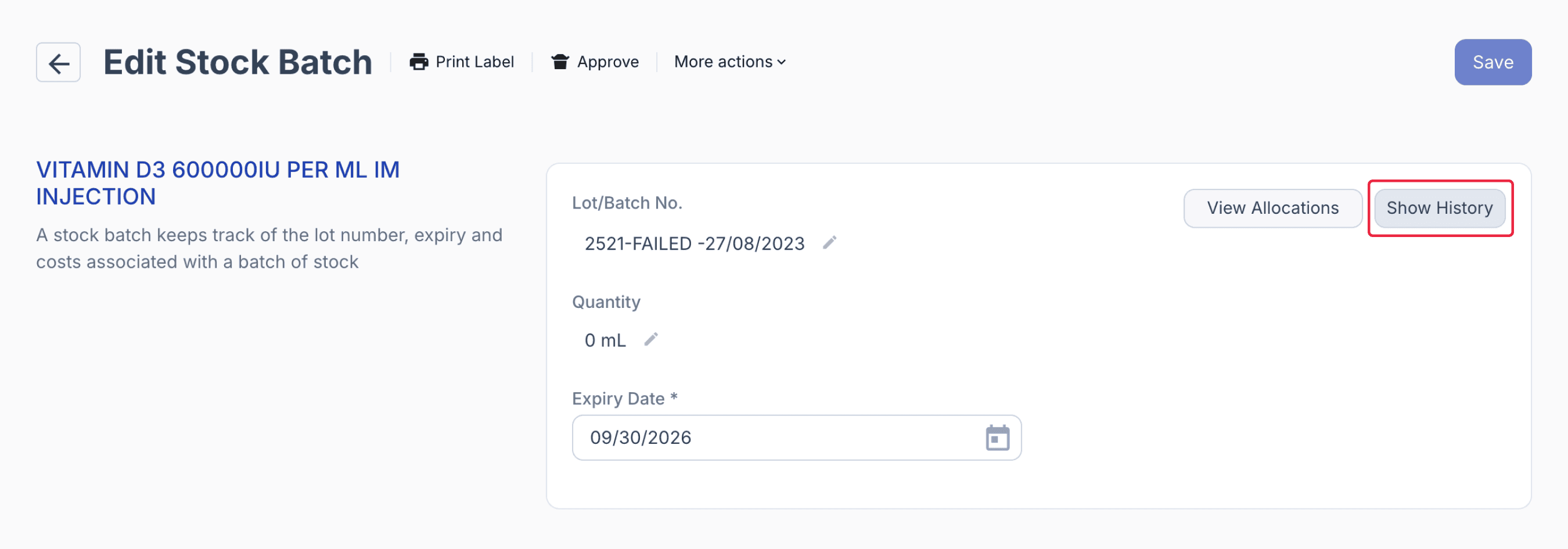
Select ‘Show History’ to view the batch's inventory history.
From the stock batch page
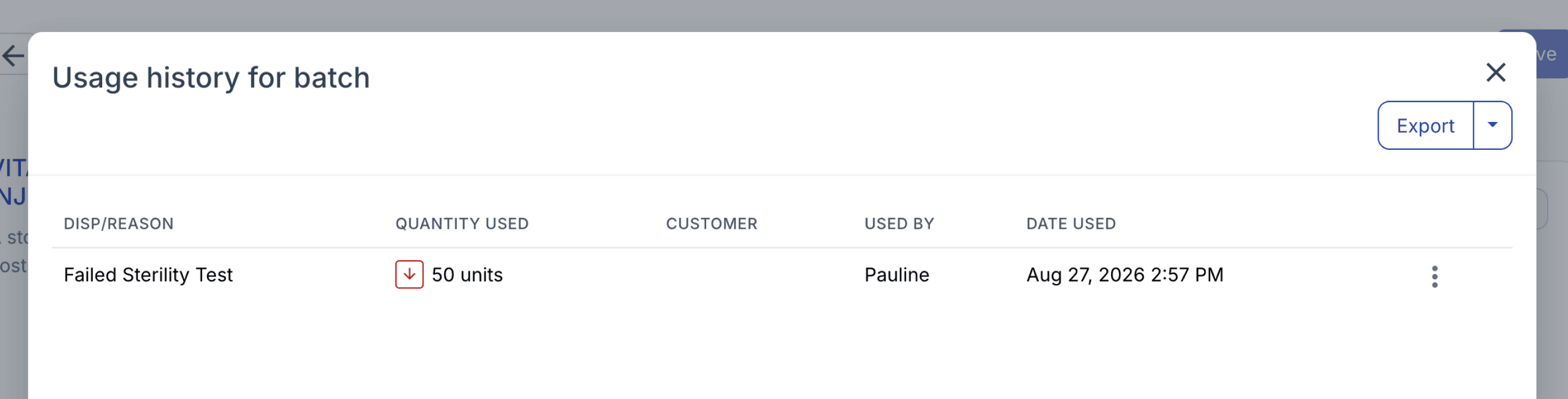
This provides an audit trail of inventory movements throughout the batch lifecycle, including stock adjustments, quantities discarded following a failed sterility test, and other transactions affecting the available stock.
From the stock batch page
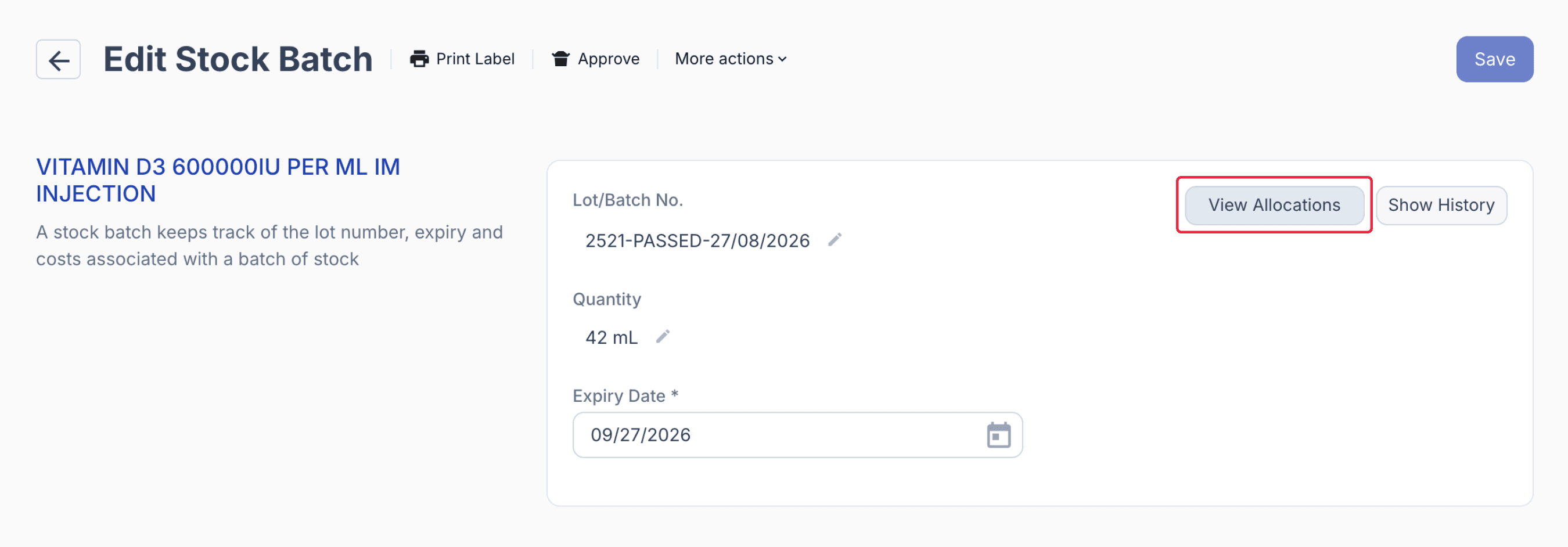
Select ‘View Allocations’ to trace stock allocated from the batch to individual dispense records.
From the batch stock record
Dispense records are grouped into Unallocated Scripts, Allocated Scripts, and Signed Off, making it easy to see which prescriptions are awaiting allocation, which have stock reserved from the batch, and which have completed dispensing.
Together, the batch history and allocation records provide traceability from batch manufacture and sterility release through to inventory movement and patient-specific dispensing.
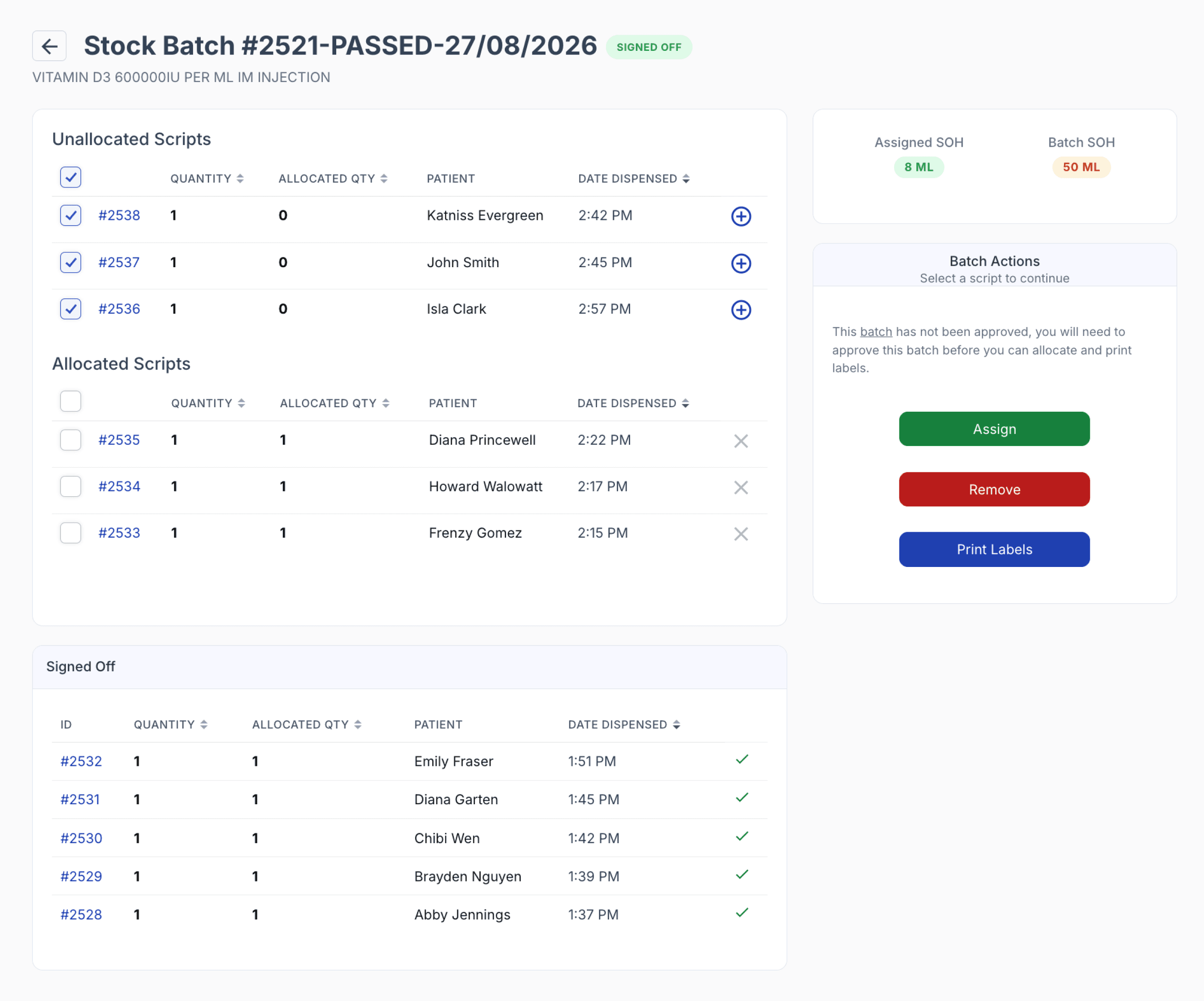
From the batch stock allocation page
Summary
Compound Direct brings the key stages of managing sterile preparations requiring external 14-day sterility testing into a single, traceable workflow. Formulation steps and QA checks can support preparation, while batch controls, quarantine indicators, laboratory documentation, and inventory records help manage the preparation while sterility testing is underway.
Once results are received, the same batch record can be used to document the outcome and manage the subsequent release or disposal of the stock. Batch history, user activity, supporting documents, and patient allocations remain connected throughout the process, providing clear traceability from manufacture and quarantine through to sterility testing, final disposition, and dispensing.