
How to send an SMS to a customer

Compound Direct software makes it easy to contact the customer via SMS once their order is fulfilled which in turn creates a seamless workflow.
When compounding items are ready for pick-up, you can efficiently contact the customer via SMS through the Compound Direct software. This communication can include details such as the item’s price, the current order status, and any relevant reminders, such as notifications for repeat or expiring prescriptions. Additionally, you can provide medicine safety information and request any additional details needed from the patient. It’s also helpful to remind the patient about any owing prescriptions. Below are two effective methods for accomplishing these tasks.
Sending an SMS to a customer
Step 1: Click on the Customer tab and select the customer
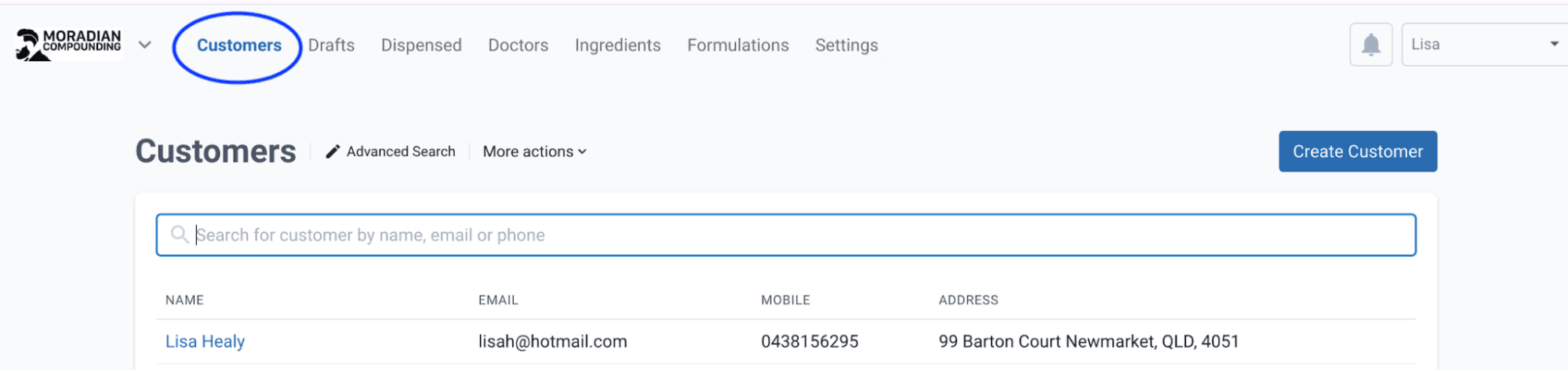
From the customers page
Step 2: Hover over next to the customer's mobile number and click on the 3 dots
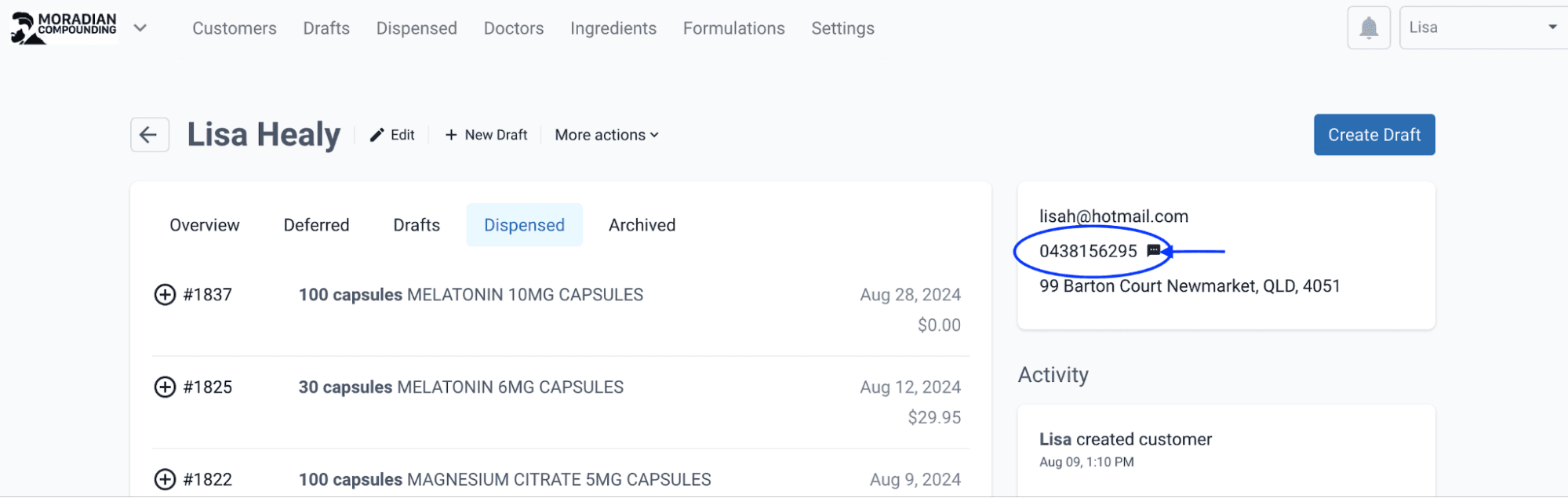
From the customer record page
Step 3: The Prefill tab gives you the option to use the preset items or you can Customise the SMS to suit your hours of operation and pharmacy procedures
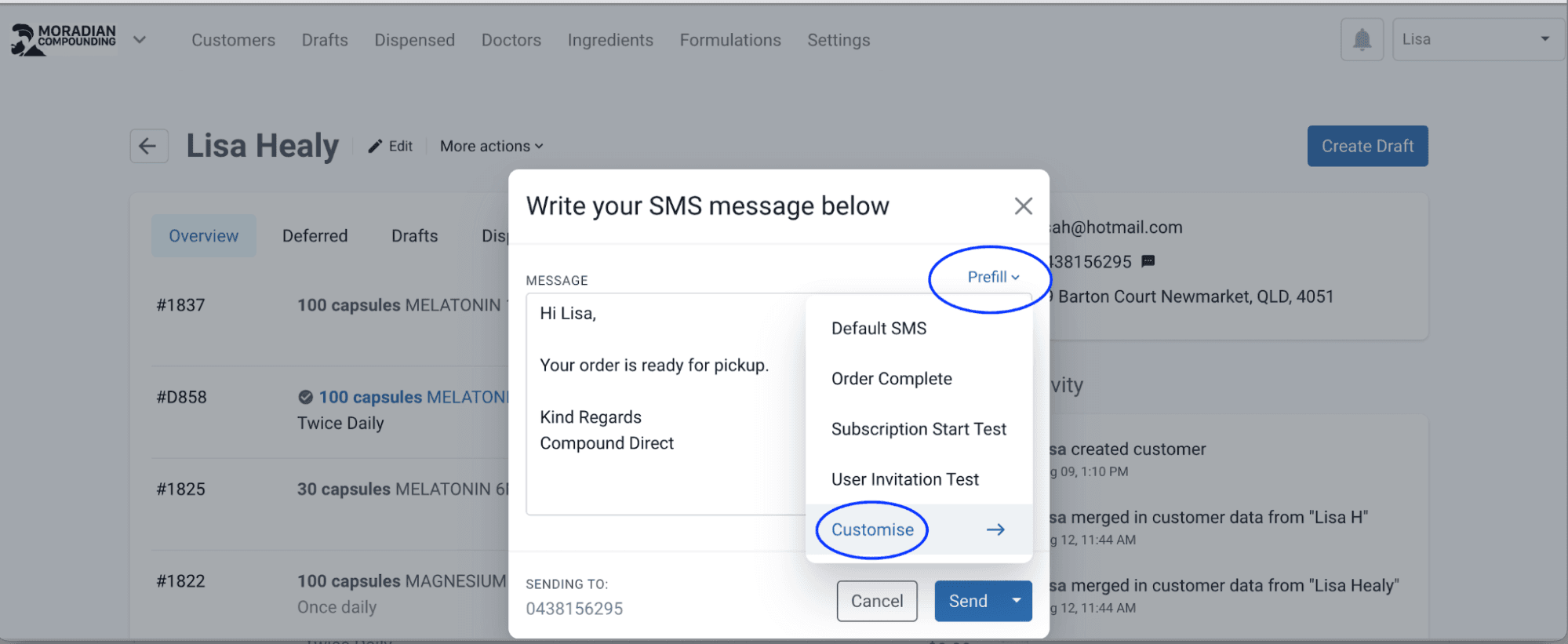
From the customer record page
Step 4: The Customise tab will take you to Create Template and here is where you can add text for SMS
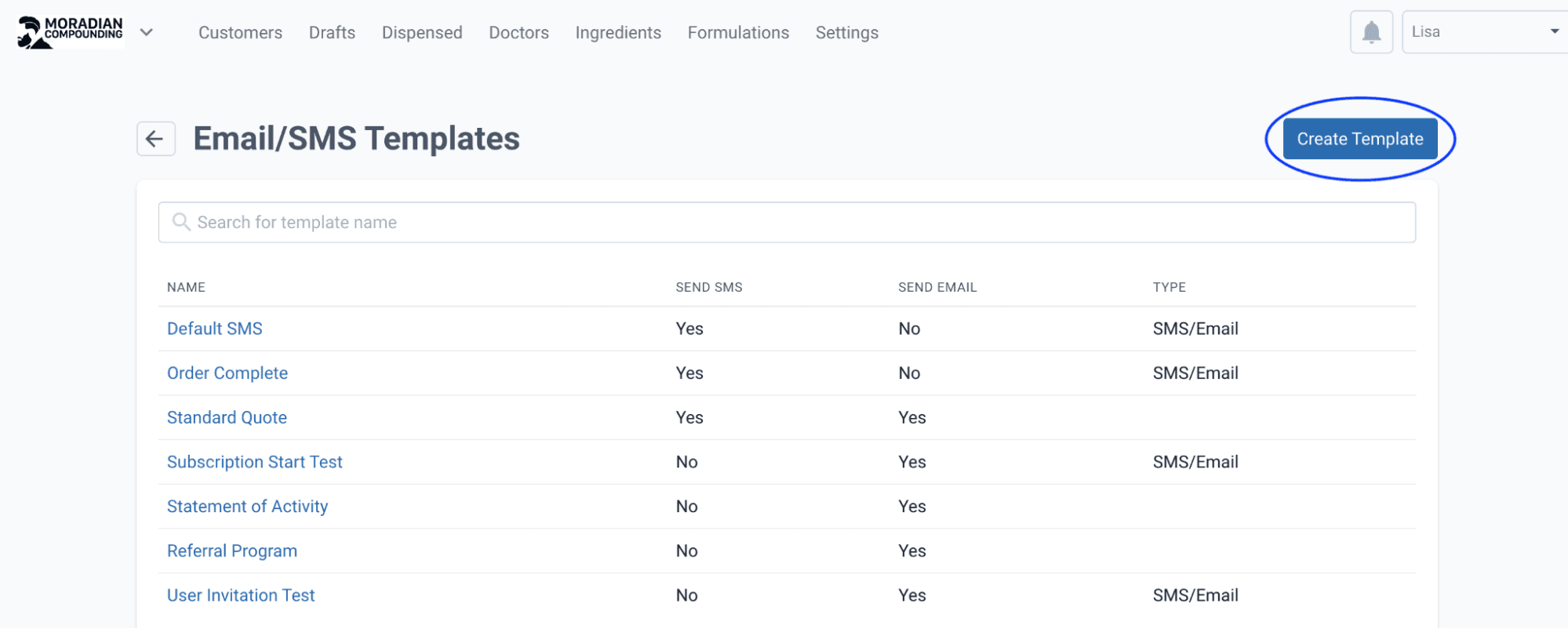
From the email/SMS templates page
Step 5: Name the template and tick the ‘Send SMS’ checkbox to customise your wording. You can add in the placeholders as per below (copy/paste) and this will automatically add the customer's first and last name to the text message.
Press Create.
You can now send your customer an SMS with the template that has been created.
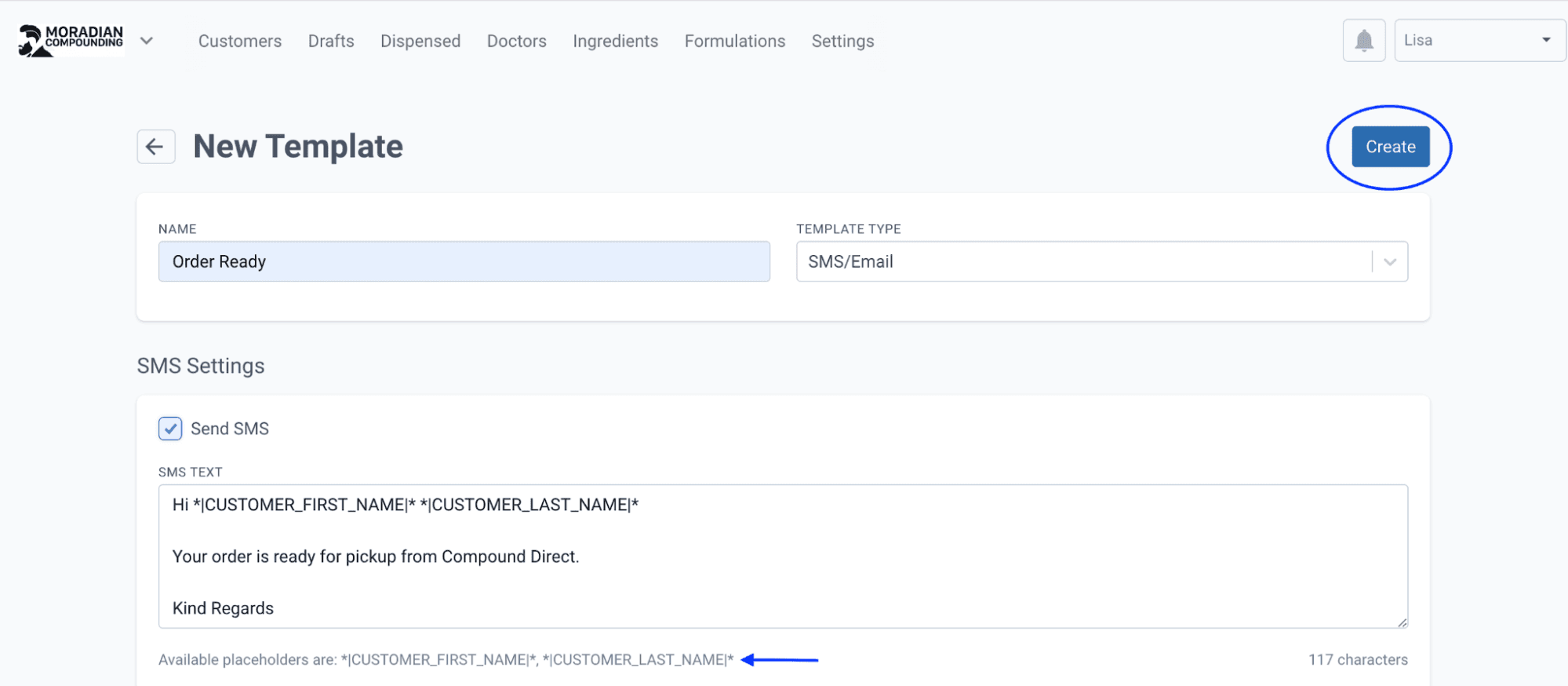
From the email/SMS template page
How to send an SMS after compounding
Another way to send SMS directly to your customer is by using the Dispensing tab.
Hover over the Patient name and click on the 3 dots next to the mobile number. This will take you to the SMS message to send out correspondence for your customer to come pick up the order.
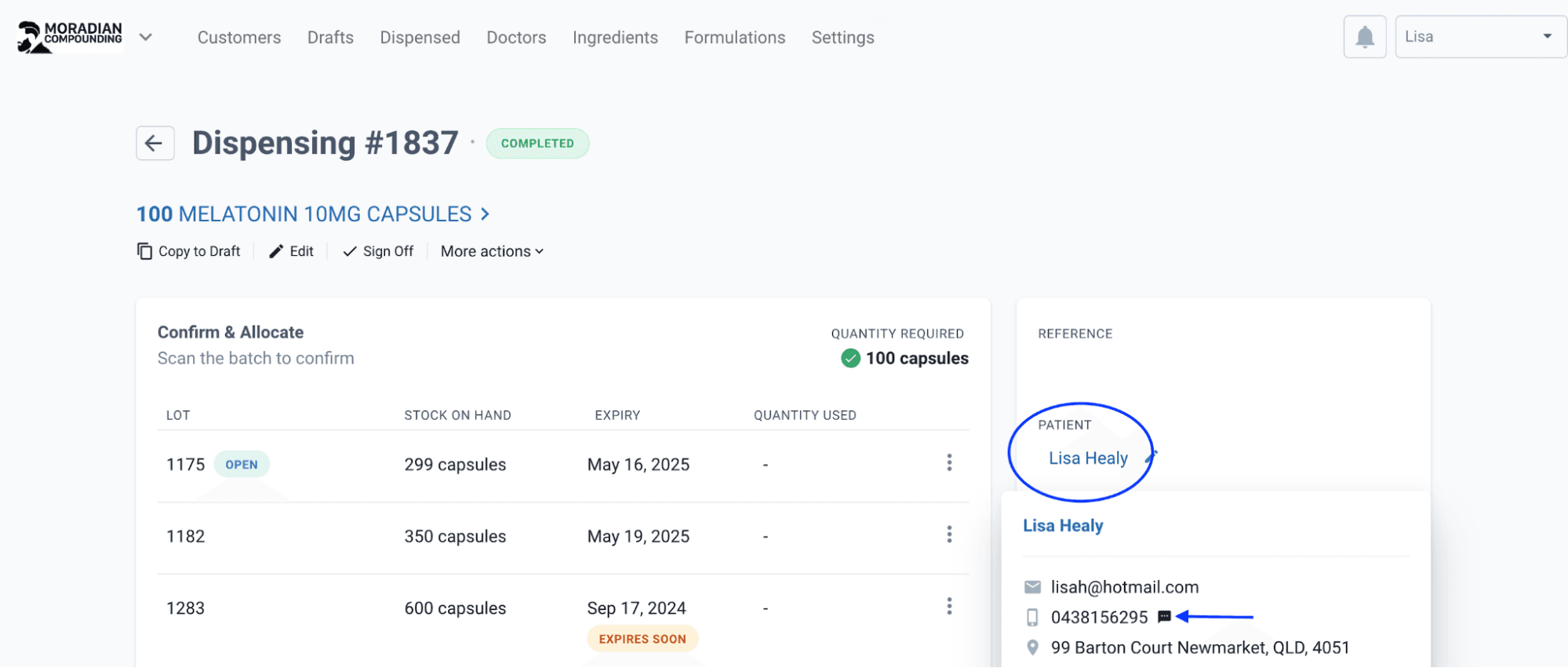
From the dispensed record page
How to schedule an SMS
When sending SMS notifications to the customer you have the option to Send Tomorrow or Schedule Send. This allows you to choose a time/day for the customer to come pick up the order or advise otherwise. This can be helpful when compounding towards the end of the day and you're about to close and want to send out SMS for pick-ups the next day.
Here are examples of scheduling SMS notifications:
- Repeat Reminder: Schedule an SMS to remind the customer about their repeat prescription in 28 days.
- Next-Day Pick-Up: Send an SMS to notify the customer that their order is ready for pick-up the following day.
- Script Expiry Reminder: Schedule an SMS to alert the customer about an expiring script in a few days/week.
- Patient Away: Schedule an SMS for when the patient gets back in a week
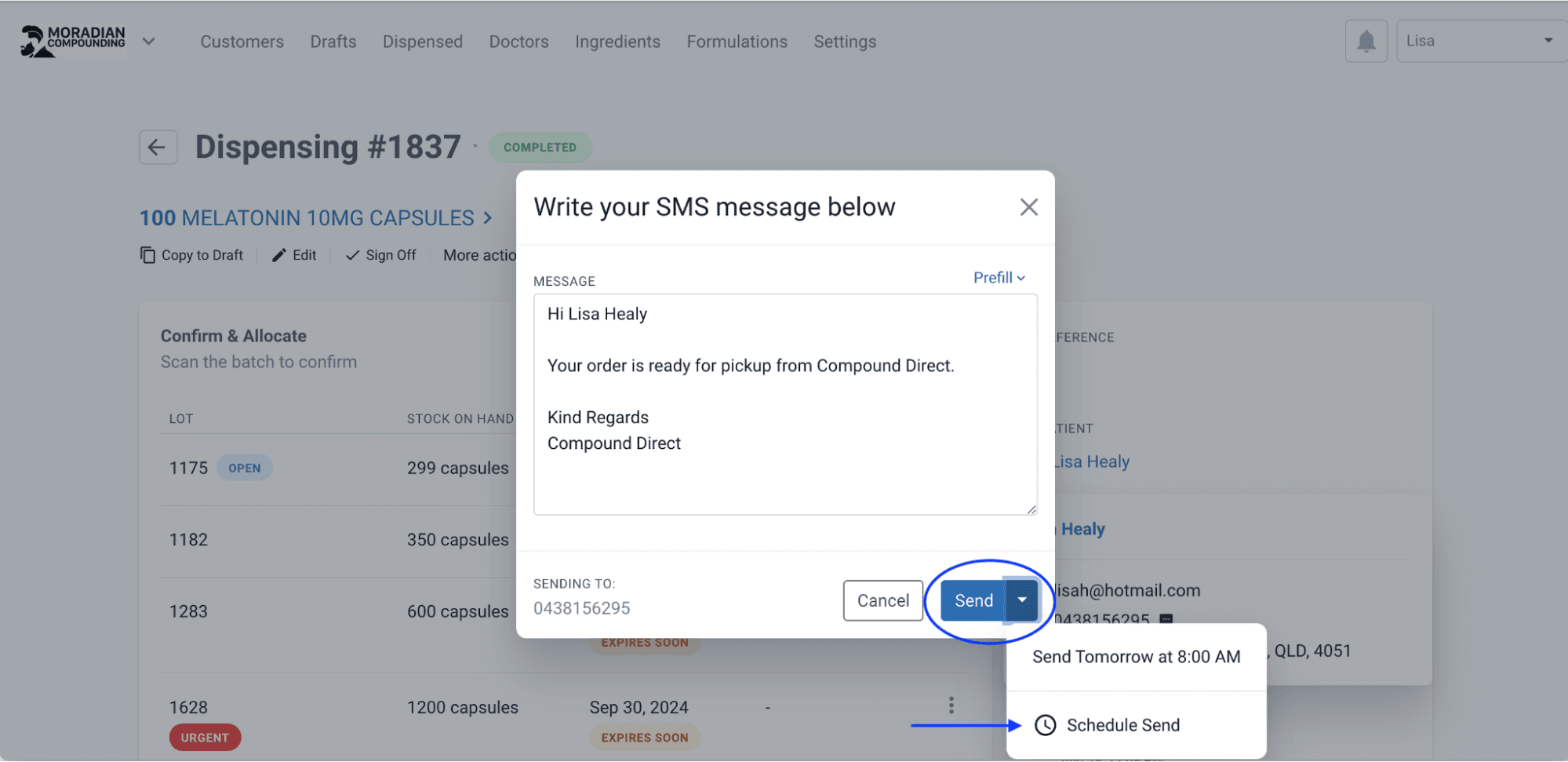
From the dispensed record page
E.g. For instance, if it's late on a Friday and you have many people to contact. You want to hold off sending any text messages until Monday as you’ll be closed over the weekend. You schedule a text message accordingly for the first patient on Monday at 8 am. Each subsequent time you schedule send an SMS with your last date and time preference will be available to quickly schedule for next week.
To cancel a scheduled SMS, access your scheduled messages. Locate the specific SMS you wish to cancel and select the red X next to the message.
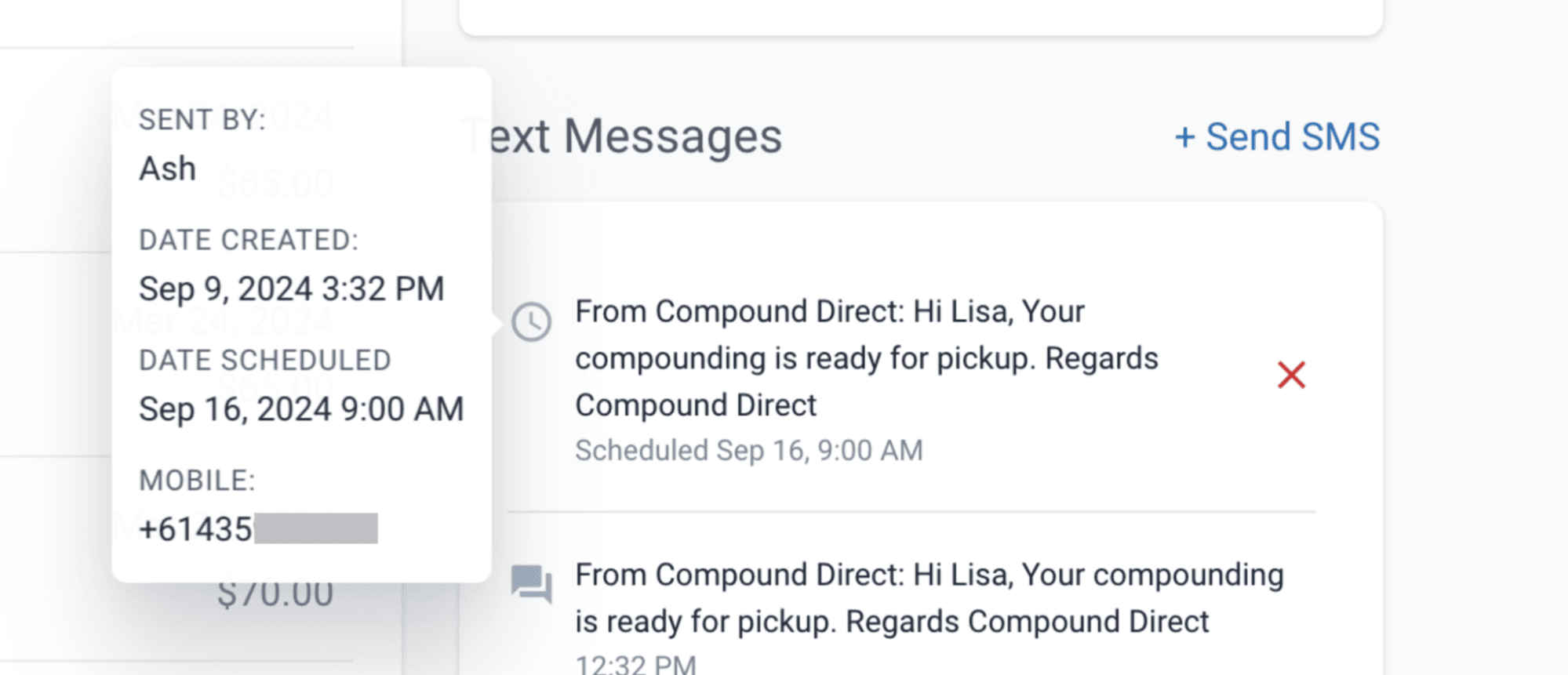
Confirm by clicking the Delete SMS to ensure that the SMS will no longer be sent.
For example, This allows you to schedule a repeat reminder and then cancel the reminder if the patient comes in-store for their next repeat before the reminder is sent.
If an SMS fails to deliver, the error FAILED will show up beside your text message on the software. This may take up to 48 hours to appear and may be caused by some reasons, such as the phone being switched off, out of service, incorrect phone number or the phone number has been disabled.
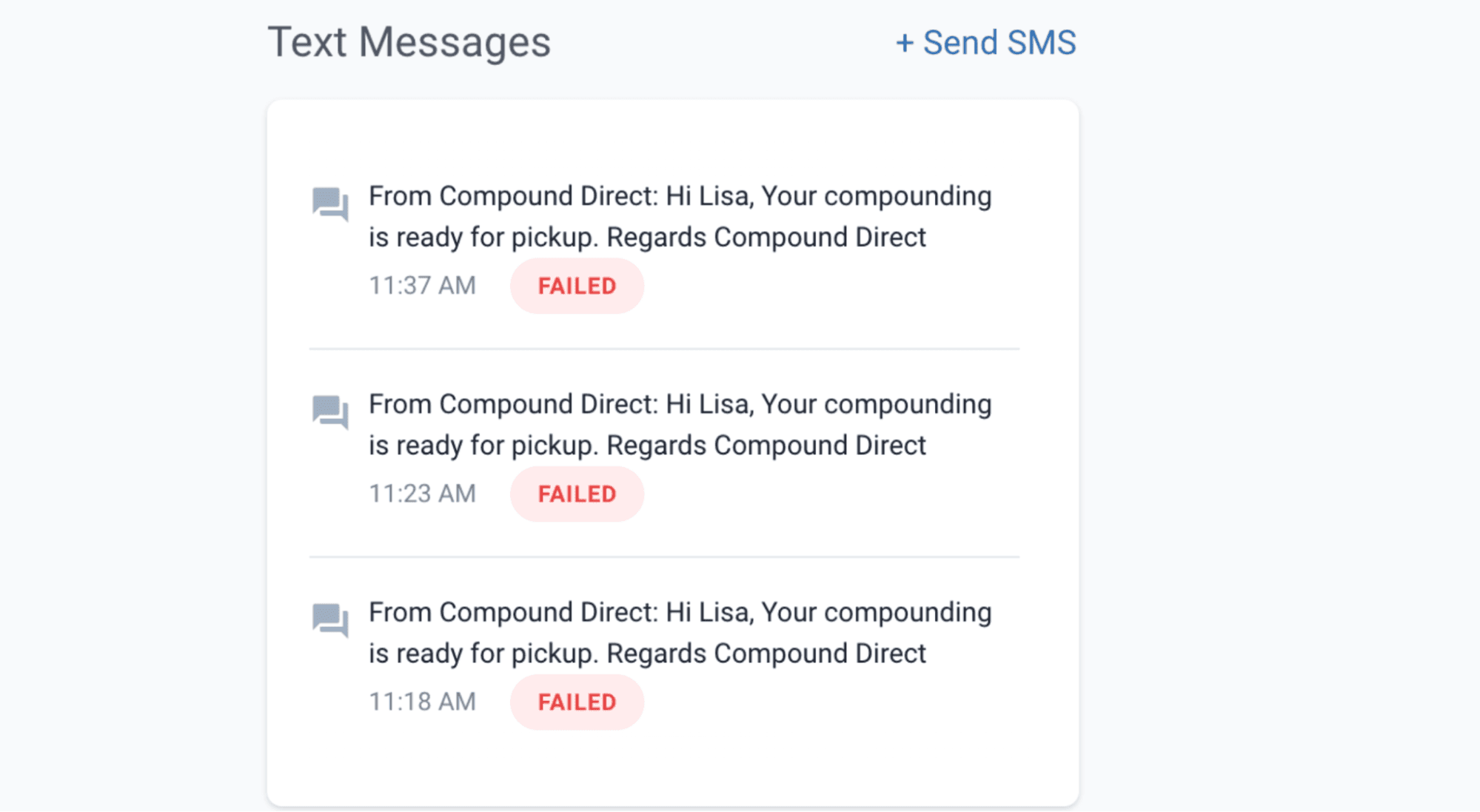
From the customers page
An email notification will be sent to the pharmacy to inform them that the SMS has failed to send.
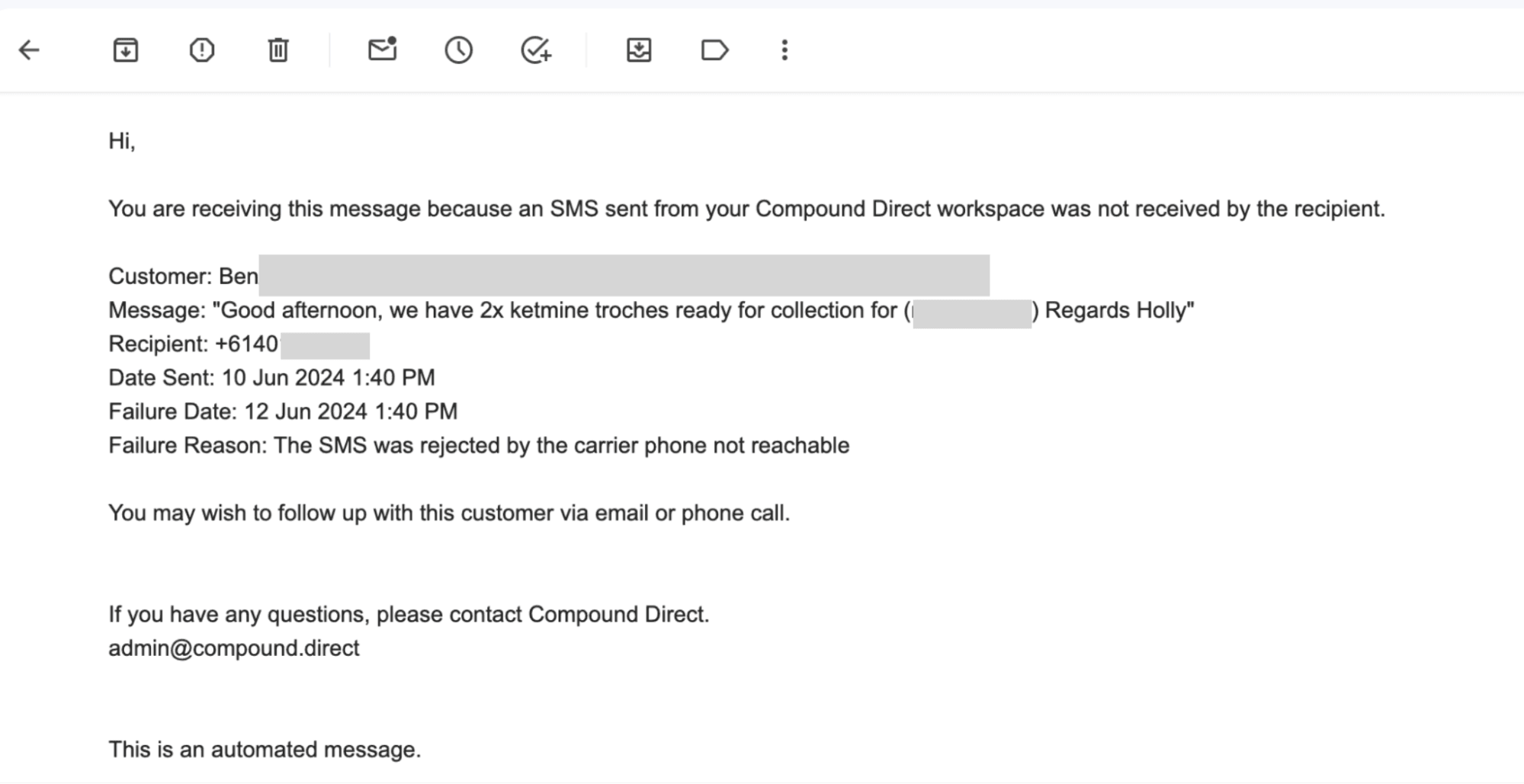
From Gmail
Conclusion
Utilizing the Compound Direct software for SMS notifications ensures a streamlined and effective communication process when compounding items are ready for pick-up. By incorporating essential details such as pricing, order status, reminders for repeats and expiring prescriptions, and safety information, you can keep customers well-informed. Additionally, requesting necessary information from patients and reminding them of outstanding scripts enhances service efficiency and patient satisfaction. Implementing these methods will help maintain a smooth workflow and improve overall customer experience.
All names and medical data shown in software screenshots are fictional and for demonstration purposes only. These figures represent fictional persons; any resemblance to real individuals is purely coincidental. Use of existing fictional names is for illustrative purposes and does not imply affiliation or endorsement.