
Full Traceability in Compound Direct: Recall management following a failed sterility test

Sterile compounding requires strong traceability so that quality issues can be investigated quickly and affected preparations can be identified, contained, and managed appropriately.
If microbial contamination is detected during sterility testing, the pharmacy may need to determine how far the issue extends across the affected batch and whether any preparations have already been supplied or administered.
The pharmacy may need to establish:
- Which preparations were affected
- Which patients received those preparations
- Which prescribers are associated with the affected patients
- Which ingredient and device batches were used
- Which personnel were involved in preparation and quality checks
- Whether other preparations from the same compounding process may also be affected
Compound Direct provides end-to-end traceability throughout the sterile compounding workflow, allowing pharmacies to trace both forwards and backwards through the manufacturing process. From ingredient and device batches through to the final dispense record, pharmacies can identify affected stock, patients, prescribers, and preparation records to support timely recall and investigation activities.
Example scenario
A pharmacy prepares a batch of 10 standardised Adult 3-in-1 TPN bags as Batch Stock. The preparation passes the required aseptic filtration check and other applicable preparation and quality checks before individual bags are allocated to patient dispense records as required.
Several days later, a patient who received a bag from the batch experiences an unexpected adverse effect. Following clinical assessment, the treating physician advises that the remaining TPN bags from the same batch be recalled as a precaution while the incident is investigated.
At the same time, a retained batch sample undergoing laboratory sterility testing returns a failed result, indicating microbial growth. This provides further reason to quarantine and recall any remaining stock and identify all patients, ingredients, devices, and preparation records potentially associated with the affected batch.
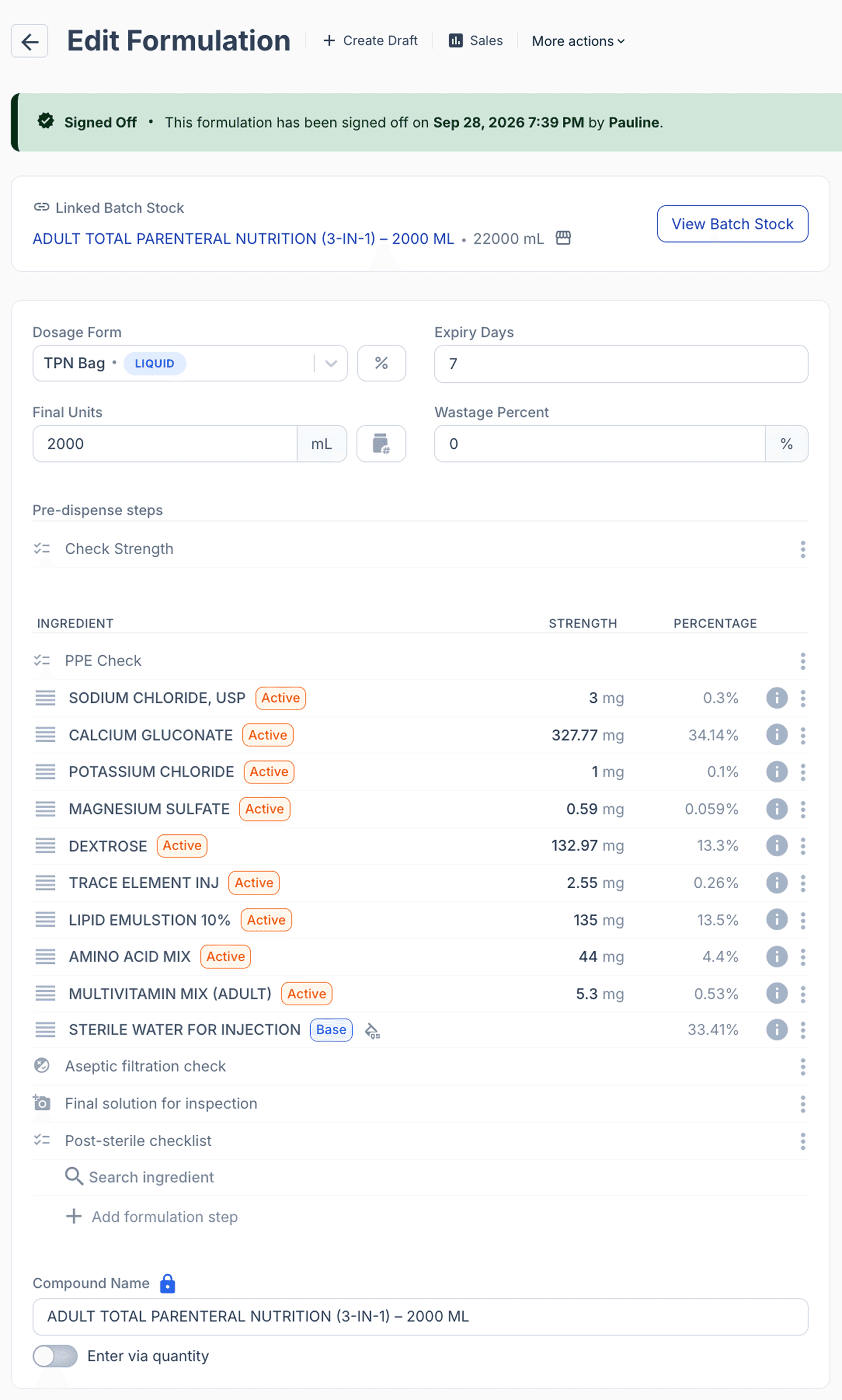
From the formulations page
At that point:
- 8 bags have been dispensed by the pharmacy
- 6 bags have been administered to 2 patients.
- 2 bags have not yet been administered.
- 2 bags remain in the pharmacy pending for dispensing.
The positive result triggers the site’s sterility failure, quarantine, recall, and investigation procedures.
Recall procedures for the failed batch
Each sterile compounding organisation follows approved procedures for managing medicine recalls and sterility failures, aligned with applicable regulatory requirements and organisational governance.
Compound Direct makes this process easier by linking the affected batch to its dispense records, patients and remaining stock, enabling the pharmacy to quickly establish traceability, reconcile affected preparations and document recall actions in one place.
Step 1: Close the batch
It is important to immediately close a batch that is contaminated to prevent it from being dispensed. You may also rename the Batch/Lot Name to ‘Failed’ to clearly reflect the sterility test outcome.
Navigate to the corresponding Batch Stock Record of the failed batch. Find the lot/batch number of the affected preparation and close the batch to prevent the remaining stock from being allocated.
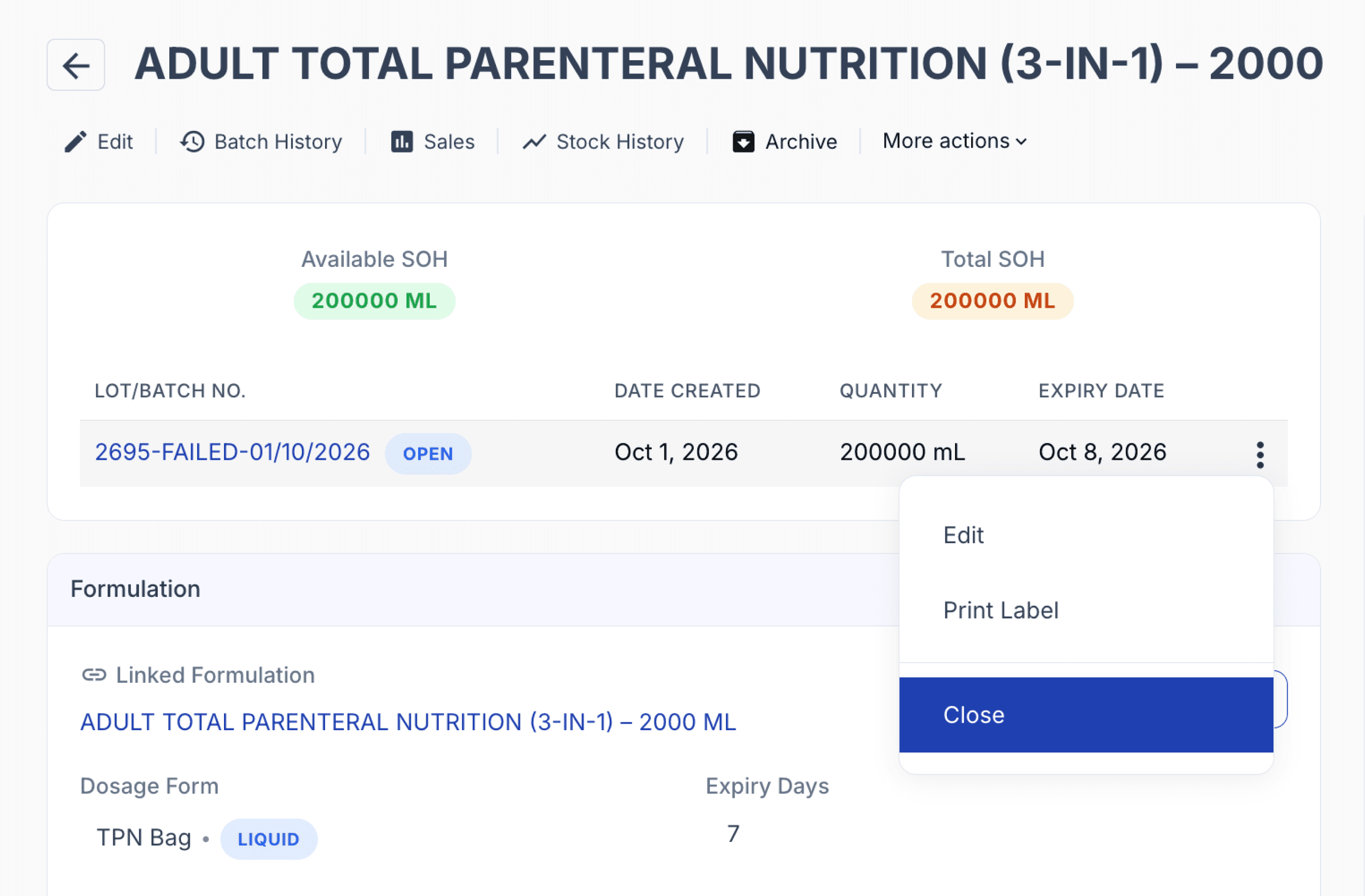
From the batch stock page
If the failed batch is intended to be discarded, dispose of the remaining inventory by deleting the batch stock and selecting an appropriate disposal reason.
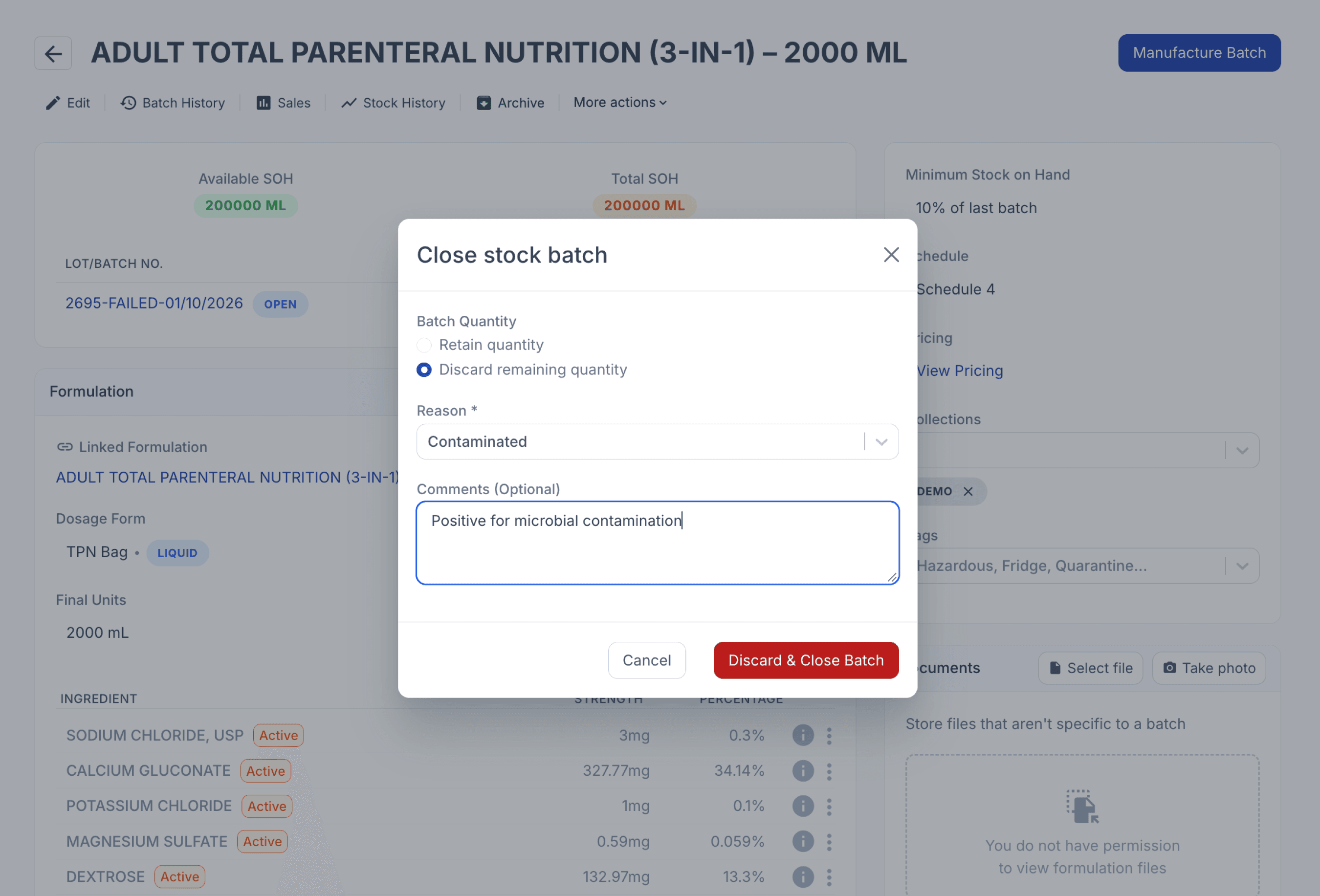
From the batch stock page
The disposal transaction is recorded in the batch history, maintaining traceability of the batch from manufacture and sterility testing through to its final disposition.
Step 2: Reconcile batch usage
Even if the batch has been closed and discarded, the batch record still remains available for review. You can check it under ‘Stock History’ where you can view the full history of the batch stock record, including the batches you have discarded.
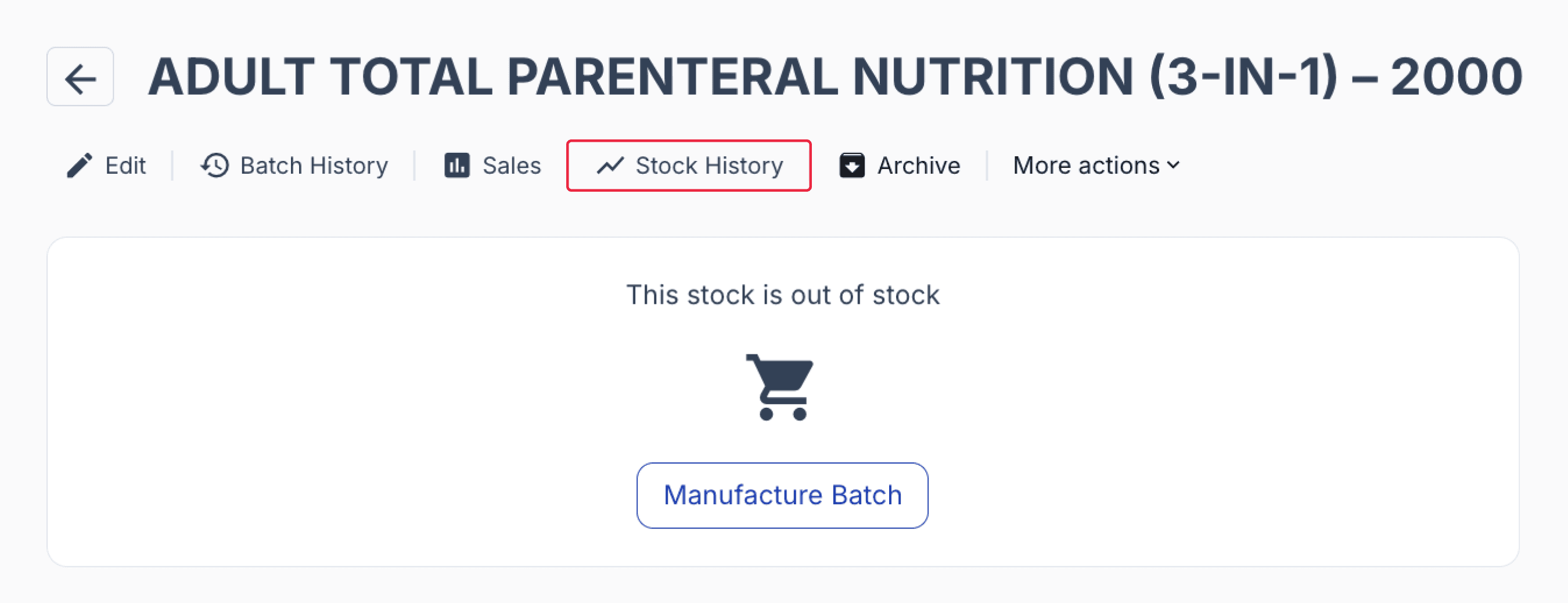
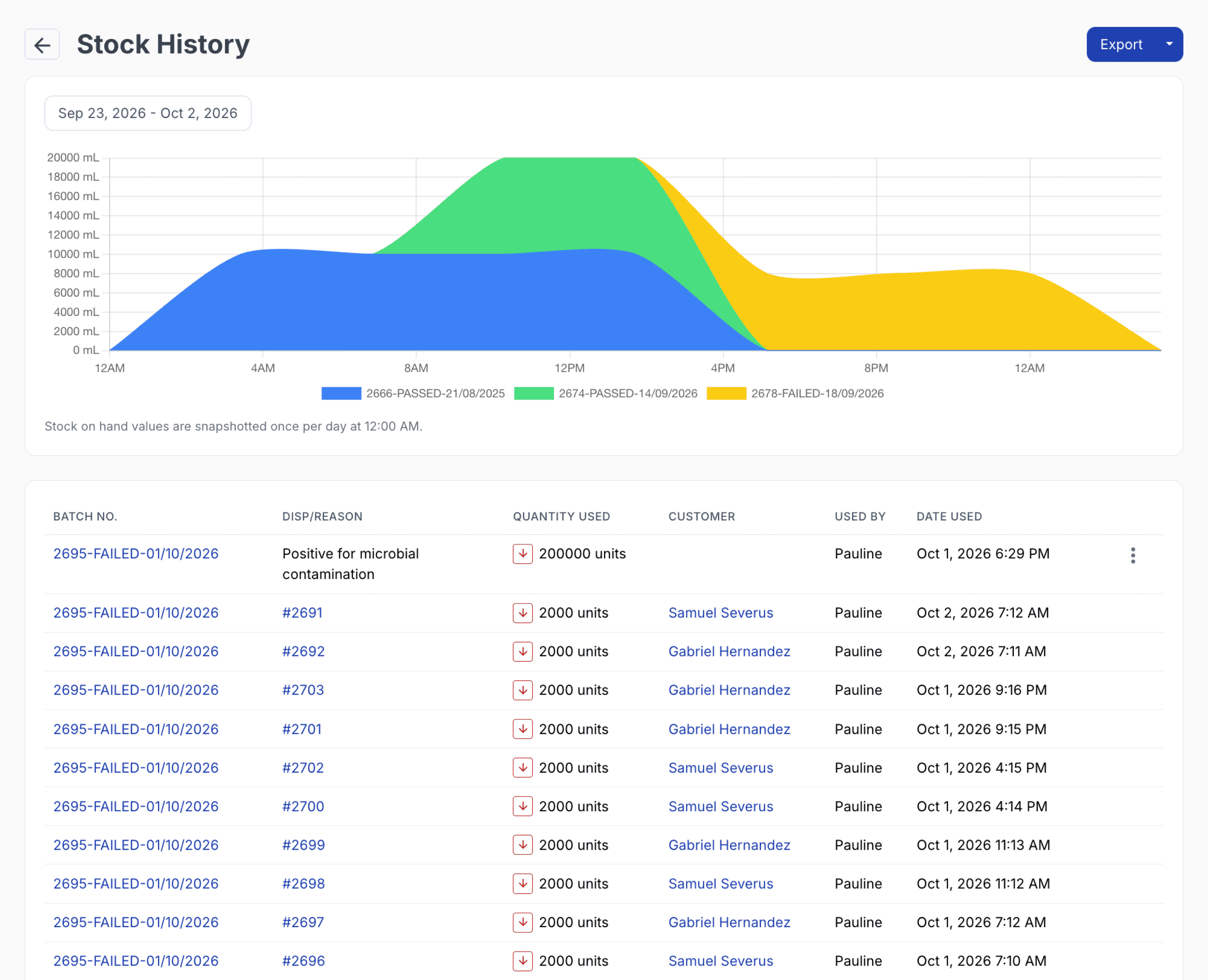
From the batch stock page
Identify patients
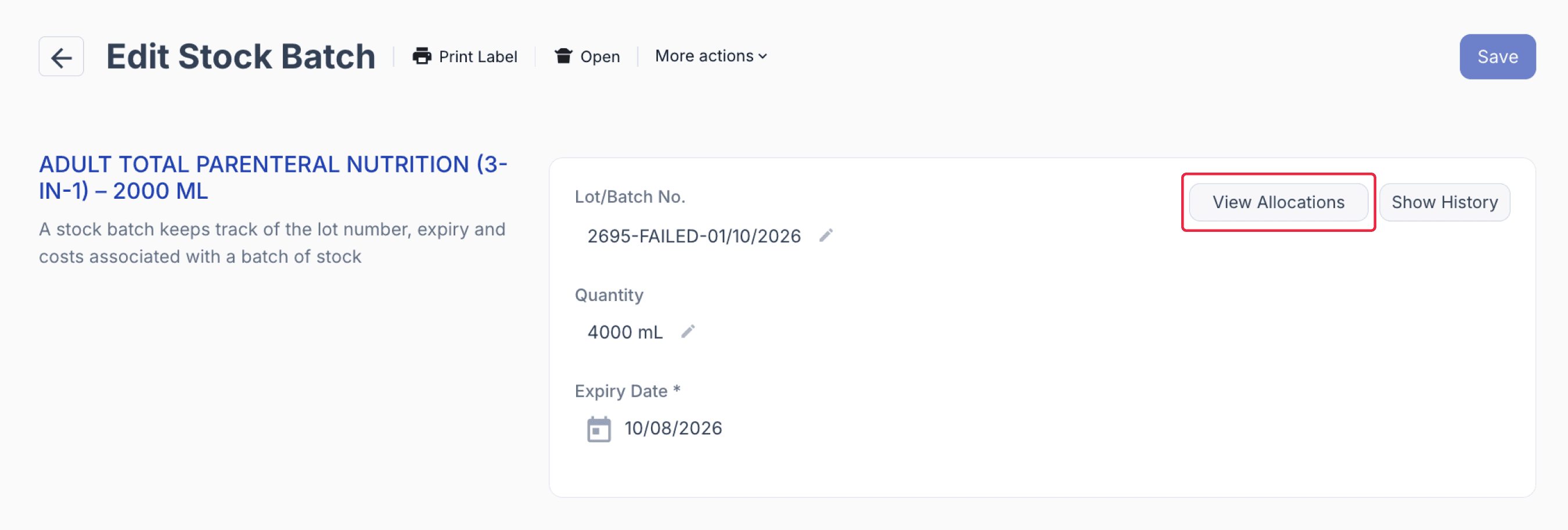
You can check the Stock Batch page to review the batch record allocation details. On the edit batch stock page, click on ‘View Allocations’
Use the batch allocation and dispense records to identify all patients who received preparations from the affected batch.
On the stock batch page, under Signed Off records, you will see the dispense records where this failed batch has been allocated, along with the patient name, date dispensed, and quantity allocated.
Dispense records grouped into Allocated Scripts can still be removed from allocation by selecting the scripts and clicking on the ‘Remove’ button, these will then appear under Unallocated Scripts.
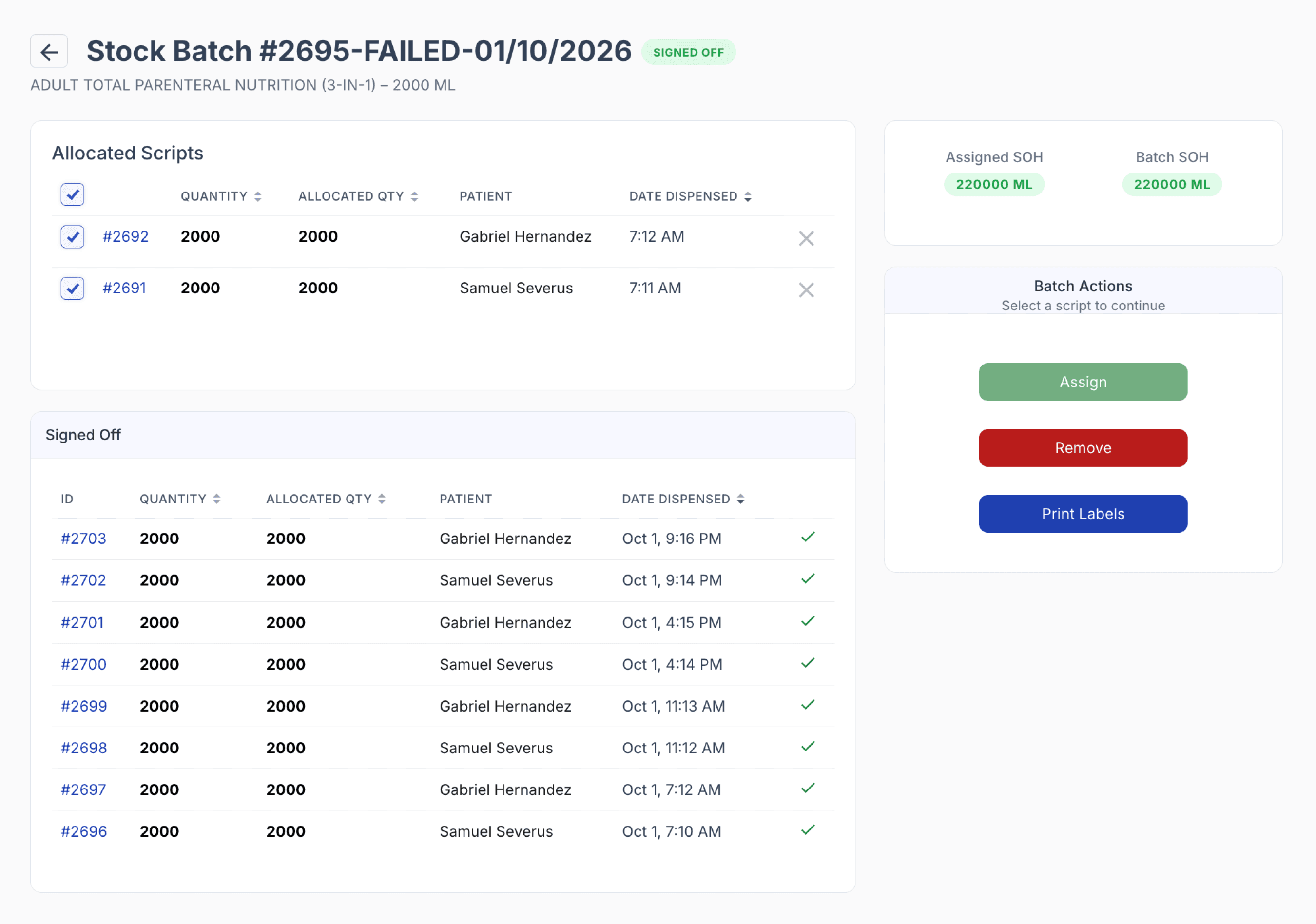
From the stock batch page
Locate and quarantine all unused bags, including stock held on wards. Reconcile all 10 bags as administered, returned, quarantined, disposed of or unaccounted for.
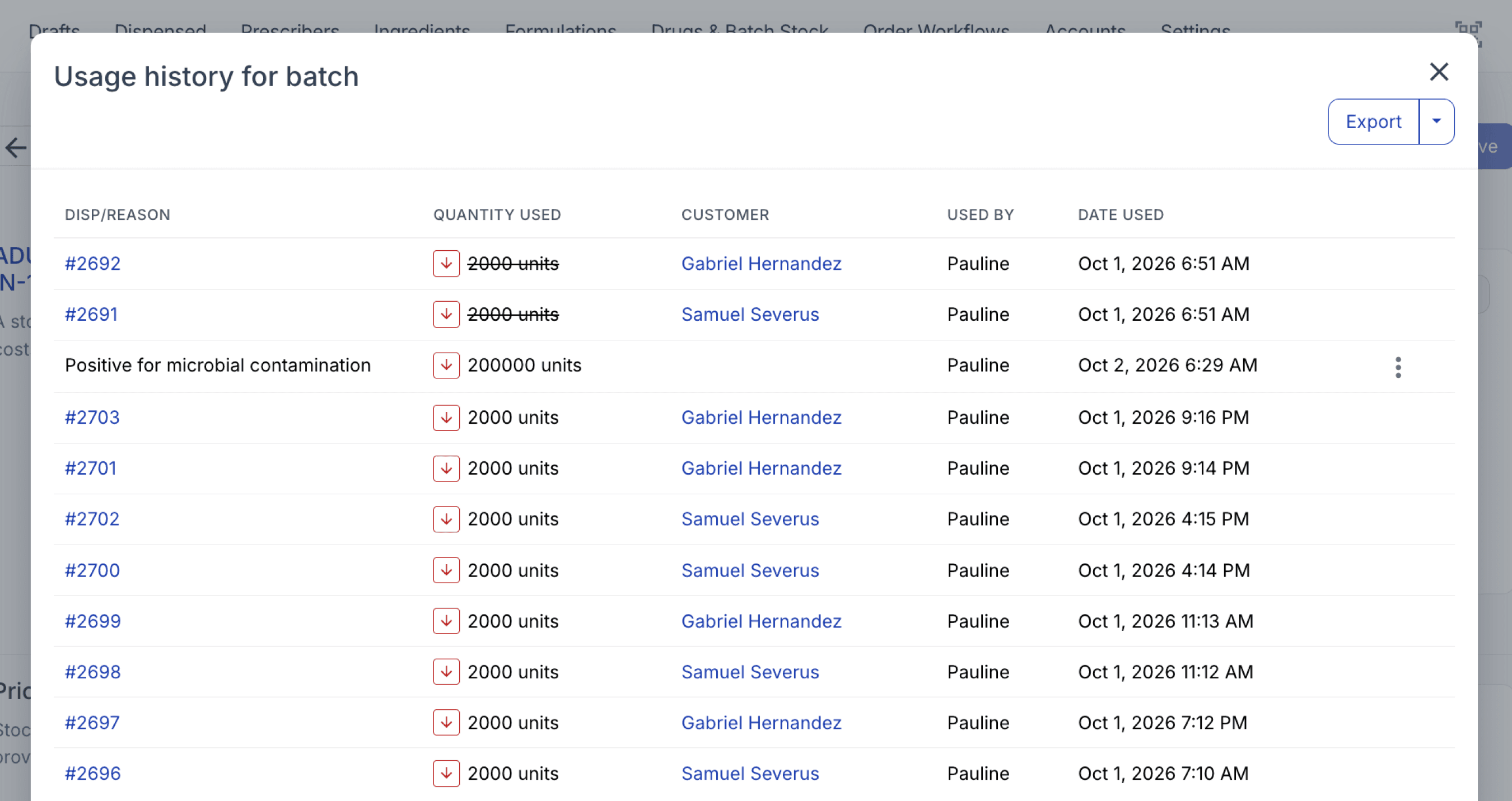
To view a batch’s usage history, click ‘Show History’.
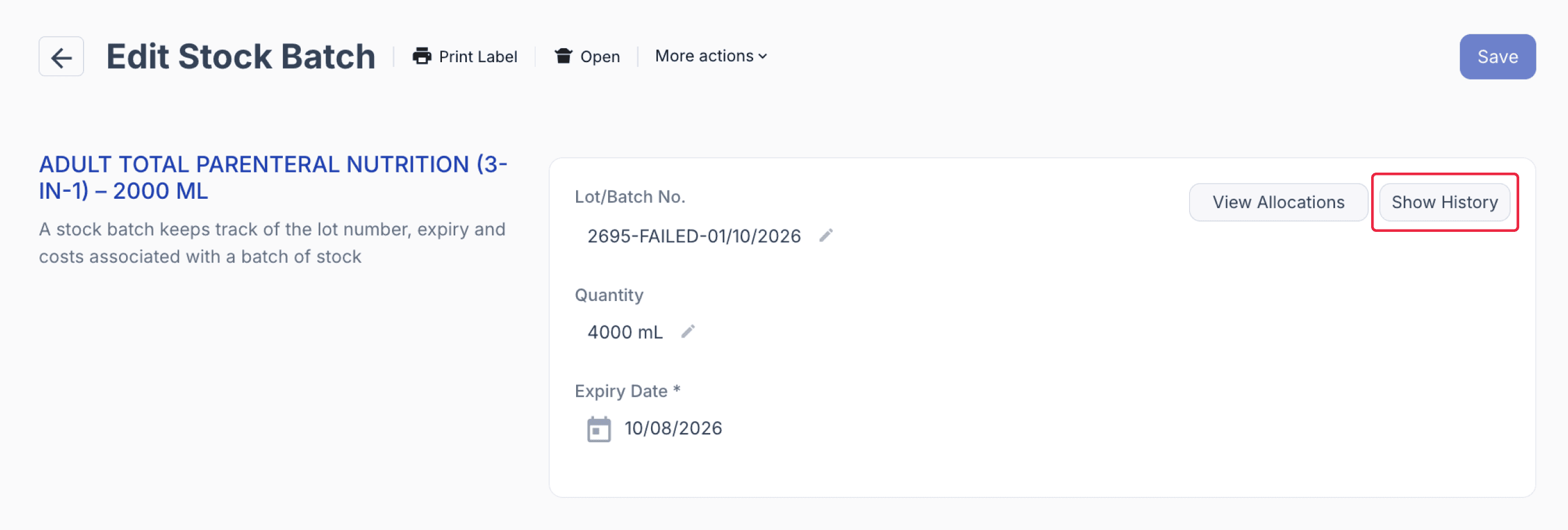
The history includes usage from scripts that were later unallocated. These entries appear with a strikethrough so you can distinguish them from current usage.
From the stock batch page
Step 3: Communicate recall with responsible staff
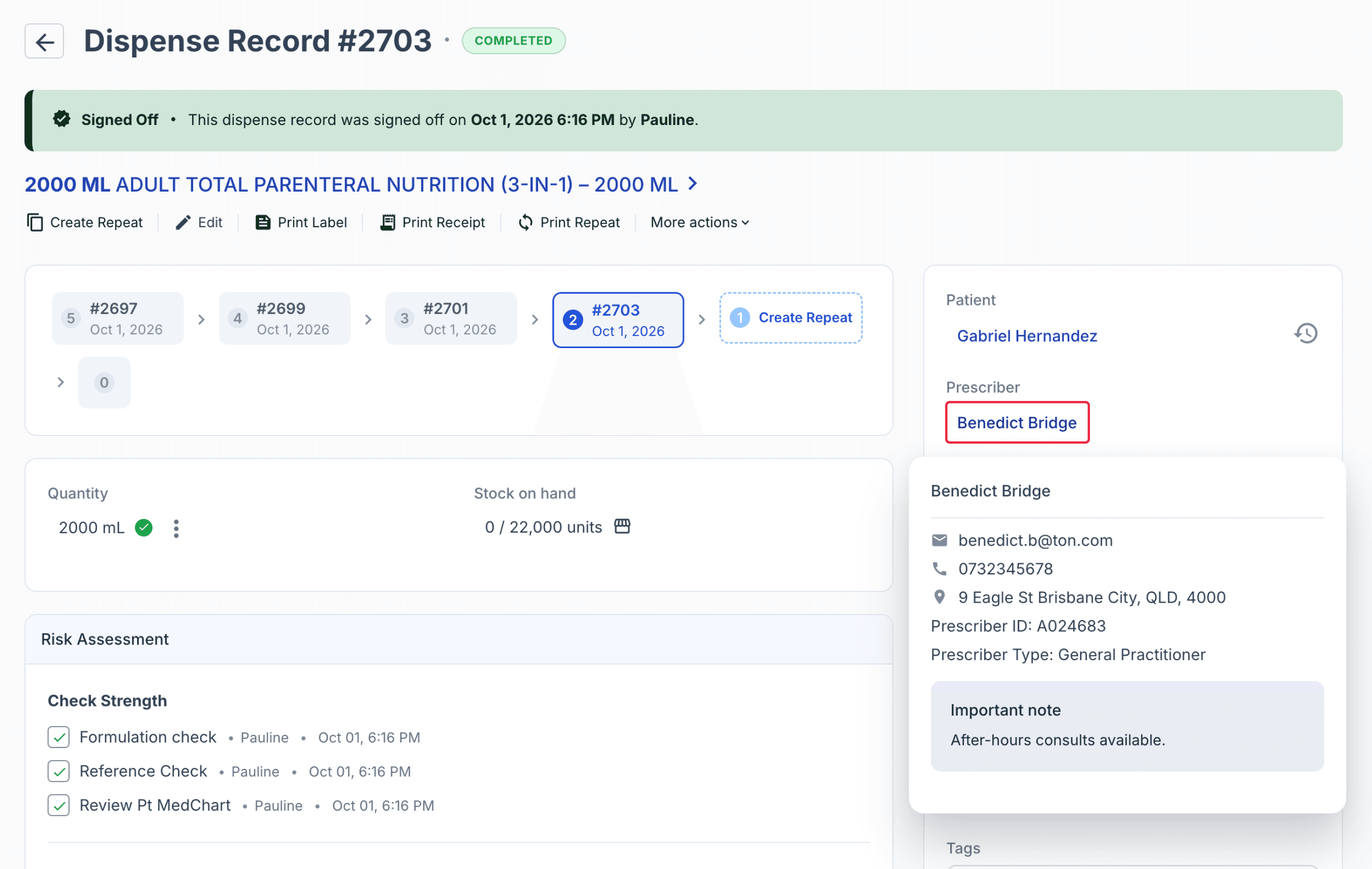
Where affected products have already been supplied, promptly contact the relevant clinic, prescriber, or care team so they can identify affected patients, stop further administration where required.
Identify prescribers
From the affected dispense records, identify the prescriber associated with each patient.
Use this information to support timely recall communication and any required clinical follow-up or replacement therapy.
From the dispense record
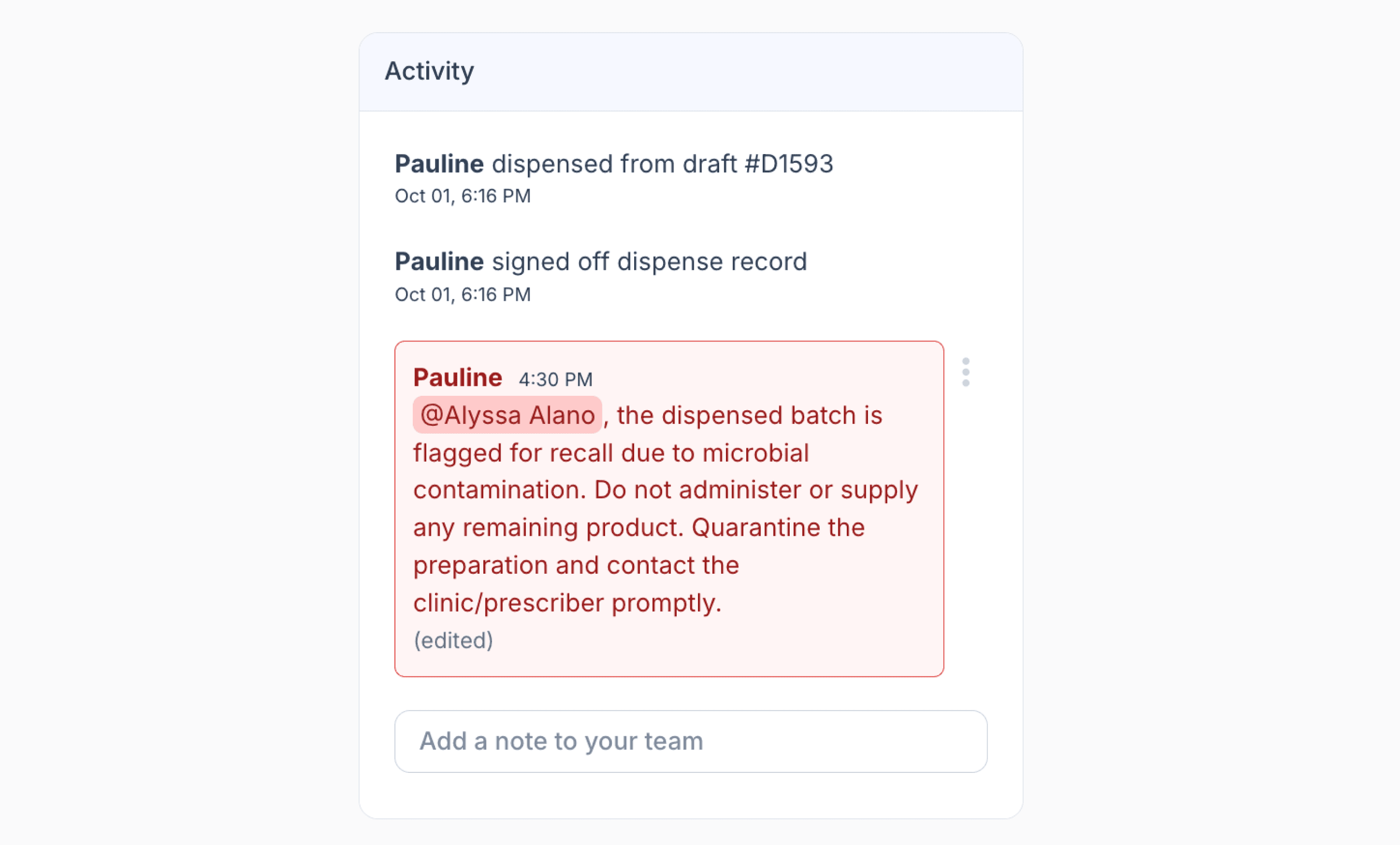
Notify the responsible pharmacist, QA team, clinical teams, and other designated staff in accordance with the organisation’s approved recall procedures.
From the dispense record
Document all recall communications, acknowledgements, and actions taken to maintain a clear audit trail.
Step 4: Investigate cause of contamination
Assess whether other preparations from the same compounding session, ingredient batches, device batches, or personnel may also be affected.
The Batch Manufacture record provides traceability of the resources used during preparation, including the specific:
- Ingredient batches
- Device batches
- Personnel involved
Use these records to review potential common sources of contamination and identify whether any other preparations require further investigation, quarantine, or recall.
Ingredient batch
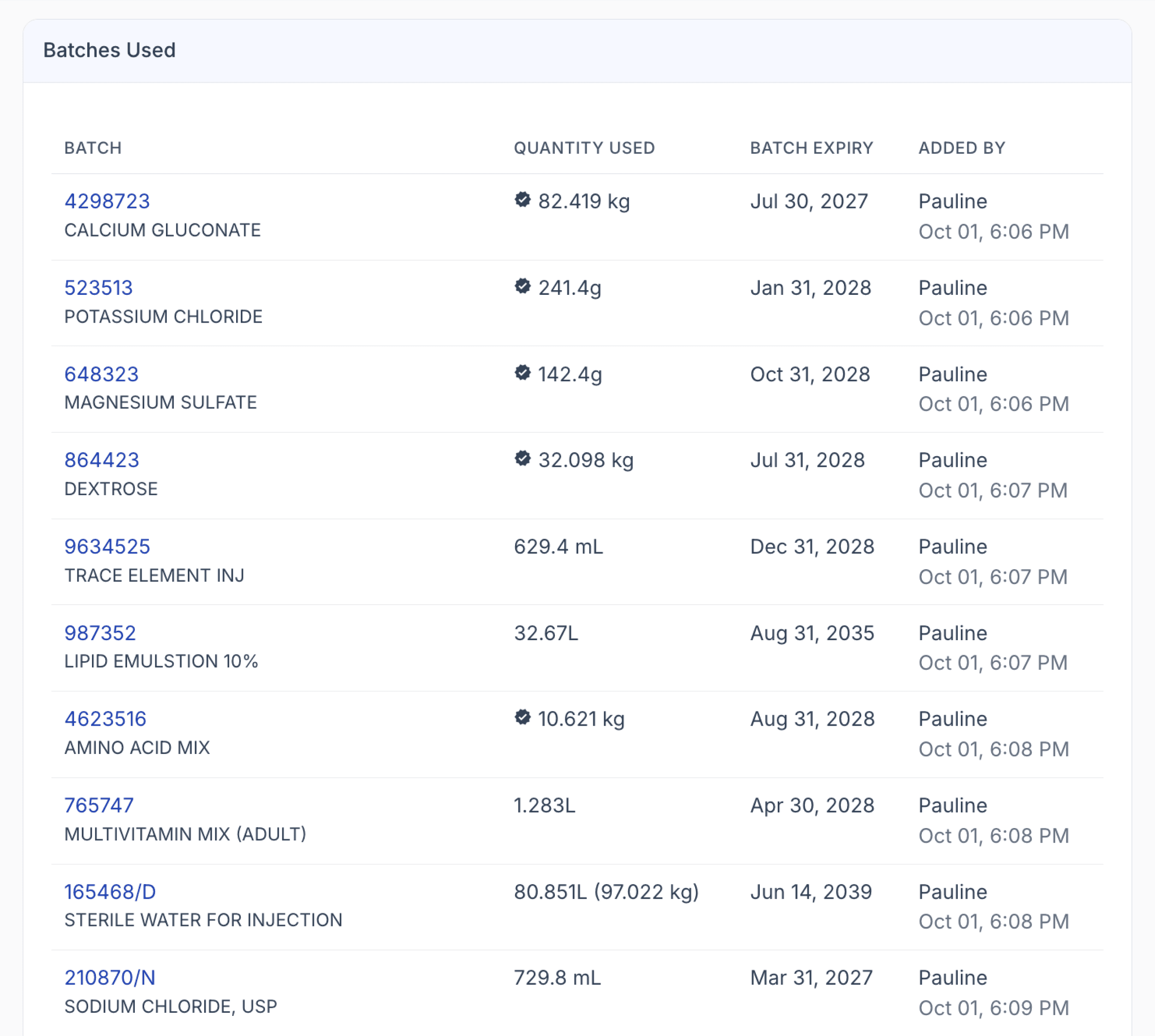
On the Stock Batch page, review the ingredient batches used during preparation in the Batches Used section.
For each ingredient, you can see the batch number, quantity used, expiry date, staff member who recorded the ingredient, and the date and time it was added.
This helps trace potentially affected ingredient batches during a contamination investigation.
From the stock batch page
If an ingredient batch is identified as a possible source of contamination, review its batch history to identify where else it was used.
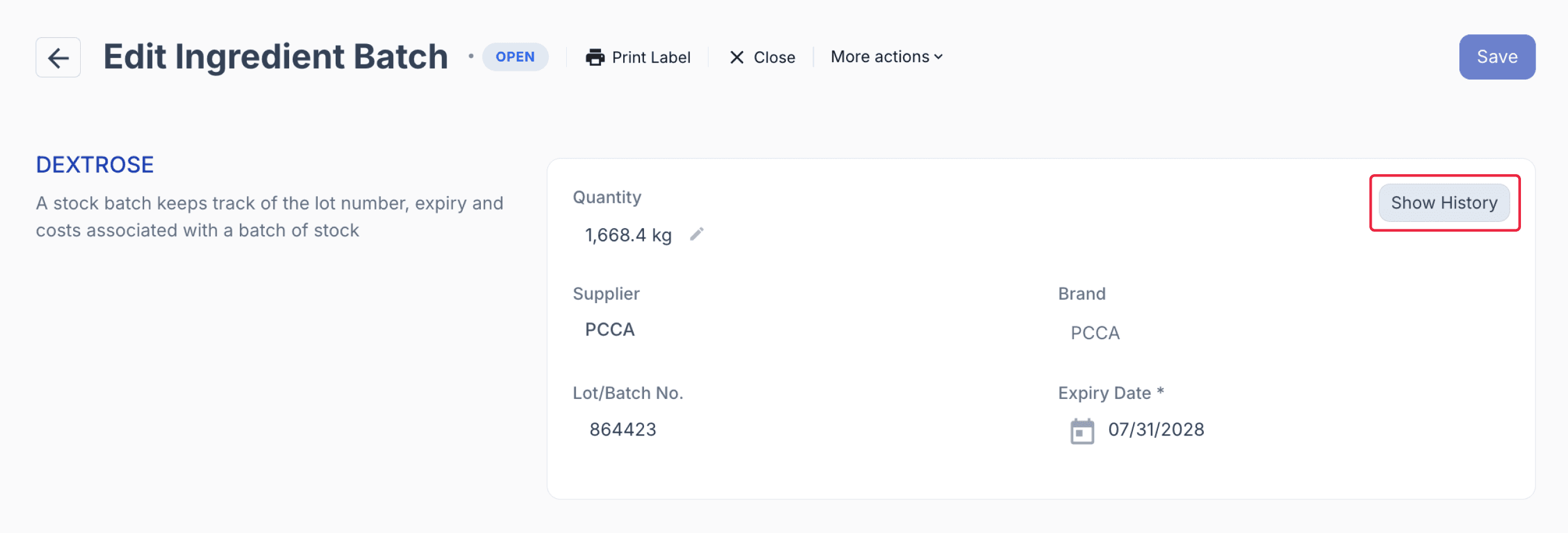
From the ingredient batch page
Compound Direct allows you to trace the ingredient batch across other preparations and dispense records, helping identify additional products or patients that may also require investigation, quarantine, or recall.
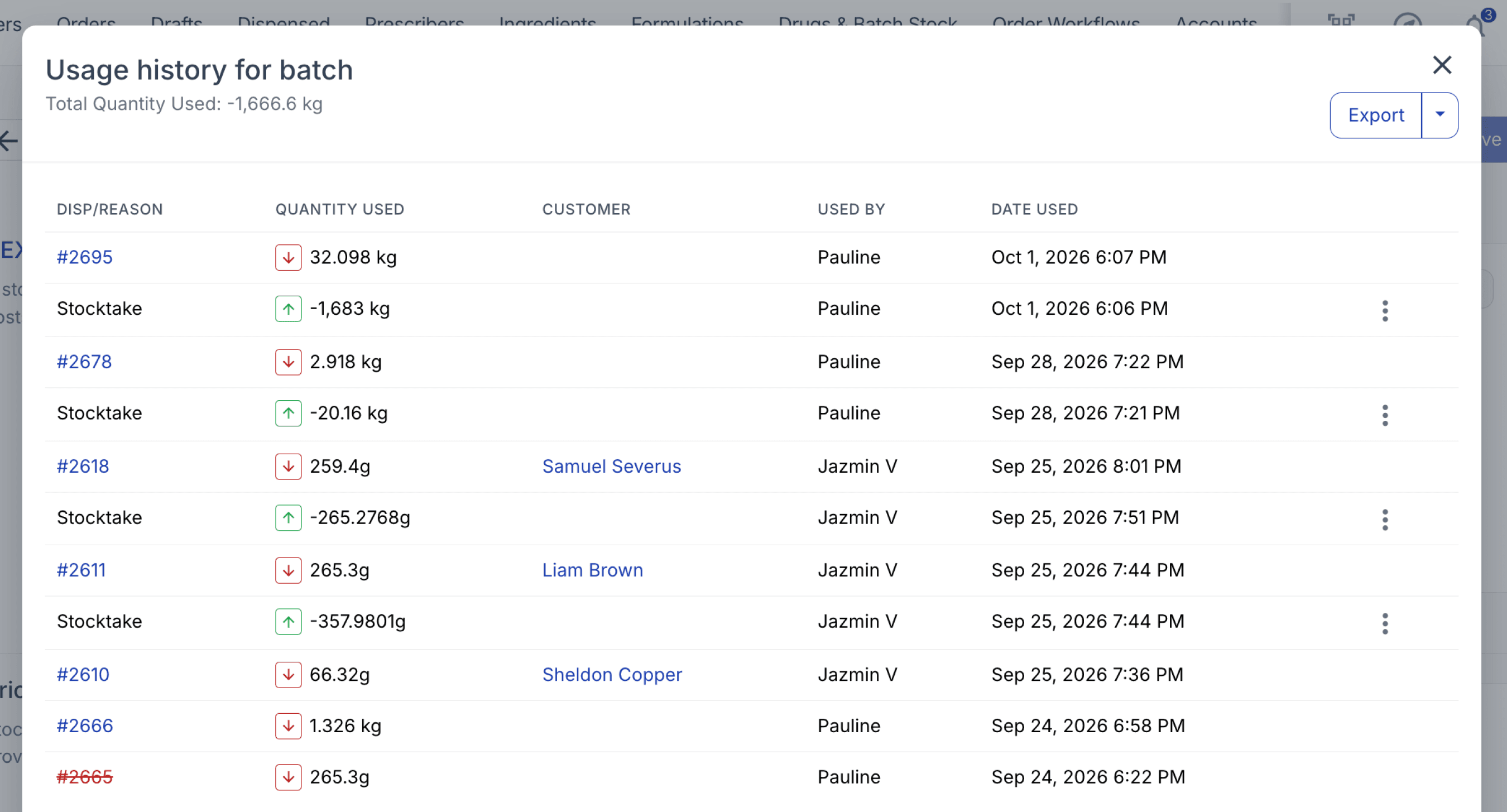
From the ingredient batch page
Device batch
The Batches Used section also records the devices used during preparation, including the specific device batch, quantity, expiry date, staff member, and date and time recorded.
This provides traceability for items such as syringes and TPN bags if a device-related issue is suspected during the investigation.
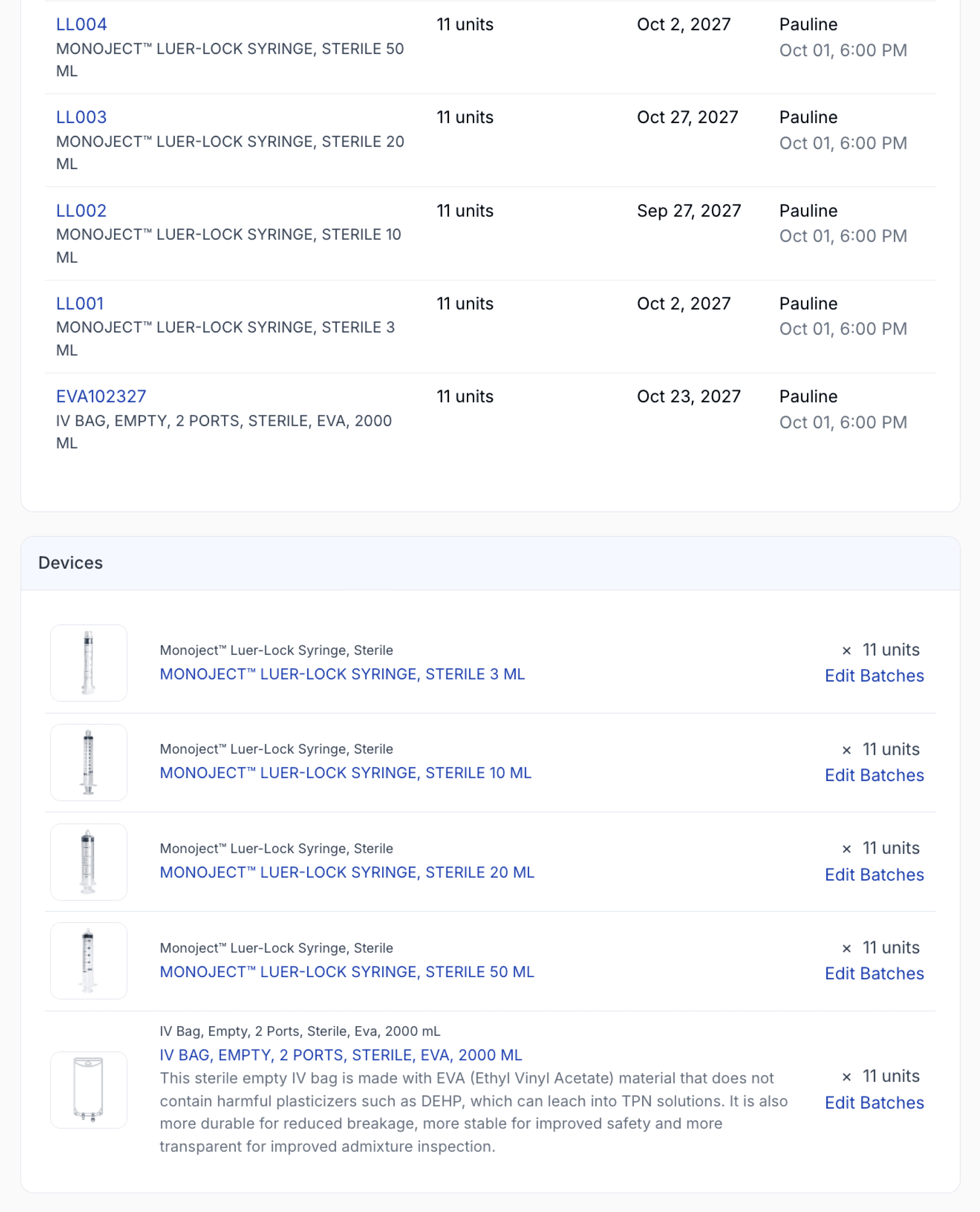
From the stock batch page
If a device batch is suspected, review its usage history to identify other preparations where the same batch was used.
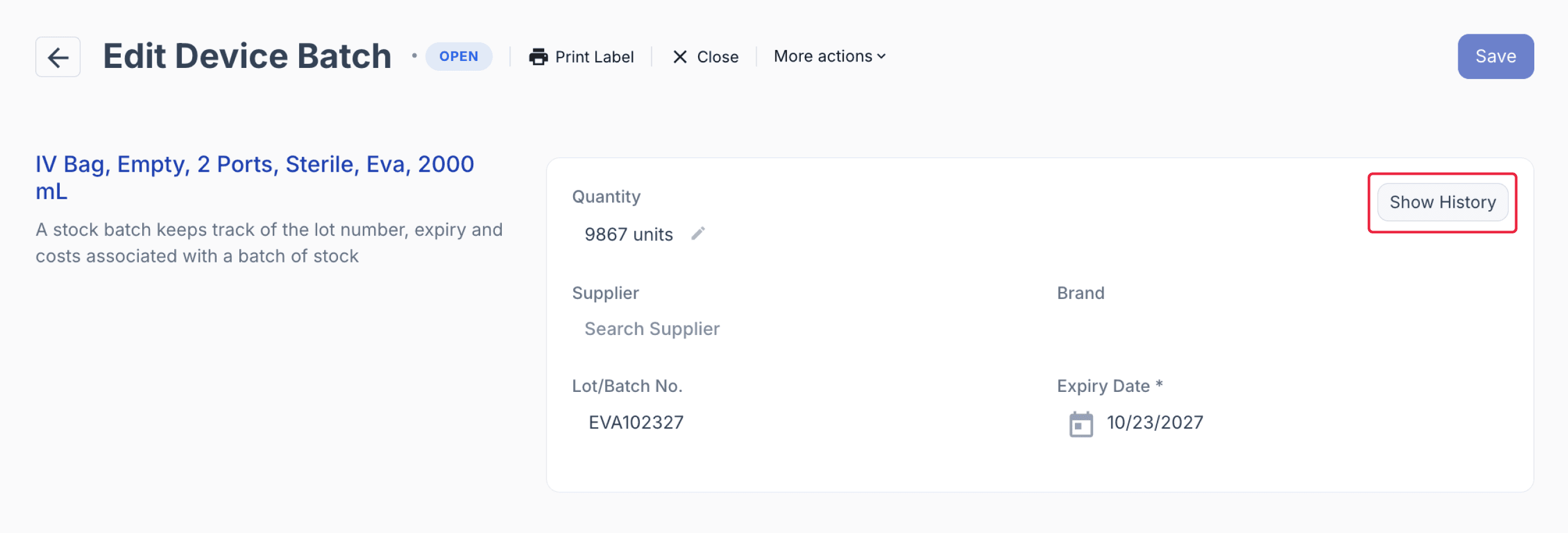
From the device batch page
This can help trace affected items such as TPN bags, syringes, or other consumables beyond the original batch and determine whether additional preparations need to be investigated.
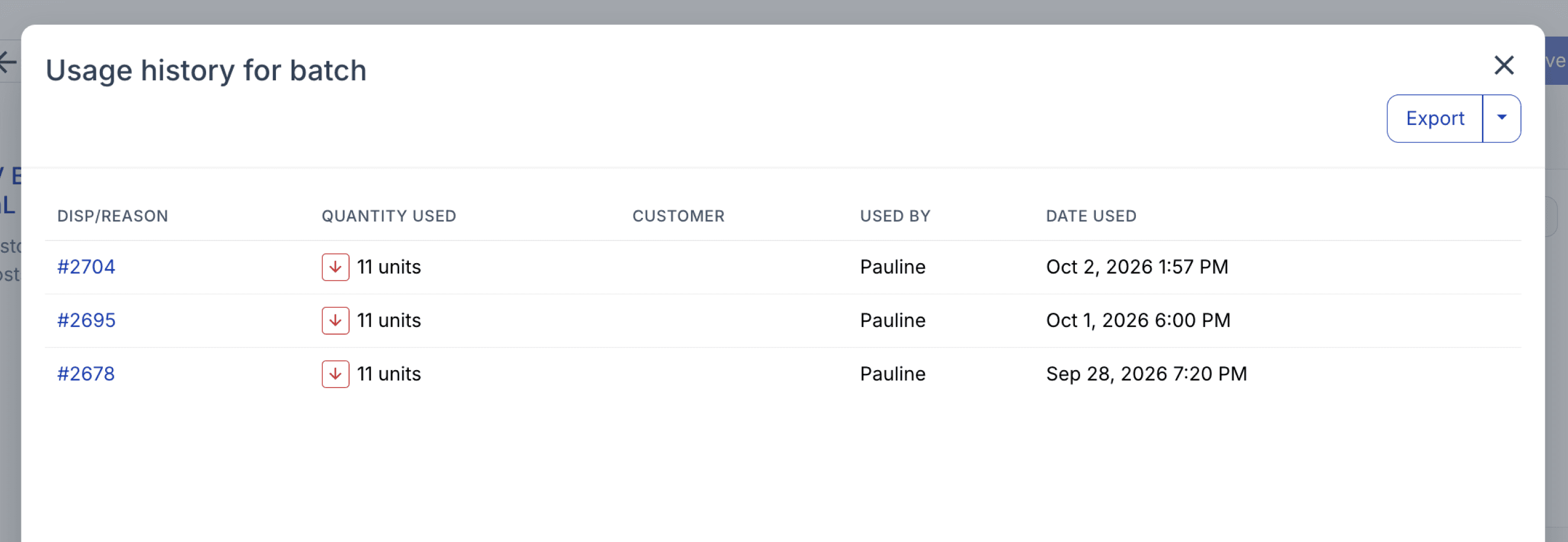
From the device batch history
Personnel involved
As part of the investigation, you may review the personnel involved in preparing the affected batch and confirm that the required risk assessment and quality assurance steps were completed.
In Compound Direct, the Batch Manufacture record captures the preparation workflow, including completed checks, inspection steps, and the staff member who performed each action.
To review this information, click ‘View Batch Manufacture’ from the Stock Batch record.
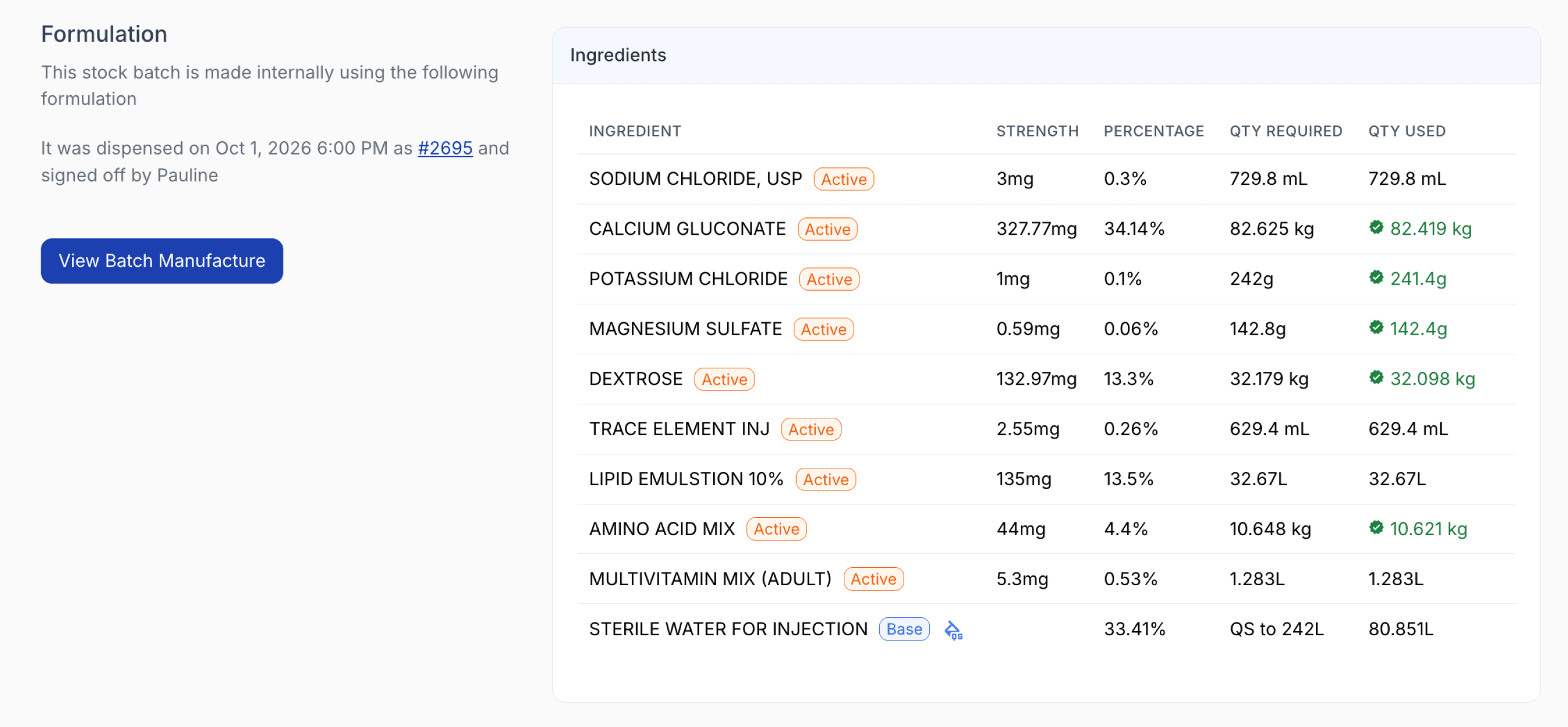
From the stock batch page
The Batch Manufacture page shows the relevant risk assessment and QA steps, together with the personnel responsible and the date and time each step was completed.
This provides a clear audit trail to support transparency, traceability, and investigation of any potential process-related cause.
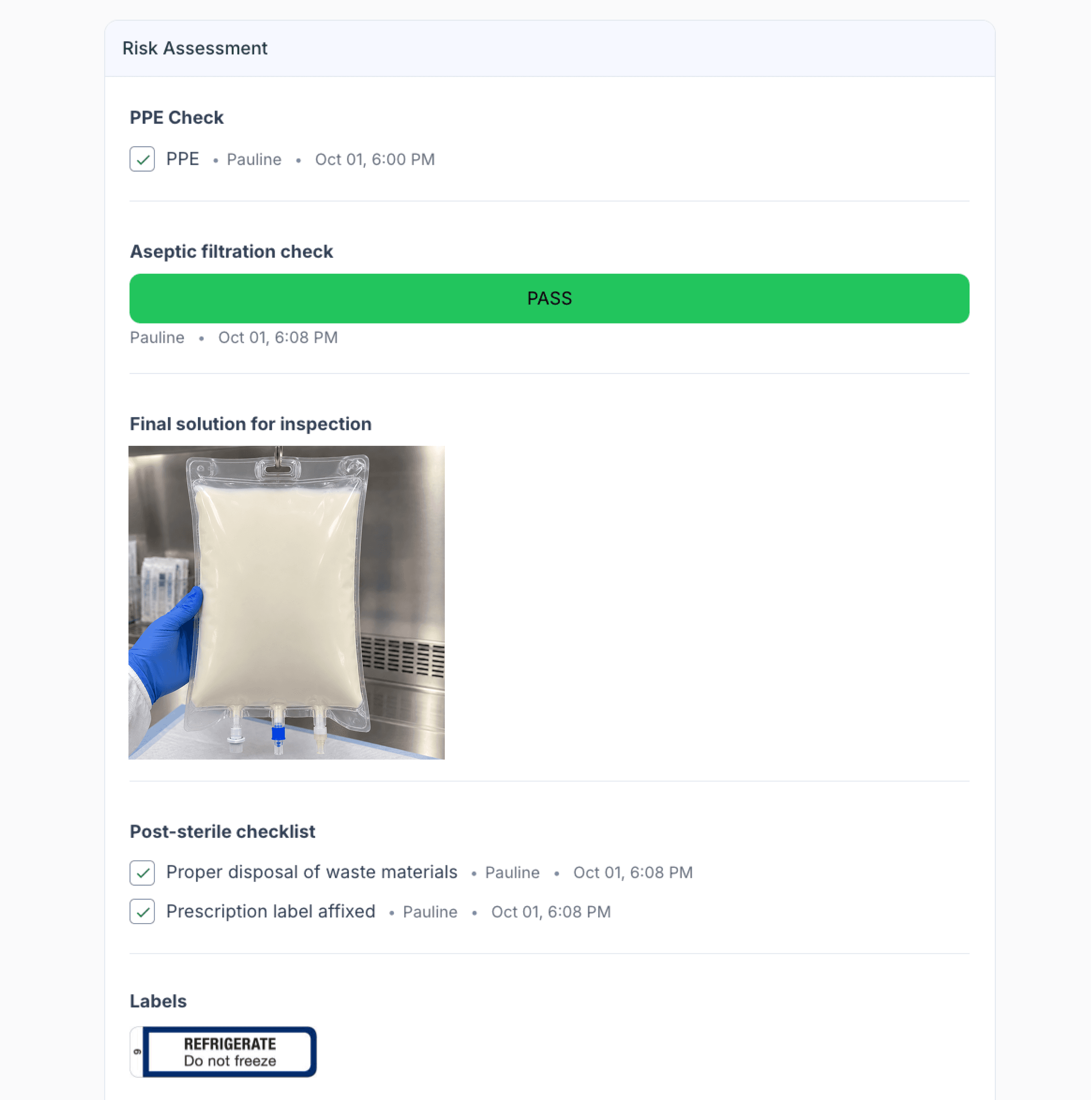
From the batch manufacture page
If the investigation identifies a potential personnel-related issue, review the compounding history of the staff member involved.
Compound Direct can identify other preparations completed by the same user during the relevant period, helping determine whether the issue may extend to other batches or preparations.
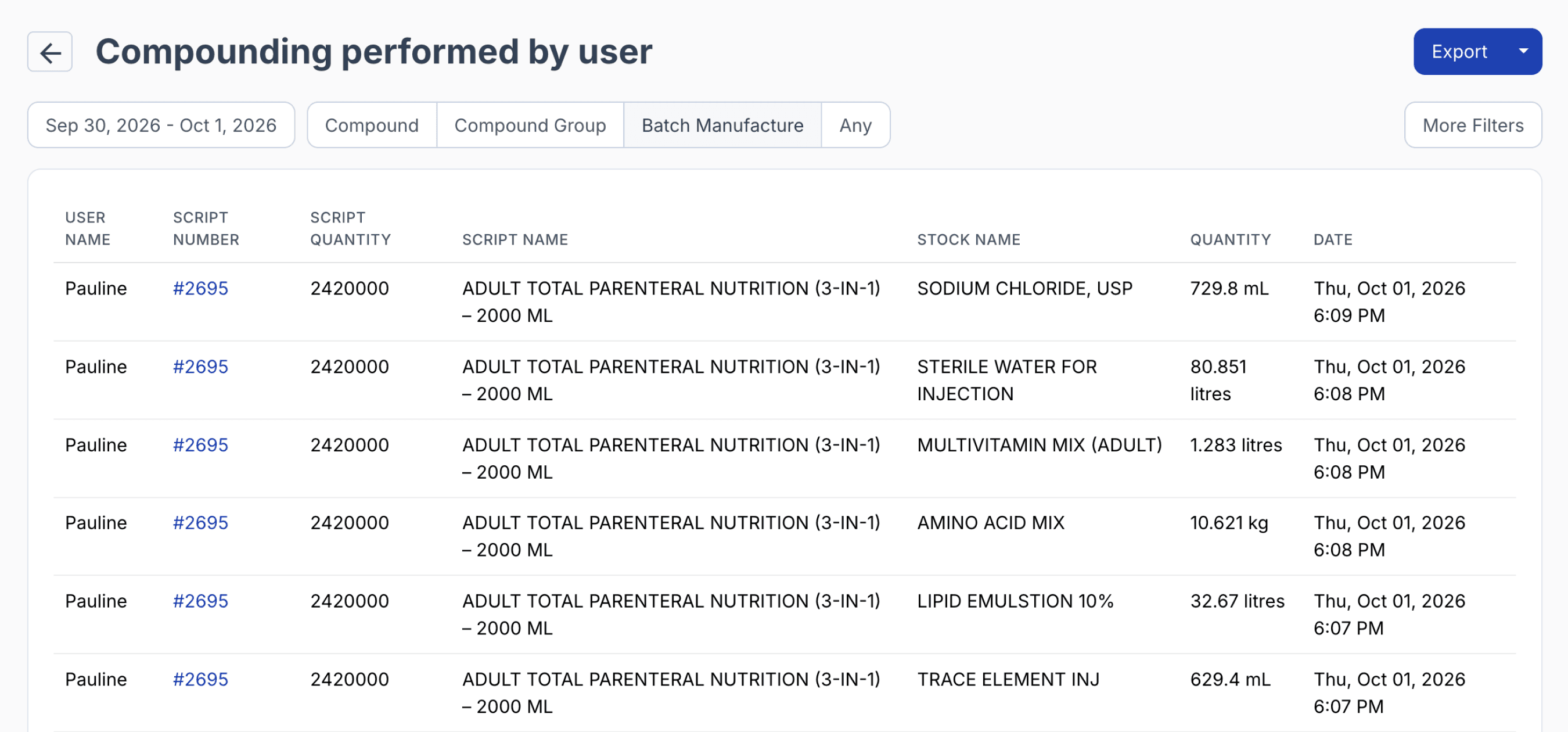
From reports > compounding activity by user
Staff activities outside the recorded compounding workflow may require additional investigation. Physical and procedural controls such as access records, CCTV where permitted, cleaning logs, and environmental monitoring can complement Compound Direct’s electronic traceability and provide a broader view of the incident.
Step 5: Manage the batch record
Maintain a complete audit trail by uploading key supporting documents to the Documents section of the Batch Record, such as the failed sterility report, investigation records, recall documentation, and CAPA.
Record the outcome of the recall, including communications, acknowledgements, returned or quarantined stock, disposal, and investigation findings.
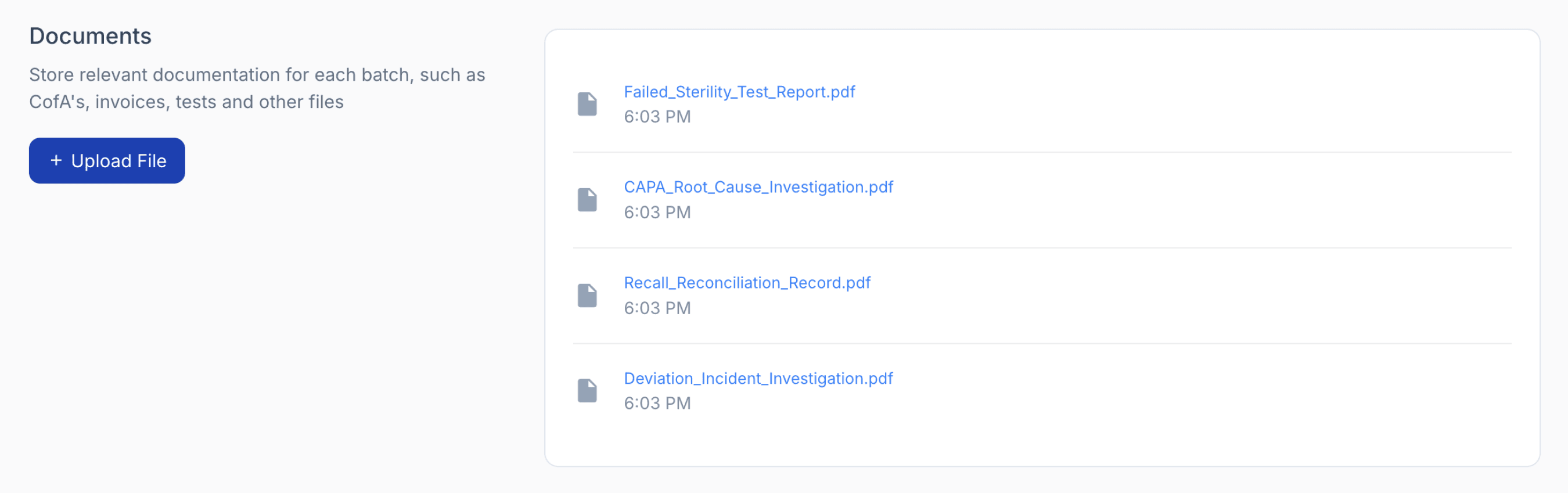
From the stock batch page
Complete a recall-effectiveness check to confirm that all affected units and recipients have been accounted for, and escalate the event to the appropriate external authorities where required by the organisation’s procedures and applicable regulations.
Summary
When a sterility test identifies microbial contamination, rapid traceability is essential to determine what was affected, where each preparation went, and whether the issue may extend beyond the original batch.
Compound Direct brings together the batch record, stock history, allocations, dispense records, ingredient and device batches, personnel, manufacturing checks, and supporting documents in one connected workflow.
This helps pharmacies identify affected patients and stock, investigate potential sources of contamination, reconcile recalled preparations, and maintain a clear audit trail throughout the recall and investigation process.
The examples provided in this article are for demonstration purposes only. Recall procedures should always be conducted in accordance with the pharmacy's quality management system, applicable regulatory requirements, and professional obligations.