
Deep dive: Compounding risk assessment

Compounding pharmacists have a very difficult task navigating several layers of legislation, codes, and guidelines in order to fulfill a compounding prescription. Pharmacists need to be aware of and comply with these practice standards and guidelines.
Pharmacists who compound products must have appropriate risk management processes in place to manage risks associated with the compounded product.1
Quality risks can make creating a streamlined compounding process difficult, and these delays can result in longer patient wait times. Compound Direct helps your pharmacy take a consistent approach to assessing and managing risk.
This article will cover all the basics you need to know to manage risk in Compound Direct.

Photo by Scott Graham on Unsplash
Step 1: Formulation risk management
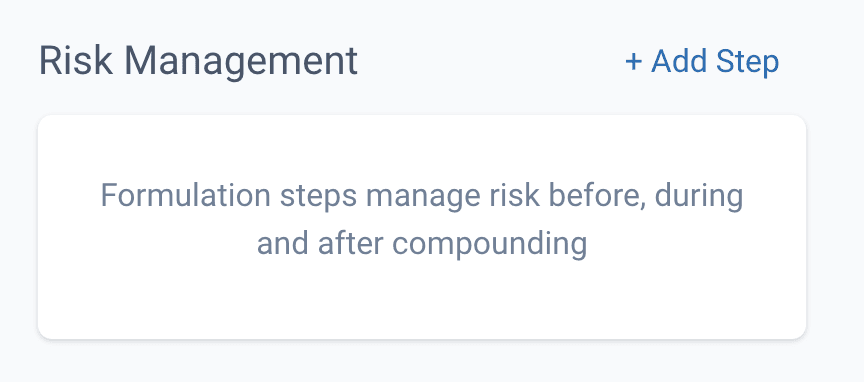
To add a Risk Management step, go to Formulations and select an existing formulation created to add a risk management step.
Scroll down to Risk Management and select + Add Step
Step 2: Selecting an appropriate risk management step
There are two significant sections where risk management can be applied:
Pre-dispense
A risk assessment checklist step to be marked off prior to being dispensed and compounded.
Compounding
Risk management steps that are involved in the compounding process (applied in the compounding laboratory).
We will now breakdown each risk management step below:
Pre-dispense
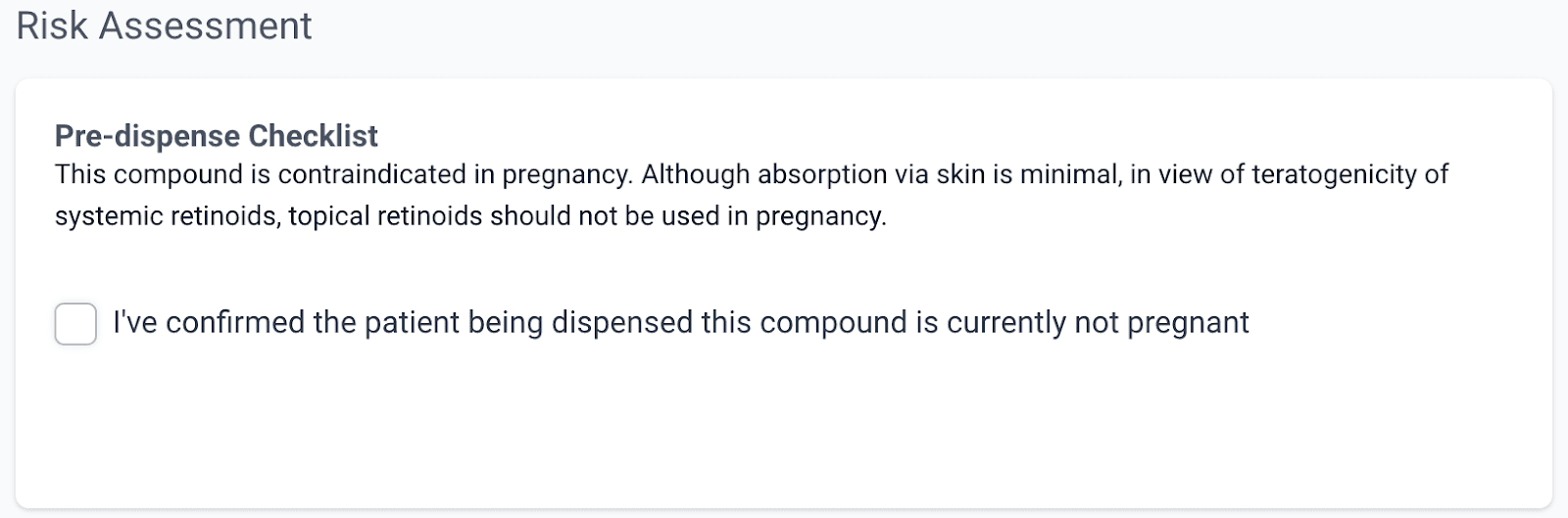
The pre-dispense checklist is used to help users mark off essential checklists that are to be reviewed before transitioning the draft script into a dispensed script.
An example of how this can be used is by having a pregnancy contraindication checklist to warn the user to verify before dispensing a compound.
Compounding
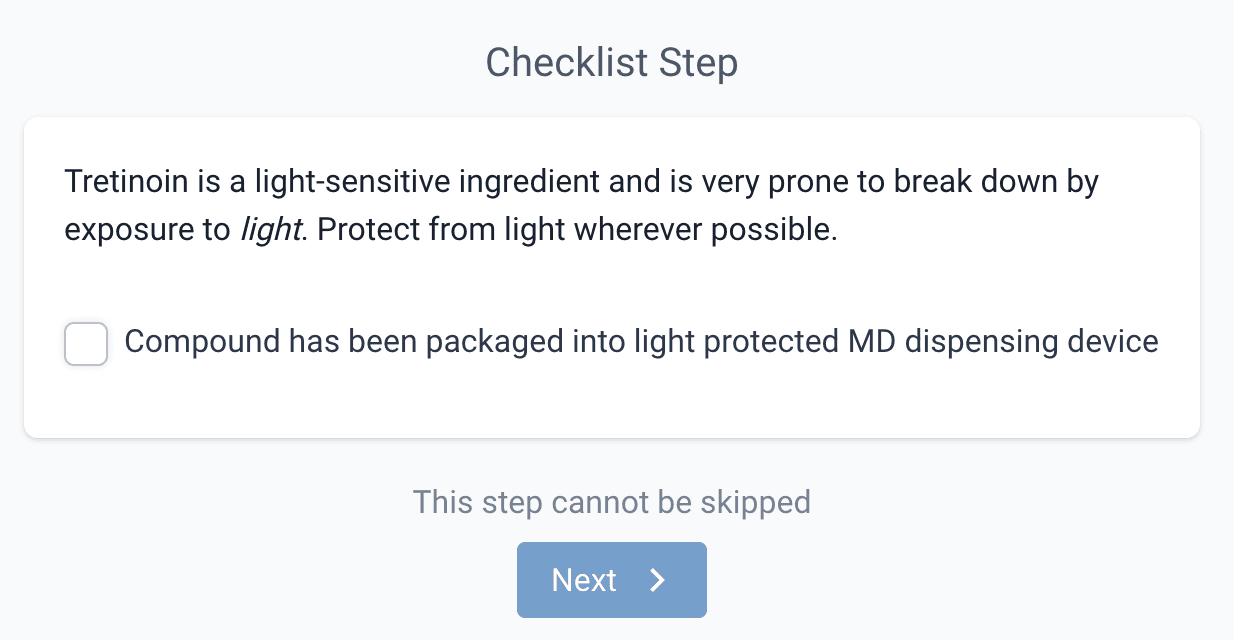
Checklist
Users are asked to mark off the checklist before proceeding to the next compounding step. There is an option to make this a required step before continuing with the compounding process. Please see this demonstrated in the example below.
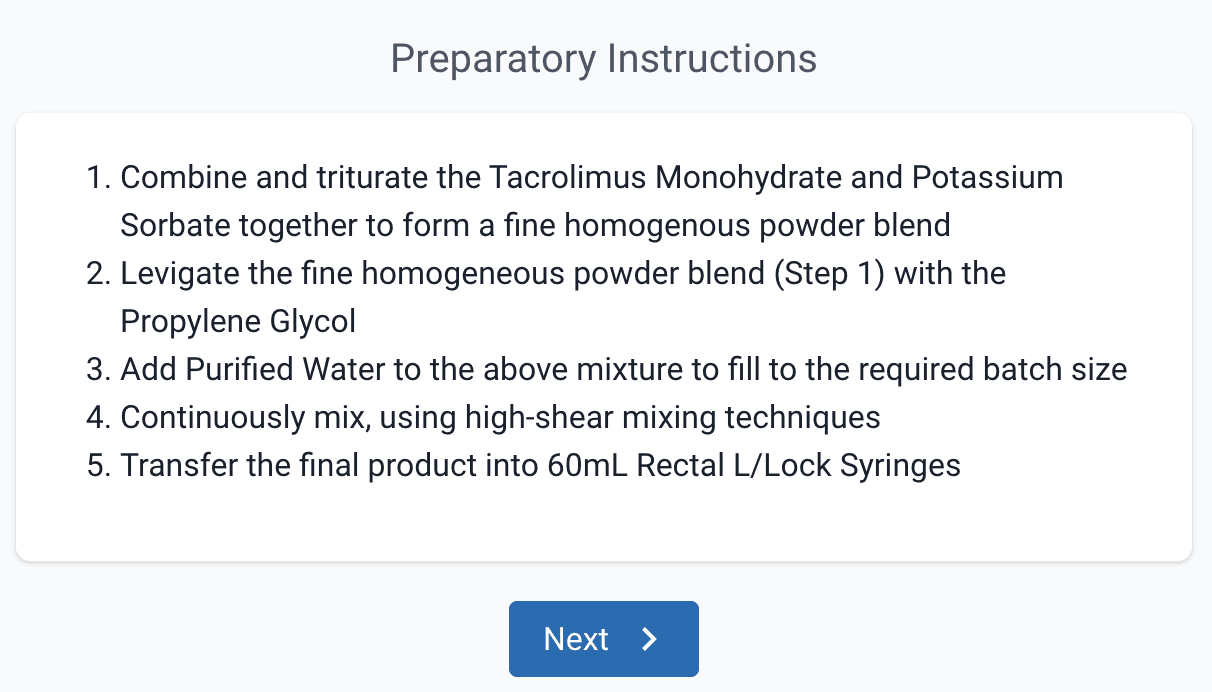
Information
An information step that can be placed for compounding personnel to view important information before proceeding to the next compounding step. This is commonly used to display preparatory instructions.
Photo
The user will be prompted to take a photo with this step to capture important information in the compounding process. This is best used when using a mobile device with a camera on the back.
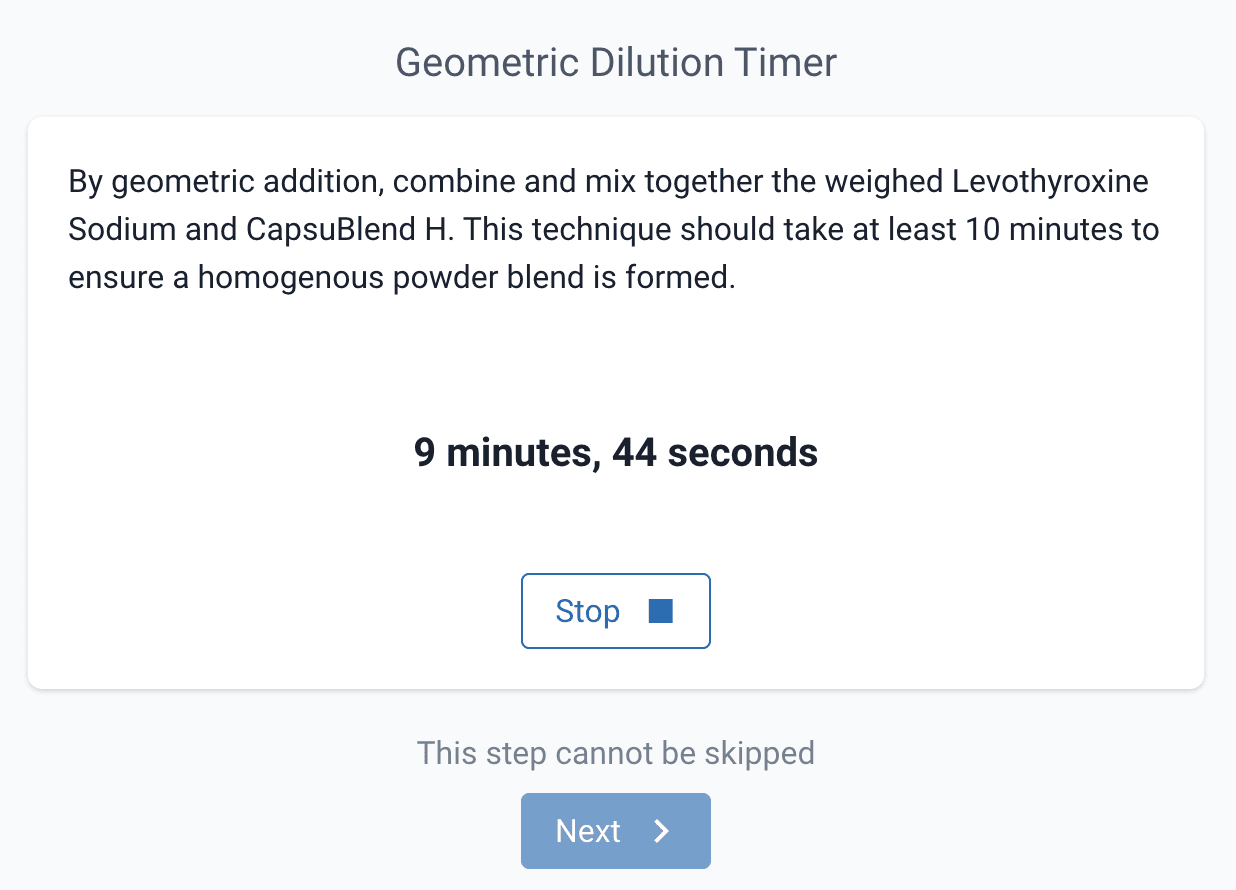
Timer
A timer step where the user will be prompted to start a pre-set timer for the duration of the compounding process. An example of this is when a compound needs to be triturated in a mortar and pestle for a defined period of time, where the timer will give the personnel the timer needed to know when to stop.
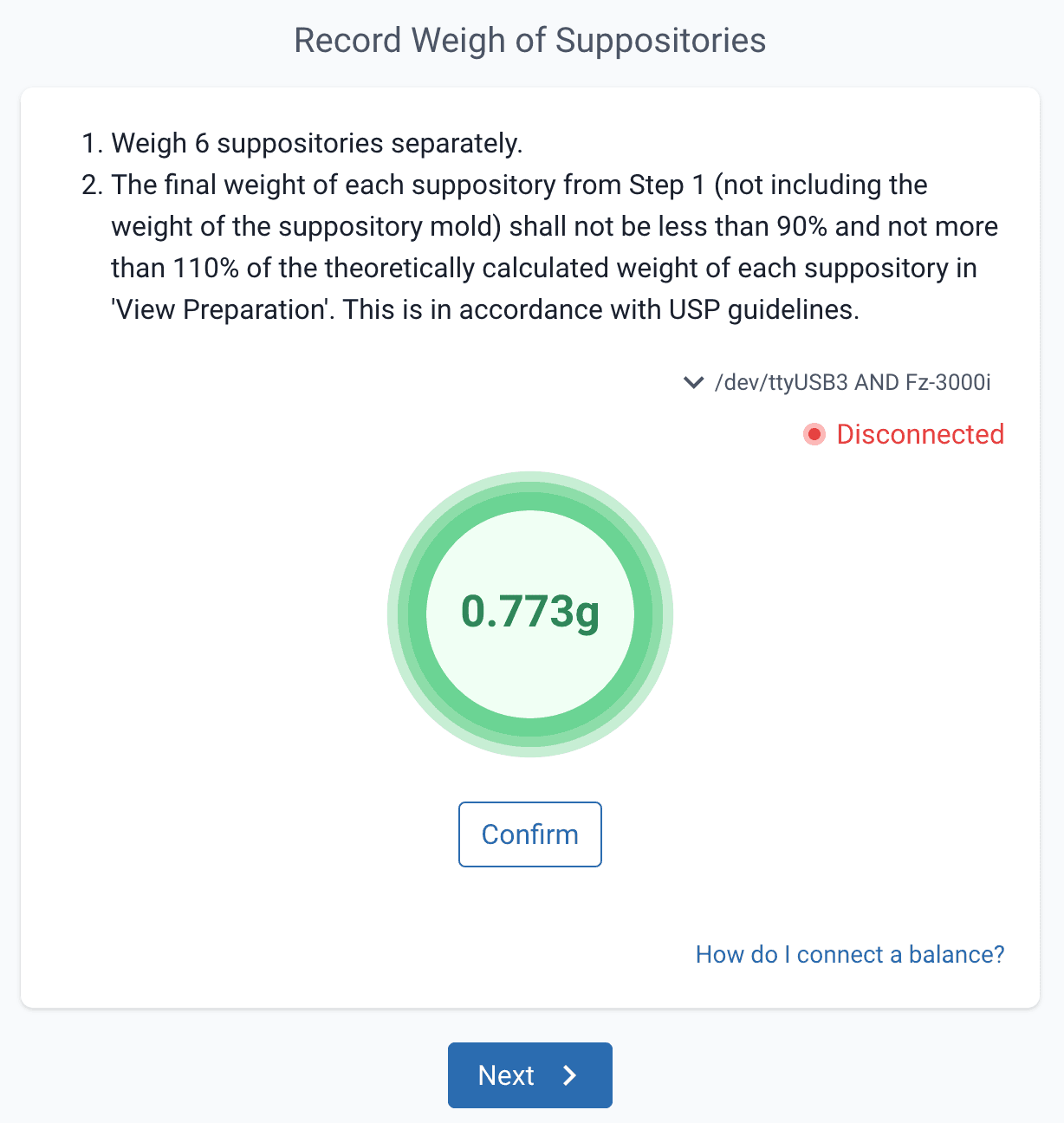
Weigh
A weight recording step where the user will be prompted to record the weight (captured via the cloud-based integrated balance) as instructed in the description.
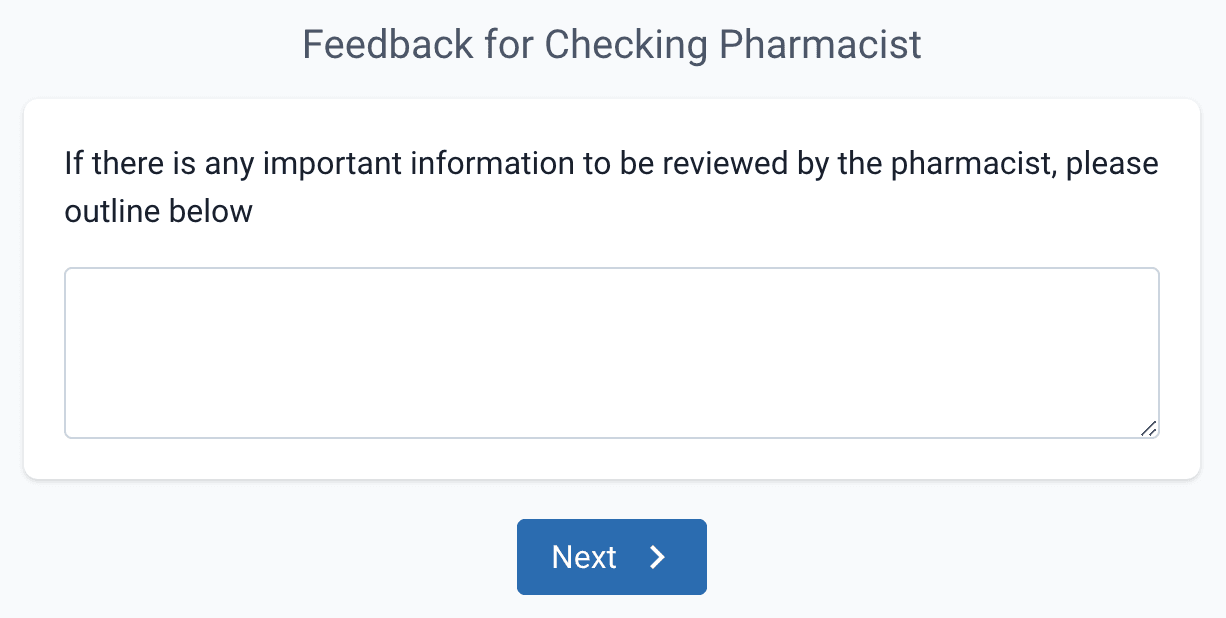
Write
This step can be used by the compounding personnel to free-type written feedback or observations that will be presented to the checking pharmacist before it's signed-off.
Step 3: Master step risk management
Master Formulation steps are available to be created and shared across multiple formulations.
To create a Master Step, navigate to Risk Management within a formulation. Select + Add Step then Master Steps, then Add a new step.
The user will then be able to select a new formulation step to add as a Master Step
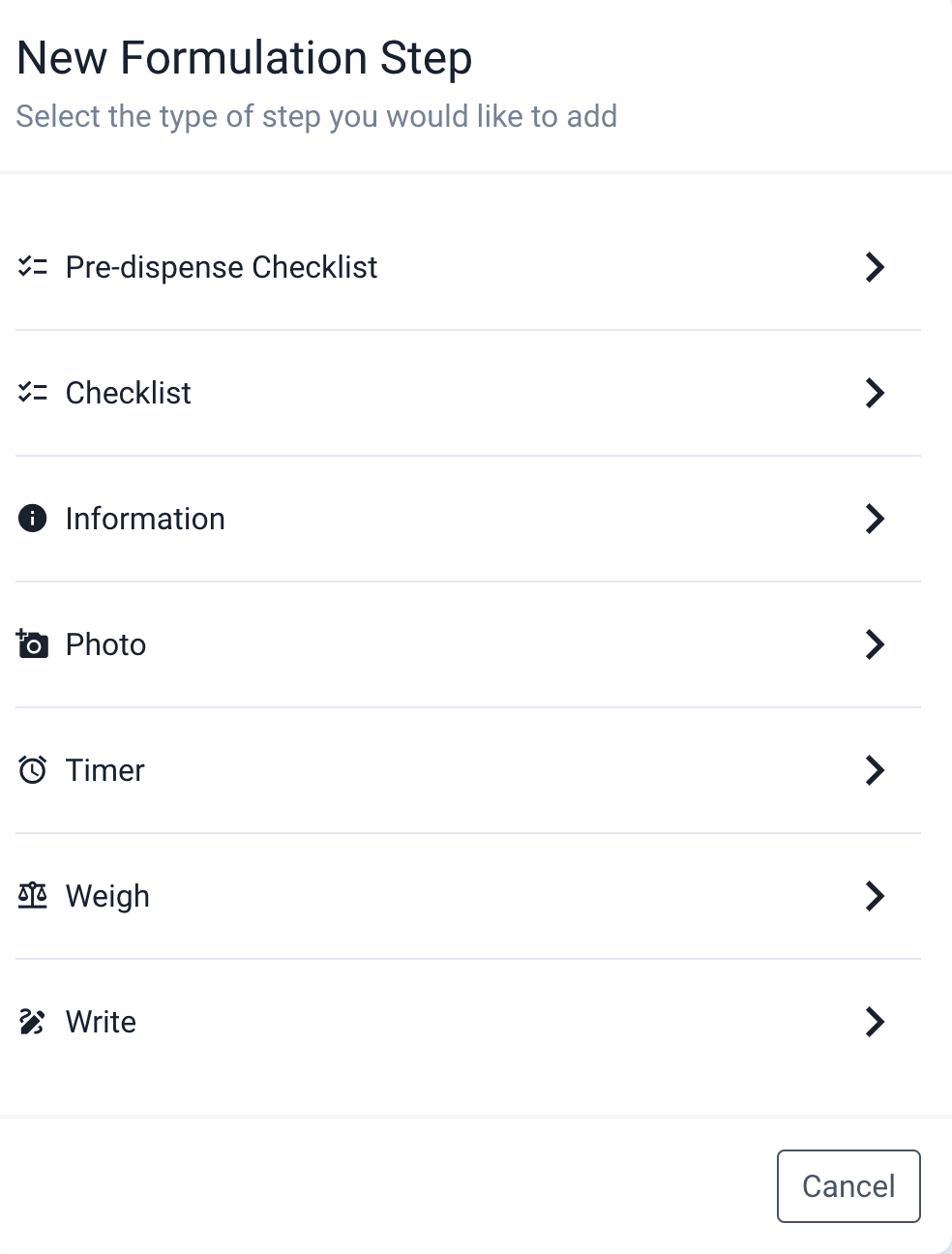
Once the user has completed creating a new Master Step. It will become available to select across other formulations by:
Navigating to Risk Management within a formulation. Select + Add Step then Master Steps, then select the appropriate Master Step.
Conclusion
It is important for pharmacists to manage risks in their compounding practice so that we can provide better care to our patients and staff. There are ample resources, organisations and regulators that recognise the importance of Risk Management. As pharmacists, we must ensure we comply with this important aspect of compounding pharmacy.
All names and medical data shown in software screenshots are fictional and for demonstration purposes only. These figures represent fictional persons; any resemblance to real individuals is purely coincidental. Use of existing fictional names is for illustrative purposes and does not imply affiliation or endorsement.