
How to create ingredient dilutions to reduce risk when compounding

In this article, we are going to show you how to create a Biest (50/50) 20% dilution within the Compound Direct system. We will go over how to enter the formula, set the appropriate adjustment factor and compound the dilution batch.
Before you start make sure the ingredients included in dilutions are already added into Compound Direct with the appropriate adjustment factors.
Step 1: Create the ingredient
To start, we need to create an ingredient.
Open your Compound Direct workspace and go to Settings -> Ingredients
Click 'Create Ingredient'
Enter the name of the ingredient, in this case, we are making a 'Biest (50/50) 20% Dilution' This ingredient is an 'active', and in this case, it is prescribed in milligrams so we will keep the default selection of 'milligrams'. Click next to continue.
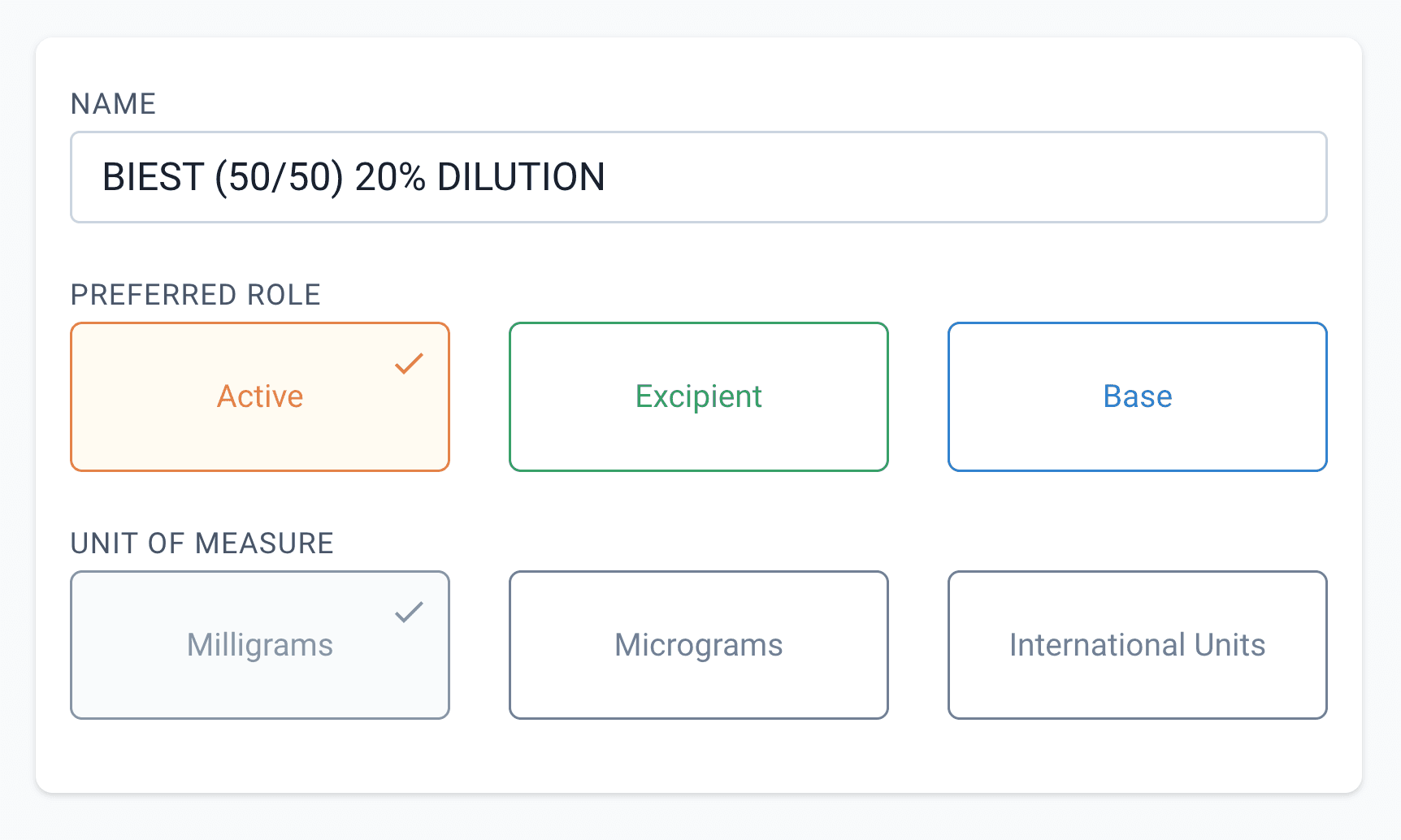
From the new ingredient page
Step 2: Choose the dilution option
Find the 'Aliquot/Dilution' button and select this to enter the custom ingredient workflow.
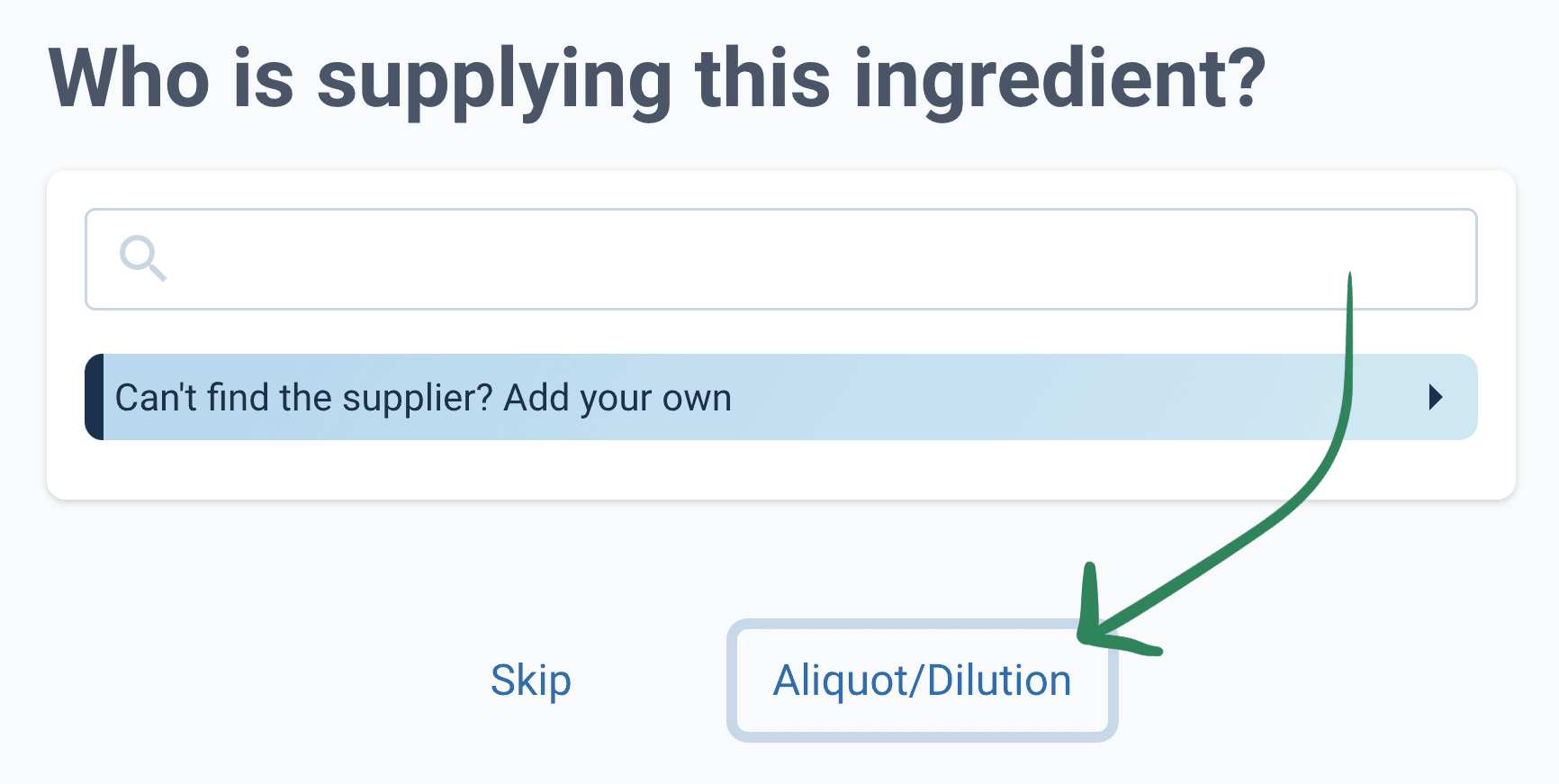
From the new ingredient page
Step 3: Enter the ingredient formula
This next step assumes you have already added the ingredients in your Compound Direct workspace.
Enter the quantity in grams/mLs you want to make for the first batch of this dilution. Then enter the appropriate expiry days for this dilution.
Enter each ingredient and its relative strength/percentage into the formulation area.
Hint: If a black warning symbol appears stating that the ingredient cannot be used, override this via the 3 dots to the right of the ingredient strength. Select this menu and then select 'Use as Active'
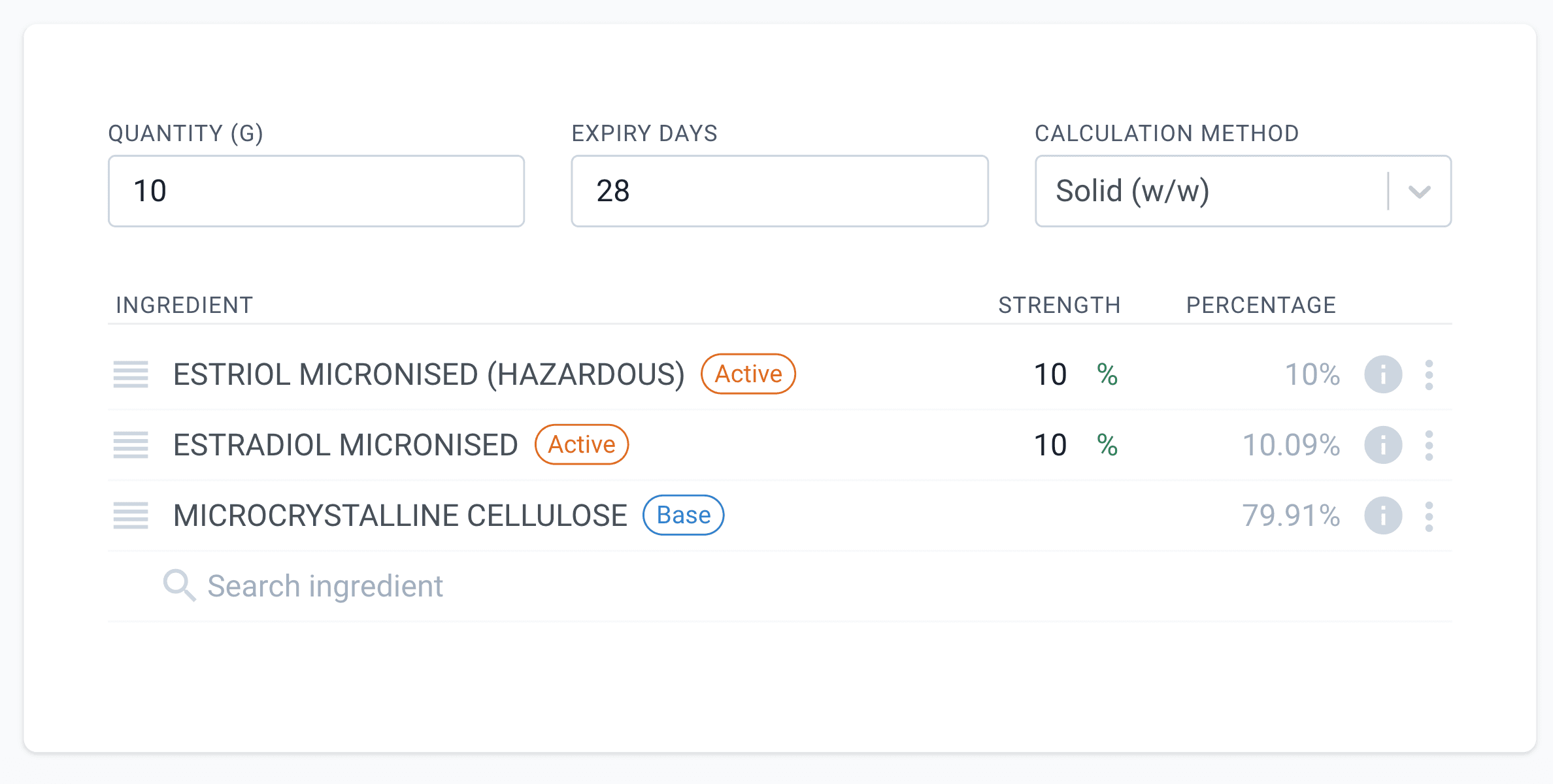
From the new aliquot/dilution page
Step 4: Check ingredient calculations
Review the calculated quantities for each ingredient by hovering/clicking on the info icon. In this case, we have slightly more Estradiol.
This is because the adjustment factor for the open batch considers the assay and loss-on-dring results from the CofA.
The adjustment factor serves to ensure the strength of the Estradiol within the dilution is exactly 100mg
These quantities may change between formulating and compounding depending on the open batch. The compounding process will automatically account for these changes in batch/supply and re-calculate to show the correct amount to weigh.
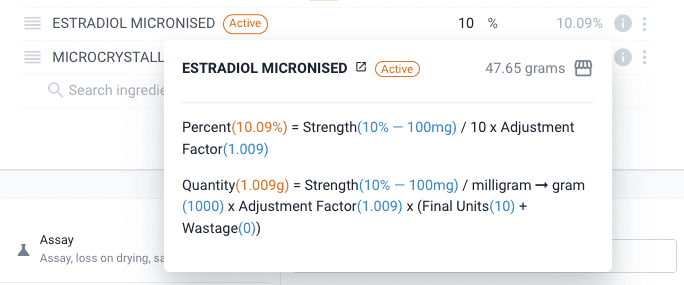
From the new aliquot/dilution page
Step 5: Set the adjustment factor
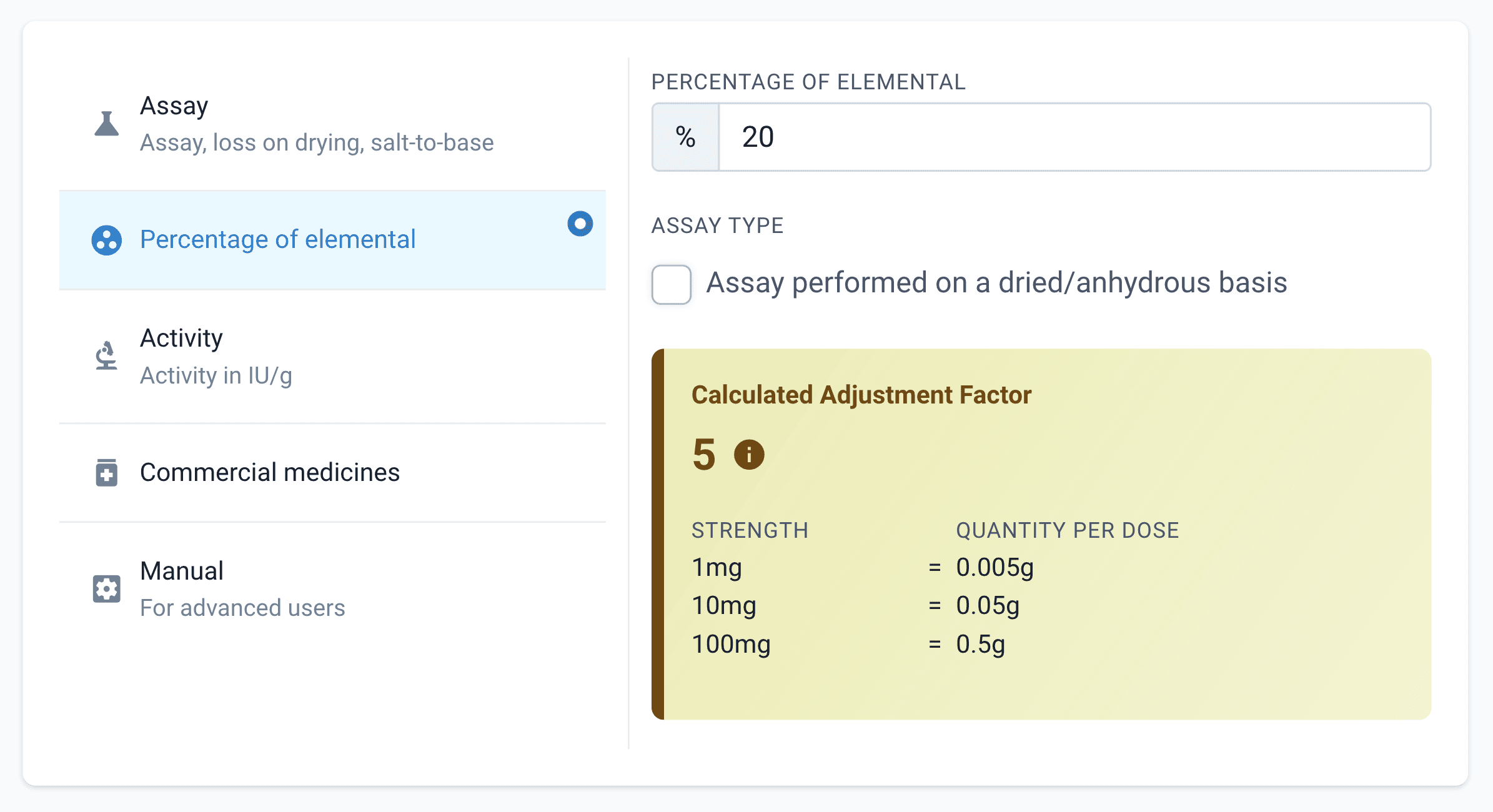
This is a 20% dilution. This means that the actives are diluted 1 in 5 parts. Therefore we need to set the adjustment factor such that when 1mg of Biest (50/50) is given then 5mg of the dilution is used.
We will use the 'elemental percent' adjustment factor to calculate this for us. By entering 20% we can set the adjustment factor to '5', this verifies our calculations before.
Later, if this dilution is sent for testing we can re-calculate the adjustment factor using the assay results provided by that testing using the 'Assay' adjustment factor method. (This is only applicable to single-ingredient dilutions.)
From the new aliquot/dilution page
Step 6: Compound the dilution
Proceed to make the compound. This compound can be found by looking in the 'Dispensed/New' Tab, or via searching the ingredient, selecting the new batch and then clicking the batch manufacture number.
Scan and weigh/qs each ingredient.
Finally, mix using the appropriate method until homogenous.
Step 7: Sign off
Once compounded, the dilution batch manufacture must be signed-off before it can be used in the lab. To do this, the weights must be cross-checked against a known formula reference.
During this process, a batch was created which means the stock on hand can now be tracked and this dilution can be allocated to other compounds. Before this batch is approved, you may want to change the batch adjustment factor to account for any errors in weighing the actives. This will improve the accuracy of compounding when using this dilution.
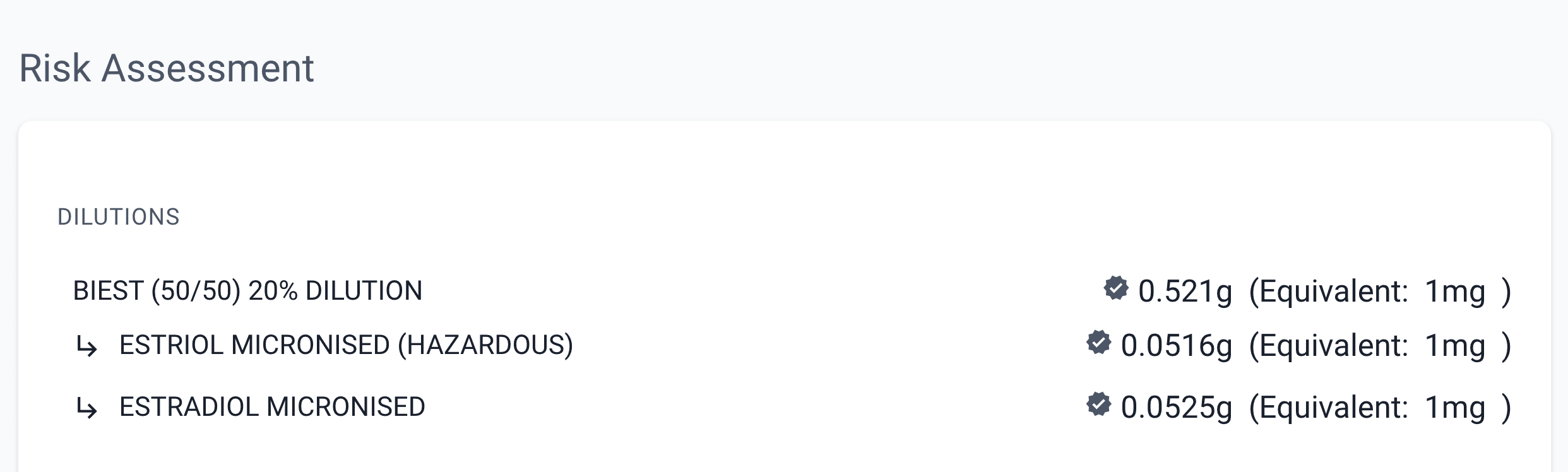
When using this dilution in other compounds an additional risk assessment section is shown so that the dilution weights can be checked against the prescribed strengths The final quantity of 'active' should be 1mg x the final units, in this picture below the final units is 100mL
From the dispensed page
Conclusion
Finally, consider going to the 'active(s)' that you used as part of the dilution and changing their ingredient role to 'N/A' (Not applicable). This means that they can only be used as part of dilutions. This will help protect you against accidentally using the raw ingredient when formulating and ensure you are always using the dilution.
Great. You've gotten this far. Thankfully you will only have to do this once per dilution. The formula should not need to be changed as any changes in batch/supply will be accounted for at the batch level. When you want to make another batch of dilution, go to the dilution ingredient and select 'Manufacture Batch'. This will prompt you to enter the quantity of the new batch and you can skip the first five steps!
All names and medical data shown in software screenshots are fictional and for demonstration purposes only. These figures represent fictional persons; any resemblance to real individuals is purely coincidental. Use of existing fictional names is for illustrative purposes and does not imply affiliation or endorsement.