
Click Dosage Forms: How to set up click-based preparations in Compound Direct

Click dosage forms are preparations dispensed using devices that deliver a measured volume of medication per click. They are commonly used for compounded topical creams and gels, allowing doses to be expressed as a specific amount of active ingredient per click.
For example, Topi-CLICK, available from MEDISCA, is a topical dispensing device that can be used for compounded preparations containing estradiol, progesterone, or testosterone.
The amount of active ingredient delivered depends on the formulation strength and the device's delivery volume. For example, an estradiol formulation containing 5 mg per 0.05 mL delivers a nominal 5 mg of estradiol with each click when used with a device that delivers 0.05 mL per click.
In Compound Direct, you can configure click dosage forms to define the active ingredient strength per click and calculate the ingredient quantities required for preparation.
Setting up the dosage form
To begin, create a new dosage form and enter your preferred name and description.
Set the Suffix to Per click, select Clicks as the unit, and enable Append to quantity.
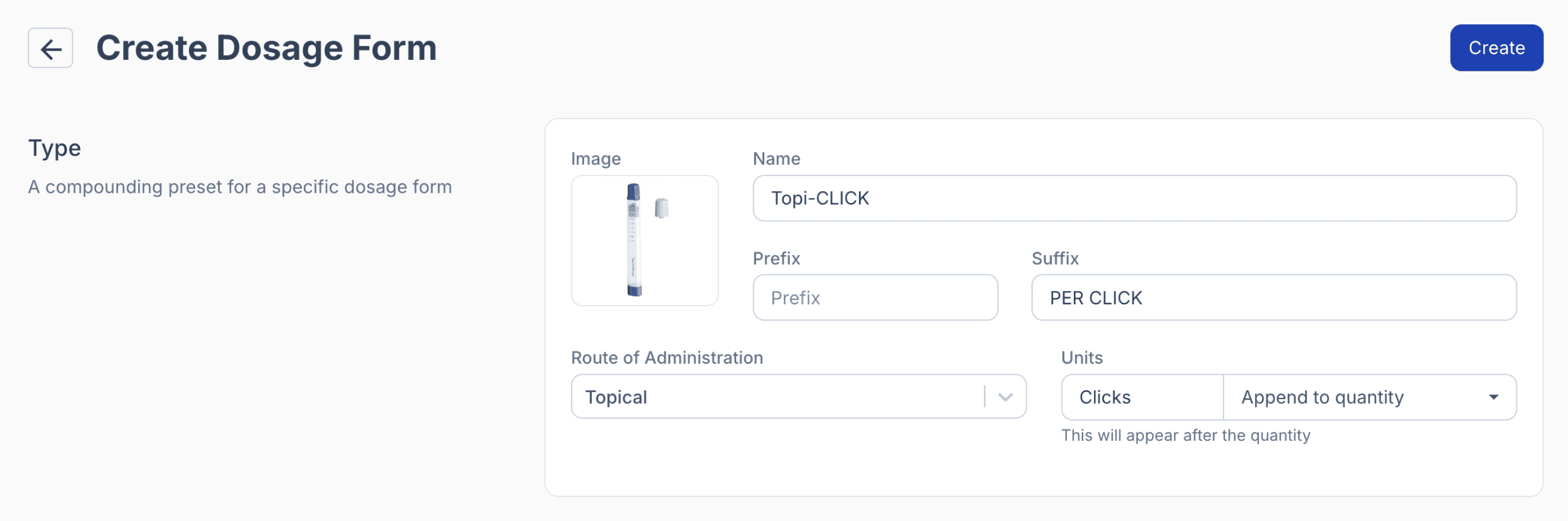
From the dosage forms page
Next, select Molded (w/w) as the calculation method and choose your usual base ingredient(s).
Set the Mold Size according to the volume delivered per click, such as 0.05 mL or 0.1 mL. Enter the same numerical value for the Blank Weight, as shown in this example, and set the Displacement Factor to 100%.
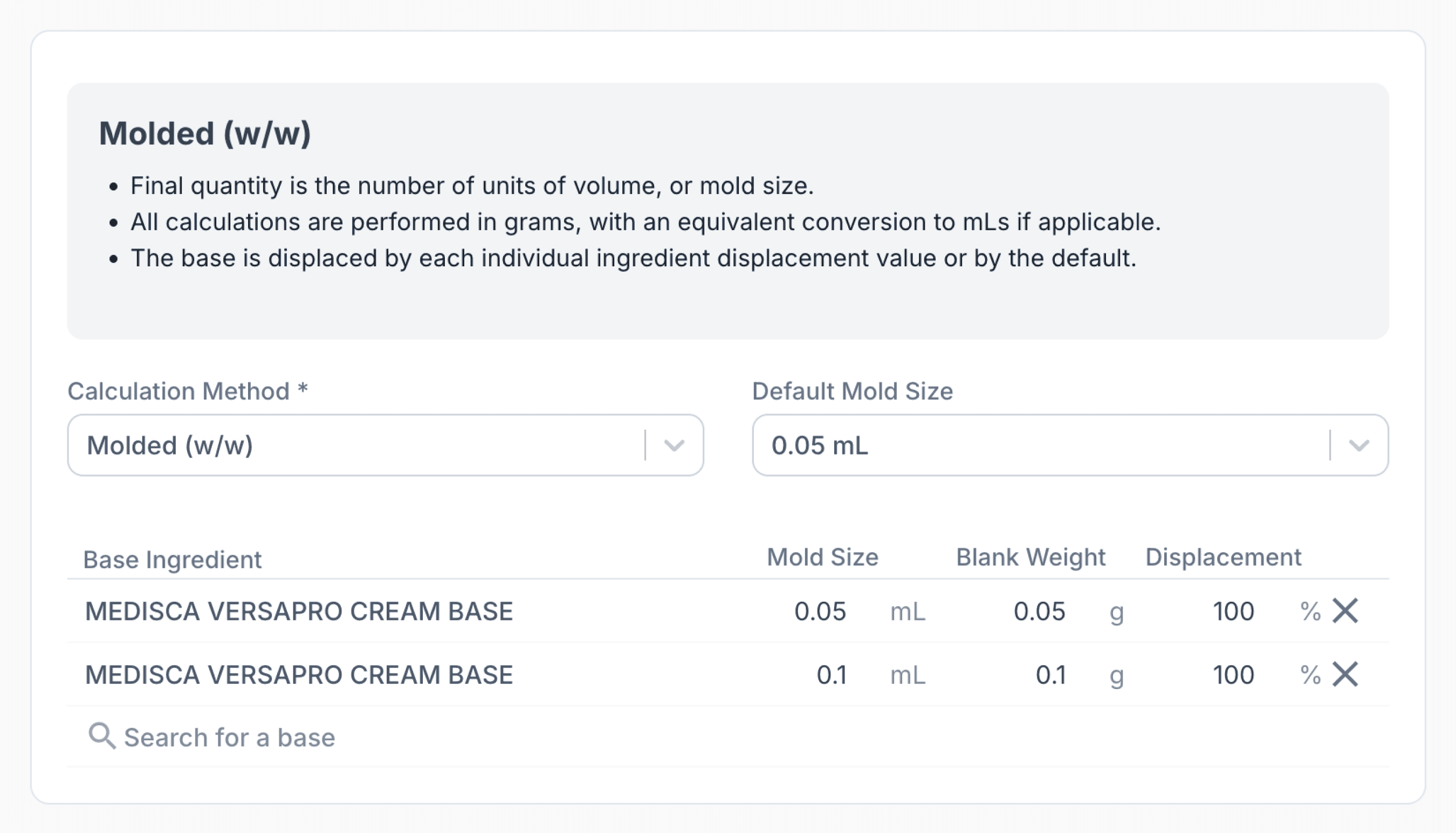
From the dosage forms page
Setting up the formulation
When creating a new formulation, select the click dosage form you previously configured. Add the active ingredient(s) and enter the required strength per click.
For example, if the required strength is 5 mg per 0.05 mL and the mold size is set to 0.05 mL, simply enter 5 mg as the ingredient strength.
The final quantity is entered as the total number of clicks in the device. For example, a 9 mL Topi-CLICK Micro device delivering 0.05 mL per click provides 180 clicks.
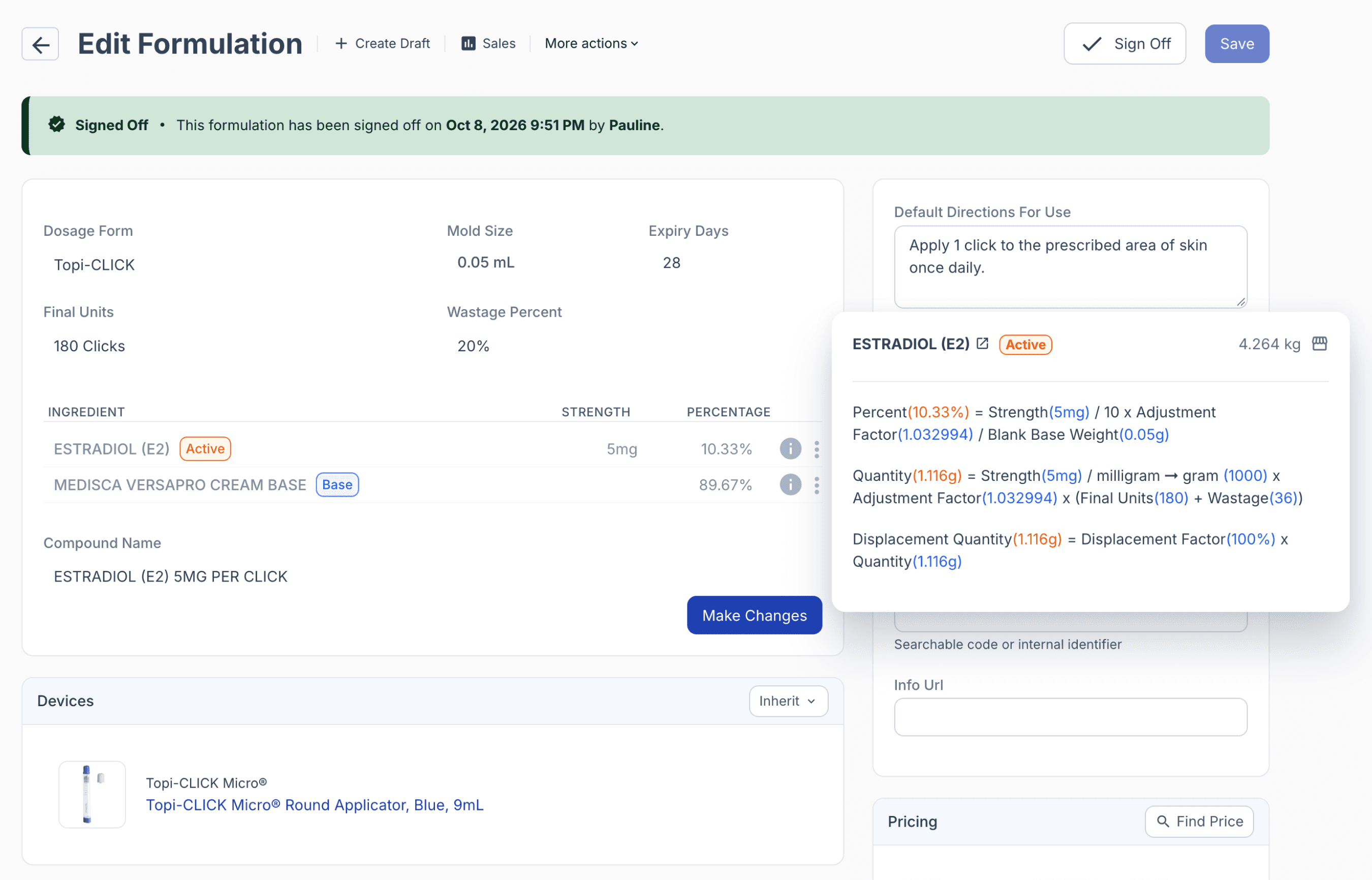
From the formulations page
In this example, the estradiol strength is 5 mg per 0.05 g (50 mg) per click, equivalent to 10% w/w, since 5 mg represents 10% of the total weight delivered per click.
You can also back-calculate the total amount of ingredient required, including wastage and the adjustment factor:
- Total volume: 9 mL + 20% wastage = 10.8 mL
- Ingredient concentration: 5 mg ÷ 0.05 mL = 100 mg/mL
- Adjusted concentration: 100 mg/mL × 1.03 = 103 mg/mL
- Total ingredient required: 103 mg/mL × 10.8 mL = 1.1124 g
Note: The calculated quantity may differ slightly from the value displayed in Compound Direct due to rounding of the adjustment factor.
Summary
Setting up a click dosage form in Compound Direct allows you to create formulations based on the required strength per click. By configuring the appropriate dosage form settings, click volume, and ingredient strengths, you can calculate the quantities needed for preparation, including wastage and adjustment factors.