
Batch stock manufacturing

Manufacturing batch stock in a Compounding Pharmacy is an efficient exercise to avoid performing single compound processes for multiple identical prescriptions. Australian laws and regulations, set out by the Therapeutic Goods Administration (TGA), strictly prohibit anticipatory steps in compounding medicines. The TGA mandates a prescription for an identified person before undertaking batch manufacturing. Pharmacies in Australia cannot store excess quantities of compounded medicines without breaching TGA regulations through anticipatory compounding. If Australian regulations are being adhered to within the pharmacy, Compound Direct offers a well-designed process to create batch stock. Batch stock preparation enables pharmacies to undergo a single compounding process for multiple identical prescriptions, resulting in workplace efficiency and risk reduction.
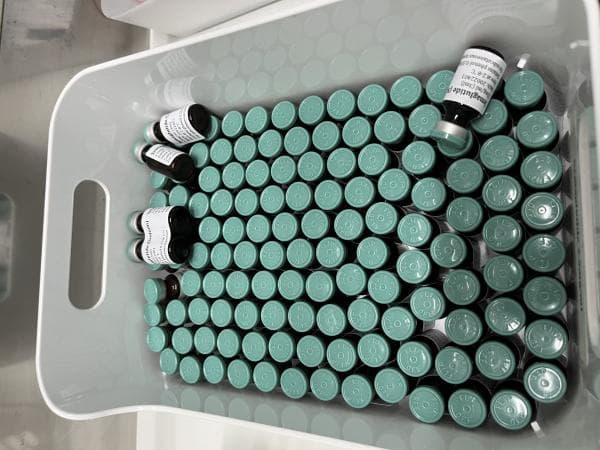
Photo supplied by the Therapeutic Goods Administration
Part 1: Creating the Batch Manufacture
Step 1: Create a formulation
Go to the formulations tab click Create Formulation
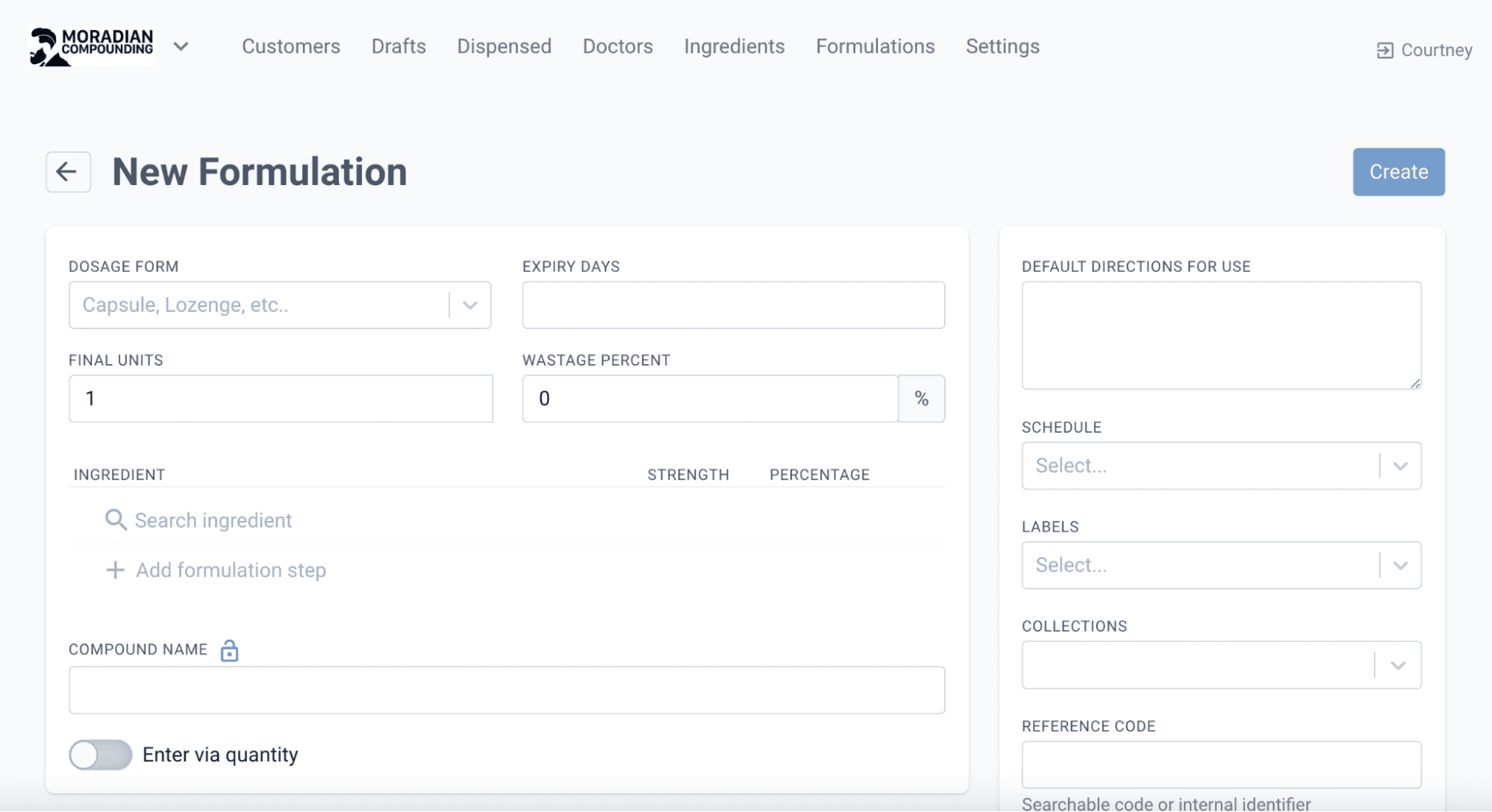
From the formulations page
Step 2: Convert to Batch Stock
Once the formulation has been created and saved, proceed to convert the formulation to batch stock. This indicates that we will be creating batch manufactures for the formula and it won’t be used for singular compounding. Click on More Actions and select Convert to Batch Stock.
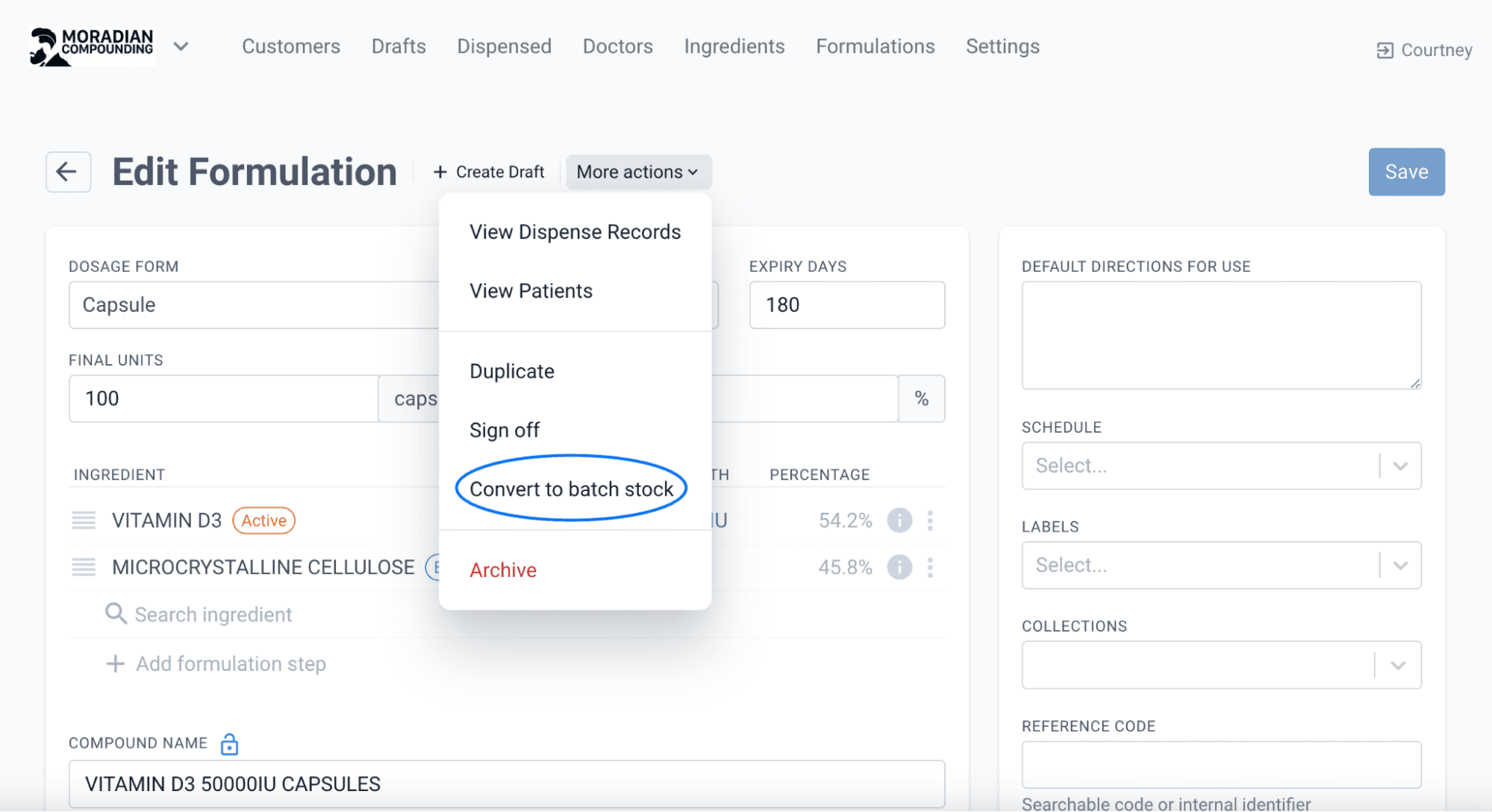
From the formulations page
Step 3: Manufacture Batch
With the formulation now set up in the Compound Direct system as Batch Stock, the next step is to manufacture a batch. This creates a stock level for the pharmacy to dispense to customers with in-store prescriptions.
Select Manufacture Batch.
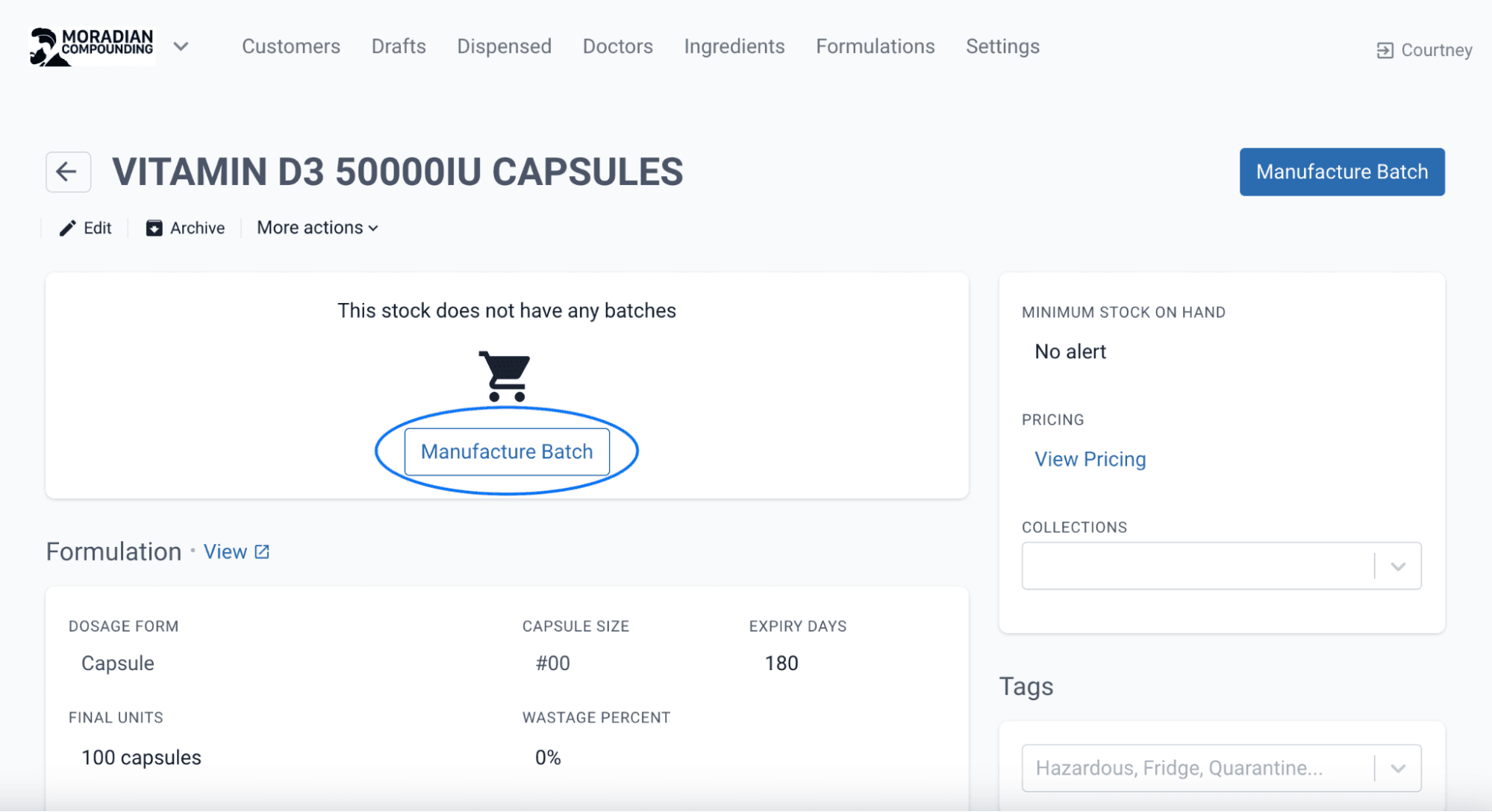
From the batch stock page
Enter the quantity required, and select Create Batch Manufacture.
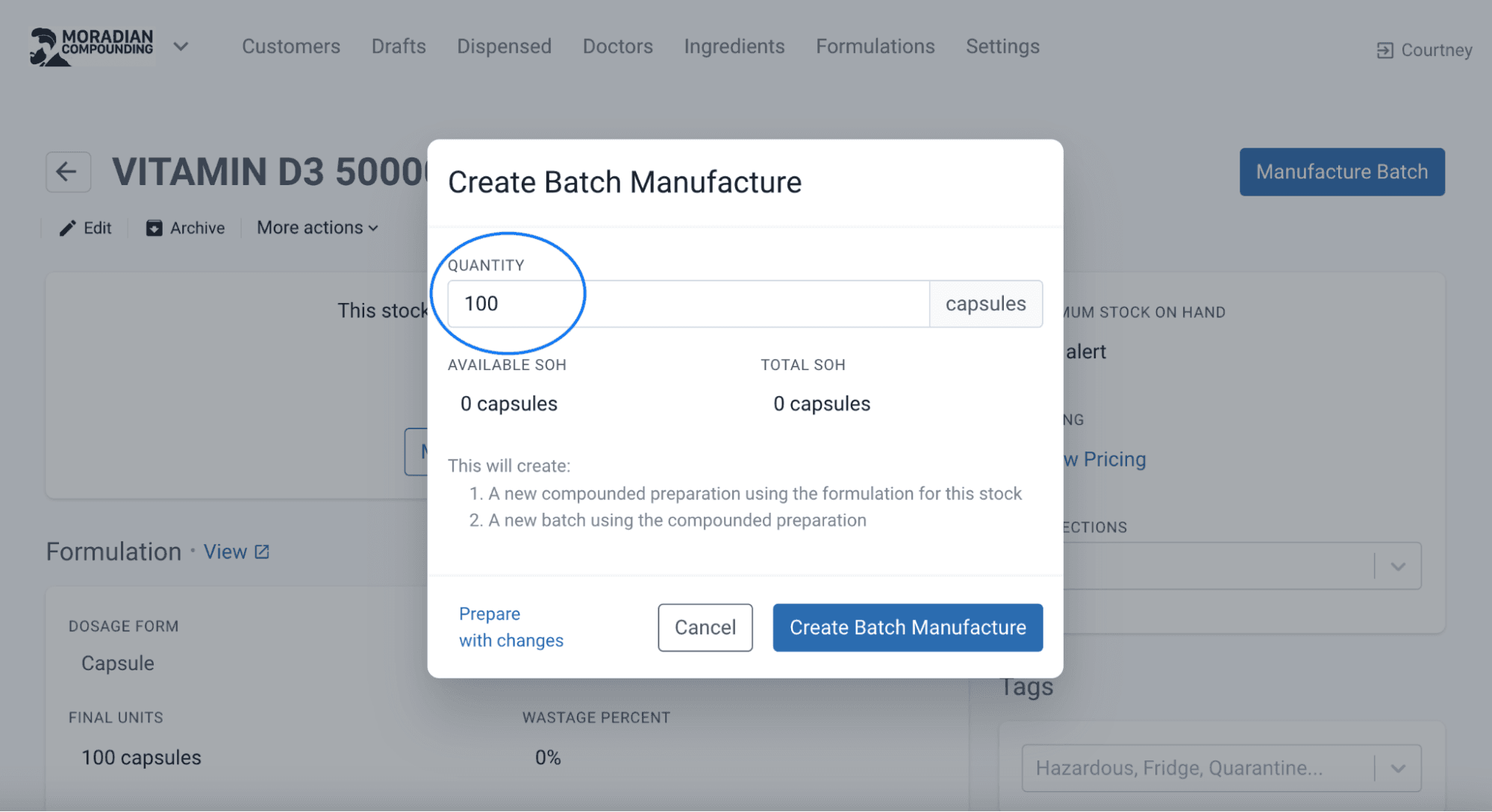
From the batch stock page
Follow the compounding process in the same manner as individually compounded items.
Step 4: Sign off, Approve and Open the Batch Manufacture
Sign Off on the batch manufacture.
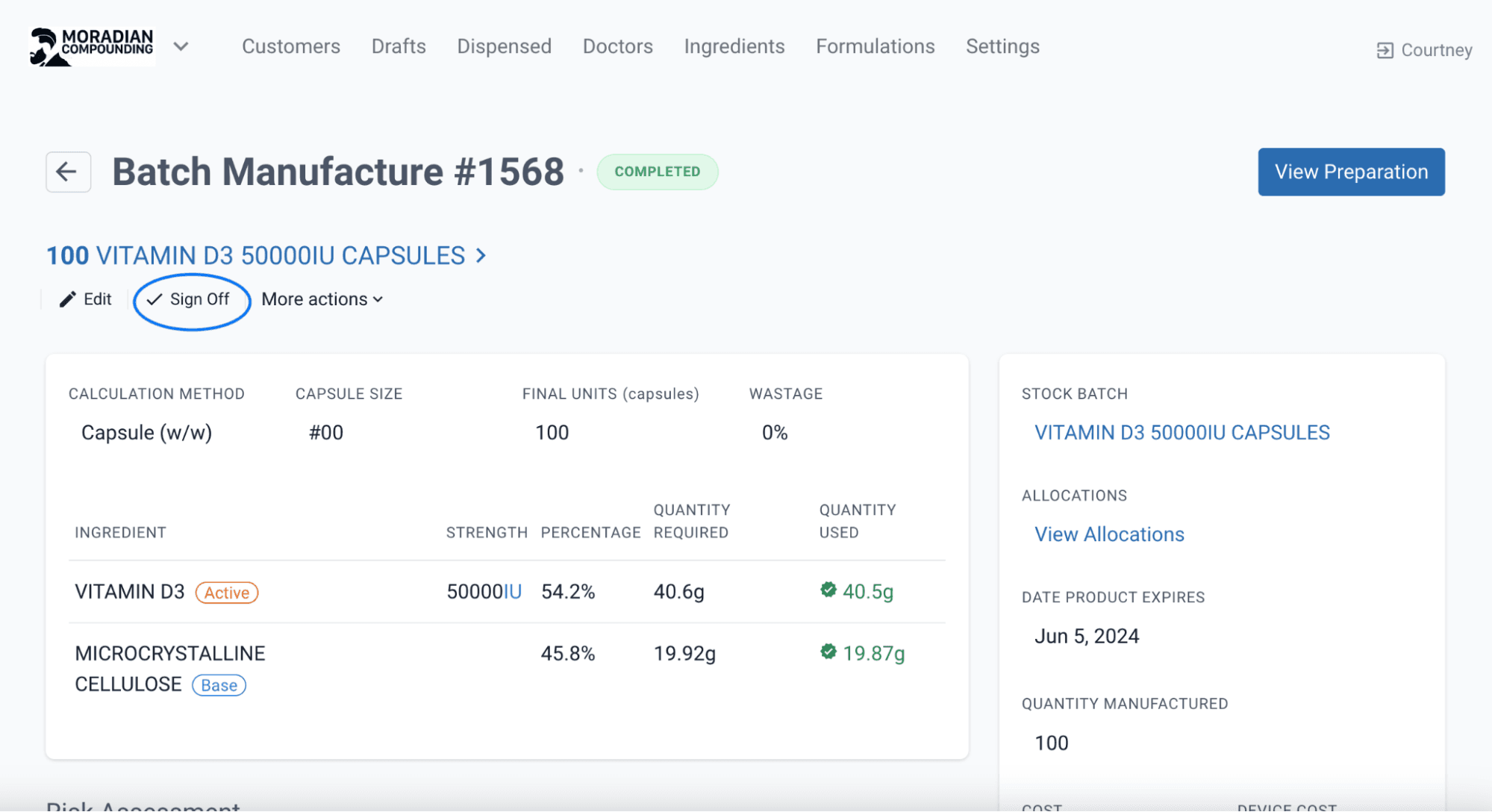
From the batch manufacture page
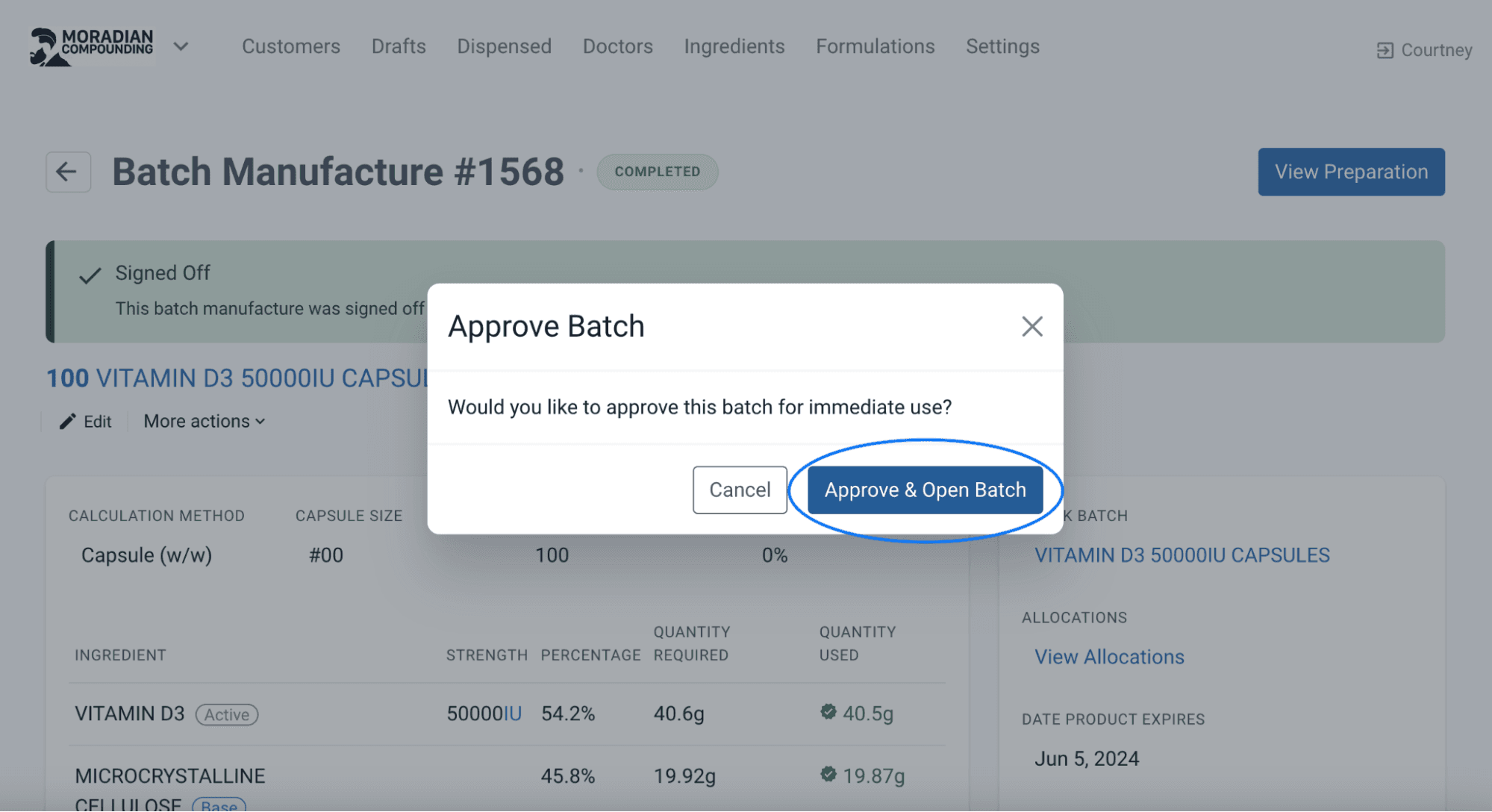
Select Approve and Open Batch on the next screen to allow for immediate use of the Batch Manufacture.
Finally, print a label for the batch manufacture to facilitate scan checking during stock allocation.
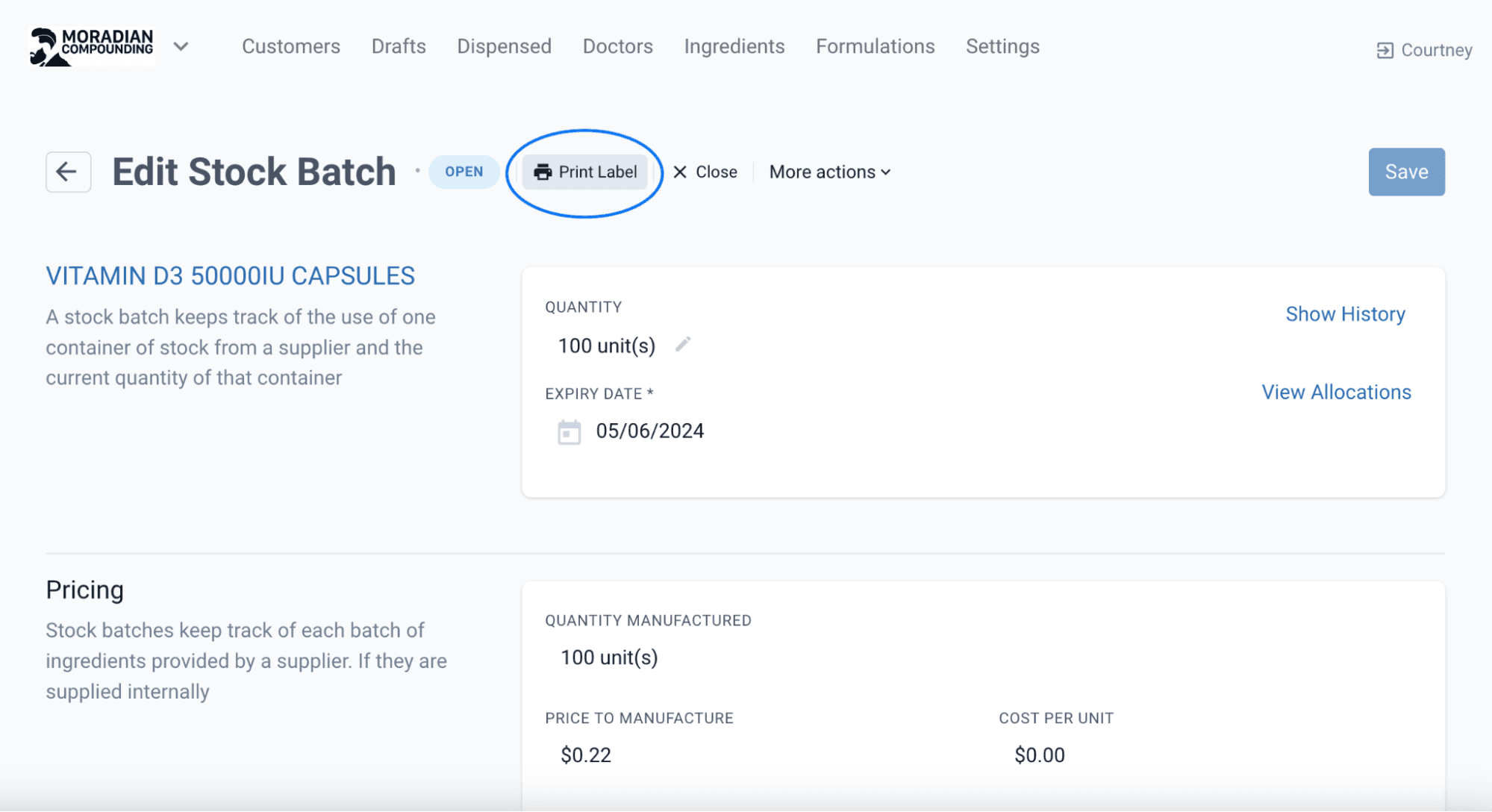
From the edit stock batch page
Part 2: Dispensing/Allocating the Batch Manufacture to Customers
When a customer receives medicine from batch stock, there is no need to compound the prescription as the compound has already been created. Instead, allocate the stock from the batch manufacture to the individual customer(s).
Step 1: Create a Draft Ensure the formulation used for the Batch Stock is selected in the Draft. In this example we are selecting the Vitamin D3 Capsules
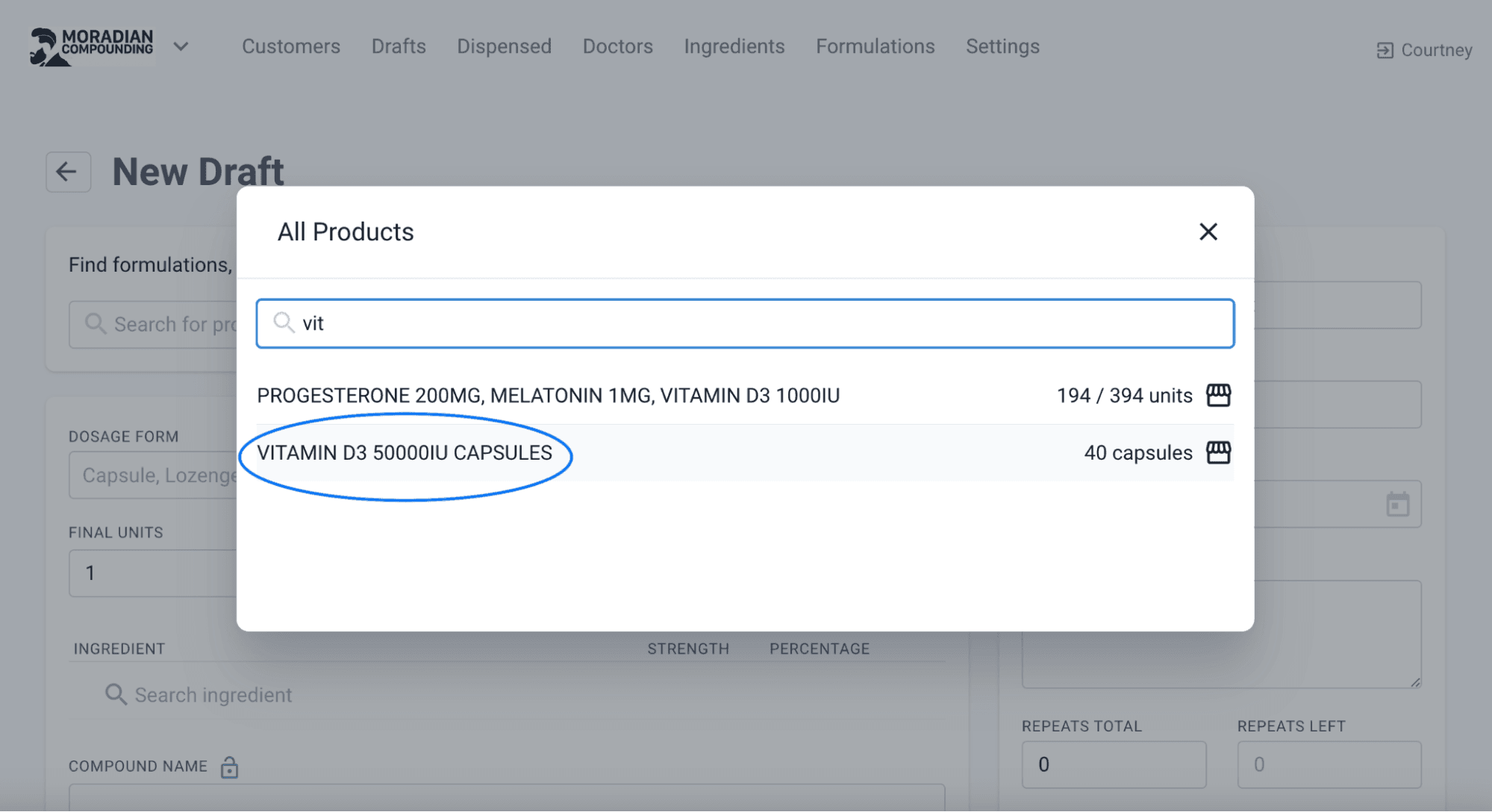
From the drafts page
Once all the relevant information has been entered into the draft, press Save and then Dispense.
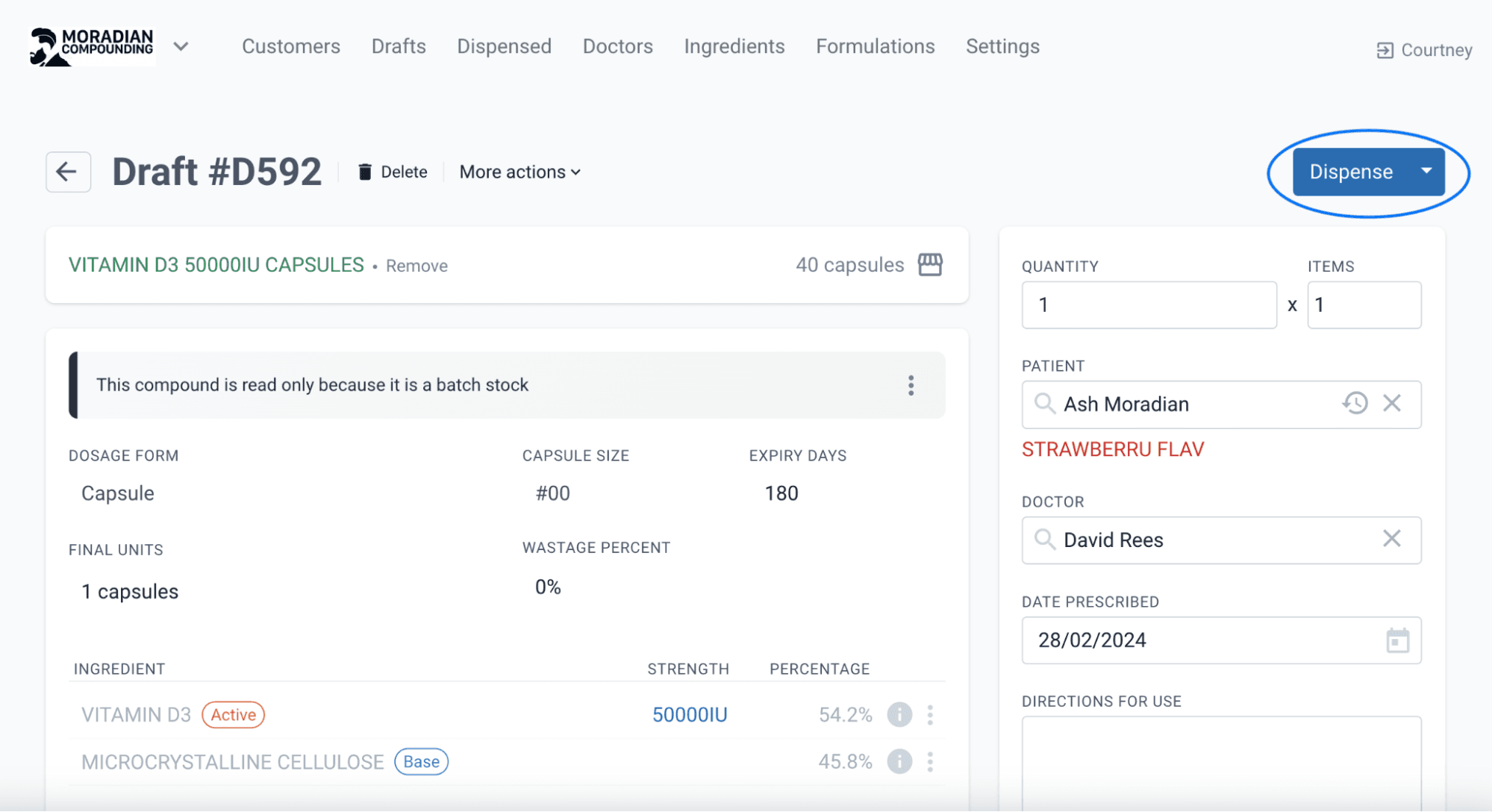
Compound Direct offers a variety of ways to allocate batch stock, selecting the most appropriate method for your store will depend on your individual workflow and preferences. This blog will focus on the two most common allocation methods.
Single allocation
Single allocation is the simplest way to allocate batch stock to customers. This allocation method is assigning batch stock per dispensing record. Using the example above, we can allocate the batch stock from the screen which appears after selecting Dispense. The dispensing record can also be pulled from the Dispensed tab.
Step 1: Enter the Lot Number of the Batch Stock or Scan check via the camera. From a risk management perspective, Compound Direct always recommends scan-checking the Batch Stock via the camera. This ensures that the correct stock is being allocated to the customer, minimising the risk of Pharmacy Staff supplying the incorrect batch stock.
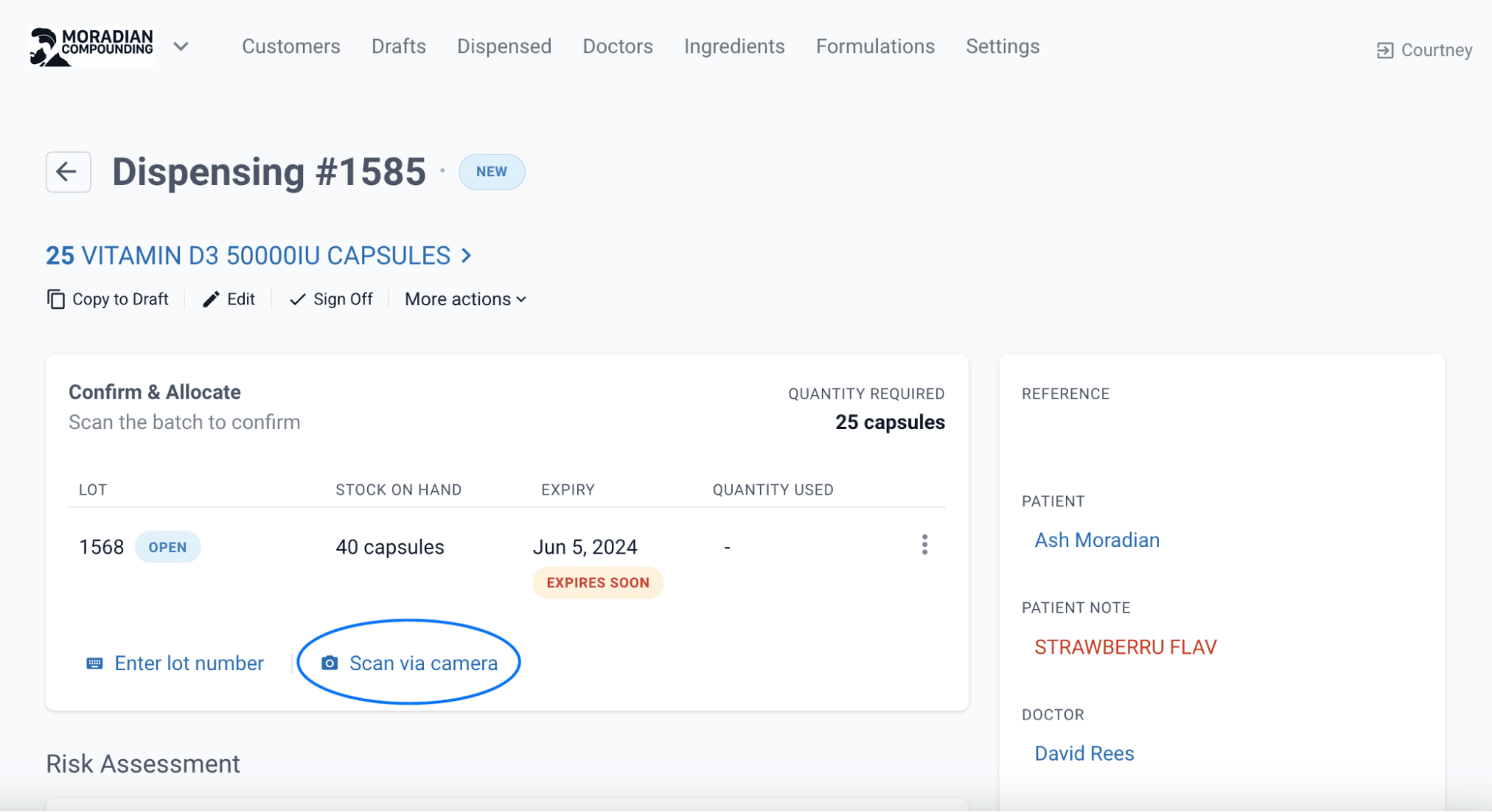
From the dispensing page
Step 2: Sign off
Confirm the quantity used matches the quantity required. If the relevant information has been checked, Sign Off on the dispensing record.
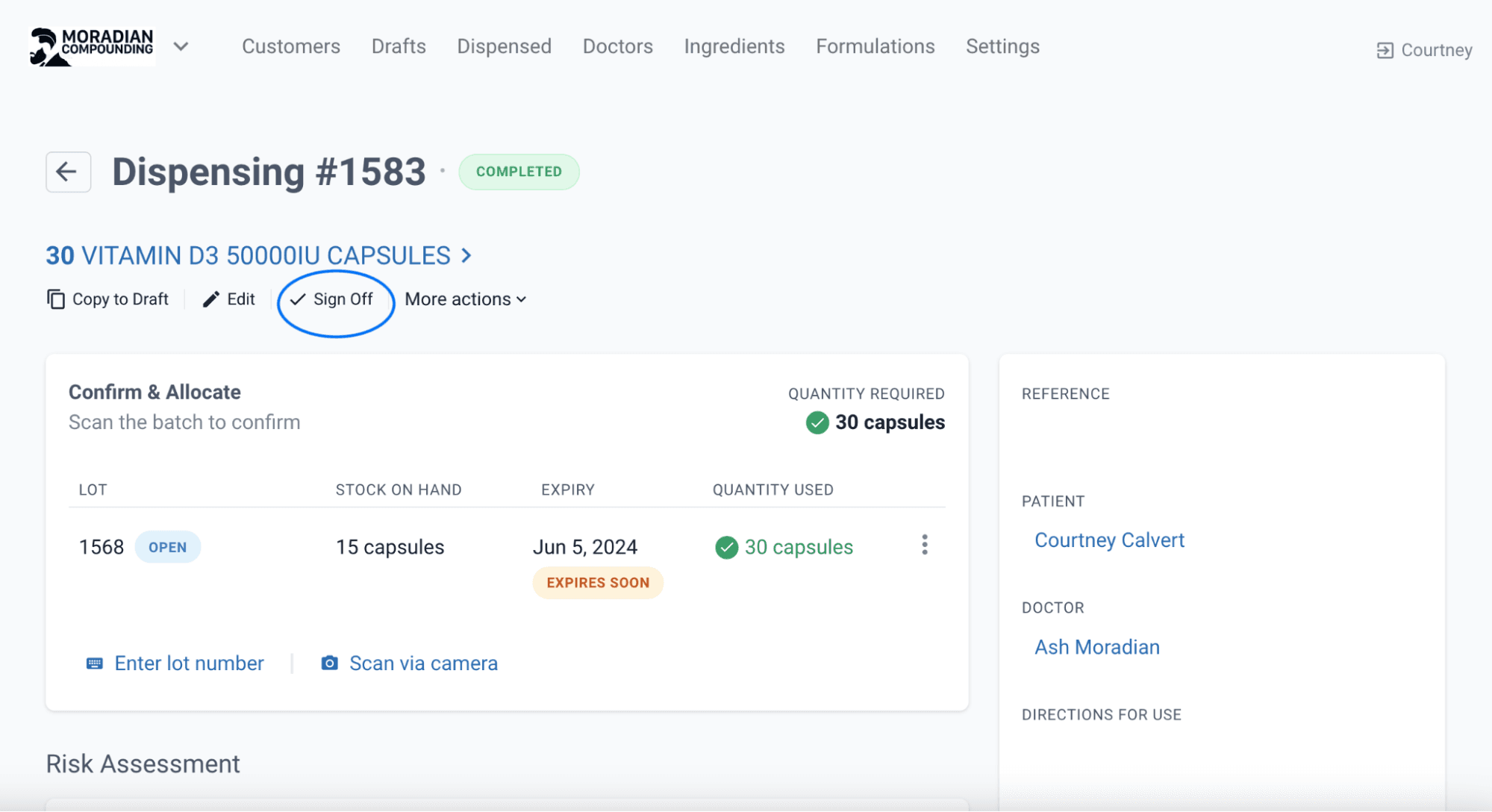
Bulk allocation
Note: only available on select Compound Direct set ups. Please contact us if you would like this feature added to your subscription.
For multiple identical prescriptions needing to be dispensed from the same Batch Manufacture, the system can allocate the stock in a Bulk Allocation process.
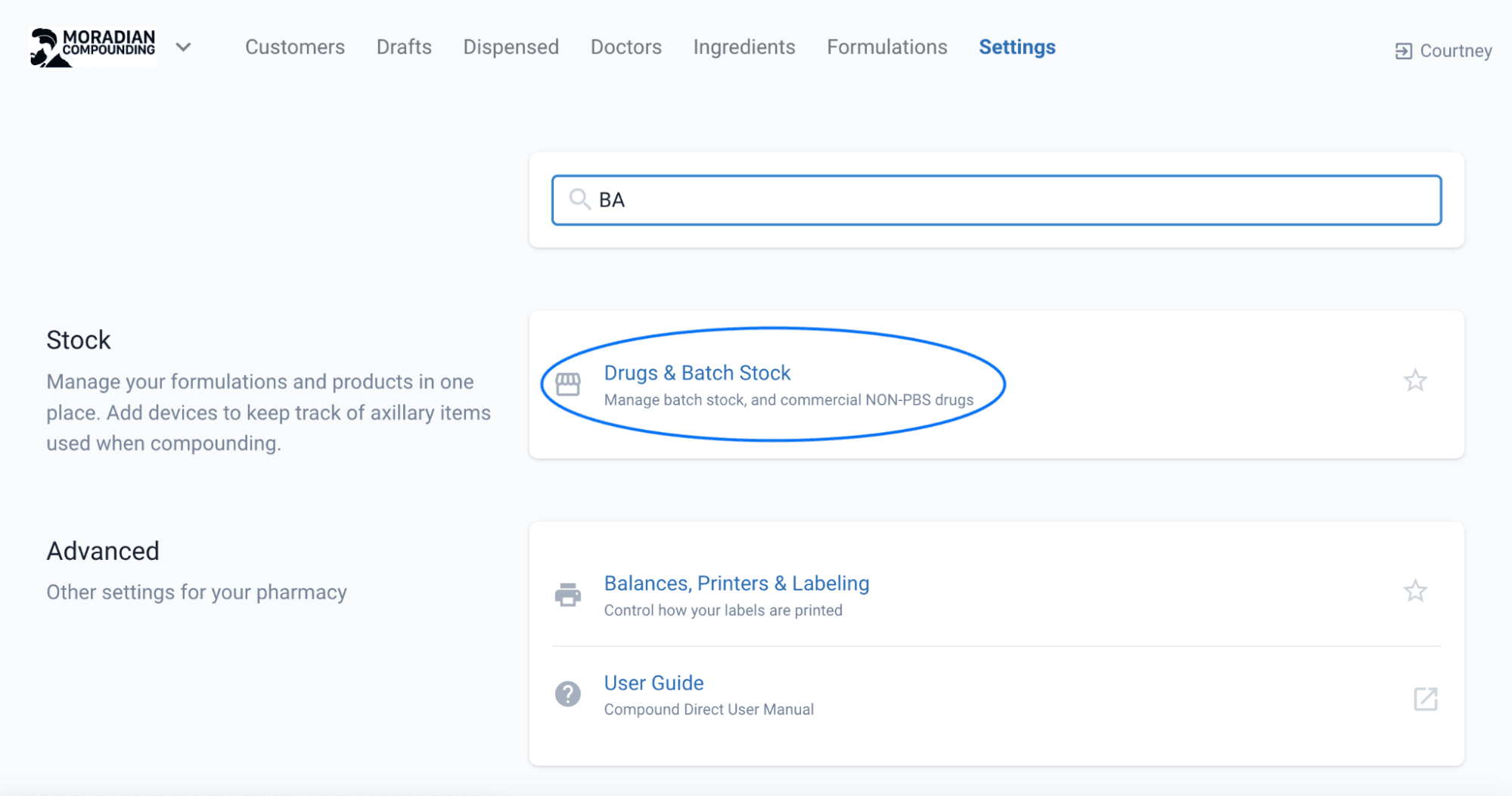
Step 1: Select the Batch Manufacture record. Go to Settings > Drugs & Batch Stock
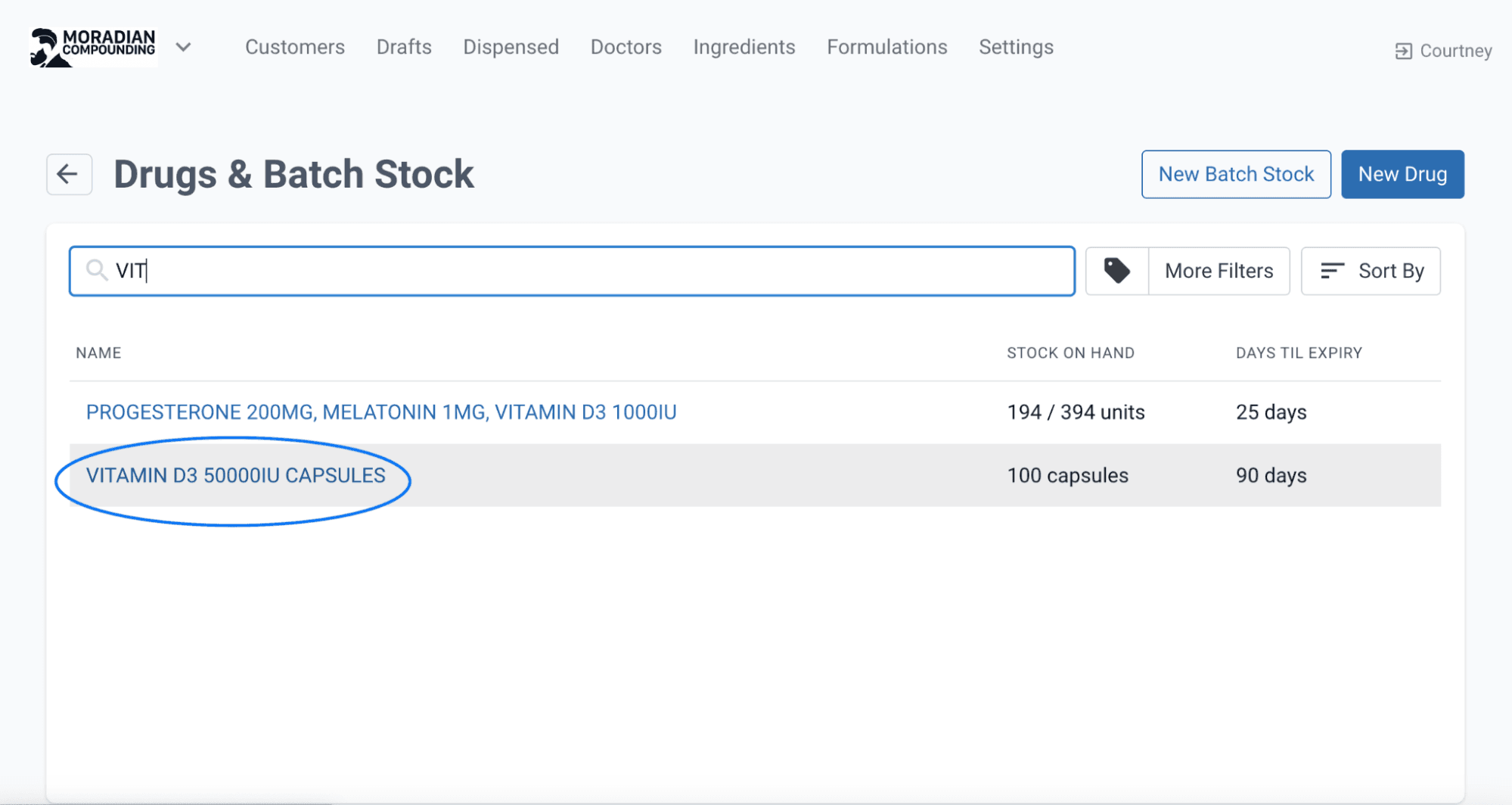
Search and select the correct Batch Stock, in this case we are continuing to use the Vitamin D3 Capsules.
Step 2: View Allocations Select View Allocations on the Edit Stock Batch page. The system will identify any new Dispensing records that match the associated batch stock.
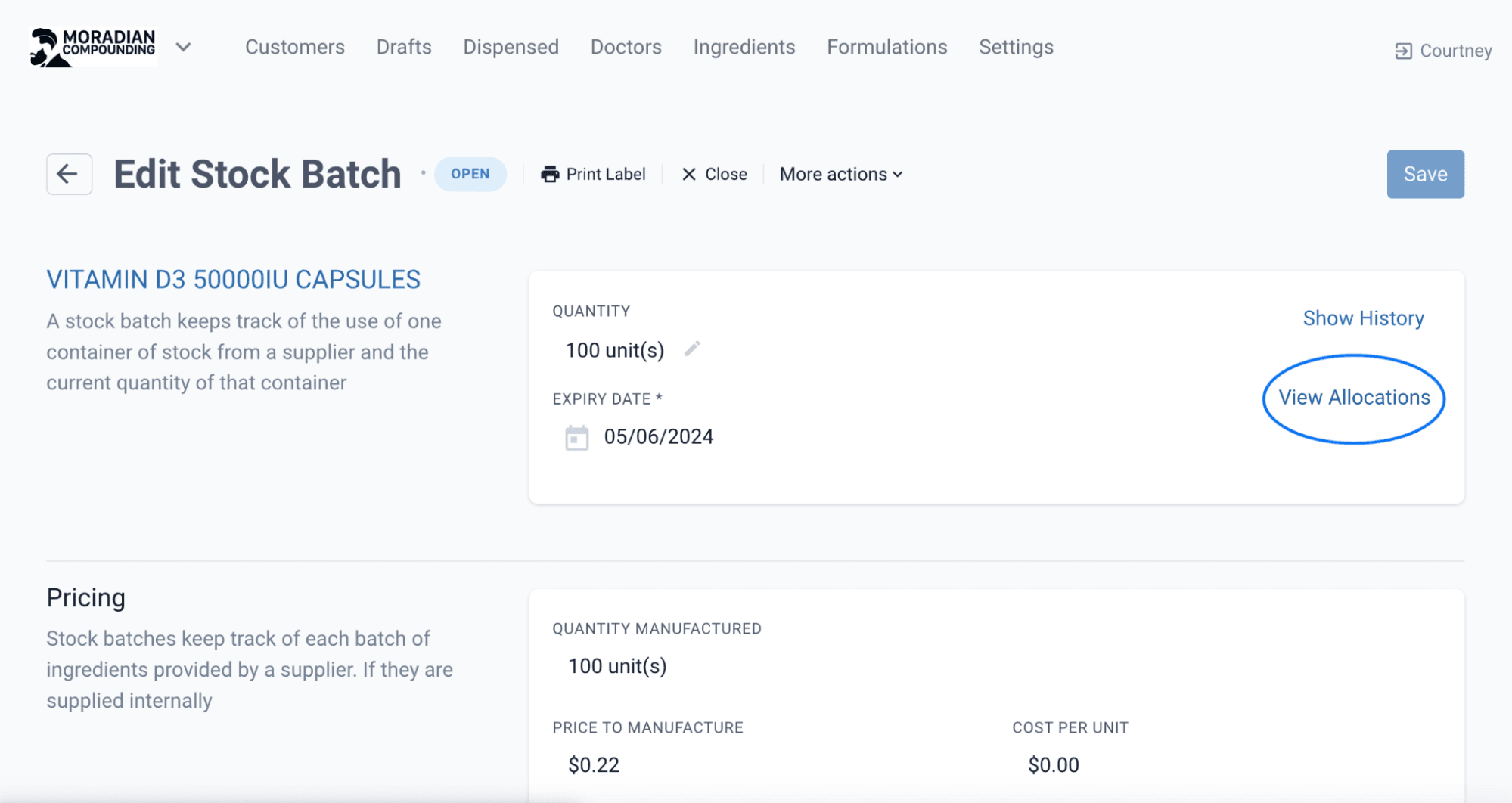
From the edit stock batch page
Step 3: Assign the batch stock This Stock Batch record shows unallocated scripts matching the Vitamin D3 Batch Stock.
Select the unallocated scripts (as displayed in the above image) and select Assign.
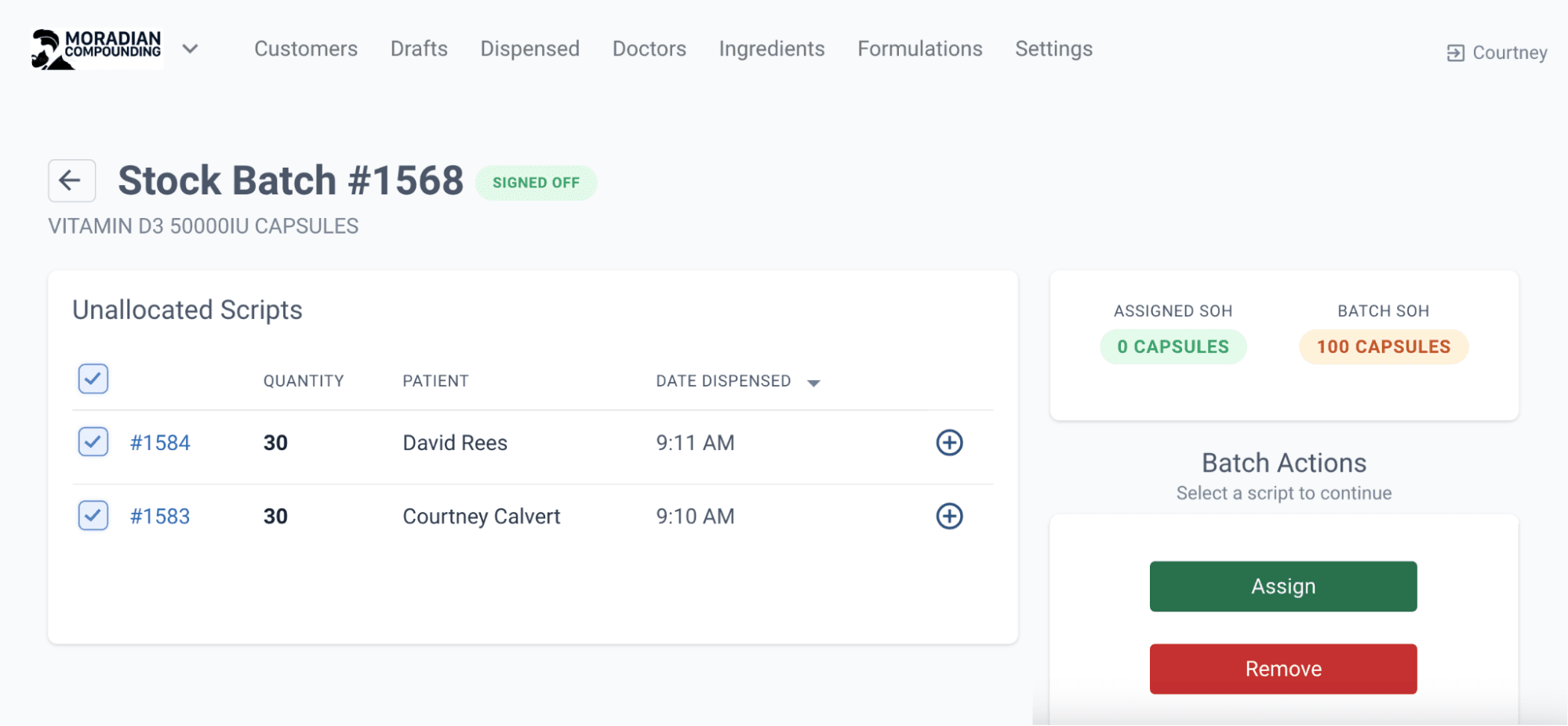
From the stock batch page
Once allocated Sign Off on the Dispense record.
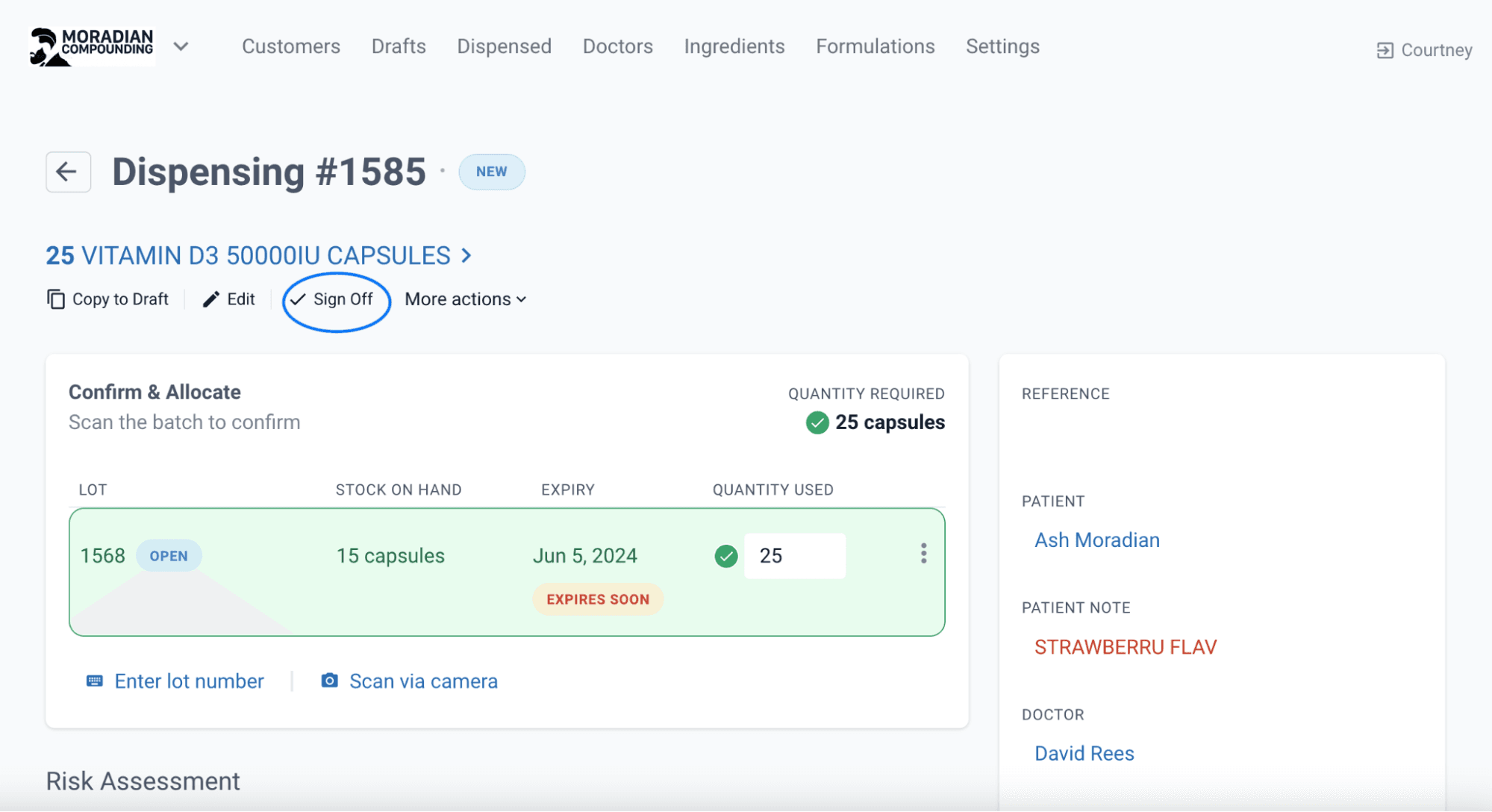
From the dispensing page
Conclusion
In the realm of Compounding Pharmacy in Australia, adherence to laws and regulations set by the Therapeutic Goods Administration (TGA) is paramount. Anticipatory compounding is prohibited, and prescriptions for identified individuals are mandatory before engaging in batch manufacturing. Compound Direct provides a well-structured process for creating batch stock, allowing pharmacies to efficiently perform a single compounding process for multiple identical prescriptions. The Batch Manufacturing and Allocation function helps to facilitate compliance with regulatory requirements but also enhances operational efficiency in compounding pharmacies, ultimately contributing to the safe and accurate dispensing of medicines to customers.
All names and medical data shown in software screenshots are fictional and for demonstration purposes only. These figures represent fictional persons; any resemblance to real individuals is purely coincidental. Use of existing fictional names is for illustrative purposes and does not imply affiliation or endorsement.