
All About Taxes: Applying account, workflow & order tax in Compound Direct

Applying tax in Compound Direct can be managed at multiple levels: account, order workflow, and order. Each setting serves a different purpose, so understanding how they interact is important for ensuring orders are taxed and invoiced correctly.
In this article, we’ll cover:
- How tax settings work across accounts, order workflows, and orders.
- The difference between Account Tax, Order Workflow Tax, and Order Tax settings
- Common pharmacy scenarios and recommendations for when to use each setting
Before configuring tax settings, it is important to understand which settings create defaults and which settings control the final tax outcome before invoicing.
Account tax settings
The Invoice items taxable setting is configured on the Account page when creating or editing an account.
When enabled, tax is included on invoice items using the specified tax rate.
Account tax is best used when an account or clinic consistently requires tax to be applied broadly across all invoice items, including items that may otherwise remain non-taxable, such as formulations, without manually configuring tax for each transaction or individual order.
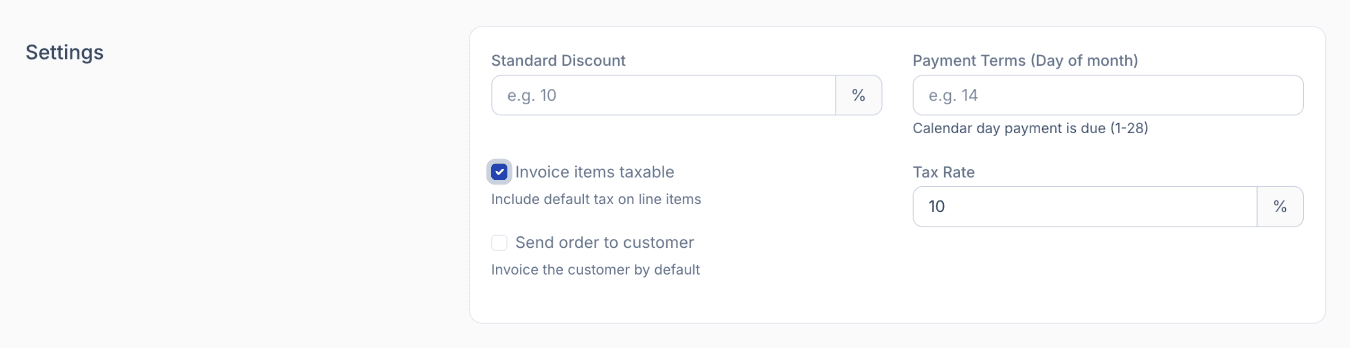
From the accounts page
Order workflow tax settings
Order Workflows can be configured to mark new orders as taxable by default. When enabled, orders created through that workflow will inherit a taxable status, allowing tax to be applied where applicable.
This does not override normal item-level tax treatment. Non-taxable items, such as compounded formulations, will remain non-taxable unless another tax setting applies.
The workflow can also determine whether tax is calculated as inclusive or exclusive.

From the order workflows page
Order Workflow tax is best used when a pharmacy wants new orders under a specific workflow to be taxable or tax exempt by default, while still preserving the normal tax classification of individual items. Setting this default reduces the need to make tax adjustments on every order.
Orders tax settings
The tax setting on the order itself is the final authority and determines the tax outcome for that specific order before invoicing.
- When Taxable is enabled, tax will be applied to applicable items on the order.
- When Taxable is disabled, no tax will be applied to the order.
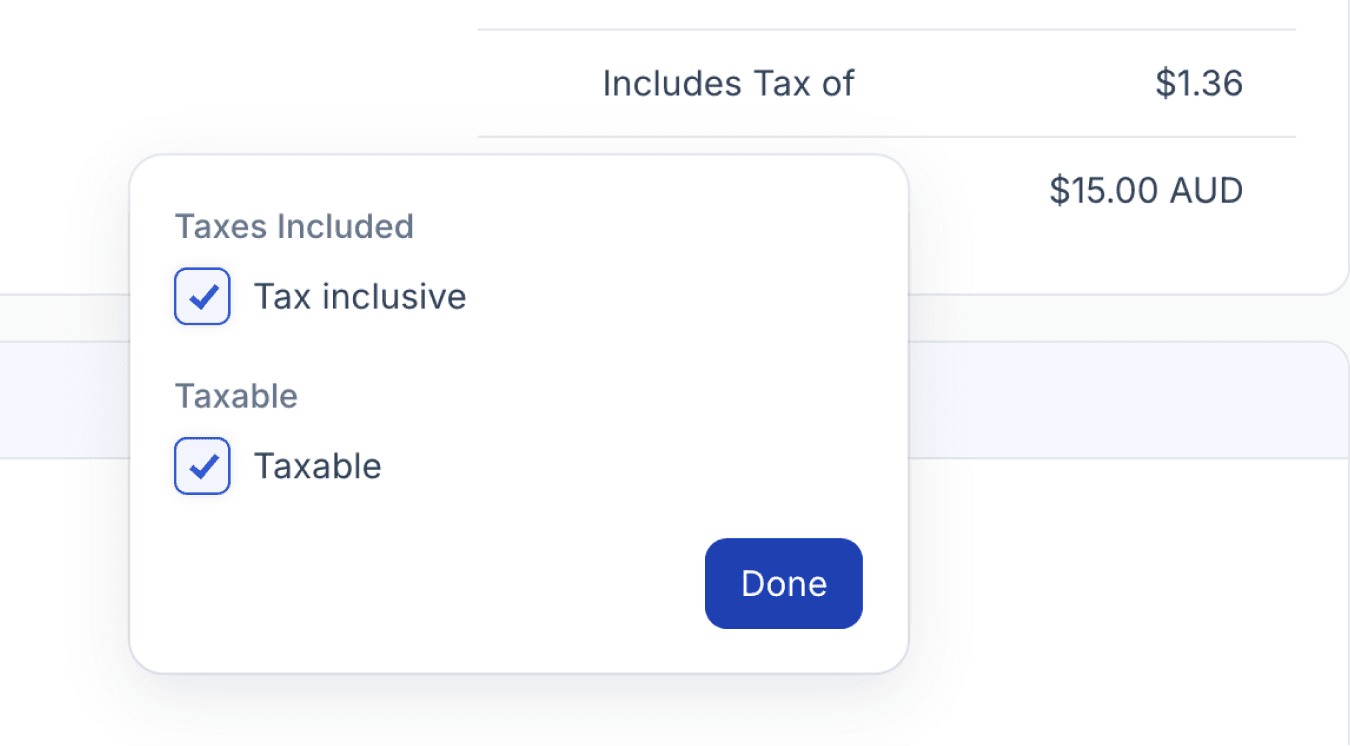
From the orders page
This setting is most useful when an individual order requires different tax treatment from the default settings, or when an exception needs to be made for a specific customer or transaction.
Important note: Tax can still be selected or unselected on individual line items, regardless of the account or order tax settings. However, if No Tax is selected in the Order Tax setting, no tax will be applied to the order, even if tax is ticked on individual line items.
GST (Goods and Services Tax)
You can also enable GST settings for individual line items when creating orders, allowing you to specify which items require GST.
To enable this, go to ‘Your Workspace’ settings, under ‘Orders & Accounts’, switch on Display Per-Line GST Column. This adds a GST column for each line item on the Orders page.

From your workspace settings
The GST column allows you to apply or remove GST for individual line items, giving you more control over tax calculations. This is particularly useful when handling orders containing items with different GST treatments, helping ensure accurate order totals and invoices.
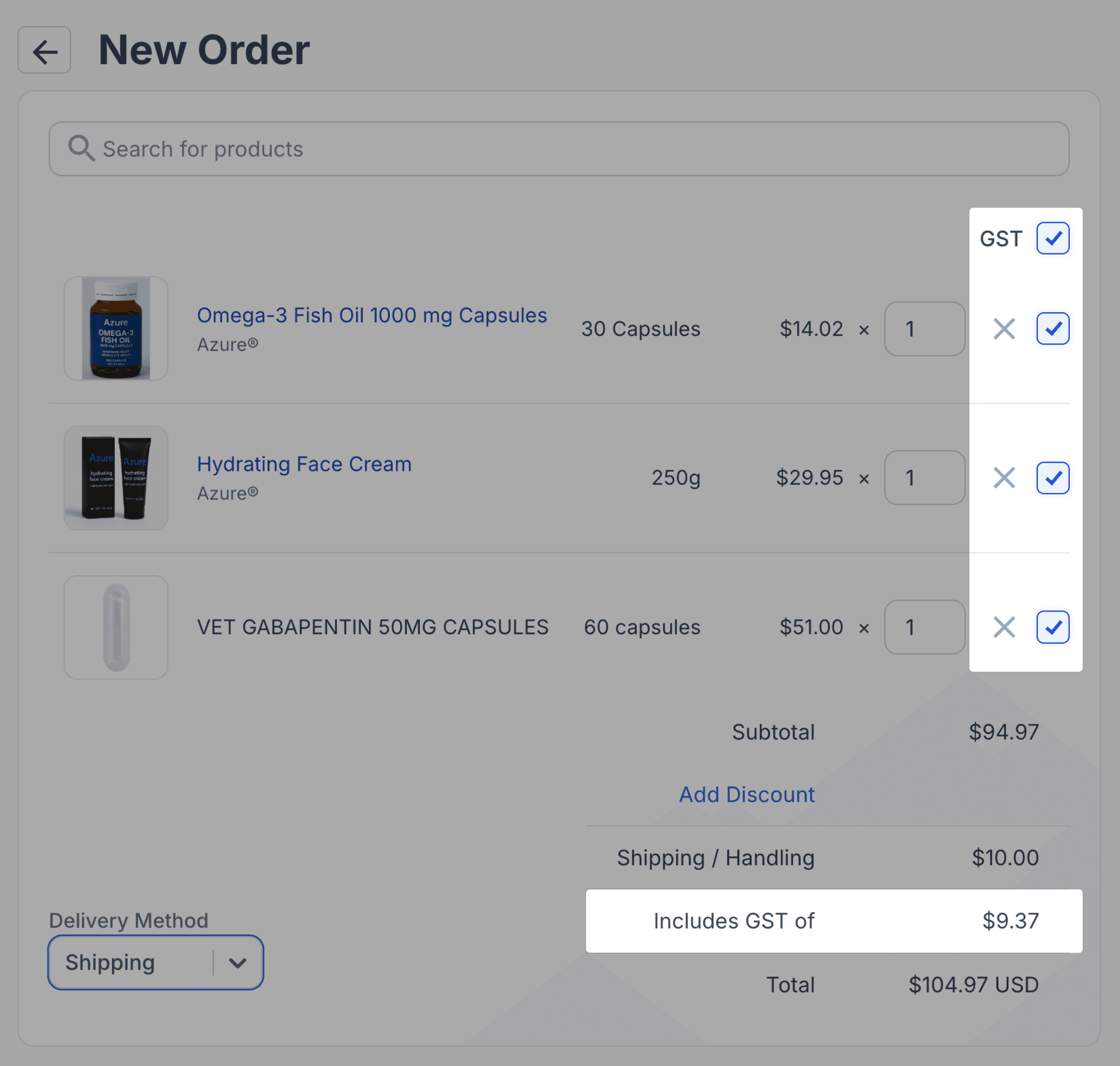
From the orders page
Example scenarios
Scenario 1: A clinic always requires tax
A clinic account consistently requires tax to be applied broadly across invoice items, including items that may otherwise remain non-taxable, such as formulations. In this case, configure tax at the Account level to reduce manual adjustments and maintain consistent tax treatment across invoices for that account.
Scenario 2: Most orders in a workflow are taxable
A workflow is primarily used for orders where tax should usually apply. In this case, configure tax at the Order Workflow level so new orders created through that workflow are marked as taxable by default. This helps reduce manual adjustments on each order while still preserving the normal tax classification of individual items.
Scenario 3: A one-off order exception is required
A customer is normally taxable, but a specific order should not have tax applied. In this case, adjust the tax setting directly on the Order, rather than changing the Account or Order Workflow configuration. This preserves the default behaviour for future transactions while allowing the current order to be processed correctly.
Summary
Understanding how Account, Order Workflow, and Order tax settings interact helps pharmacies apply tax consistently while still allowing exceptions where needed. Account tax is best used for customers or clinics that require broad tax treatment, Order Workflow tax sets default tax behaviour for new orders, and Order tax determines the final tax outcome before invoicing.